00198000-02_VD_709.1_DE_EN.pdf - 第19页
Station Software 709.1 / Version Descript ion Ausgabe 05/2016 E dition 19 With the Capture images button, pictures ar e taken of the positi ons by the board camera . The measurement is performed for on e lane only and t …
Station Software 709.1 / Version Description Ausgabe 05/2016 Edition
18
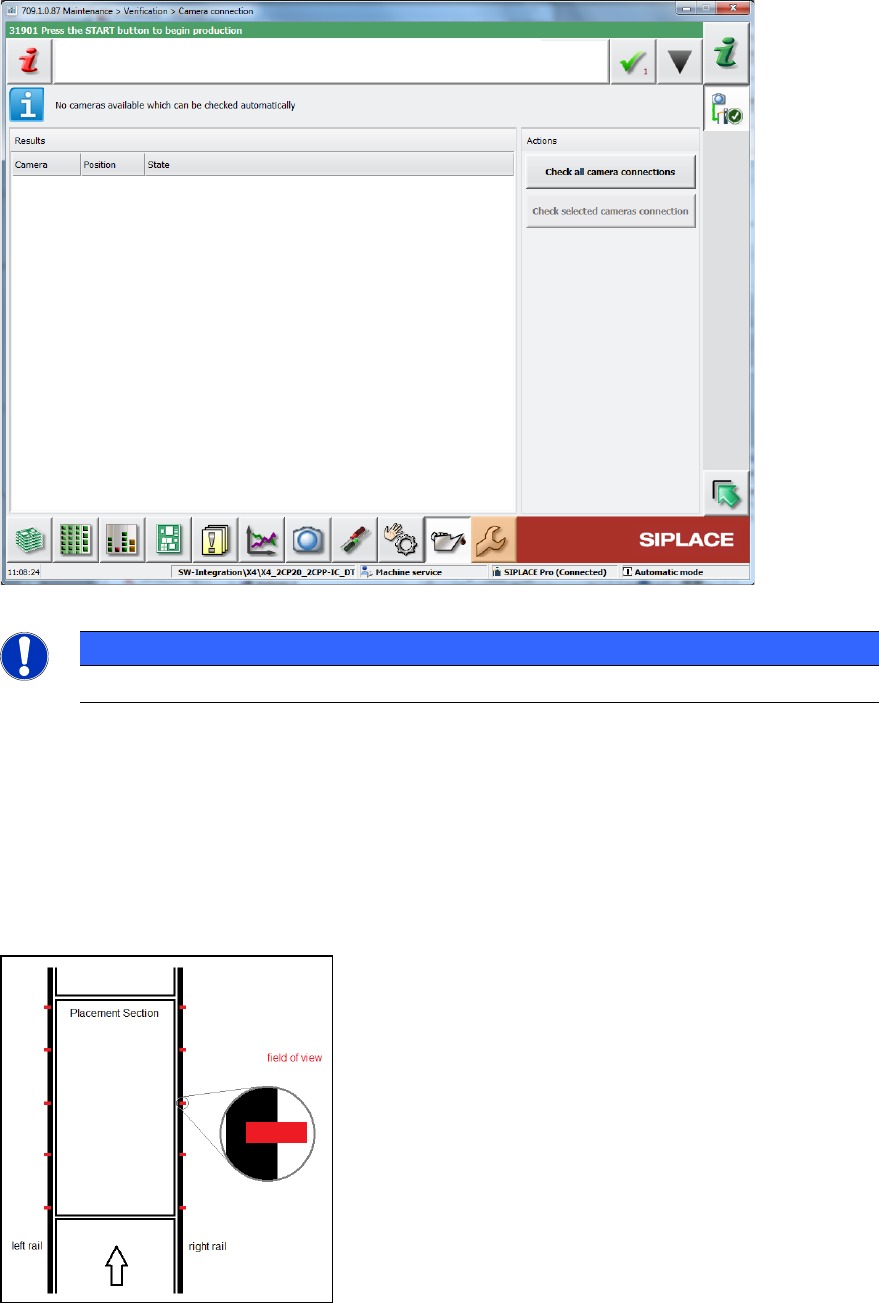
4.3.6 Camera Connections – Checking Gig E Interface
A new GUI dialog will provide information about the current health states of permanently installed
Gig E cameras and all intermediate stations.
Figure 4-11: Checking camera connections
NOTICE
This feature does not support checking Coplan sensors.
4.3.7 Conveyor Rail Verification
Compatible mode: Complete
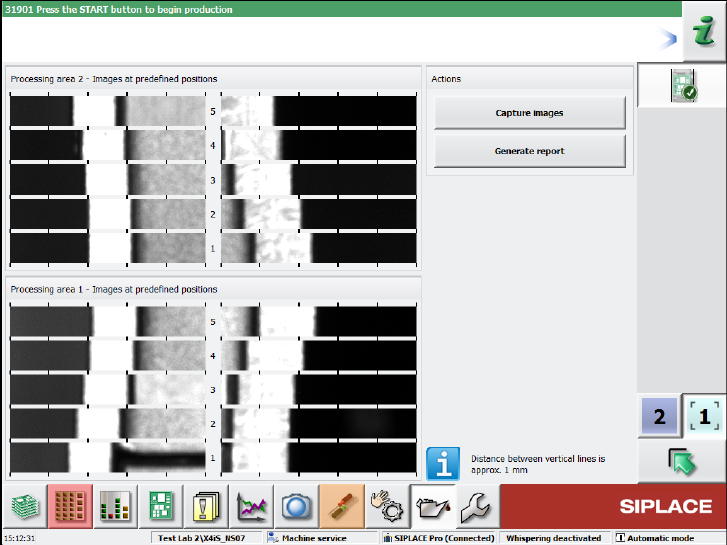
With the Conveyor rail verification button in the Verification view, the parallellism of the
conveyor rails can be checked. For this, several X positions per processing area (currently 5) are
displayed at the outer edges of the rails.
Figure 4-12: Displayed X positions
Station Software 709.1 / Version Description Ausgabe 05/2016 Edition
19
With the Capture images button, pictures are taken of the positions by the board camera.
The measurement is performed for one lane only and the results are displayed on the GUI. For
dual conveyors, there will be two independent measurements and result views. The pictures have
to be inspected by the operator.
It is possible to perform the measurements with boards in the conveyor, but not during production.
The machine must be stopped before the measurements can be started.
With the Generate report button, a report can be created that contains a screenshot of the page.
Figure 4-13: Result view of a machine with two processing areas
The report is stored at the station.
Station Software 709.1 / Version Description Ausgabe 05/2016 Edition
20
4.3.8 Conveyor Motor Verification
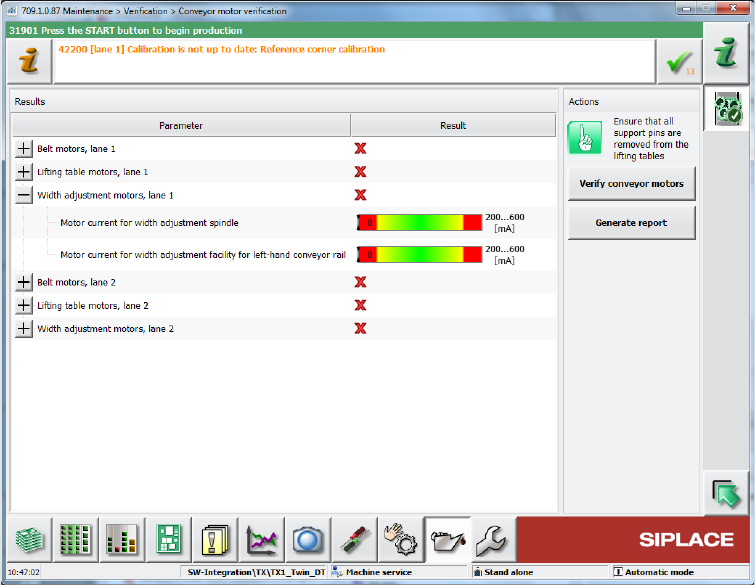
With the Conveyor motor verification in the Verification view, all current motors of the conveyor
can be verified (lifting tables, width adjustment and belt motors). The results are displayed together
with the limits (green mark if within the limits, red cross if outside the limits).
Figure 4-14: Verifying conveyor motors
The functionality is not supported on SIPLACE X-series conveyors.