00198000-02_VD_709.1_DE_EN.pdf - 第26页
Station Software 709.1 / Version Descript ion Ausgabe 05/2016 E dition 26 Nozzle scanni ng Th e dialog for configu ring the nozzl e scanning under Settings – M achine options contains two new self - healing actio ns: Rep…
Station Software 709.1 / Version Description Ausgabe 05/2016 Edition
25
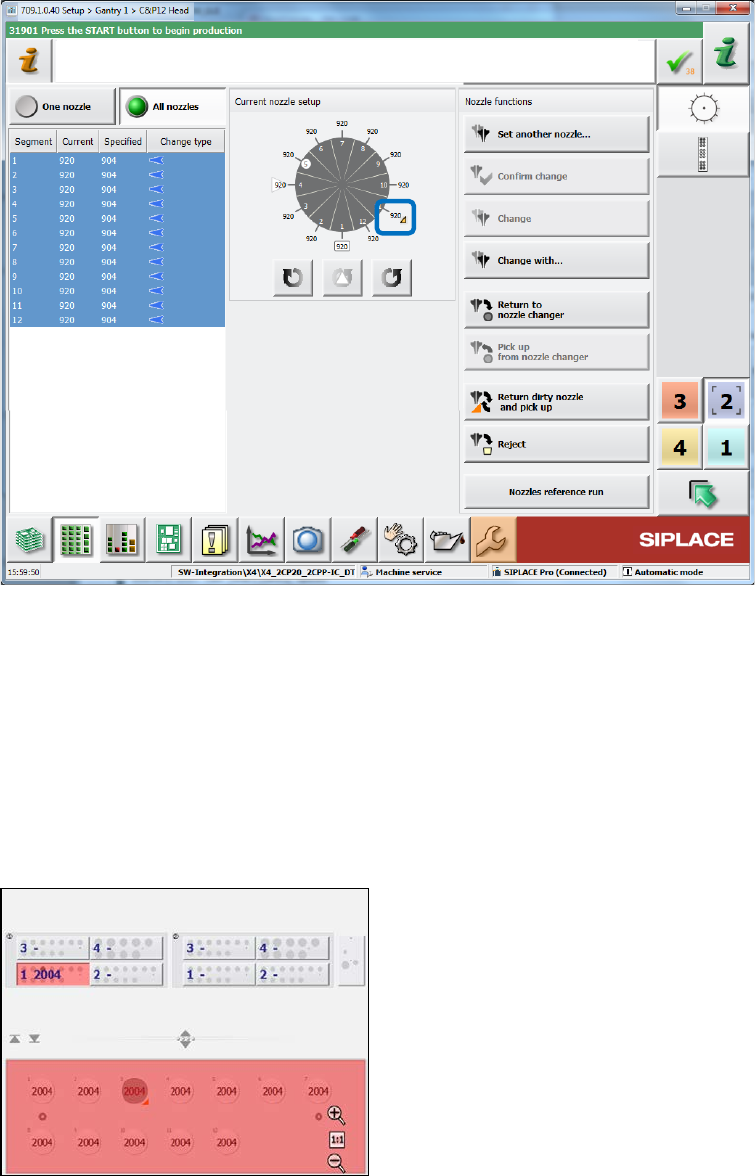
Nozzle setup for the placement head
Figure 4-18: Dirty nozzle – Head view
Nozzle changer
In the Nozzle changer view, there are three new actions to change the nozzle state to "clean":
– Nozzle in garage n is clean (for selected nozzle)
– Nozzles in magazine n are clean (for all nozzles in the selected magazine)
– All nozzles in all magazines are clean (for all nozzles in all magazines at the displayed
location)
Example:
Figure 4-19: Dirty nozzle – Nozzle changer
Although there are twelve 2004 nozzles in the nozzle, the salience is red and the nozzle setup is
incorrect, because one nozzle (in garage 3) is dirty and not allowed to pick up again .The operator
must clean the nozzle and inform the station software that the nozzle is clean. The operator can
also remove the dirty nozzle via the Empty garage action and set in a new, clean nozzle of the
same type. However, the Confirm nozzle in garage action will not set the nozzle to clean, the
nozzle setup remains incorrect!
Station Software 709.1 / Version Description Ausgabe 05/2016 Edition
26
Nozzle scanning
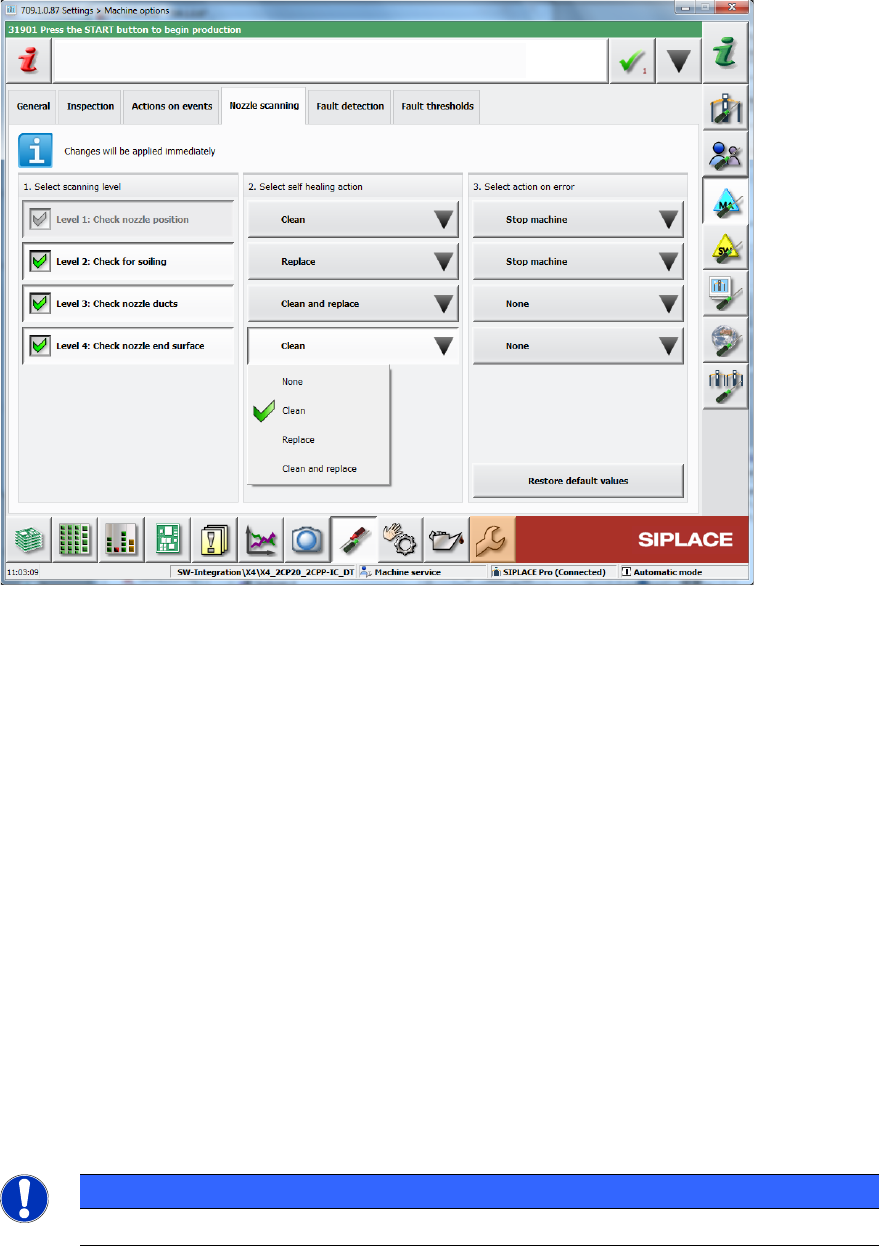
The dialog for configuring the nozzle scanning under Settings – Machine options contains two
new self-healing actions: Replace and Clean and replace.
Figure 4-20: Dirty nozzle – Machine options
State overview of head segments
The State overview dialog for the head segments contains the new state disabled: nozzle dirty.
Preventive maintenance
Additionally to the above changes, the Preventive maintenance view has been extended. Please
refer to section 4.3.13.
4.5 Enhanced Automatic Feeder Pitch Detection
Compatible mode: Complete
The existing Automatic feeder pitch detection function has been enhanced in this station
software version.
The station software can now increase the pitch automatically to the measured value if the
expected pitch is undefined (value 0). The station software performs frequent measurements of the
pitch (every 700 placements) if the expected pitch is undefined, in order to continuously verify
measured pitch values and to minimize the impact of wrong automatic pitch increases.
NOTICE
This function has an impact on the placement performance.
Station Software 709.1 / Version Description Ausgabe 05/2016 Edition
27
4.6 Improved Face Down Recognition for Diodes
Compatible mode: Complete
Small SOT and SOD diodes sometimes are placed lying on their back on the boards what may
lead to problems and high reject rates. Therefore, the SIPLACE Vision functionality for the face
down recognition has been improved. As of station software version 709.1, this feature uses the
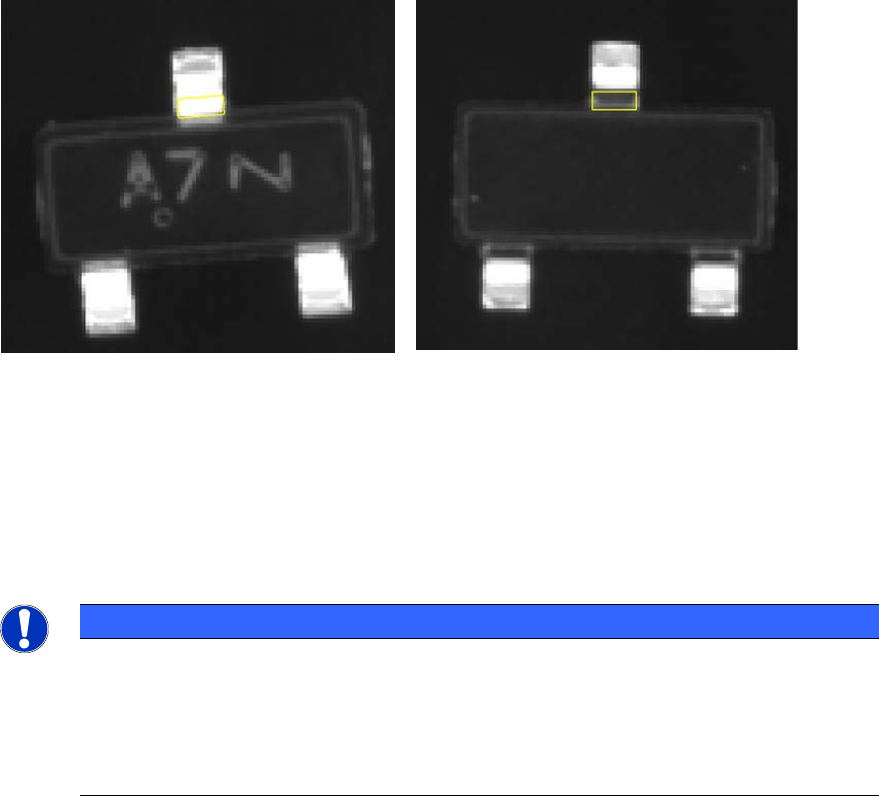
different appearance of the gullwing leads on the top and bottom of the component to detect which
side is facing the camera. In lower station software versions, this measurement will be ignored!
SIPLACE Vision performs a measurement in two steps, optionally with different illumination
settings. In the first step the position of the gullwing leads is determined; in the second step the
bend of the leads is recognized.
Component face down -> inner lead ends
are bright
Component correct -> inner lead ends are
dark
The face down recognition can be started from the Options list with the Recognition of flipped
components button. A wizard helps guiding the operator when entering the required data.
The feature can be combined with multiple field of view measurements and Pin1 detection but not
with pattern matching and glue inspection.
NOTICE
The face down recognition only works as long as the inner lead ends have a sufficiently
constant position to the middle of the component. If there are large tolerances for the
component body it might happen that the component body or the contact area is
evaluated instead of the inner lead ends. This would then lead to faulty results (body to
small -> area bright -> a correct component is rejected; body to large -> area dark -> a
face down component is not recognized).