00198000-02_VD_709.1_DE_EN.pdf - 第8页
Station Software 709.1 / Version Descript ion Ausgabe 05/2016 E dition 8 3 Compatib le M ode Some station soft ware versions may be used as lowe r versions in compat ible mode. This m eans that the new functio ns of the …
Station Software 709.1 / Version Description Ausgabe 05/2016 Edition
7
2.3 Languages
User Interface SIPLACE Station and SIPLACE Vision
The standard package contains German, English and Simplified Chinese versions. As for
Simplified Chinese a preliminary version is provided.
The final version of Simplified Chinese and other languages contained in the languages package
are optional and available under the item no. [00140066-xx].
The following table indicates which languages are available for the station software and SIPLACE
Vision:
Available languages for station software and SIPLACE Vision:
– Bulgarian
*)
– Chinese (simplified
– Czech
*)
– French
– Hungarian
– Italian
– Japanese
– Korean
– Polish
*)
– Portuguese (Brazil)
– Romanian
*)
– Russian
*)
– Spanish (Mexico)
– Vietnamese
*)
*)
GUI only (online help English)

Station Software 709.1 / Version Description Ausgabe 05/2016 Edition
8
3 Compatible Mode
Some station software versions may be used as lower versions in compatible mode. This means
that the new functions of the current version can be used in the compatible version as far as
possible.
The compatible mode is provided to operate stations with lower line software versions in order to
keep the line software version in case of a station upgrade.
The 709.1 station software version can be operated as Version 708.2© in compatible mode.
The visibility and functionality of the new functions in compatible mode are explained in the
following table.
Compatible Mode Meaning
Complete
Complete function support.
Compatible The function is visible and executable at the station. However, new add-
ons in the station software or in the line products are not supported.
Hidden The function is invisible/inactive, e.g. due to licensing or unsupported
SIPLACE Pro download/upload.
Not supported
The function is not supported, e.g. because of failing hardware.
Table 3-1: Visibility and functionality in compatible mode
The respective visibility/functionality in compatible mode is specified for the new features in
chapter 4.
The compatible mode can be activated under Settings – SIPLACE station interface clients on
the GUI.
Please also refer to chapter 6.
Station Software 709.1 / Version Description Ausgabe 05/2016 Edition
9
4 Features of the 709.1 Station Software Version
All features of the 701.xx - 709.0 station software versions are also supported in the 709.1 station
software version. The main features of the 709.1 station software version are listed below.
NOTICE
Detailed information on the individual functions can be found in the Online help for the
station software.
4.1 SIPLACE TX Series – Enhancements
Compatible mode: Not supported
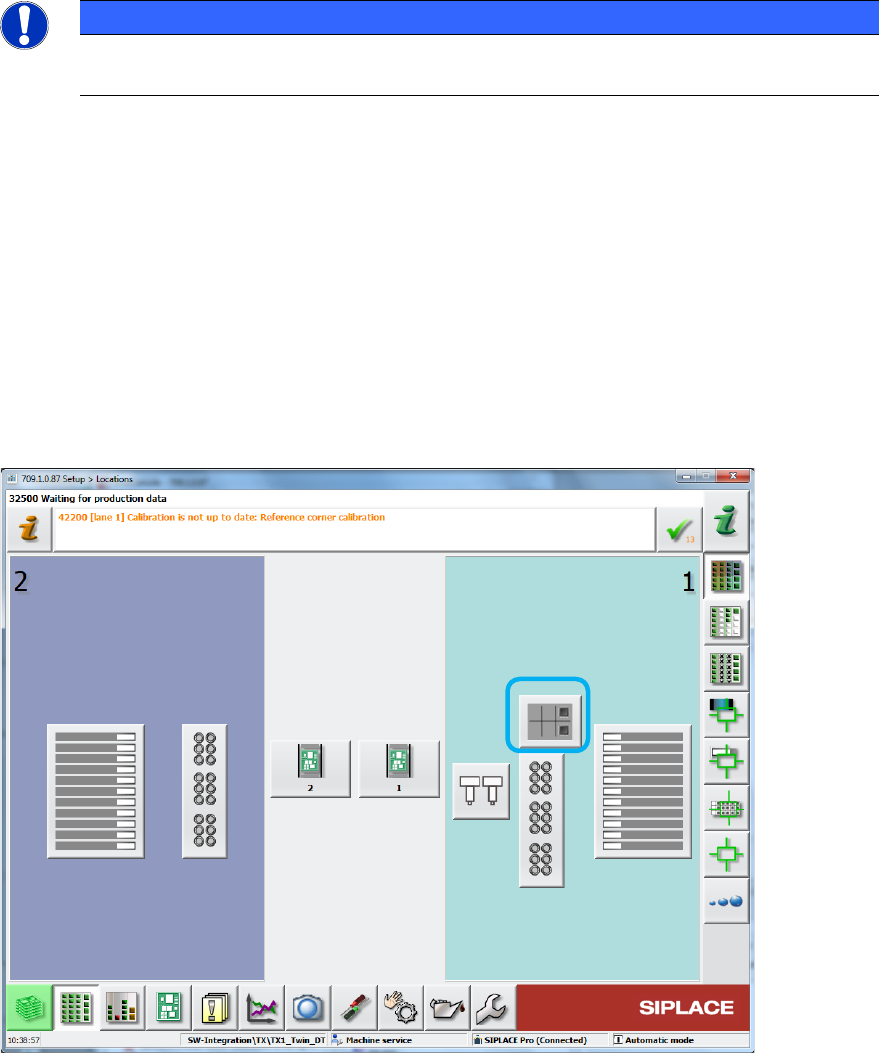
4.1.1 Reject Plate Supported on GUI
The reject plate is a fixed mounted plate on which the station can drop rejected components after
the SIPLACE Vision system detected errors. If a reject plate is installed in a SIPLACE TX
placement machine, a corresponding button will be displayed in the main menu of the station
software. This option has to be enabled in SIPLACE Pro for the respective component / component
shape.
Figure 4-1: Reject plate in main menu