00198000-02_VD_709.1_DE_EN.pdf - 第17页
Station Software 709.1 / Version Descript ion Ausgabe 05/2016 E dition 17 4.3.3 Machine Verification – Keeping Programs St ored on the Station Downloaded program s for machine v erification and placement for ce can be s …
Station Software 709.1 / Version Description Ausgabe 05/2016 Edition
16
4.3 Maintenance GUI – Enhancements
Compatible mode: Complete
The Maintenance GUI has been enhanced by the new functions, views and dialogs as described
in the following sections
The user and activity levels can be set individually. The default settings are:
Preventive Maintenance:
Operator
Predictive Maintenance:
Advanced Production
Verification:
Machine service
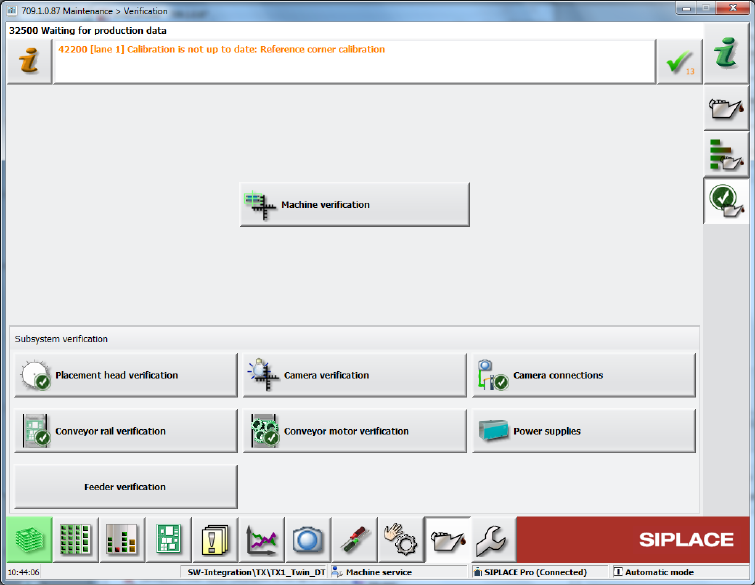
4.3.1 Verification View
The maintenance verifications have been bundled into the new Verification view from which they
can be started.
Figure 4-9: Verification view
4.3.2 Machine Verification – New Term
Compatible mode: Complete
Machine verification has been introduced as a new term. The machine verification is performed
with the ACT (Accuracy Check Tool).
The entry point for the machine verification has been moved from the Service tool to the
Verification view and can be accessed at the Machine service activity level. The button is also
visible for lower activity levels.
Station Software 709.1 / Version Description Ausgabe 05/2016 Edition
17
4.3.3 Machine Verification – Keeping Programs Stored on the Station
Downloaded programs for machine verification and placement force can be stored permanently on
the station. Thus, only one download is necessary and the programs can be recalled for further
measurements. If the configuration changes (= new ACT programm name), the programs can be
removed manually from the station and the current ones downloaded from SIPLACE Pro. If the
same program is downloaded again, it will be overwritten at the station.
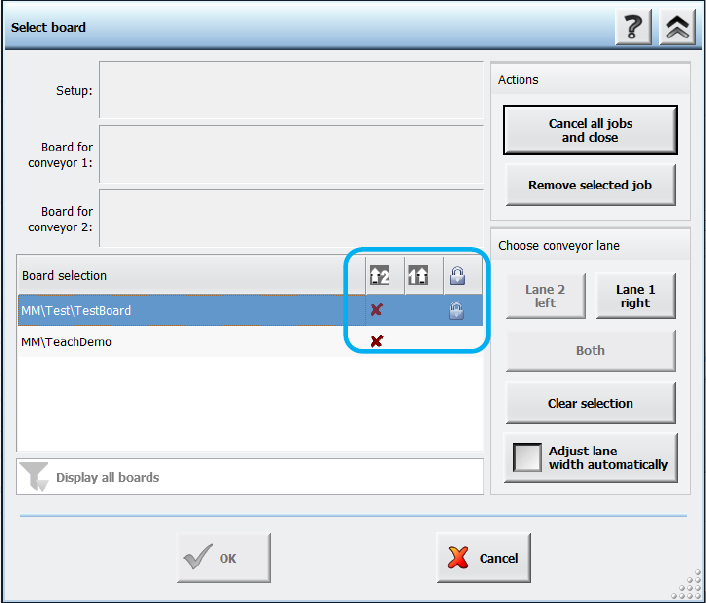
The respective board has to be accordingly marked in SIPLACE Pro. For such boards a lock icon is
then displayed in a separate column in the Select Board dialog on the station software GUI. There
is also a button with which the board can be deleted from the station.
Figure 4-10: Permanent program type
Additionally, a filter can be set to display all items or only non-permanent or permanent items.
4.3.4 Placement Head Verification
Additionally to the C&P20 A, C&P20 M, C&P20 P and CPP placement heads, the Twin Head can
now also be verified within the Placement head verification.
4.3.5 Camera Verification – New Term
Camera verification has been introduced as a new term. The camera verification is performed
with the FCCS (Field Camera Calibration System) tool.
The entry point for the camera verification has been moved from the Service tool to the
Verification view and can be accessed at the Machine service activity level. The button is also
visible for lower activity levels.
Station Software 709.1 / Version Description Ausgabe 05/2016 Edition
18
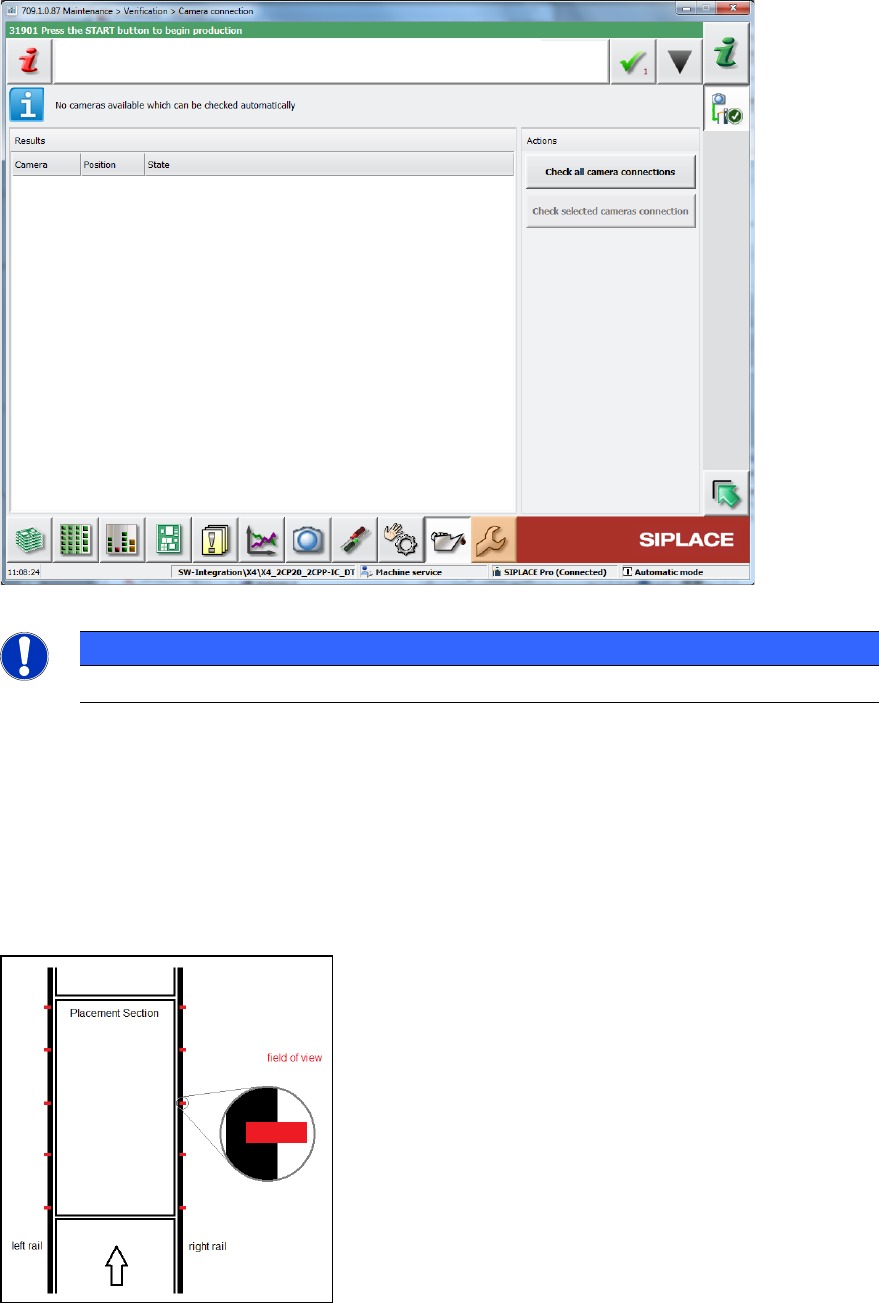
4.3.6 Camera Connections – Checking Gig E Interface
A new GUI dialog will provide information about the current health states of permanently installed
Gig E cameras and all intermediate stations.
Figure 4-11: Checking camera connections
NOTICE
This feature does not support checking Coplan sensors.
4.3.7 Conveyor Rail Verification
Compatible mode: Complete
With the Conveyor rail verification button in the Verification view, the parallellism of the
conveyor rails can be checked. For this, several X positions per processing area (currently 5) are
displayed at the outer edges of the rails.
Figure 4-12: Displayed X positions