Micron Machine Settings Issue 3 LoRes.pdf - 第10页
CAMERA X Axis Parallelism - 2 Rotary Motors Setting Camera System Module W ARNING Using a soft headed mallet gently tap the edge of the camera X axis support plate to close the gap on the camera alignment pins Camera X M…
41 52 63
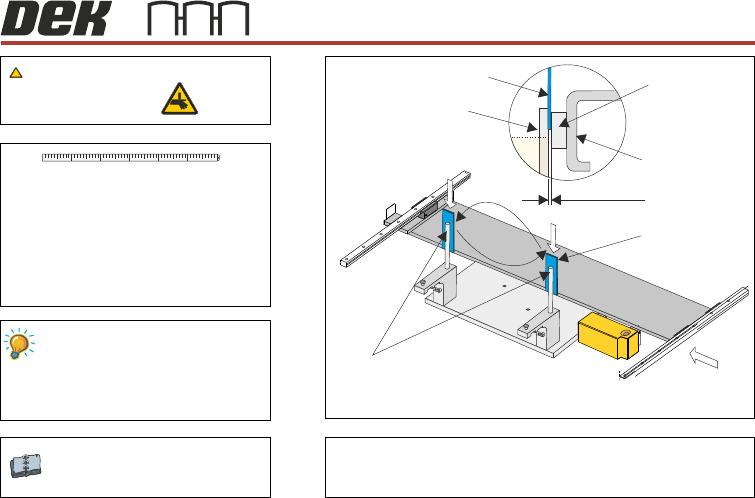
Rail Location Jig 199140
RTC 187652
Check the gap between the belt support
plate and the main rail, as close as
possible to the linear guides.
Check the gap between the alignment pin
and the linear bearing. If the gap is less
than 0.25mm, adjustment is unnecessary.
Prior to carrying out this procedure
ensure the Front Rail Parallelism check
is carried out.
Camera System Module
Setting A
0.25mm
View on Front of Camera Carriage
Camera Alignment Pins (2 positions)
Camera Alignment Pins
Shim 0.25 mm
Shim
Linear Bearing
Camera X Axis
Support Platform
B
A
View on Arrow B
BOARD CLAMPS
WARNING
5
CAMERA
X Axis Parallelism - 1 Rotary Motors
CAMERA
X Axis Parallelism - 2 Rotary Motors
Setting
Camera System Module
WARNING
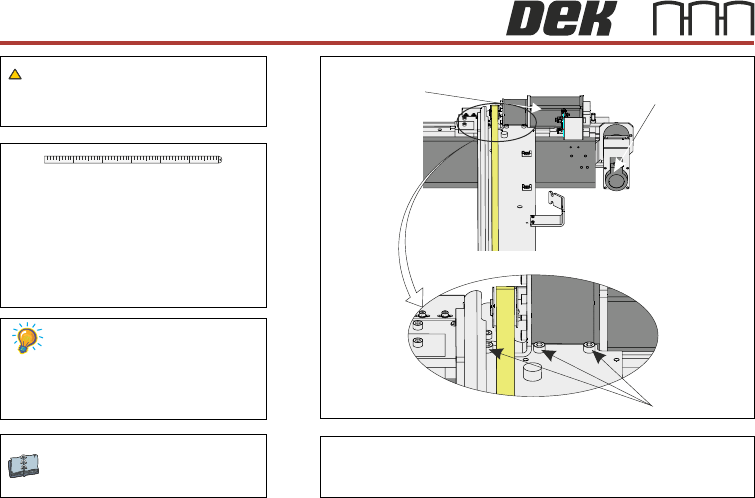
Using a soft headed mallet gently tap the edge of the camera X
axis support plate to close the gap on the camera alignment pins
Camera X Motor Camera Y Motor
View From Beneath Camera Carriage
Securing Screws
41 52 63
6
CAMERA
X Axis Parallelism - 3 Rotary Motors
Setting
BOARD CLAMPS
Camera System Module
WARNING
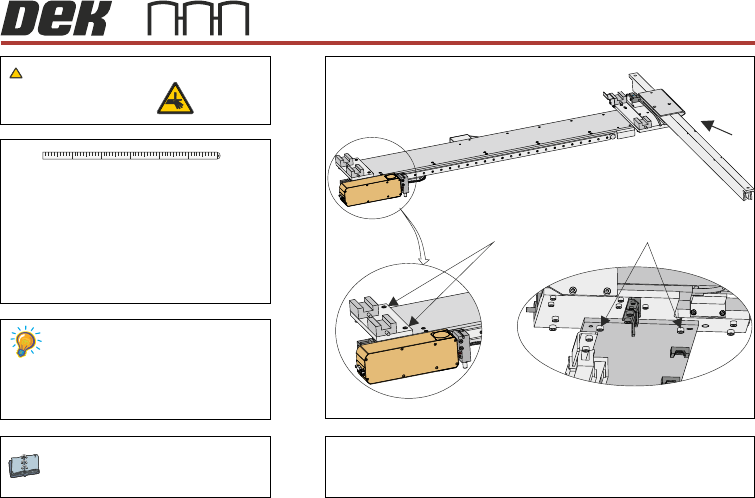
Gently tap the edge of the camera X axis support plate
to close the gap on the camera alignment pins
A
View on Arrow A
Securing Screws Securing Screws
41 52 63
7