Micron Machine Settings Issue 3 LoRes.pdf - 第15页
CAMERA Y Axis Timing Belt T ension Step 1 Set belt tension to 24kg Setting Camera System Module W ARNING Forcemeter Cable T ie View on Right Hand Side of Machine Motor Pulley 24.0 kg 4 1 5 2 6 3 1 1
CAMERA
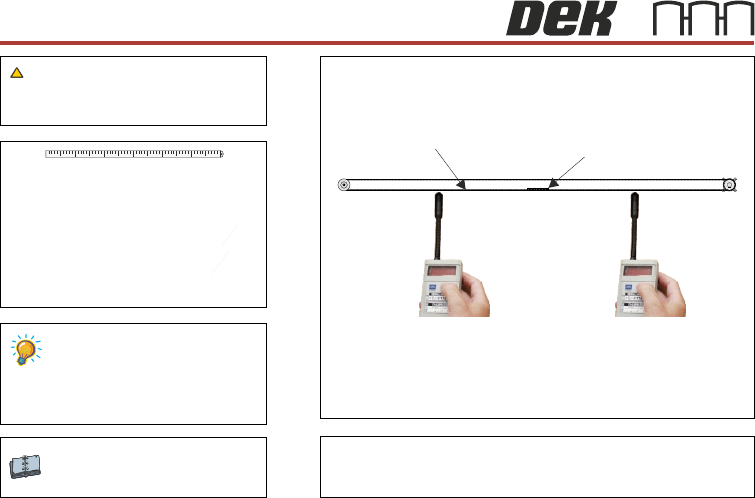
X Axis Timing Belt Tension Step 2
Setting
WARNING
Check the frequency is between 52Hz and 58Hz
Camera System Module
Using tension meter 190279, check
readings at points indicated are between
52 & 58Hz and that both readings are
within 1 Hz of each other.
Timing Belt ClampTiming Belt
Position A (mid span)
Position B (mid span)
41 52 63
10
CAMERA
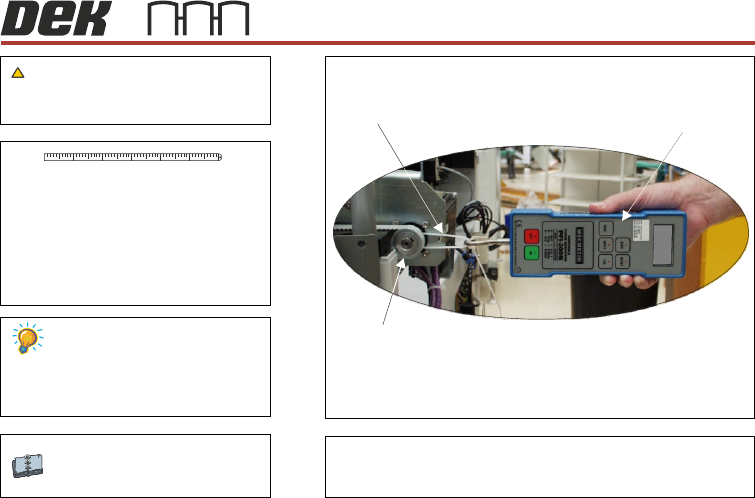
Y Axis Timing Belt Tension Step 1
Set belt tension to 24kg
Setting
Camera System Module
WARNING
Forcemeter
Cable Tie
View on Right Hand Side of Machine
Motor Pulley
24.0 kg
41 52 63
11
CAMERA
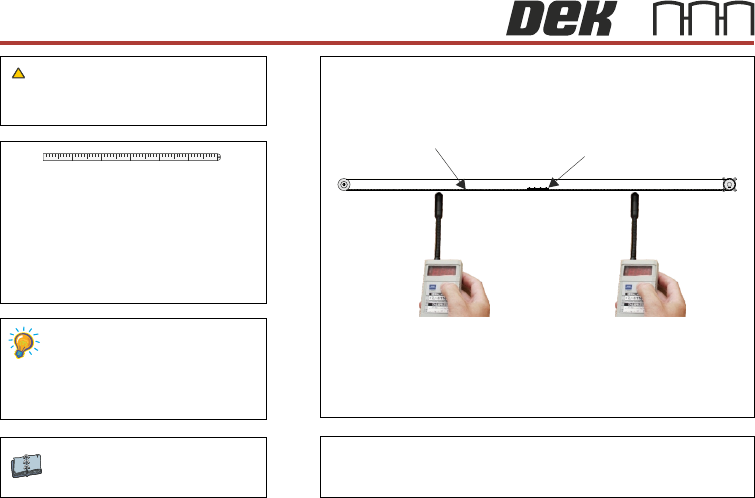
Y Axis Timing Belt Tension Step 2
Setting
Camera System Module
WARNING
Check the frequency is between 42Hz and 48Hz
Timing Belt ClampTiming Belt
Position A (mid span)
Position B (mid span)
41 52 63
Using tension meter 190279, check
readings at points indicated are between
42 & 48Hz and that both readings are
within 1 Hz of each other.
12