T-Solution2_User_Guide(Chi_Ver11.3).pdf - 第139页
3-9 PC 配置及软件前置安装 STEP5. 选择了 “Outbound Rules” 后, 确认是否使用 “F il e a nd Pr i nte r Sha r in g (Echo Request - ICMPv4-Out)” ”File and Printer Sharing (Echo Request - ICMPv4-Out)” 的 “Enable” 被设定成 “No” 的话, 单击鼠标右键后在弹出式菜单选择 “Enab…
3-8
{TzYG|˅Gn{TzYG|˅Gn
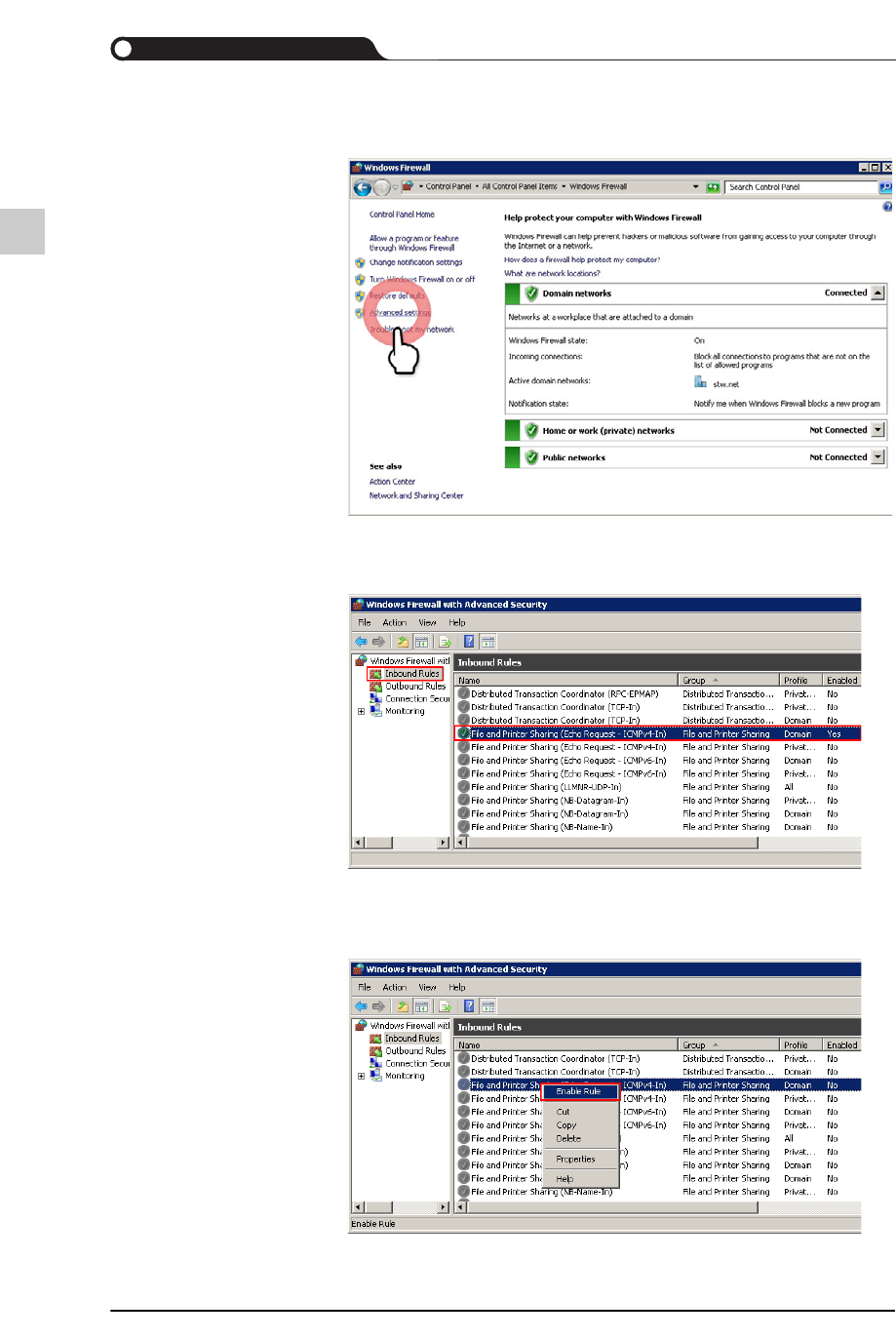
STEP3. 选择“Advanced settings” 菜单
STEP4. 选择了“Inbound Rules”后,确认是否使用“File and Printer Sharing
(Echo Request - ICMPv4-In)”
“File and Printer Sharing (Echo Request - ICMPv4-In)” 的 “Enable”
被设定成 “No” 的话,单击鼠标右键后在弹出式菜单选择 “Enable
Rule”
3-9
PC配置及软件前置安装
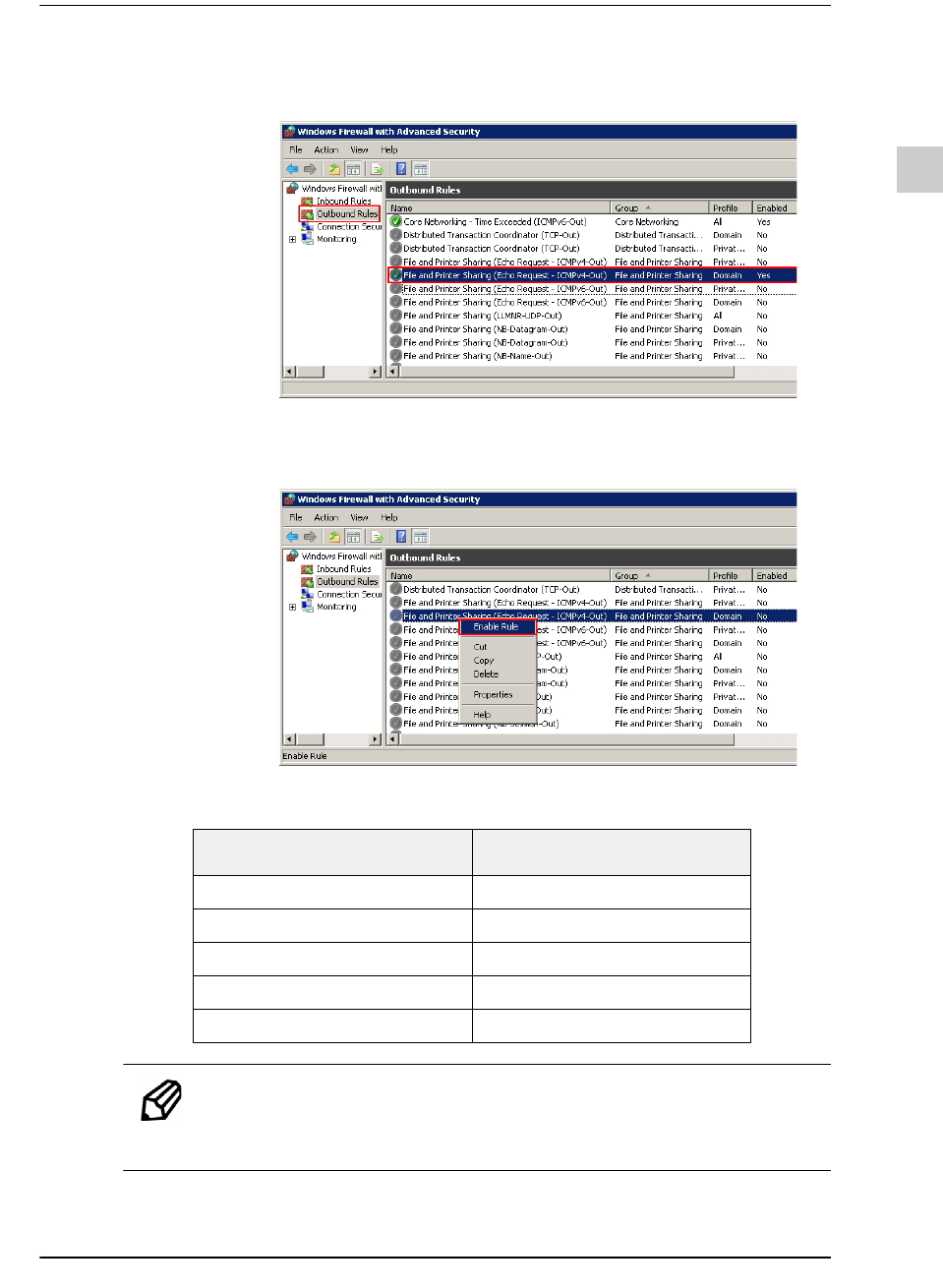
STEP5. 选择了“Outbound Rules”后,确认是否使用“File and Printer Sharing
(Echo Request - ICMPv4-Out)”
”File and Printer Sharing (Echo Request - ICMPv4-Out)” 的 “Enable”
被设定成 “No” 的话,单击鼠标右键后在弹出式菜单选择 “Enable
Rule”
设置用于T-Solu tion 运行的端口的防火墙
备注 如果是在内部管理通信端口的客户,则询问该客户公司的网络
管理员后设定该通讯端口。
Module
Port Number
T-CommServer 2011
Chip Mounter 2001
Database 1433
T-Service Port 7231 ~ 7238
SSMC System 7682
3-10
{TzYG|˅Gn{TzYG|˅Gn
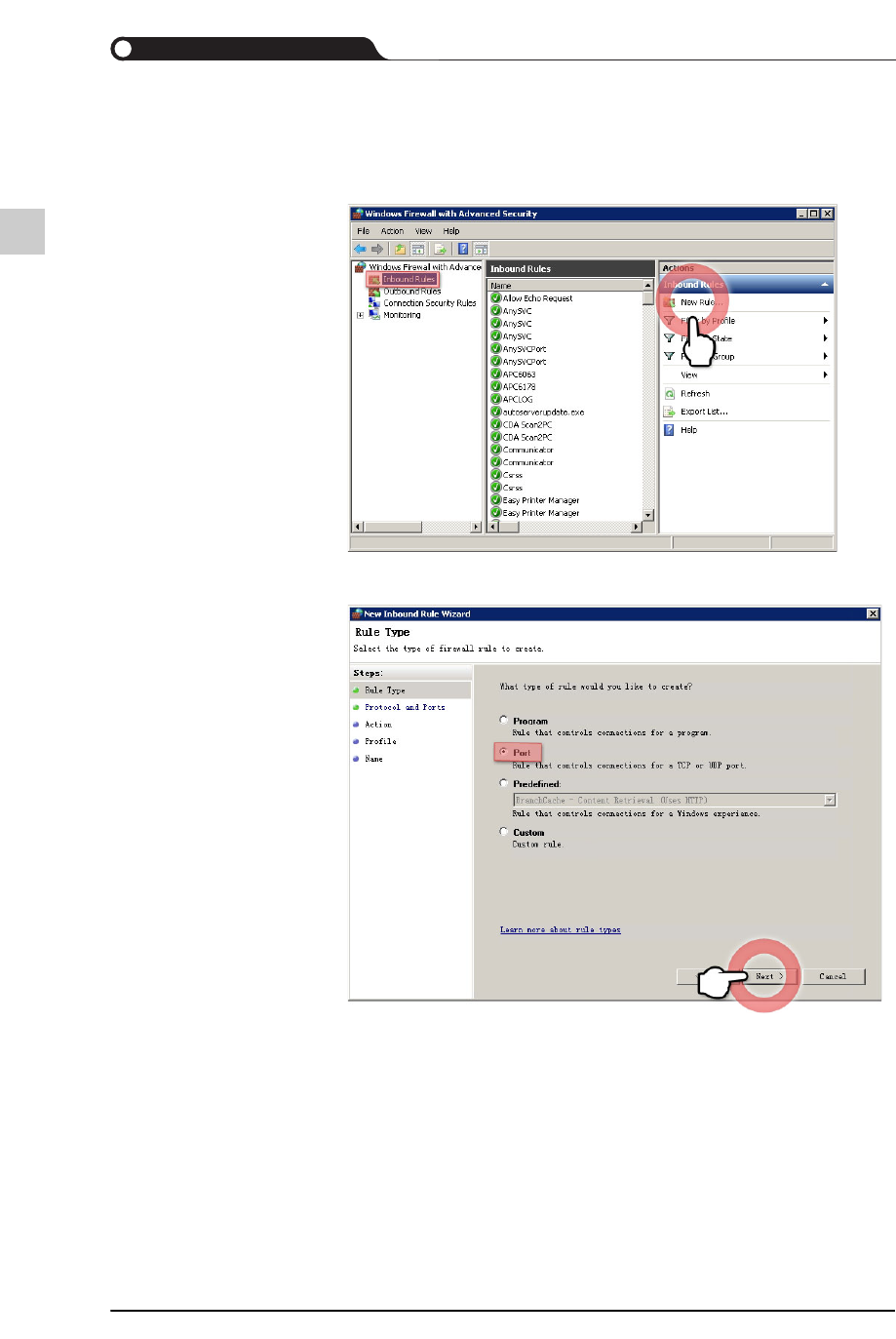
打开一个特定的通信端口
STEP1. 选择了“Inbound Rules”后,选择“New Rule”
STEP2. 选择了<Port>选项按钮后,单击<Next>按钮