TUT-CP842-Oper guide-preliminary.pdf.pdf - 第15页
Rear View Chapter 1: Machine Configuration Preliminary 1-5 CP-842E/842ME Operator ’ s Guide
<CP-842ME>
Front View
C84INT003
1
2
3
3
4
5
6
78
9
17
10
11
13
16
15
12
14
CP-842ME
Chapter 1: Machine Configuration
Preliminary
1-4 CP-842E/842ME Operator’s Guide
Rear View
Chapter 1: Machine Configuration
Preliminary
1-5CP-842E/842ME Operator’s Guide

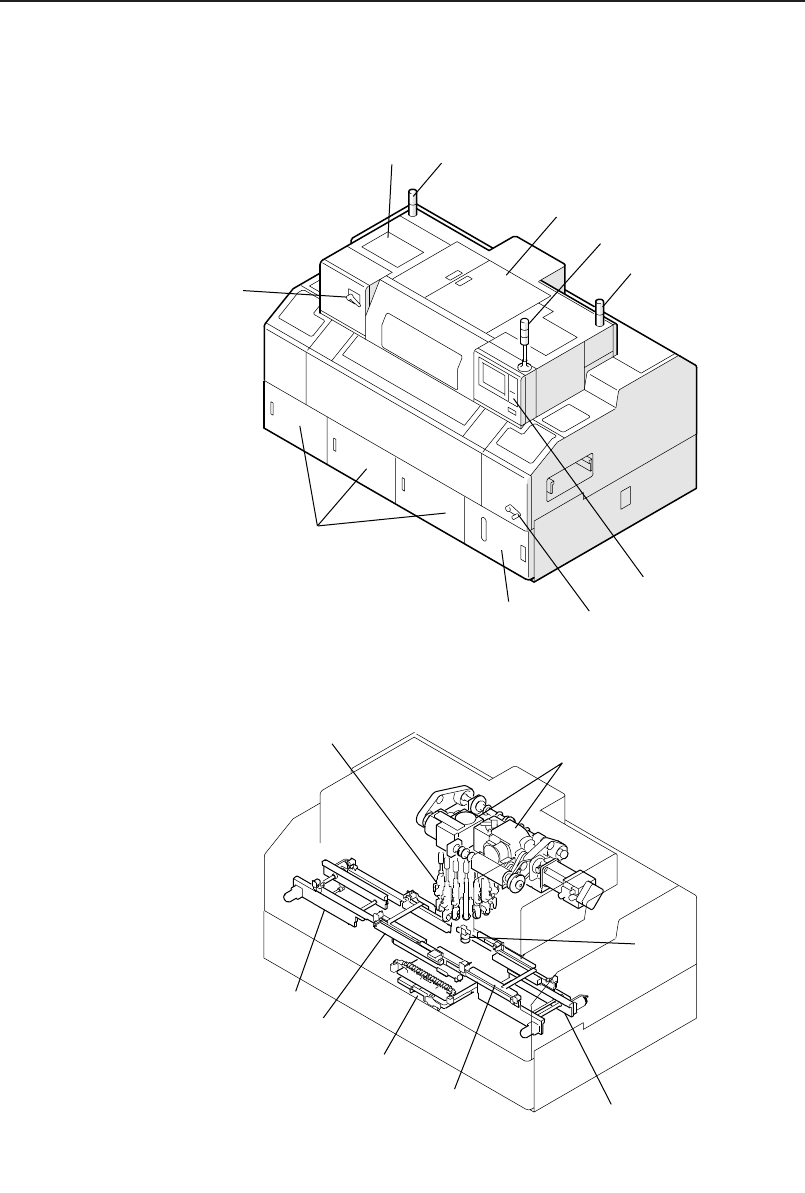
1. Circuit breaker
Set to the ON position to supply power to the machine.
2. Oil cooler
The oil cooler supplies oil for lubrication to the index unit in the cam box.
3. Device Set alarm
Lights when device loading has not been completed.
4. Cam box
The machine's drive mechanism is housed in the cam box.
5. Signal tower
A red, yellow, or blue (green) light will come on or flash on-and-off
depending on the status of the machine during production.
6. Operation box 1
Machine operation is carried out from this box. Commands are issued by
pressing the buttons on the touch panel.
7. Conveyor width adjusting handle
This handle is used for adjusting the width of the conveyor.
8. Waste tape box
The waste tape cut by the tape cutter is accumulated for discard in this
box.
9. Control box
The machine control system is housed in these boxes.
10. Placing head
The placing head is used for part pickup and placement.
11. Index unit
This unit rotates the placement head turret thereby positioning each place-
ment head at the respective stations.
12. Mark camera
This camera is used for reading fiducial marks.
13. Out-conveyor
The out-conveyor is used to unload finished panels to the next machine.
14. Out-carrier
The out-carrier conveyors the panels between the XY-table and out-con-
veyor.
15. XY-table
Panels are moved to the part placement position on the XY-table.
16. In-carrier
The in-carrier conveyors the panels between the in-conveyor and XY-
table.
17. In-conveyor
The in-conveyor receives panels from the previous machine.
Chapter 1: Machine Configuration
Preliminary
1-6 CP-842E/842ME Operator’s Guide