TUT-CP842-Oper guide-preliminary.pdf.pdf - 第74页
Frequency Once a month Procedure Use a soft brush (such as those used to clean camera lenses) to wipe the dust from the sticker . Do not rub the fluorescent seal with a cloth, as this will cause dust to adhere to it. If …
Frequency
Once a week
Procedure
WARNING
Be sure to turn the 200V power off before performing this
procedure.
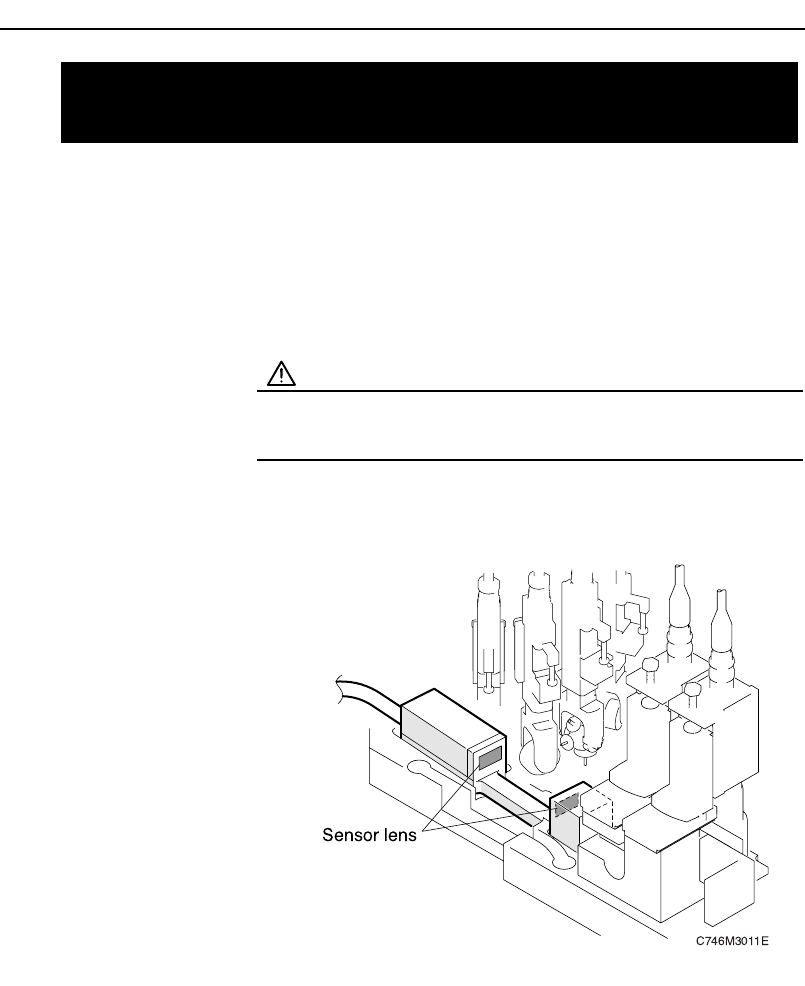
Use a soft brush (such as those used to clean camera lenses) to clean the sen-
sor lens. If the lens is badly soiled, use a commercially available lens cleaner.
7.6 Cleaning the Part Height Check
Sensor Lens
Chapter 7: Maintenance
Preliminary
7-7CP-842E/842ME Operator’s Guide

Frequency
Once a month
Procedure
Use a soft brush (such as those used to clean camera lenses) to wipe the dust
from the sticker. Do not rub the fluorescent seal with a cloth, as this will cause
dust to adhere to it. If the dust cannot be removed, replace the fluorescent
seal.
.
7.7 Cleaning the Surface of the
Fluorescent Disk Seals
Chapter 7: Maintenance
Preliminary
7-8 CP-842E/842ME Operator’s Guide
Frequency
Once a month
Procedure
WARNING
• Turn the 200V power off before performing this proce-
dure.
• Rotation may occur (caused by spring action) if the cam
axis is not at its origin position (0-degrees).
Use special care when working inside the machine as
this is a dangerous area.
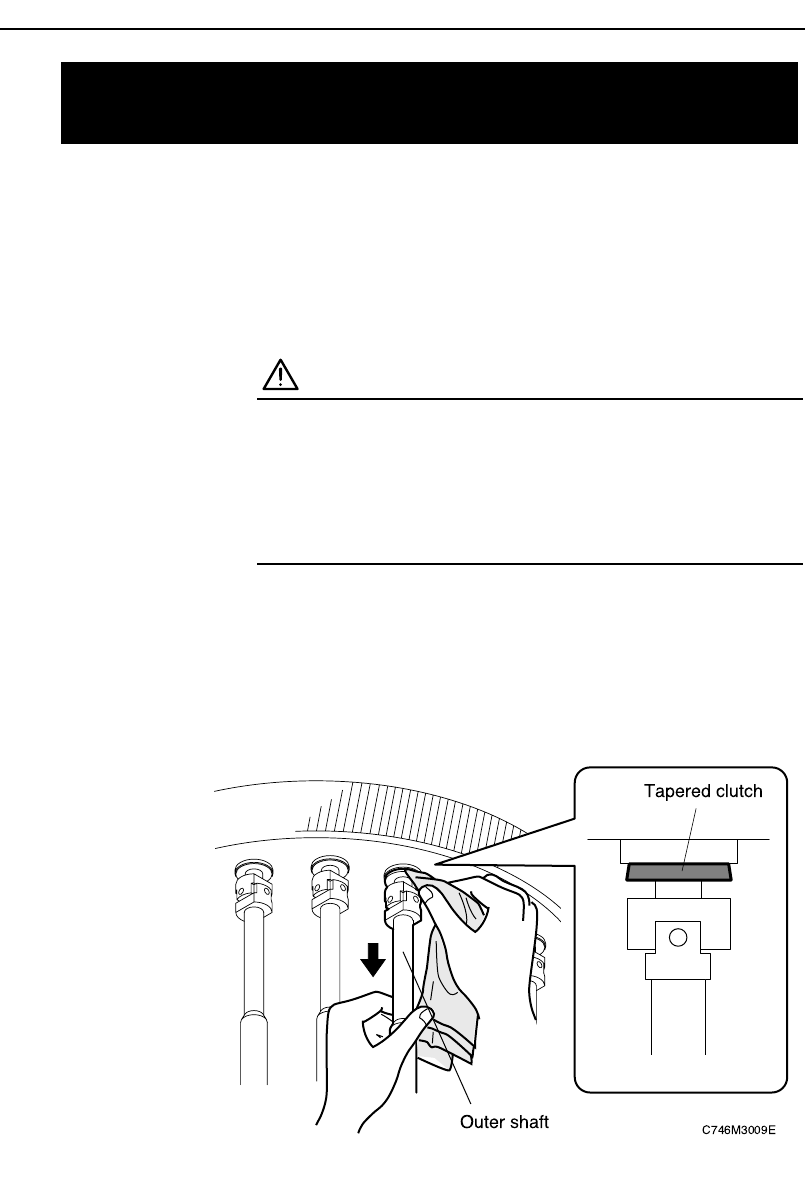
While pulling down the outer shaft which covers the nozzle indexing shaft,
wipe the tapered clutch (all the way around) with a cloth on which the degreas-
ing agent (Threebond2706) has been applied.
Note: Do not spray the degreasing agent directly onto the tapered clutch,
because spraying is inaccurate. (The agent could land on other compo-
nents, removing the lubricant which they require.)
7.8 Cleaning the Tapered Clutch on the
Nozzle Indexing Shaft
Chapter 7: Maintenance
Preliminary
7-9CP-842E/842ME Operator’s Guide