TUT-CP842-Oper guide-preliminary.pdf.pdf - 第73页
Frequency Once a week Procedure W ARNING Be sure to turn the 200V power off before performing this procedure. Use a soft brush (such as those used to clean camera lenses) to clean the sen- sor lens. If the lens is badly …
Frequency
Once a week
Procedure
WARNING
Be sure to turn the 200V power off before performing this
procedure.
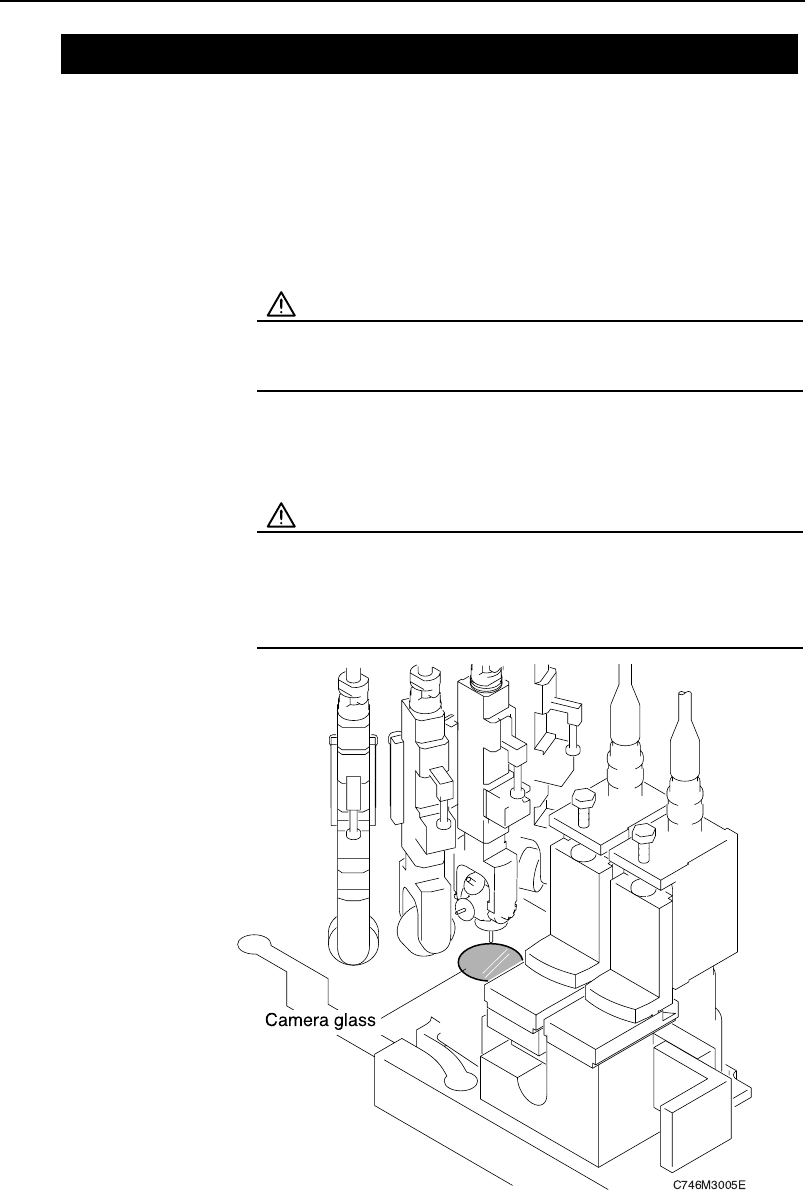
Use a soft brush (such as those used to clean camera lenses) to clean the cam-
era glass. If the glass is badly soiled, use a commercially available glass clean-
er.
CAUTION
• Take care not to bend the nozzle by touching it at the
tip.
• Because the camera glass is thin and easy to break, do
not push hard when wiping it clean.
7.5 Cleaning the Camera Glass
Chapter 7: Maintenance
Preliminary
7-6 CP-842E/842ME Operator’s Guide
Frequency
Once a week
Procedure
WARNING
Be sure to turn the 200V power off before performing this
procedure.
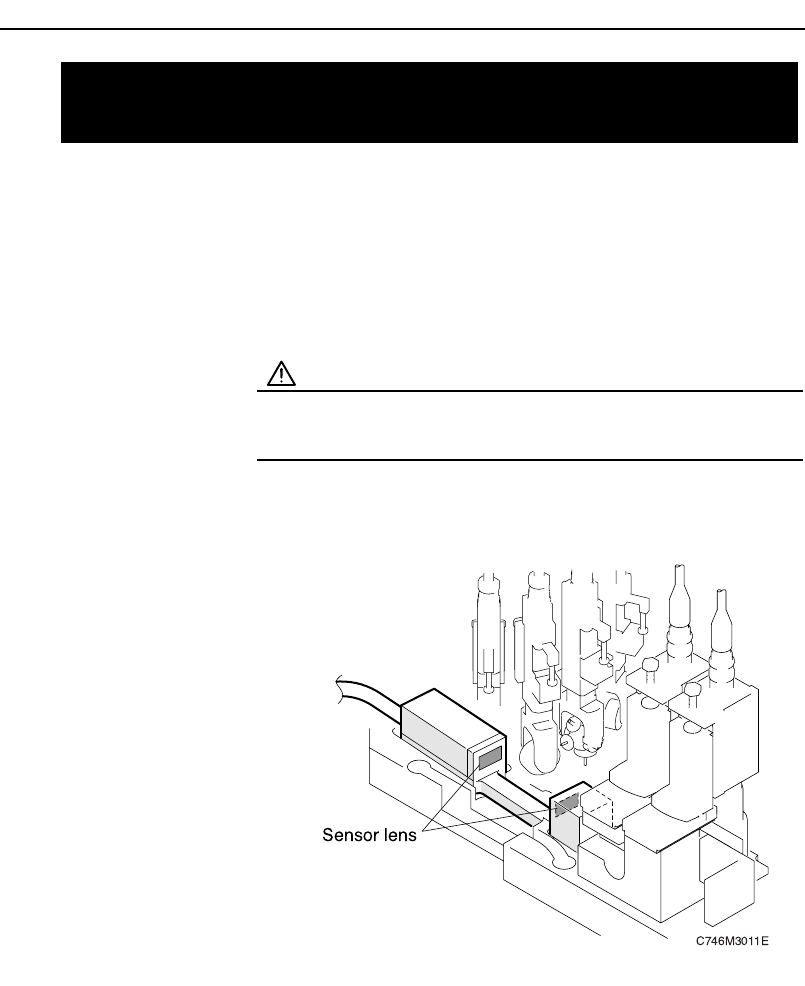
Use a soft brush (such as those used to clean camera lenses) to clean the sen-
sor lens. If the lens is badly soiled, use a commercially available lens cleaner.
7.6 Cleaning the Part Height Check
Sensor Lens
Chapter 7: Maintenance
Preliminary
7-7CP-842E/842ME Operator’s Guide

Frequency
Once a month
Procedure
Use a soft brush (such as those used to clean camera lenses) to wipe the dust
from the sticker. Do not rub the fluorescent seal with a cloth, as this will cause
dust to adhere to it. If the dust cannot be removed, replace the fluorescent
seal.
.
7.7 Cleaning the Surface of the
Fluorescent Disk Seals
Chapter 7: Maintenance
Preliminary
7-8 CP-842E/842ME Operator’s Guide