TUT-CP842-Oper guide-preliminary.pdf.pdf - 第50页
2. T urn the handle on the out-conveyor to adjust the conveyor width until the panel can be conveyed smoothly . The conveyor width should be such that there is a 0.5 mm gap on each side of the panel as shown in the figur…
Conveyor Width Adjustment
The XY-table is constructed with no width change mechanism. Use a
command to link the XY-table to the in- and out-conveyors and then carry out
conveyors width adjustment. In addition note that a gap of 1 mm is required
between the panel and the sides of the conveyor rail (0.5 mm on each side).
CAUTION
Before performing conveyor width adjustment, check the
back-up pin positions on the XY-table, verifying that there
will be no interference between the back-up pins and the
adjustable rail.
Procedure
1. Execute the necessary commands to link the XY-table to the in
and out-conveyors. At the touch panel’s main screen, select the
following commands: [Conveyor] - [Conveyor Width] - [Width
Change Preparation], then press the the START button.
Chapter 3: Preparing for Production
Preliminary
3-19CP-842E/842ME Operator’s Guide
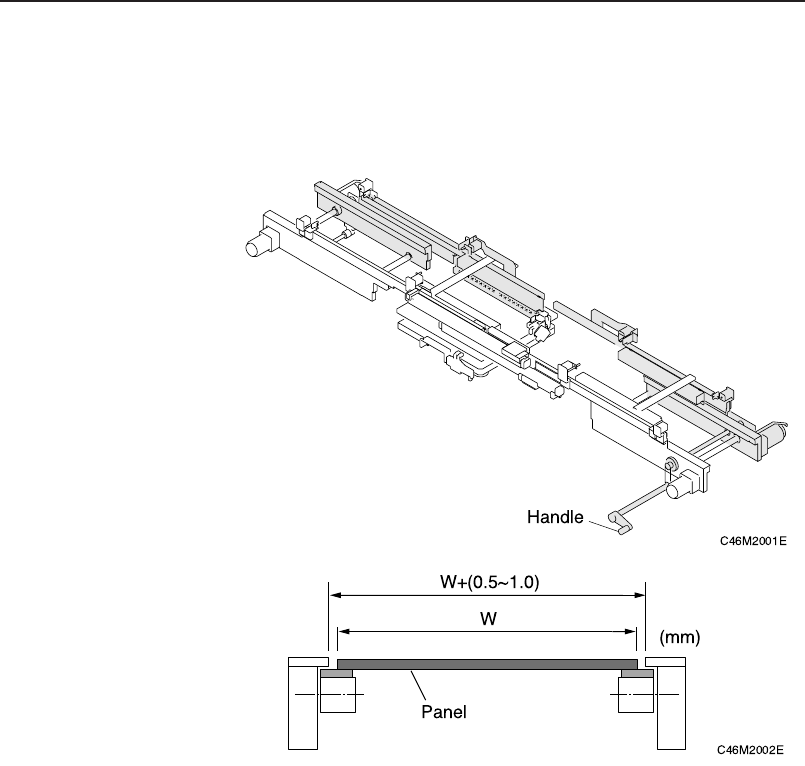
2. Turn the handle on the out-conveyor to adjust the conveyor
width until the panel can be conveyed smoothly. The conveyor
width should be such that there is a 0.5 mm gap on each side of
the panel as shown in the figure below.
3. Lower the XY-table.
4. Run a test panel through the machine, verifying that it is
conveyed smoothly and that panel clamping is correctly
perfomed.
Chapter 3: Preparing for Production
Preliminary
3-20 CP-842E/842ME Operator’s Guide
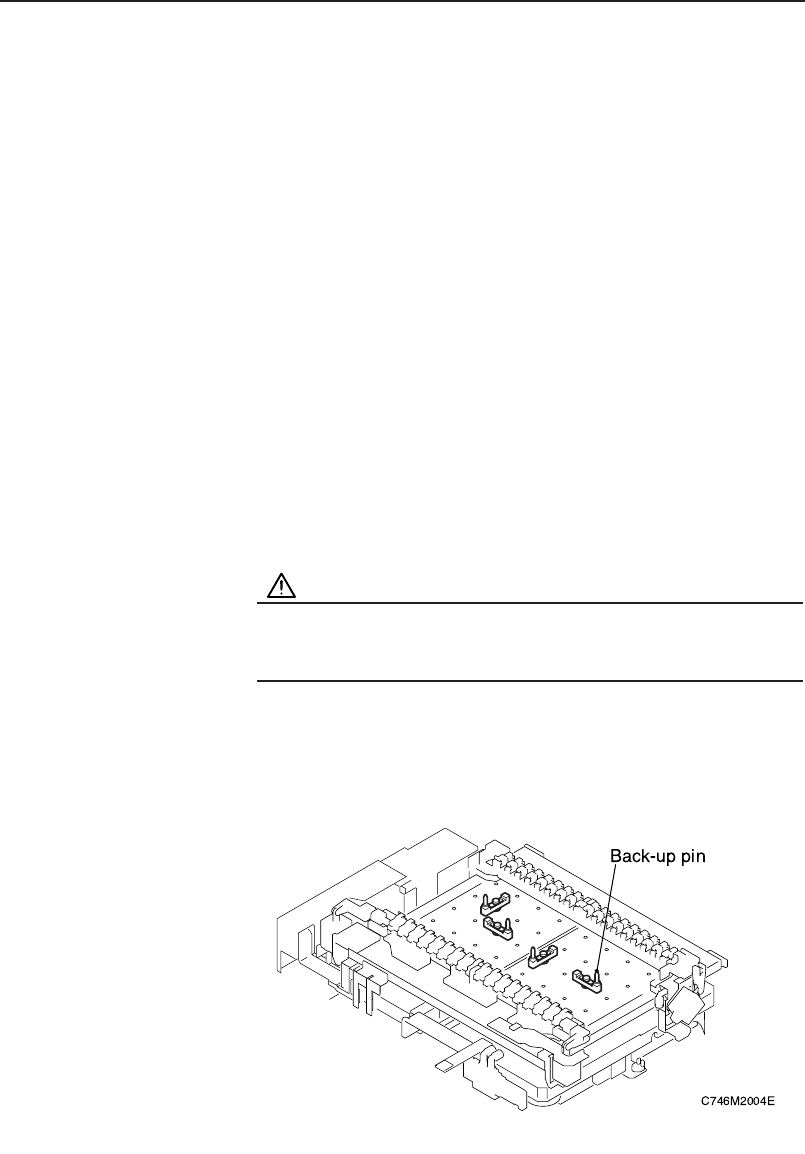
Back-up Pin Installation
Back-up pins or rubber blocks are installed on the back-up pin plate to
eliminate any warp on the bottom of the panel and to absorb any panel
vibrations. Adjustment of the length of back-up pins is not required even if the
thickness of the panel changes.
Procedure
1. Execute the necessary commands to move the XY-table to the
loading position.
[Panel Loader] – [Move to Loading Position] – START button
2. Raise the XY-table.
[Panel Loader] – [Lifter Up] – START button
3. Press the EMERGENCY STOP button.
WARNING
Be sure to turn the 200V power off before performing this
procedure.
4. When using backup pins.
Loosen the pin mounting bolts and reconfigure the pins as necessary.
Chapter 3: Preparing for Production
Preliminary
3-21CP-842E/842ME Operator’s Guide