00195613-01 IM Uptime LT_EN_DE.pdf - 第54页
Installation of WINDOWS XP Operating System Installation Windows XP Network Settings 54 SIPLACE Uptime LT Installationsanleitung / Installation Manual 2.3.7 Windows XP Network Settings In this dialog, the basic network p…
Installation of WINDOWS XP Operating System
Windows XP Professional License Installation
SIPLACE Uptime LT Installationsanleitung / Installation Manual
53
2.3.6 Windows XP Professional License
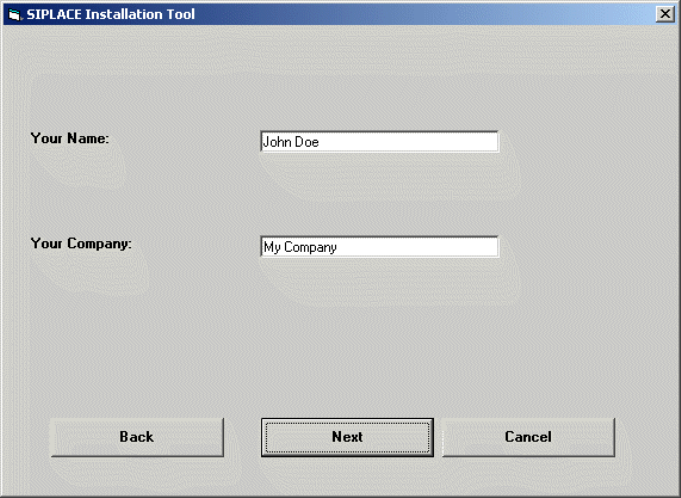
In the following setup steps, all the parameters required for the installation and configuration of Windows
XP Professional will be queried and saved, as this is a special version of Windows XP, designed for
Siemens AG.
X Enter your user name (not the administrator name).
X Enter your company name.
X Click on the Next button.
Installation of WINDOWS XP Operating System
Installation Windows XP Network Settings
54 SIPLACE Uptime LT Installationsanleitung / Installation Manual
2.3.7 Windows XP Network Settings
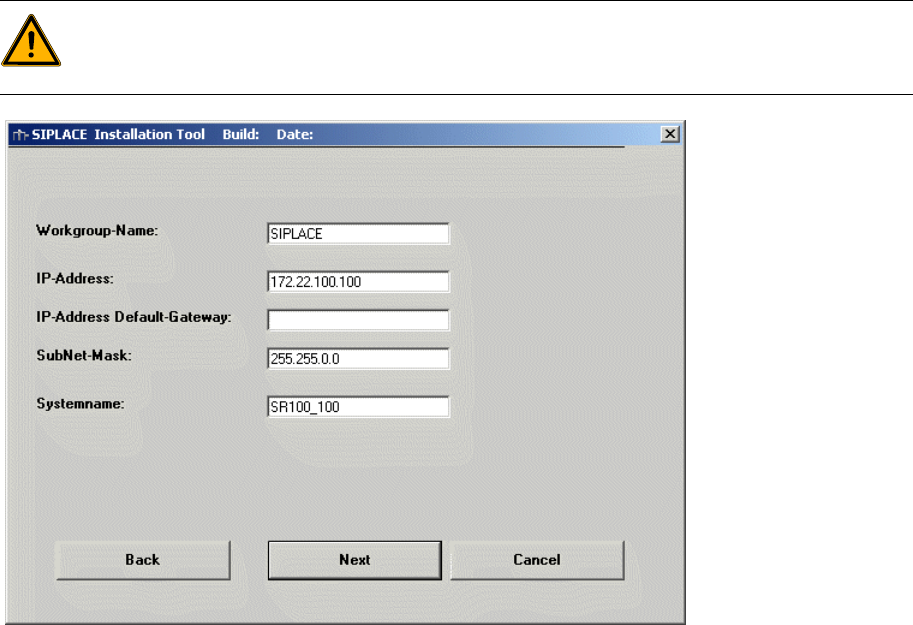
In this dialog, the basic network parameters are set for a computer which is to work with a SIPLACE
product. The following data is required for this:
Workgroup name: SIPLACE
This name can be changed as required, except on the station computer.
IP address: free choice
The computer should only used addresses from the private address range (172.x.x.x)
IP address gateway: free choice
SubNet mask: free choice
Please use the standard value for the UPTIME LT computer.
System name: must be uniquely defined in the network.
X Enter the relevant data.
X Click on the Next button.
WARNING: System name
If the system name chosen is already present in the network, a randomly generated name will
be used by the system.
Installation of WINDOWS XP Operating System
Display of Selected Entries Installation
SIPLACE Uptime LT Installationsanleitung / Installation Manual
55
2.3.8 Display of Selected Entries
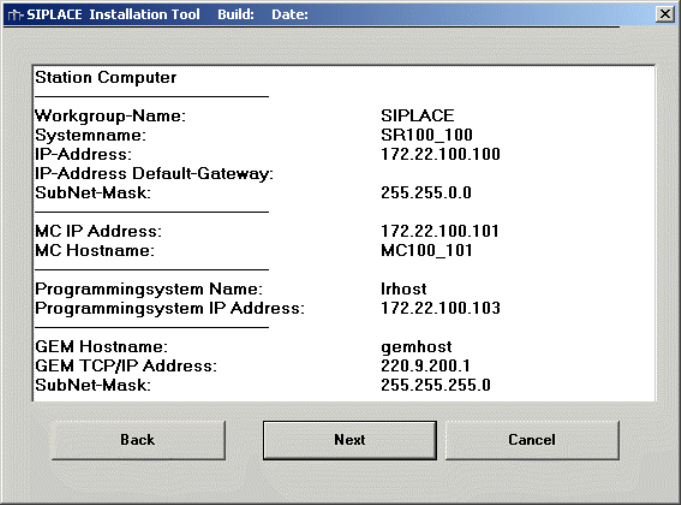
This is a complete display (for control purposes) of all selected network parameters. These values can
be changed where required.
X Check the information.
X Click on the Next button.
2.3.9 Standard Settings and Subsequent Administration Work for Station Computer
2.3.9.1 Standard Settings
Screen resolution: 1024 x 786, 16777216 colors, 60 Hz refresh rate
Time zone: GMT (London, Edinburgh, Lisbon)
Keyboard layout: German (Germany)
Network protocols: TCP/IP
In addition to the standard user accounts for Windows XP Professional, the following users and user
groups are also set up:
User: operator, Siemens technician, setup up officer
User groups: _Operator, _Setup officer, _Siemens technician (contain the respective users in each
case).
Note: If the monitor at the installed computer is not a flat screen model, set the refresh rate higher. The
preset 60Hz is designed for TFT monitors.
Note: If the TFT monitor used is that supplied with the Feeder Care Station, set the screen resolution to
1280 x 1024.