00195613-01 IM Uptime LT_EN_DE.pdf - 第57页
Installation of a Network General SIPLACE Uptime LT Installationsanleitung / Installation Manual 57 3 Inst allation of a Network 3.1 General The Uptime LT software can eith er be installed as a single workpl ace or multi…
Installation of WINDOWS XP Operating System
Installation Standard Settings and Subsequent Administration Work for Station Computer
56 SIPLACE Uptime LT Installationsanleitung / Installation Manual
2.3.9.2 Passwords
Administrator
During the fully automatic installation procedure, the system sets the local administrator password as
MS128. You are recommended to assign a new local password for the actual system administrator!
Administrator Groups
The local administrator group also includes the user "Siemens technician". This user may not be
removed from the group, otherwise the service technician from Siemens will not be able to perform
maintenance and service work. The corresponding password is only know to the SIPLACE Service team
and may not be changed!
Other Settings
Since the SIPLACE UPTIME LT software requires defined users and passwords, the security system of
the operating system is set so that the passwords can not expire!
2.3.9.3 Interrupting the Automatic Boot
In order to install new software or perform maintenance work to the operating system, you need to
interrupt the automatic login.
X To do this, hold down the Shift key during the booting, (as soon as the Windows logo appears) or
during the logging out (before the OK confirmation is activated for logging out).
X After this, the administrator logs in as usual and performs the relevant work.
X In order to activate the automatic login, you need to enter the user name "Operator" in the login mask
and operator as password.
Installation of a Network
General
SIPLACE Uptime LT Installationsanleitung / Installation Manual
57
3 Installation of a Network
3.1 General
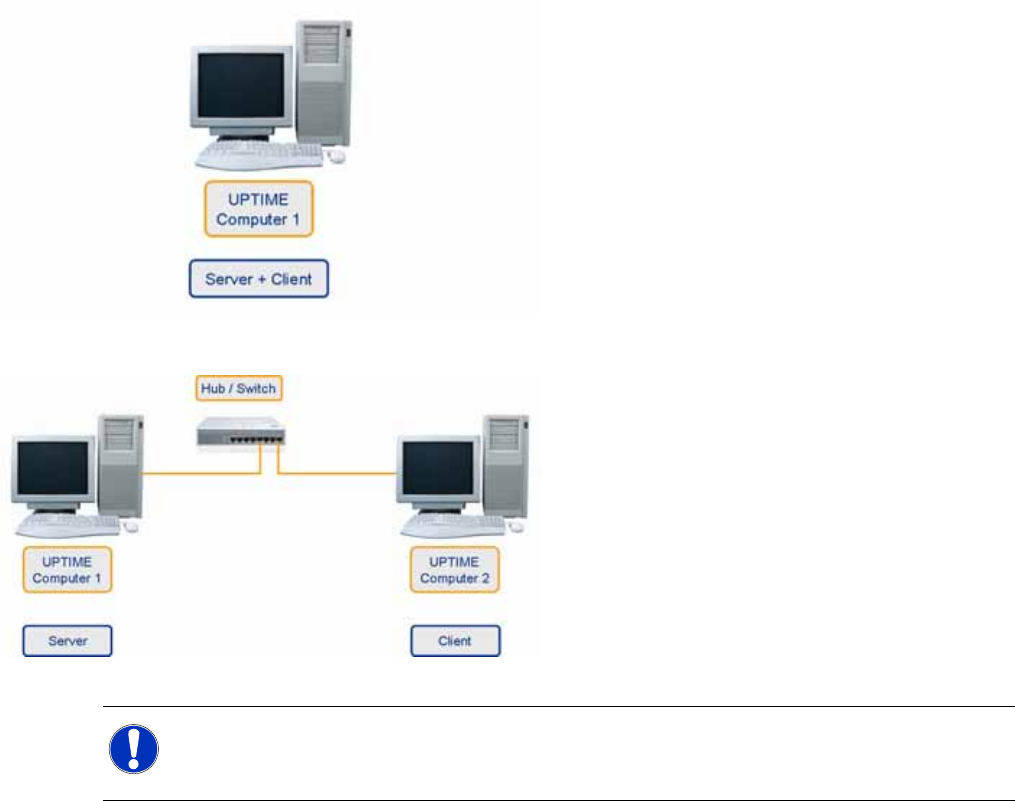
The Uptime LT software can either be installed as a single workplace or multiple workplace system.
Where possible, accept the presettings without making changes to them.
In the single workplace option, the server and
client are installed on one computer.
In a multiple workplace system, the server is
installed on one computer and a client is then
installed on one or more computers.
NOTE:
If a client server installation is performed, begin with the server. The connection to the server
can be tested with the installation of the client.
Installation of a Network
Network Hardware
58 SIPLACE Uptime LT Installationsanleitung / Installation Manual
3.2 Network Hardware
The computers can only communicate with one another if they are actually physically connected to one
another. The following hardware is required:
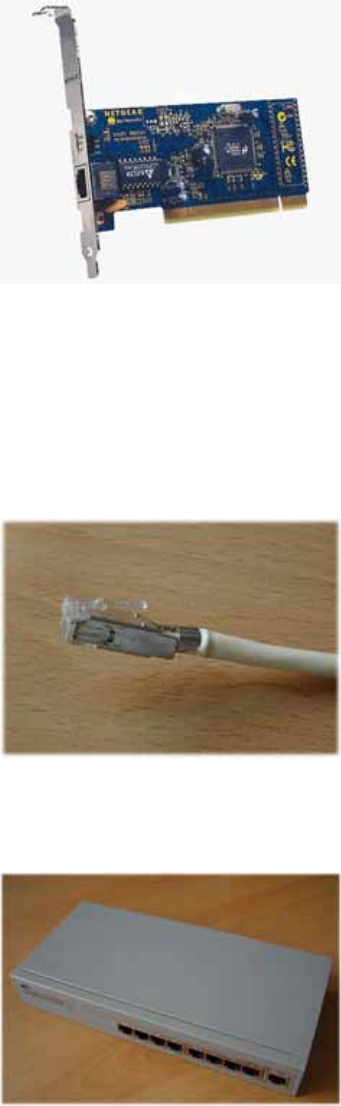
One network card per computer
The usual choice is PCI 10BaseT / 100BaseT Fast Ethernet Adapter (Ethernet cards for the PCI bus,
which can automatically switch over between transfer rates of 10 MBit/s and 100 MBit/s)
LAN onboard
New computers often have a LAN chip on the motherboard. They do not need a new network card
in this case. However, you may need to activate the chip in the BIOS. For details, consult your PC
manual.
One network cable per computer
You need a CAT5 UTP or STP cable (unshielded or shielded twisted pair cable of category 5 with
RJ45 connectors at both ends).
A signal distributor
The optimum option is a dual speed hub or a dual speed switch (coupler which connects the
computer and controls the data traffic and can switch 10 MBit/s and 100 MBit/s).
The signal distributor is the central connection component in your network. The network card of each
computer is connected with the signal distributor via the twisted pair cable.This creates a star formation,
which is why one also speaks of a star topology.