00195613-01 IM Uptime LT_EN_DE.pdf - 第87页
在线预览 00195613-01 IM Uptime LT_EN_DE.pdf PDF 文档。
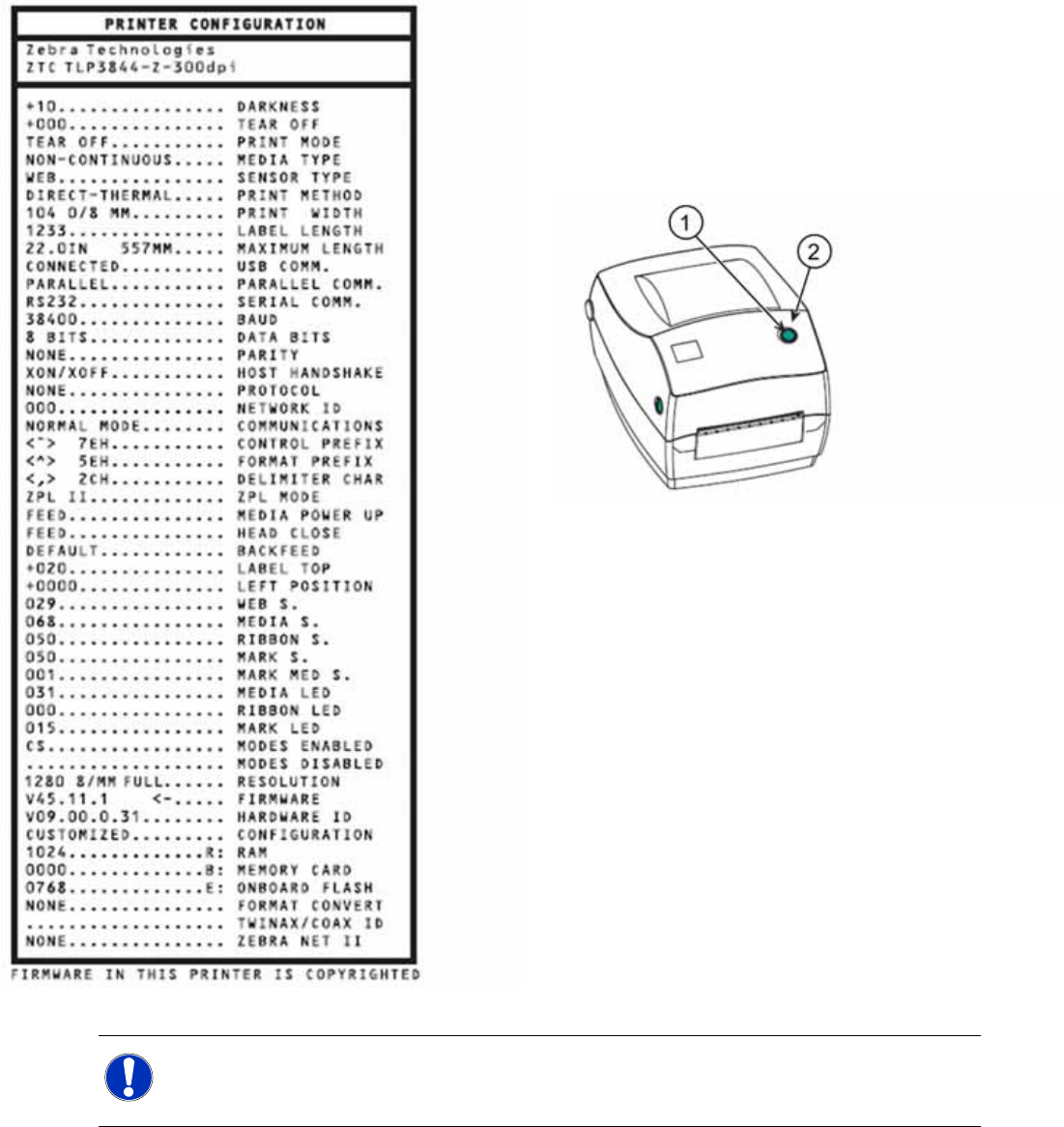
Setting up the Peripheral Devices
Installing the Zebra® TLP 3844-Z Printer
86 SIPLACE Uptime LT Installationsanleitung / Installation Manual
X Make sure that the media are correctly loaded
into the printer and that the top cover of the
printer is closed.
X Switch the printer on.
X Once the status display shines permanently
green, press and hold down the feed button
until the status display flashes once.
1. Feed button
2. Status lamp
X Release the feed button.
The printer will now print the configuration file on
the media loaded.If the status lamp remains yellow
or red or if the printout does not appear, consult
the "Troubleshooting" section of the user manual
provided with the printer.
NOTE:
For a detailed description of how to operate the printer and how to install the printer as a network
printer, consult the user manual provided with the printer.

Siemens AG 2007 All rights reserved Technische Änderungen vorbehalten
DocID: 00195613-01 Siemens Aktiengesellschaft
SIEMENS AG, Automation and Drives
Electronics Assembly Systems
Rupert-Mayer-Str. 44
D-81359 München
Printed by SIEMENS