00195613-01 IM Uptime LT_EN_DE.pdf - 第78页
Installing the Uptime LT Application Installing Uptime LT Installing Additional Program Package s 78 SIPLACE Uptime LT Installationsanleitung / Installation Manual 4.2.5 Inst a lling Additional Program Packages This is w…
Installing the Uptime LT Application
Setting the INI File Installing Uptime LT
SIPLACE Uptime LT Installationsanleitung / Installation Manual
77
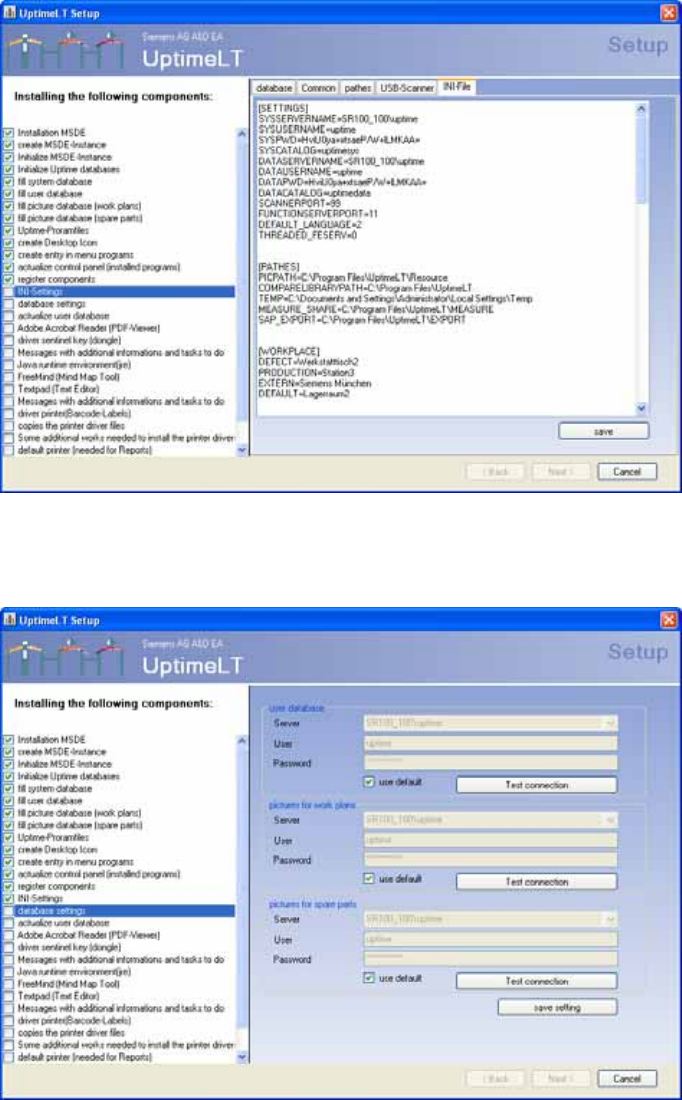
4-20: Displaying the INI file
This view shows the INI file as it was generated. You can edit the data here. Click on Save to write the
file and perform the next step.
4-21: Database settings
This is where you define the database settings.
X Click on the Save Settings button.
Installing the Uptime LT Application
Installing Uptime LT Installing Additional Program Packages
78 SIPLACE Uptime LT Installationsanleitung / Installation Manual
4.2.5 Installing Additional Program Packages
This is where you can call up installation routines for other program packages (e.g. Adobe Acrobat
Reader).
If the installation of a program requires rebooting your computer, this should be done immediately. The
setup procedure continues from the point it was at before the rebooting.
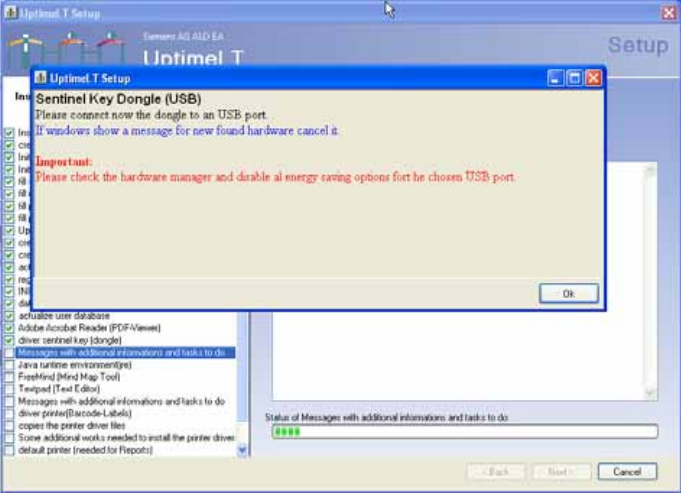
Uptime LT issues precise messages, informing you about the next step.
4-22: Message displayed during the installation
Installing the Uptime LT Application
Installing Additional Program Packages Deinstalling Uptime LT
SIPLACE Uptime LT Installationsanleitung / Installation Manual
79
4.3 Deinstalling Uptime LT
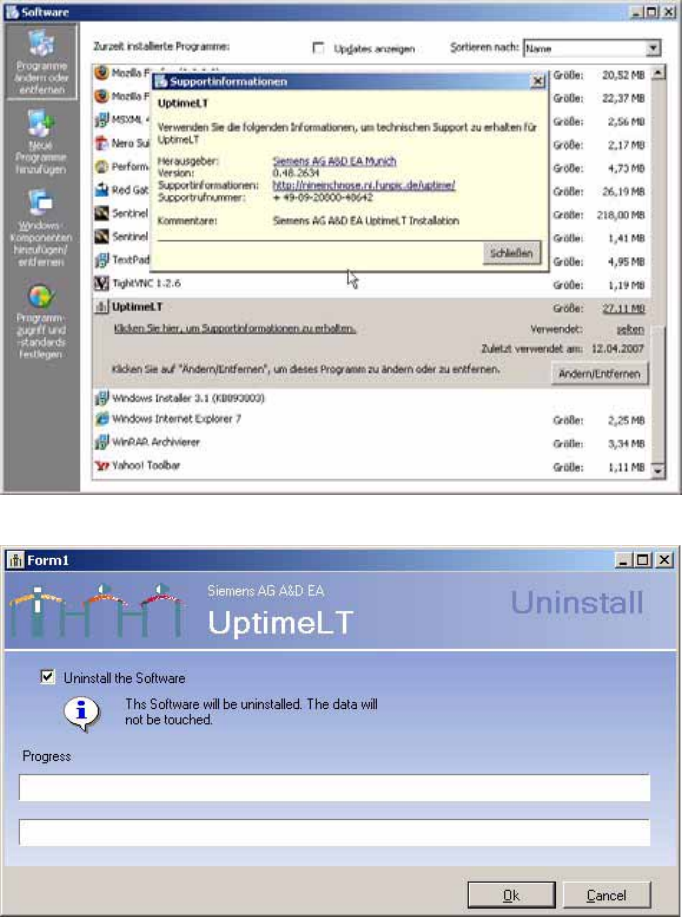
Windows XP makes an entry for Uptime LT in the software section of the control panel.
4-23: Control Panel
→
Software
4-24: Deinstalling Uptime LT
Clicking on the OK button starts the deinstallation of Uptime LT. Any additional packages installed plus
the database will not be removed from the system!