00195613-01 IM Uptime LT_EN_DE.pdf - 第72页
Installing the Uptime LT Application Installing Uptime LT Installing Program Packages 72 SIPLACE Uptime LT Installationsanleitung / Installation Manual 4.2.3 Inst a lling Program Packages 4-11: Installing program package…
Installing the Uptime LT Application
Selecting Program Packages Installing Uptime LT
SIPLACE Uptime LT Installationsanleitung / Installation Manual
71
4.2.2 Selecting Program Packages
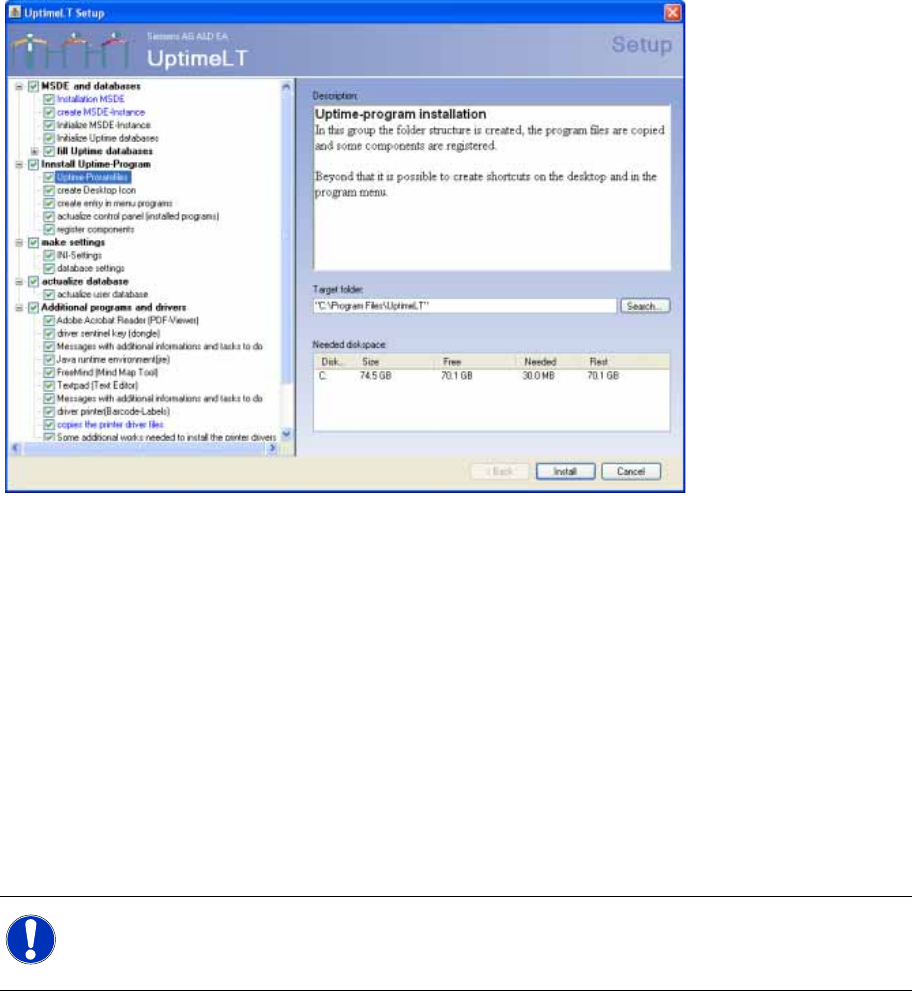
After the license query screen, you will see the window for selection of the program packages to be
installed and for selection of the installation path.
4-10: Program selection in the Uptime LT installation
Entries which are marked blue in the program package list indicate that an installation folder can/must
be selected here.
The checkbox in front of the program package allows you to exclude that item from the installation.
However, certain program packages are essential and can not be excluded.
If a program package group is excluded from the installation, this also excludes all subentries in this
group. The ticks in the corresponding subgroups will be automatically removed.
Each program package has a description of what will be installed i.e. the program package contents. The
list on the left side shows the package which is currently being installed.A green tick will be displayed
next to the program packages which have been successfully installed.
Before starting the installation, we recommend that you look through all the program packages and
adjust the paths as required.
X Adjust the program package paths to your requirements.
X Click on the Install button. The installation process will begin for those features which are ticked in
the selection list.
NOTE:
The program package paths for MSDE and databases/ MSDE entity generation is set to drive
D: .All other program packages are set to paths on drive C: .
Installing the Uptime LT Application
Installing Uptime LT Installing Program Packages
72 SIPLACE Uptime LT Installationsanleitung / Installation Manual
4.2.3 Installing Program Packages
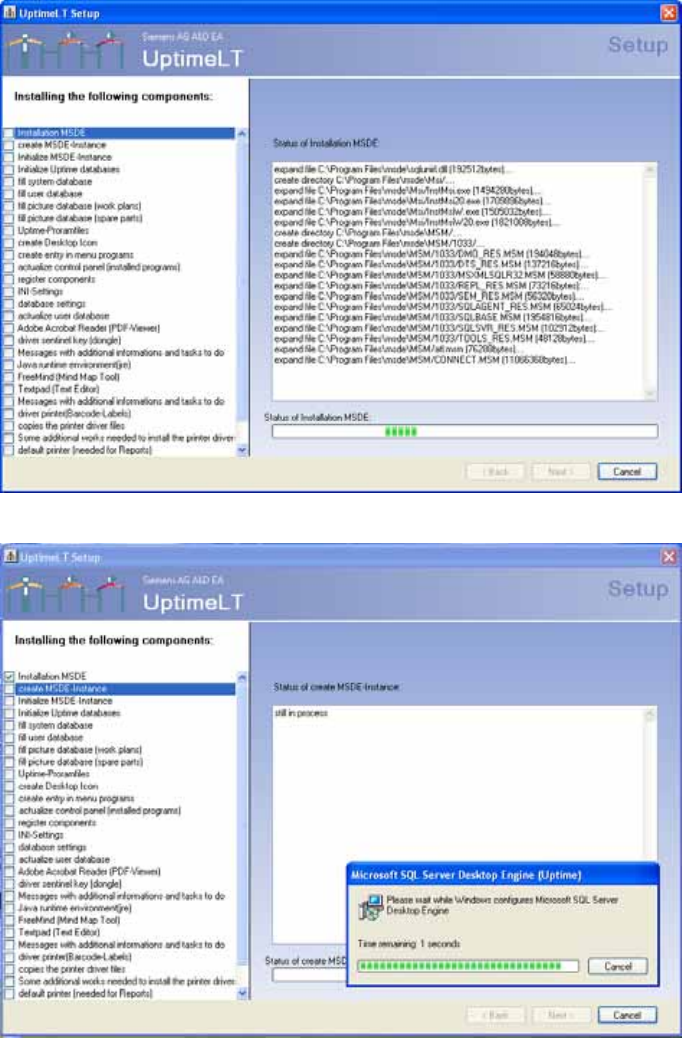
4-11: Installing program packages
4-12: Generating an MSDE entity
Installing the Uptime LT Application
Installing Program Packages Installing Uptime LT
SIPLACE Uptime LT Installationsanleitung / Installation Manual
73
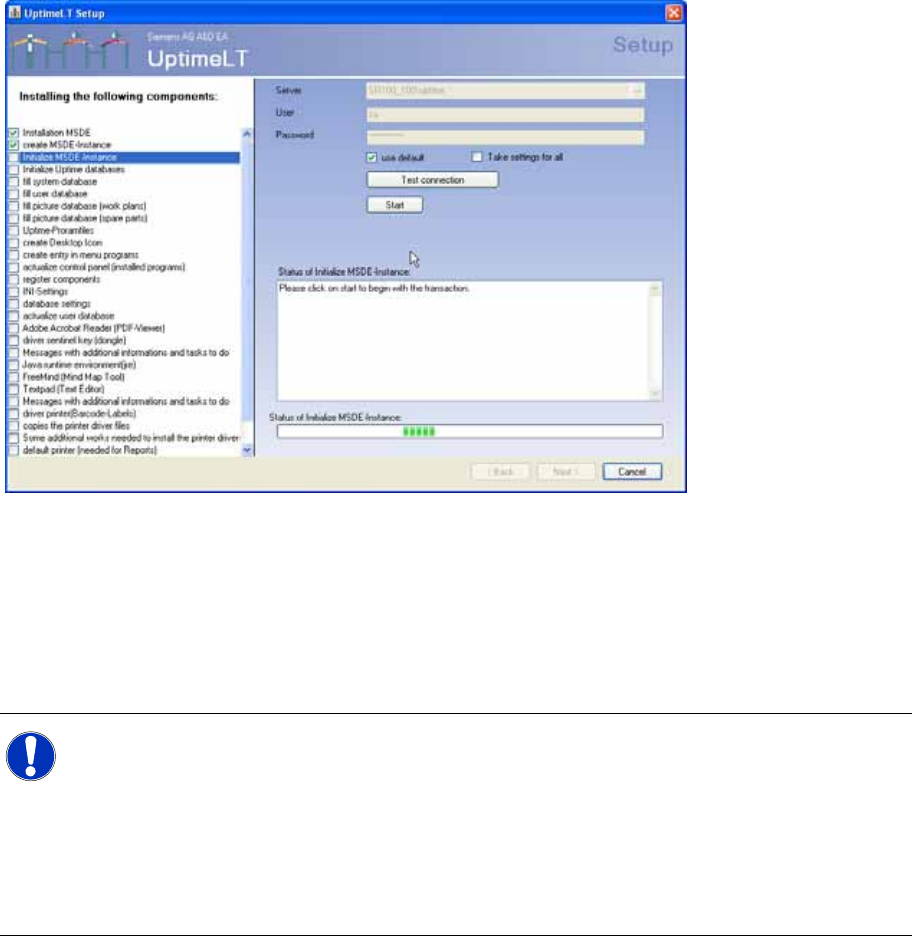
4-13: Initializing an MSDE entity
Since initialization of the MSDE entity involves access to the database, you need to check the connection
settings. These should generally be OK.
Clicking on Start starts installation of the program package.
If you tick Use for all in the settings, all following program packages which require a database connection
will be automatically started with the same connection information.
X Perform the steps shown.
NOTE: Automatic backup
Before the actual initialization of the MSDE entity, you need to make several manual changes
to the registration. The message shows the individual steps to be performed. These changes
are only necessary if you want Uptime LT to automatically perform backups i.e. on a time-
controlled basis.
If these changes are not made, Uptime LT will not be able to make the functions of the regular
backups fully available.
This setting can also be defined later, after the installation.