[Renewal UI] Chapter4_3D Inspector_CHN 20130305.pdf - 第51页
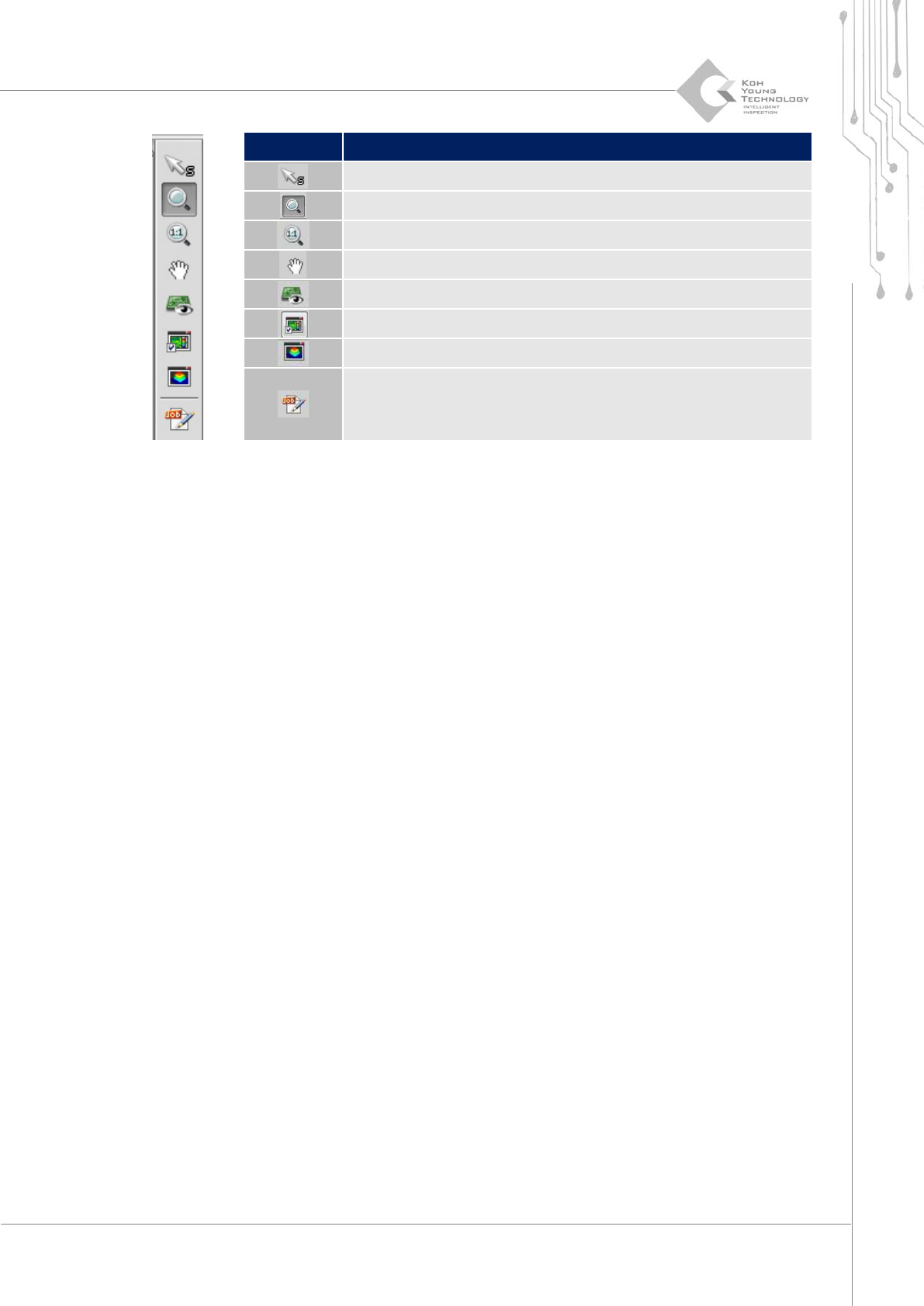
Pr ogra mmer ’ s Manual | 51 Category Descriptio n 选择 Pad 放大 PCB View Fits the P CB vie wer Moves the screen using a mo use Bird eye v iew Trend view 2D & 3D vi ew Edits JOB file
50 | Chapter 4. 3D Inspector
3D Solder Paste Inspection System
KOH YOUNG TECHNOLOGY INC.
如需查询主界面显示的特定Pad相关检测结果信息或不良判定,需按下列顺序操作。
1. 完成该 PCB 检测。
2. 查看设备是否为停止状态。
3. 在主界面点击该 Pad,激活 Defect Viewer 对话框。
按照上述顺序操作,以3D图像弹出可掌握该Pad的defect或锡膏印刷状态等的对话框。
3.4.1. 手动输入条形码
用户可以在主界面直接输入条形码,载入该PCB的JOB文件。
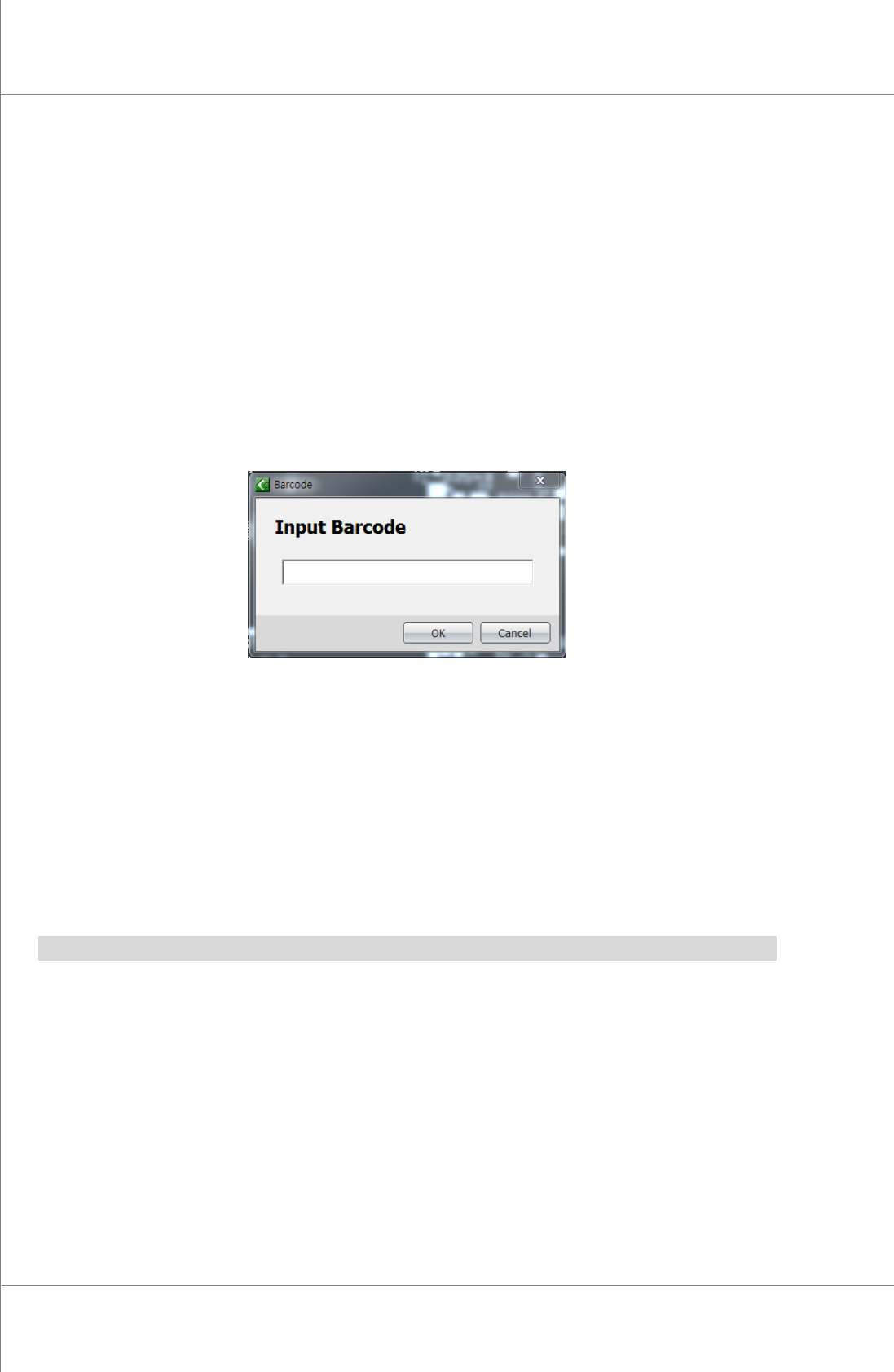
Figure 3-20. 手动输入条形码对话框
如需直接输入条形码,需按下列顺序操作。
1. 点击主界面的<Barcode>按键。即弹出 Barcode 对话框。
2. 在 Barcode 对话框输入条形码后点击<OK>按键。
3.4.2. 查询JOB文件名/PAD数量
在主界面可以查询当前正在检测或之后即将检测的PCB相关JOB文件名和Pad数量。
Note:画面显示的JOB文件名并非该文件名称,而是在CEditor™的PCB Info中的文件名。
3.4.3. 当前FOV STEP /总STEP数
显示主界面中正在检测的PCB当前阶段(FOV的Step)及PCB的总阶段(FOV的Step)数。
3.4.4. PCB VIEW 选项
PCB View选项位于主界面右侧。
Programmer’s Manual | 51
Category Description
选择Pad
放大PCB View
Fits the PCB viewer
Moves the screen using a mouse
Bird eye view
Trend view
2D & 3D view
Edits JOB file
52 | Chapter 4. 3D Inspector
3D Solder Paste Inspection System
KOH YOUNG TECHNOLOGY INC.
3.5. 不良信息(Defect View)
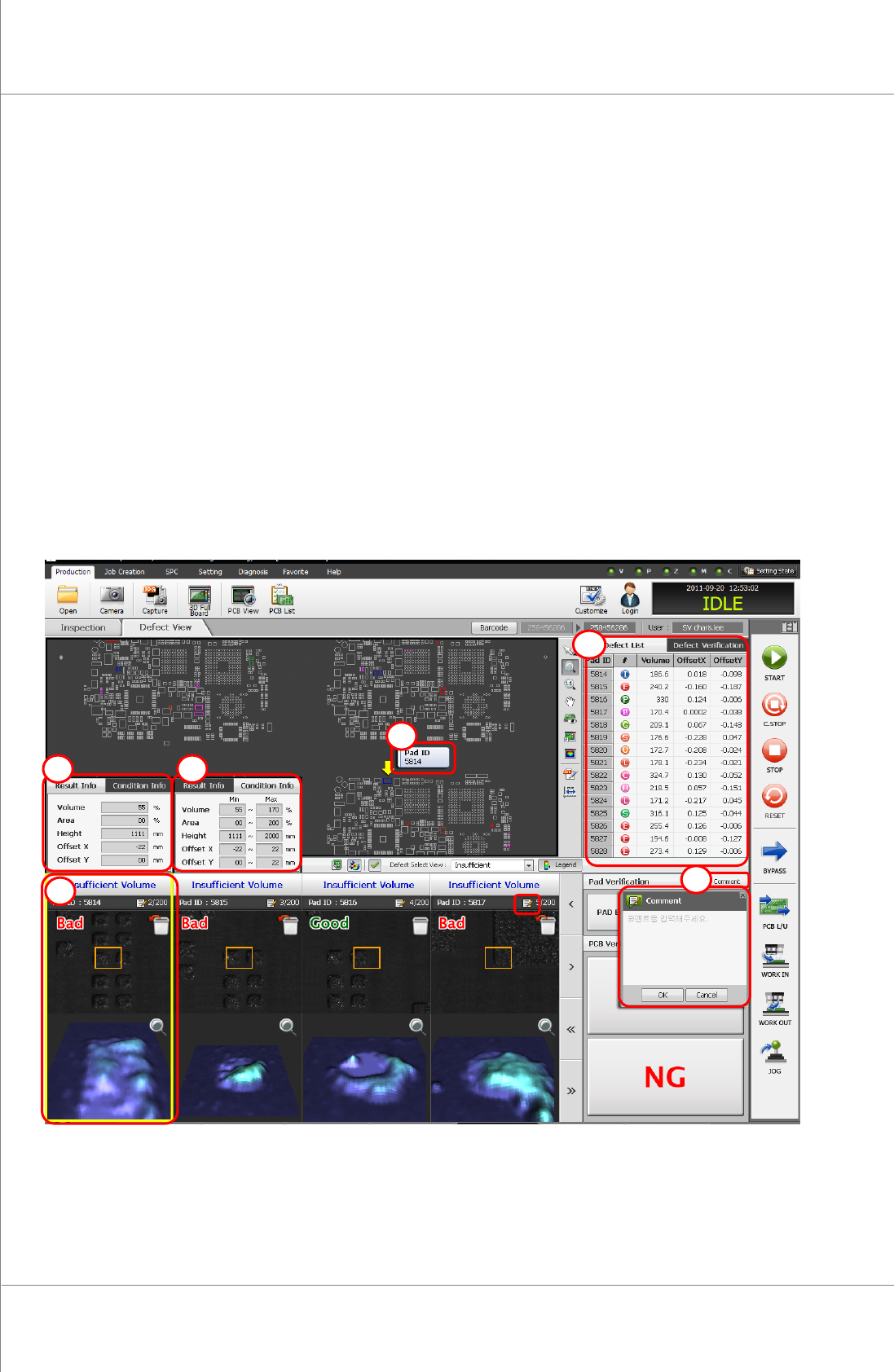
检测结束后,不良信息标签显示在主界面上,以3D image显示PCB印刷的锡膏状态。
不良目录(①)
Pad ID(②)
结果信息(③)
条件信息(④)
不良图像及结果(⑤)
说明(⑥)
Figure 3-21. Inspection Result Dialog Box
3
5
1
2
4
6