00196284_Install_WinXP_unattended_DVD.pdf - 第105页
Windows XP Unattended Setup DVD V4 .2 11/2015 Edition 105 → W ählen Si e mit der Cursor - Nach - Oben - T aste d en Eintrag “ W ak e on Lan from S5 ” aus . → Drück en Sie die ENT ER Tas te .
Windows XP Unattended Setup DVD V4.2 11/2015 Edition
104
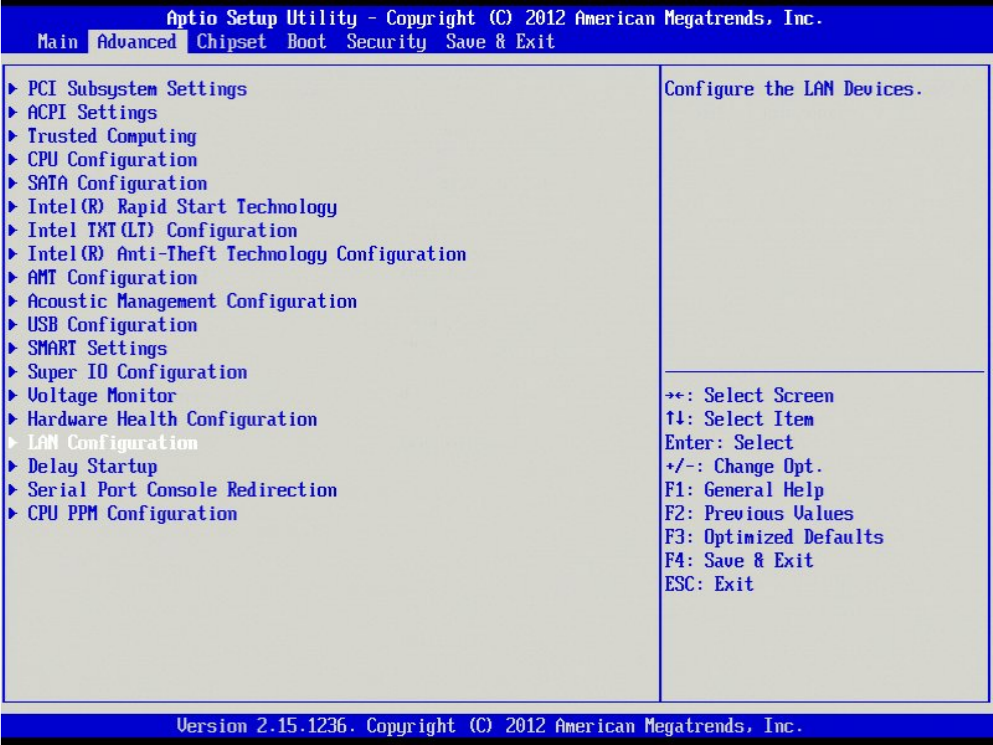
→ Hit the cursor up key until “LAN Configuration” is highlighted.
→ Hit the ENTER key to change the setting.
Windows XP Unattended Setup DVD V4.2 11/2015 Edition
105
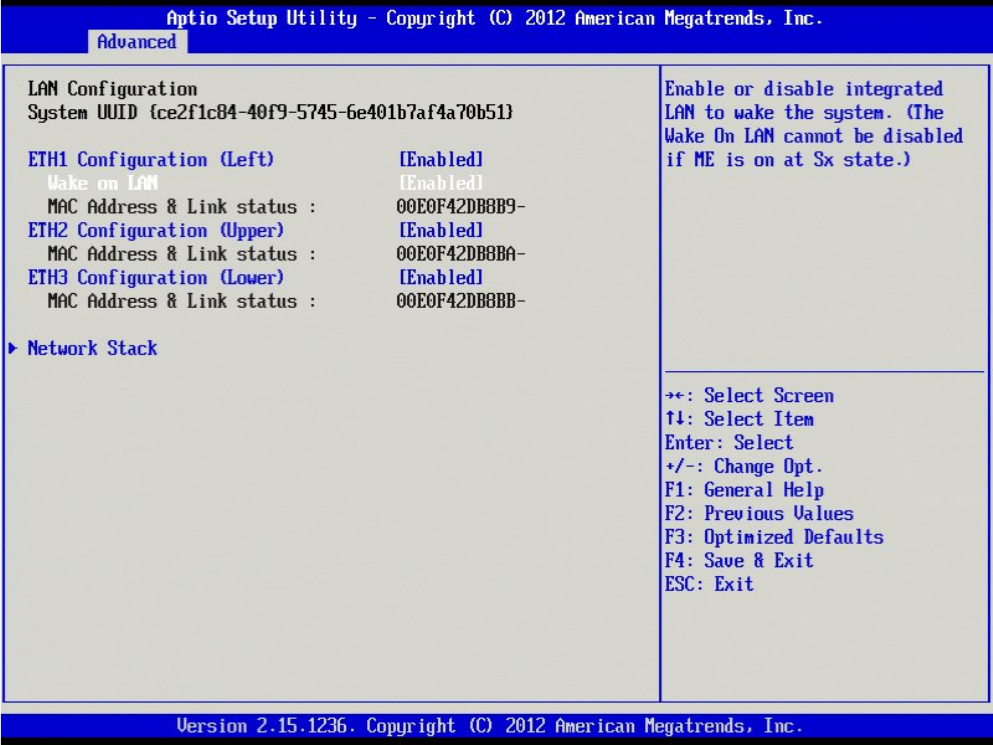
→ Wählen Sie mit der Cursor- Nach- Oben- Taste den Eintrag “Wake on Lan from S5” aus.
→ Drücken Sie die ENTER Taste.
Windows XP Unattended Setup DVD V4.2 11/2015 Edition
106
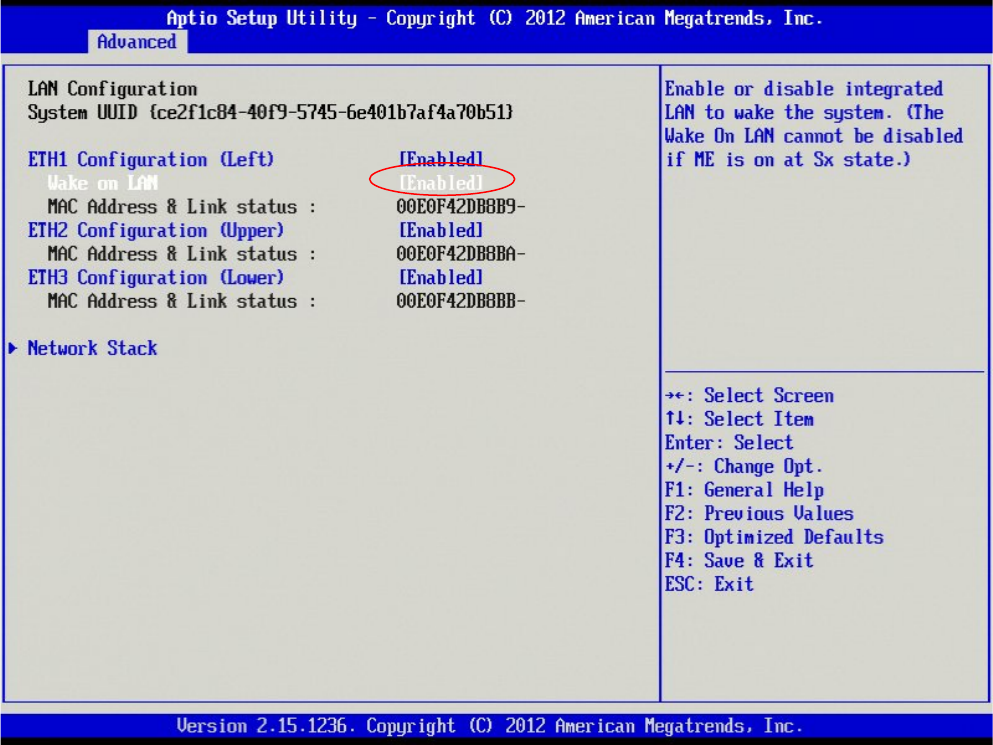
→ Wählen Sie die Einstellung “Disabled” und betätigen Sie die ENTER Taste.