00196284_Install_WinXP_unattended_DVD.pdf - 第63页
Windows XP Unattended Setup DVD V4 .2 11/2015 Edition 63 → First s elect the cou ntry you are calli ng from . You will get the tel ephone number s you can call to activate your W indows ins tallation. → Now you have to c…
Windows XP Unattended Setup DVD V4.2 11/2015 Edition
62
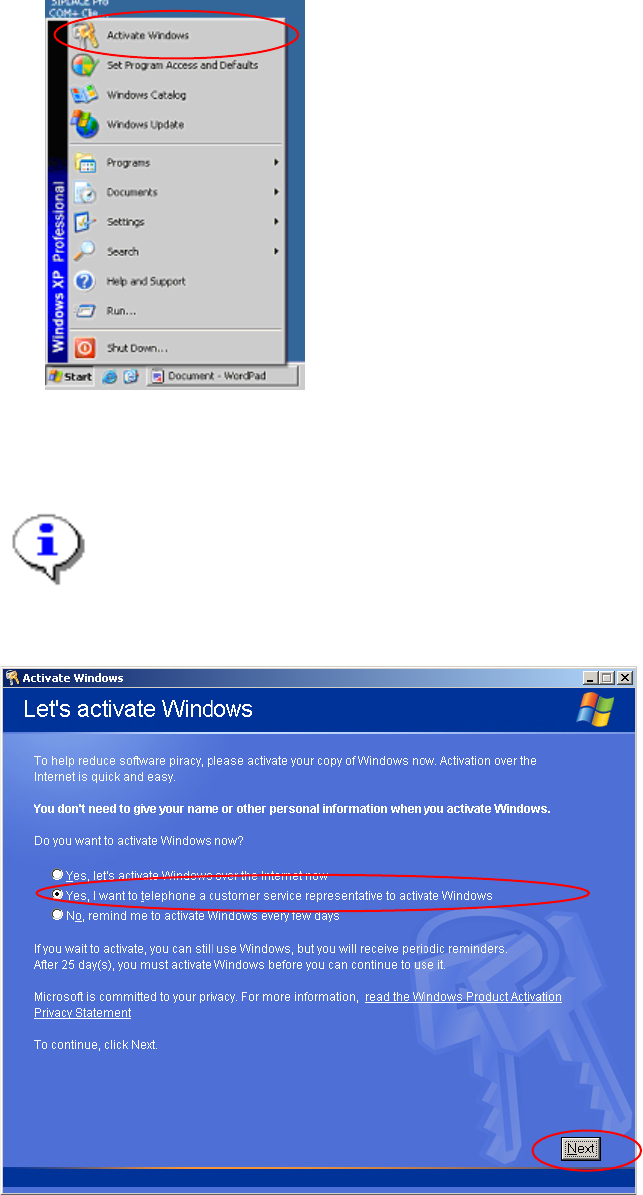
→ Start the program to activate your Windows installation by selecting "Start->Activate Windows".
The dialog asks for your method for activation.
Note:
You can perform your activation over the internet. We do not describe it here, because most of
the installation will be performed without any connection to the internet.
→ Select the radio button "Yes, I want to telephone a customer service representative to activate Windows".
→ Select the button “Next”.
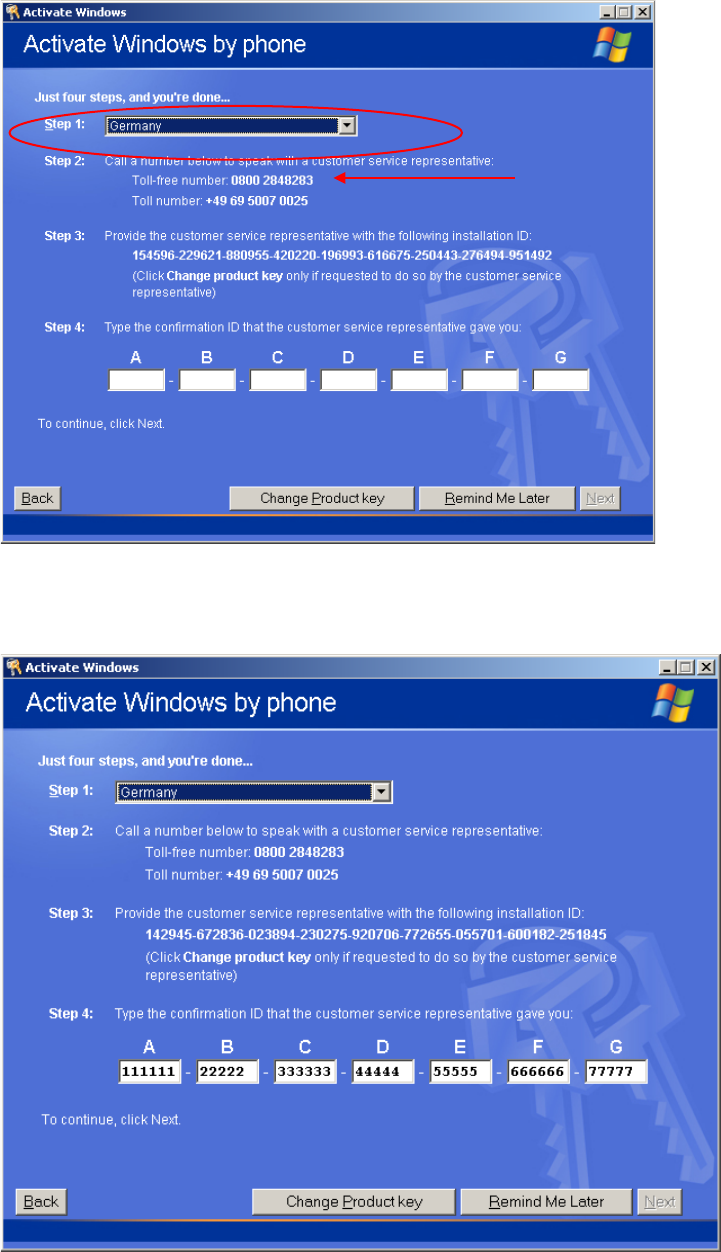
In the next dialog, you have to perform 4 steps to activate Windows XP.
Windows XP Unattended Setup DVD V4.2 11/2015 Edition
63
→ First select the country you are calling from.
You will get the telephone numbers you can call to activate your Windows installation.
→ Now you have to call Microsoft and give the operator the installation ID.
→ Enter the Confirmation ID into the text field under step 4.
When you have entered all necessary information and the program could validate the information, the
NEXT button will be enabled.
→ Select the button “Next”.
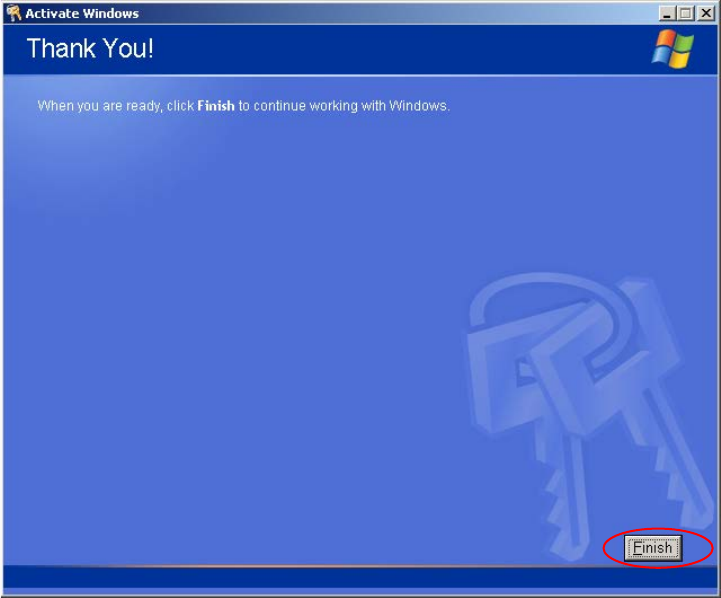
After a successful activation the following dialog appears.
Windows XP Unattended Setup DVD V4.2 11/2015 Edition
64
→ Click the button “Finish” to close the window.