00196284_Install_WinXP_unattended_DVD.pdf - 第12页
Windows XP Unattended Setup DVD V4 .2 11/2015 Edition 12 Before be ginning w ith instal lation, you have to set/verify th e BIOS sett ings of the com puter. → Power on t he com puter and hit F 2 during th e boot proces s…
Windows XP Unattended Setup DVD V4.2 11/2015 Edition
11
4.1.3 Esprimo E 900
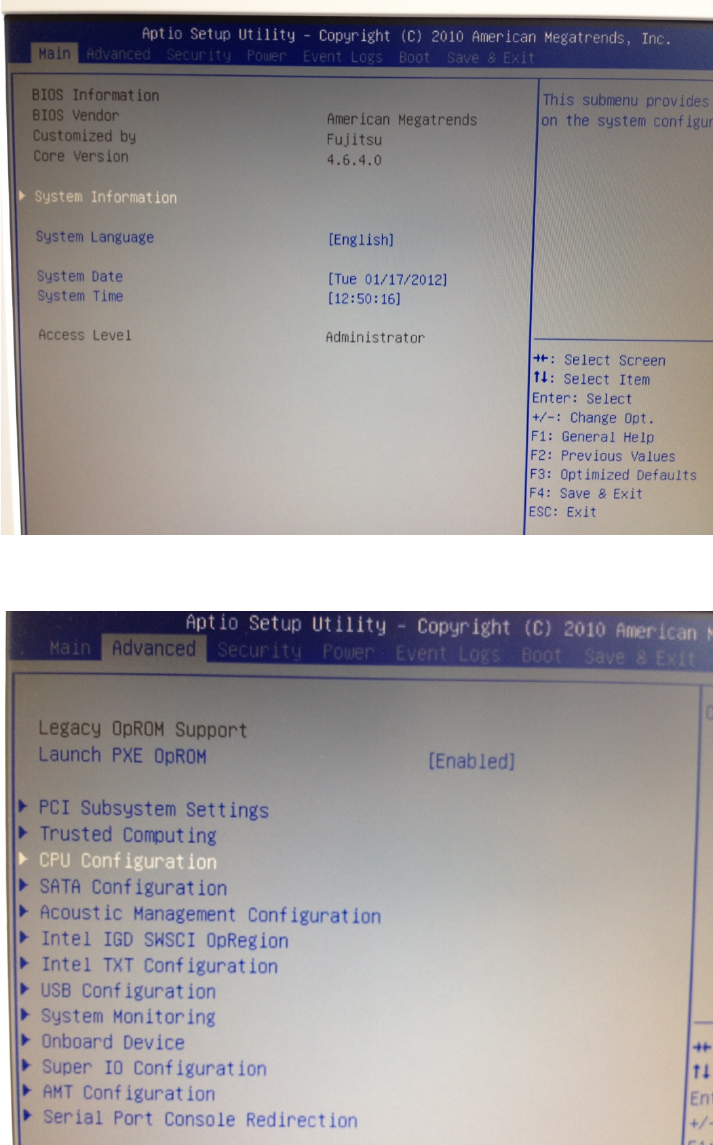
The Esprimo E 900 has ports as shown in the following picture.
Legend:
1: Power connectors (PC + Display)
2: USB 2.0 ports
3: PS/2 connectors for keyboard (purple) and mouse (green)
4: Display connector (DVI).
Note:
If you need to connect VGA displays, you have to use the delivered adapter as shown in the
picture above.
5: Onboard Serial port
6: Onboard LAN for SIPLACE LAN.
Note:
By default, this computer has only one LAN port. If you require an additional LAN port, you have
to insert an additional extension card.
7: USB 3.0 port
8: Port for delivered Serial Y- cable allowing connecting two additional serial devices
1
2
3
4
5
6
7
8
Windows XP Unattended Setup DVD V4.2 11/2015 Edition
12
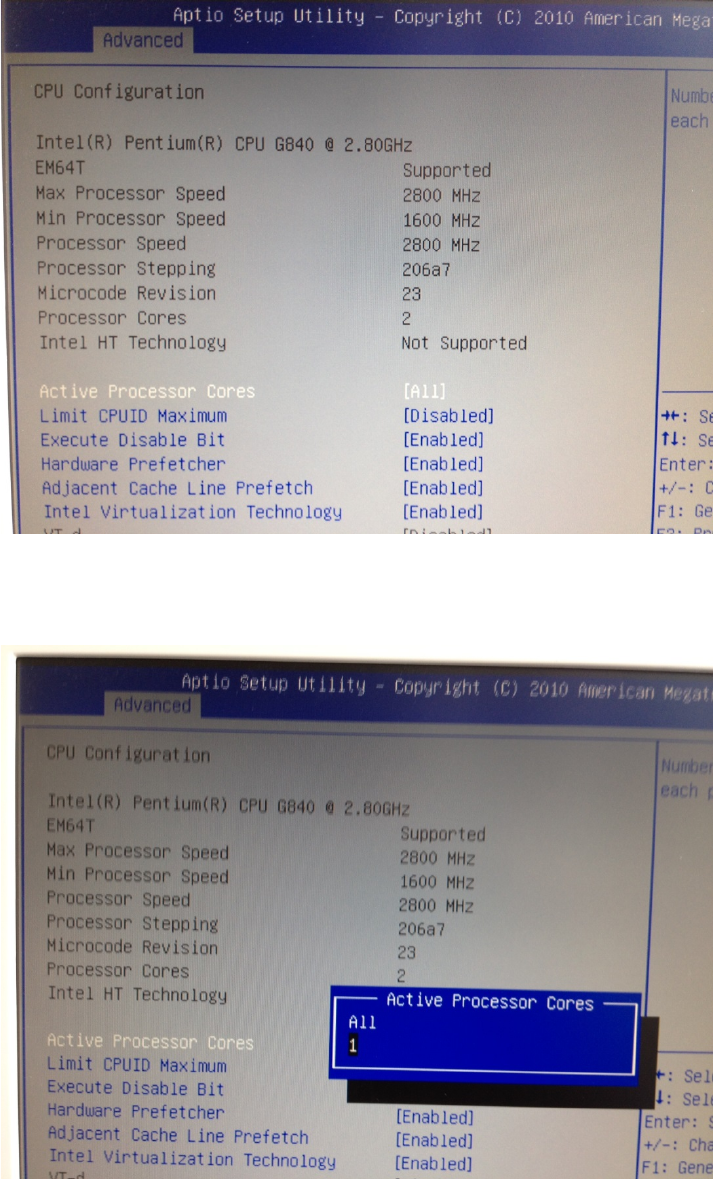
Before beginning with installation, you have to set/verify the BIOS settings of the computer.
→ Power on the computer and hit F2 during the boot process
→ Hit the cursor right key until “Advanced” is highlighted.
→ Hit the cursor down key until “CPU Configuration” is highlighted.
→ Hit the ENTER key.
Windows XP Unattended Setup DVD V4.2 11/2015 Edition
13
→ Ensure “Active Processor Cores” is selected and hit the ENTER key to change the setting.
→ Select the option “1” and hit ENTER.
After that, the window should look like this.