00196284_Install_WinXP_unattended_DVD.pdf - 第32页
Windows XP Unattended Setup DVD V4 .2 11/2015 Edition 32 → Select th e option “1” and hit ENTER.
Windows XP Unattended Setup DVD V4.2 11/2015 Edition
31
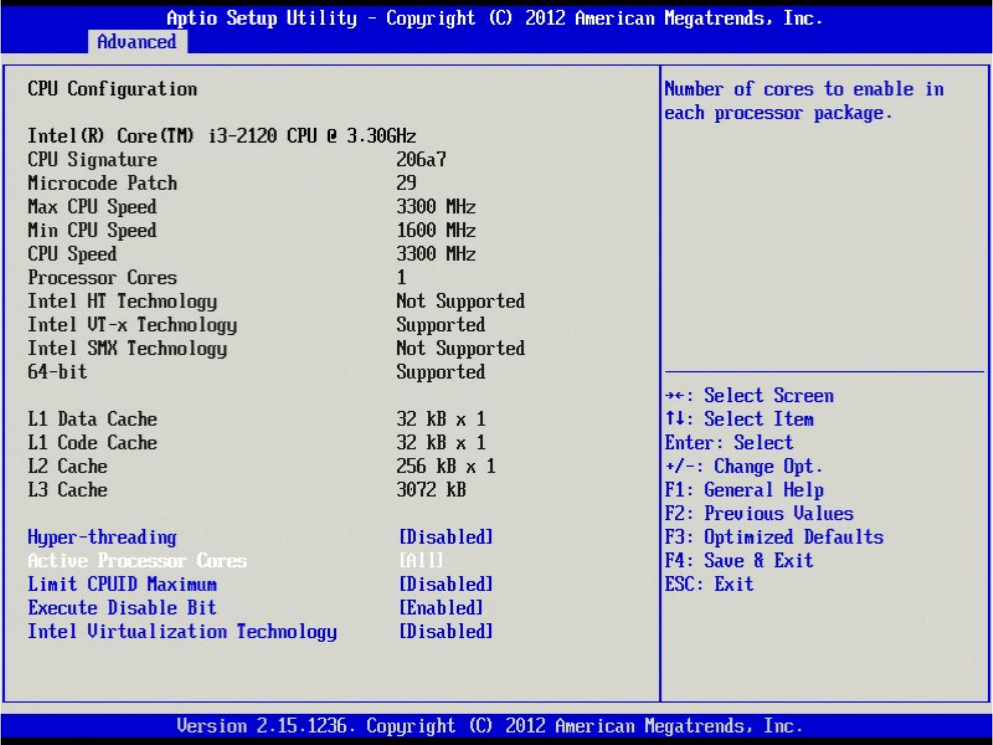
→ Hit the cursor down key once until “Active Processor Cores” is highlighted.
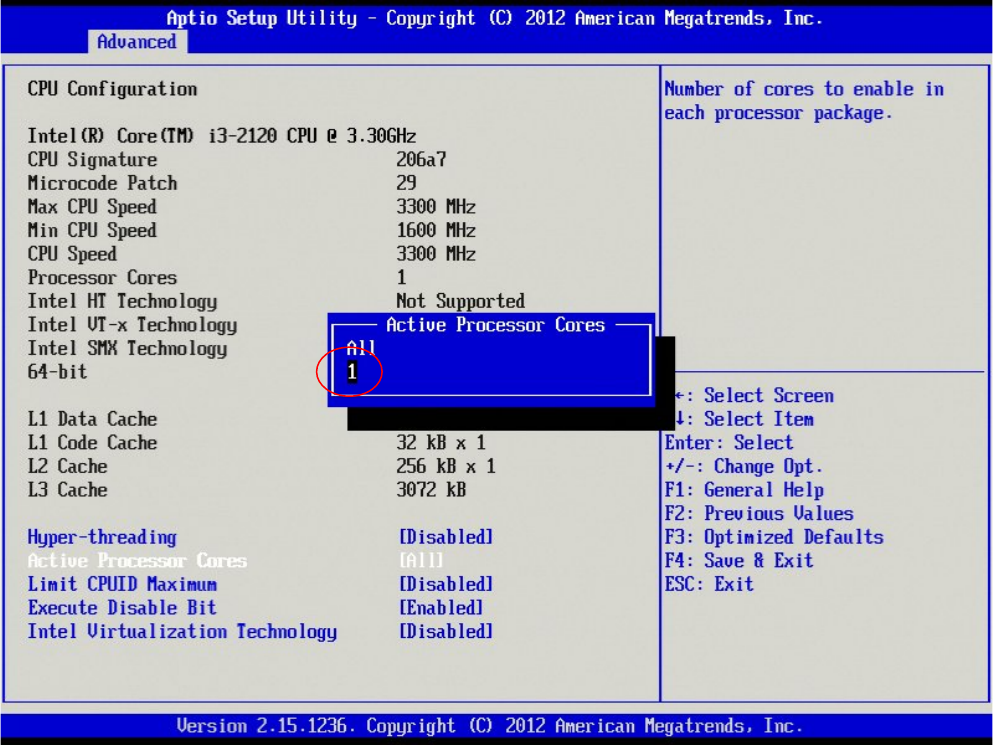
→ Hit the ENTER key to change the setting.
Windows XP Unattended Setup DVD V4.2 11/2015 Edition
32
→ Select the option “1” and hit ENTER.
Windows XP Unattended Setup DVD V4.2 11/2015 Edition
33
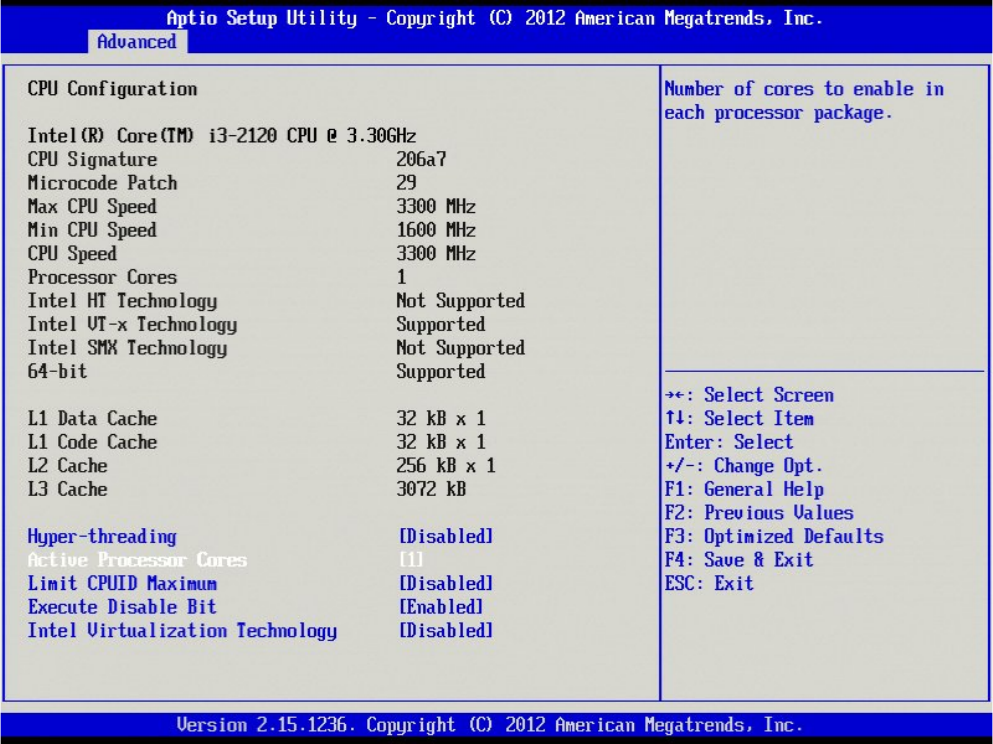
Your screen should now look like this.
→ Hit the ESC key to step back to the previous screen.