00196284_Install_WinXP_unattended_DVD.pdf - 第64页
Windows XP Unattended Setup DVD V4 .2 11/2015 Edition 64 → Click t he button “F inish” to close the window.
Windows XP Unattended Setup DVD V4.2 11/2015 Edition
63
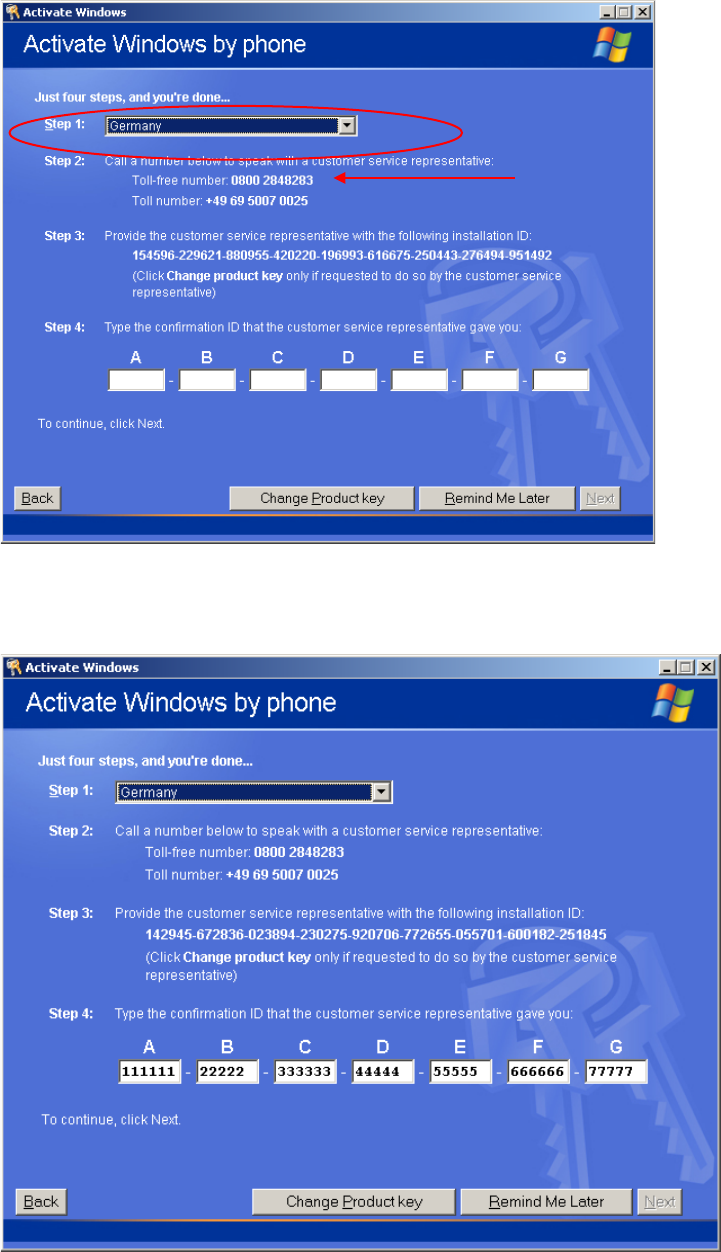
→ First select the country you are calling from.
You will get the telephone numbers you can call to activate your Windows installation.
→ Now you have to call Microsoft and give the operator the installation ID.
→ Enter the Confirmation ID into the text field under step 4.
When you have entered all necessary information and the program could validate the information, the
NEXT button will be enabled.
→ Select the button “Next”.
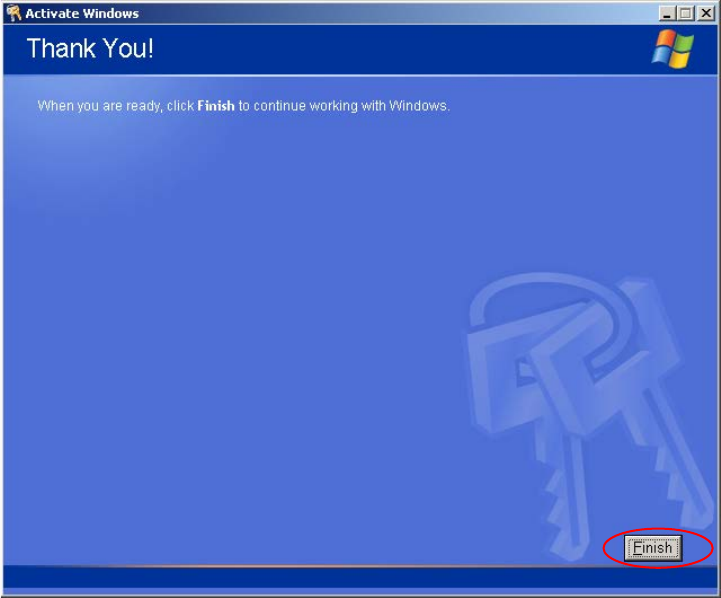
After a successful activation the following dialog appears.
Windows XP Unattended Setup DVD V4.2 11/2015 Edition
64
→ Click the button “Finish” to close the window.

Windows XP Unattended Setup DVD V4.2 11/2015 Edition
65
Allgemeines
4.6 Verwendungszweck
Warnung:
Dieses Betriebssystem ist nur für den Einsatz auf SIPLACE Rechnern (SIPLACE
Programmiersysteme, SIPLACE Stationsrechner, SIPLACE Visionrechner) in einer
Workgroup innerhalb des SIPLACE Netzes bestimmt.
Die DVD stellt die Installationssoftware für ein auf SIPLACE Produkte angepasstes Betriebssystem zur
Verfügung.
Die Ausführung dieser Software liegt allein in der Verantwortung von SIPLACE.
Die Betreuung für dieses Produkt wird von SIPLACE bereitgestellt.
Das vorliegende Dokument beschreibt die automatisierte Windows XP Installation für SIPLACE Pro
Rechner in einer Workgroup.
Das Verfahren wurde von SIPLACE entwickelt, um eine schnelle, vollständige und
anforderungsgerechte Installation von Windows XP Professional auf SIPLACE Rechnern, einschließlich
den Anforderungen der SIPLACE Linienprodukte, durchzuführen.
Die Installation kann auf allen SIPLACE Rechnern durchgeführt werden, die die im Kapitel 6.2
„Erforderliche Konfigurationsparameter“ genannten Voraussetzungen erfüllen.
Die ausgelieferte DVD-ROM ist bootfähig, so dass die Installation automatisch nach dem Systemstart
startet. Die Installation von Windows XP Professional kann nur in der englischen Sprachversion ausgeführt
werden.
Während der Installation sind Eingaben zur Systemkonfiguration vorzunehmen (siehe Kapitel 6.2
„Erforderliche Konfigurationsparameter“).
Warnung:
Wenn Sie die Hardware-Konfiguration grundlegend verändern (z.B. durch Austausch des
Mainboard Typs) müssen Sie eine Neuinstallation durchführen.