00196284_Install_WinXP_unattended_DVD.pdf - 第18页
Windows XP Unattended Setup DVD V4 .2 11/2015 Edition 18 → Ensure “C onfigure SATA#1 as” is select ed and hit the ENT ER ke y to cha nge the setting. → Select th e option “A HCI” and hi t ENTER. After that, the windo w s…
Windows XP Unattended Setup DVD V4.2 11/2015 Edition
17
6: Onboard serial (COM) ports.
Before beginning with installation, you have to set/verify the BIOS settings of the computer.
→ Power on the computer and hit DEL during the boot process.
Note:
This computer boots very fast. The best way to enter BIOS is to hit DEL multiple times after
powering on ensuring you don’t miss the right moment.
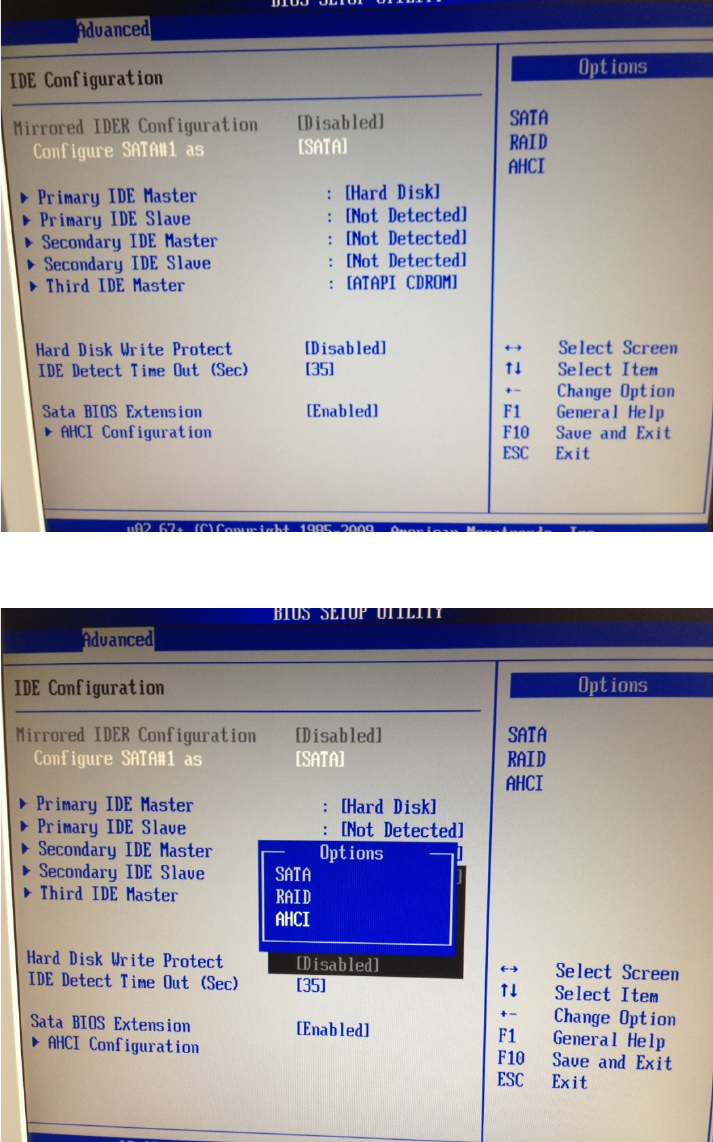
→ Hit the cursor right key until “Advanced” is highlighted.
→ Hit the cursor down key until “IDE Configuration” is highlighted.
→ Hit the ENTER key.
Windows XP Unattended Setup DVD V4.2 11/2015 Edition
18
→ Ensure “Configure SATA#1 as” is selected and hit the ENTER key to change the setting.
→ Select the option “AHCI” and hit ENTER.
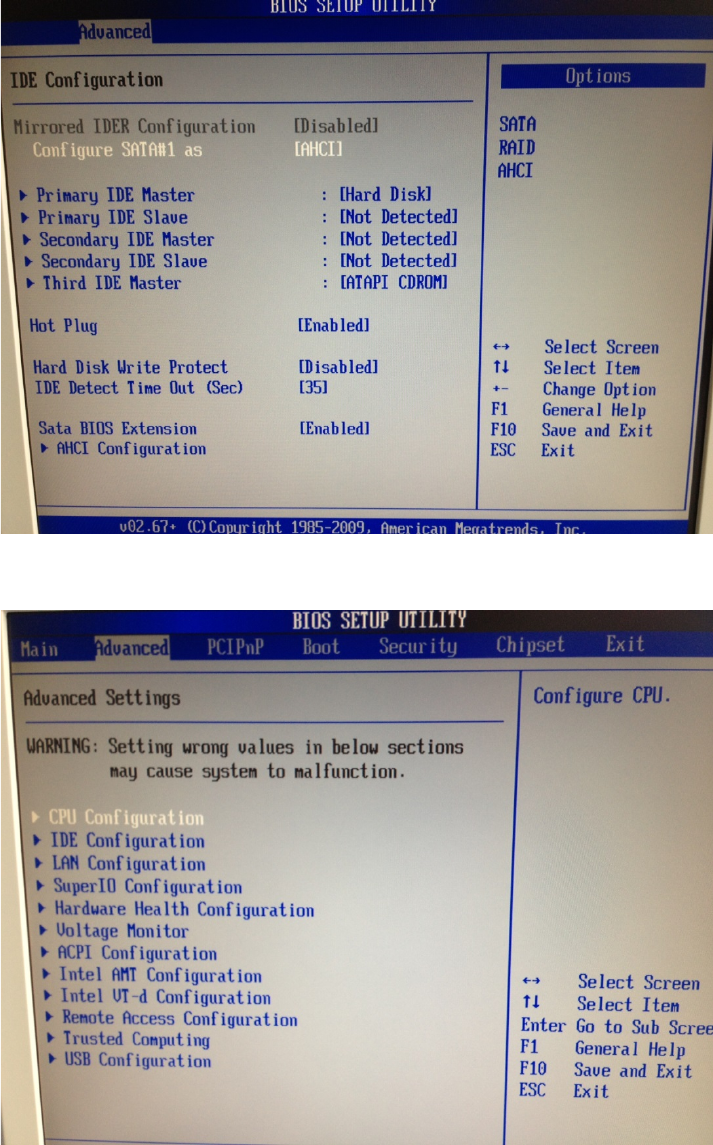
After that, the window should look like this.
Windows XP Unattended Setup DVD V4.2 11/2015 Edition
19
→ Hit ESC to get back to the previous screen.
→ Select the option “CPU Configuration” using the cursor up/down key and hit the ENTER key.