00196284_Install_WinXP_unattended_DVD.pdf - 第15页
Windows XP Unattended Setup DVD V4 .2 11/2015 Edition 15 → Ensure the SATA Mod e is s et to “AHCI M ode”. If not, you ha ve to change it by hi tting ENT ER, selec ting the entry usin g the Arro w - ke y s and hitting E N…
Windows XP Unattended Setup DVD V4.2 11/2015 Edition
14
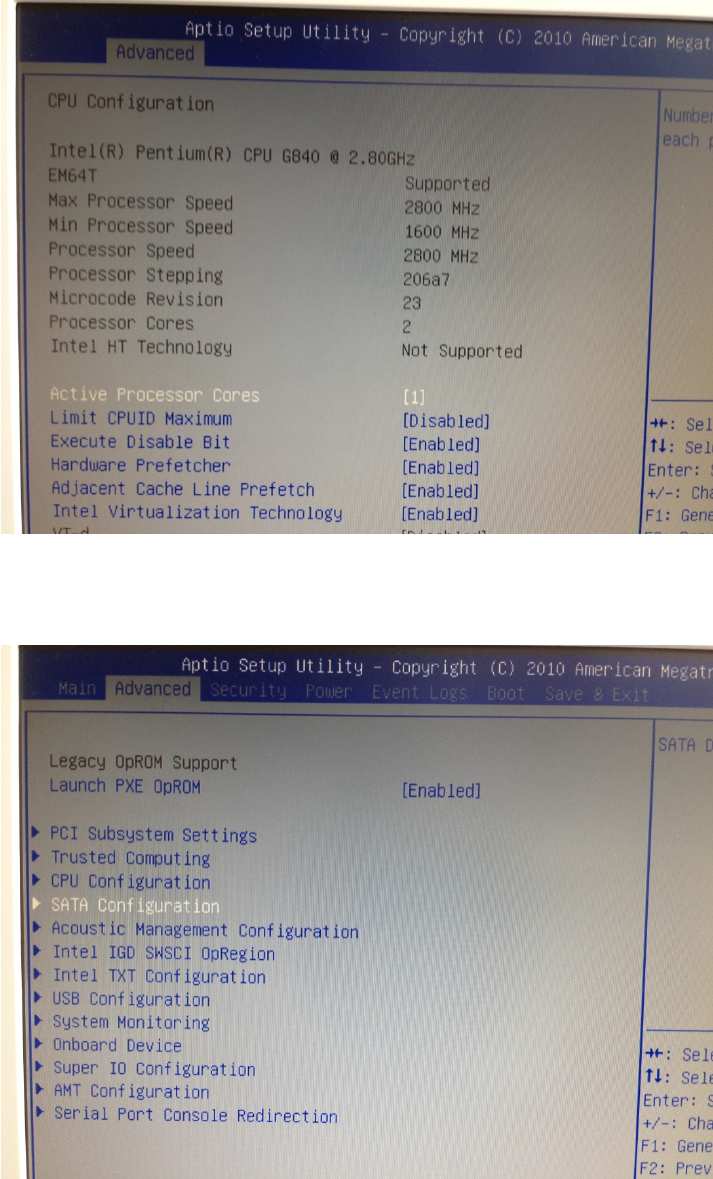
→ Press ESC to switch back to the previous screen.
→ Select the option “SATA Configuration” and hit ENTER.
Windows XP Unattended Setup DVD V4.2 11/2015 Edition
15
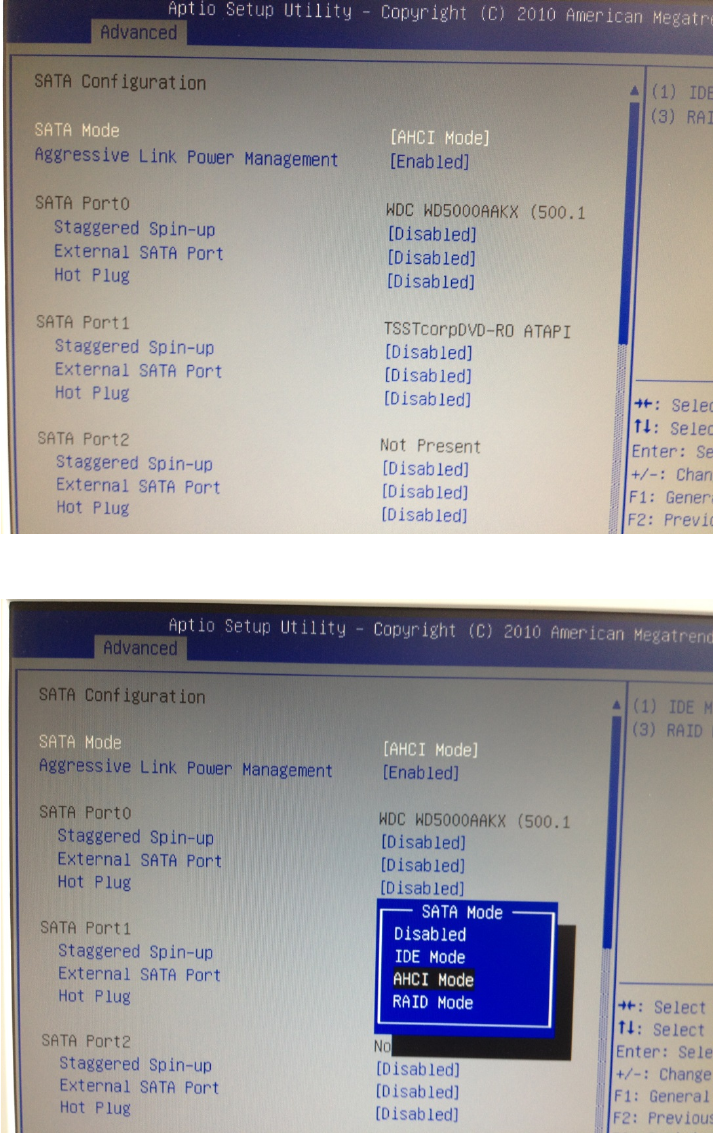
→ Ensure the SATA Mode is set to “AHCI Mode”. If not, you have to change it by hitting ENTER, selecting the
entry using the Arrow- keys and hitting ENTER again to accept the change.
→ After changing the SATA Mode, hit ESC to step back to the previous screen.
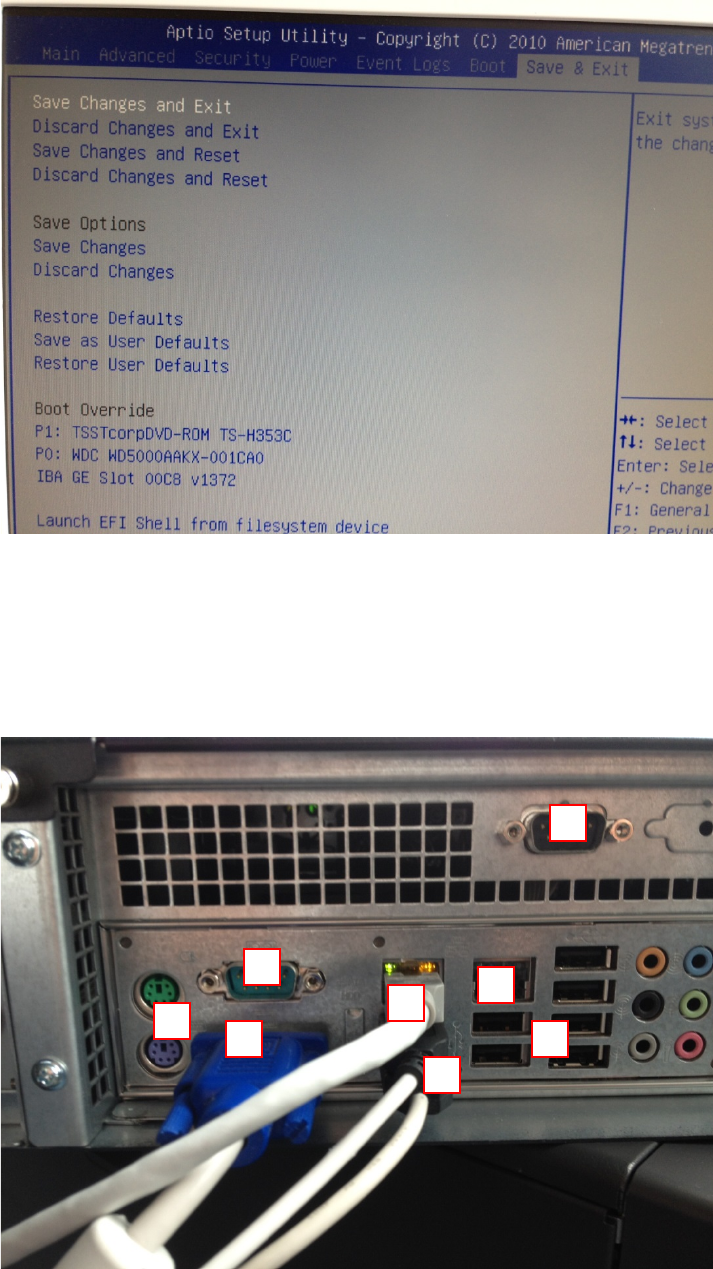
→ Hit the cursor right key, until the “Save & Exit” window appears, as shown in the following picture.
Windows XP Unattended Setup DVD V4.2 11/2015 Edition
16
→ Hit the ENTER key two times to save the changes and exit
4.1.4 Kontron KISS KTQ45
The following picture shows the ports of the Kontron KISS KTQ45 computer.
Legend:
1: PS/2 connectors for keyboard (purple) and mouse (green)
2: USB 2.0 ports
3: Onboard LAN for SIPLACE LAN
4: Additional Onboard LAN (e.g. for connection to GEM)
5: Display connector (VGA).
1
2
3
2
4
5
6
6