00196284_Install_WinXP_unattended_DVD.pdf - 第28页
Windows XP Unattended Setup DVD V4 .2 11/2015 Edition 28 After that, the windo w should look lik e this. → Hit ESC to get back to the pr evious scr een.
Windows XP Unattended Setup DVD V4.2 11/2015 Edition
27
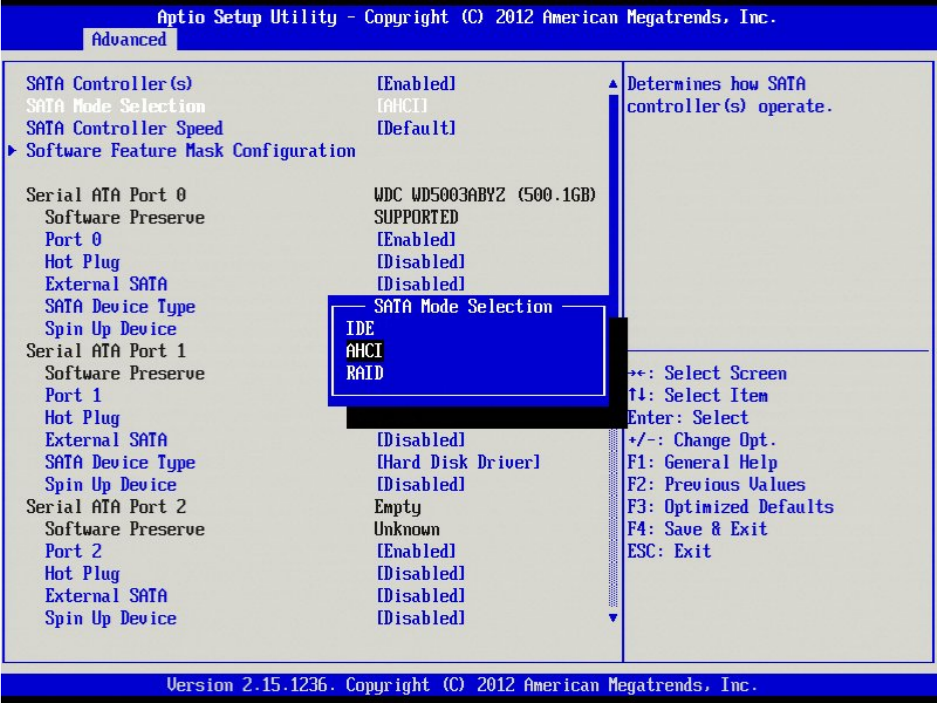
→ Select the option “AHCI Mode” and hit ENTER.
Windows XP Unattended Setup DVD V4.2 11/2015 Edition
28
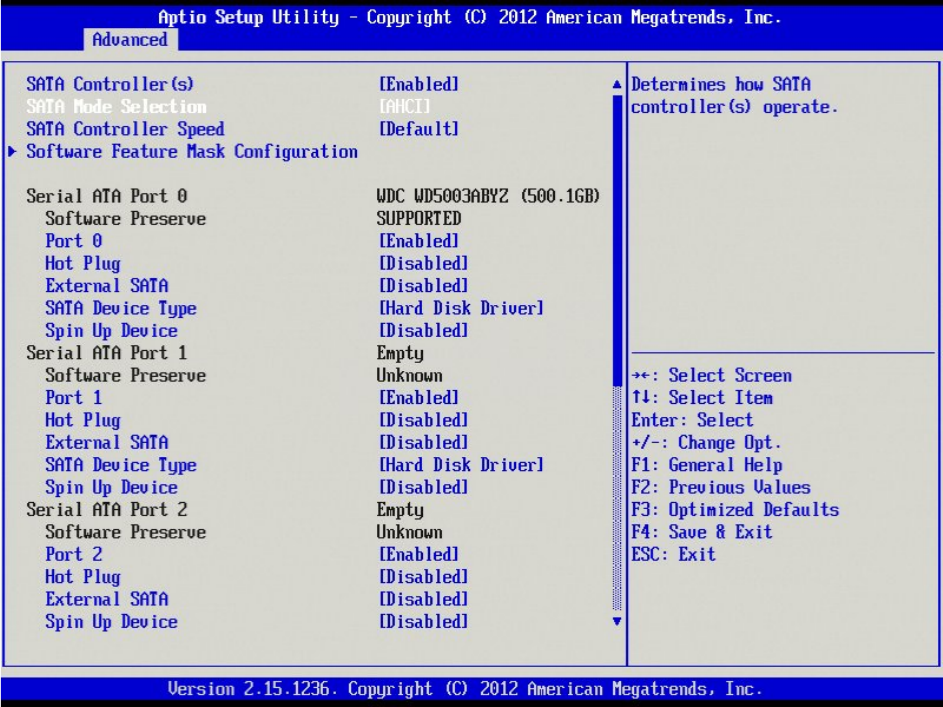
After that, the window should look like this.
→ Hit ESC to get back to the previous screen.
Windows XP Unattended Setup DVD V4.2 11/2015 Edition
29
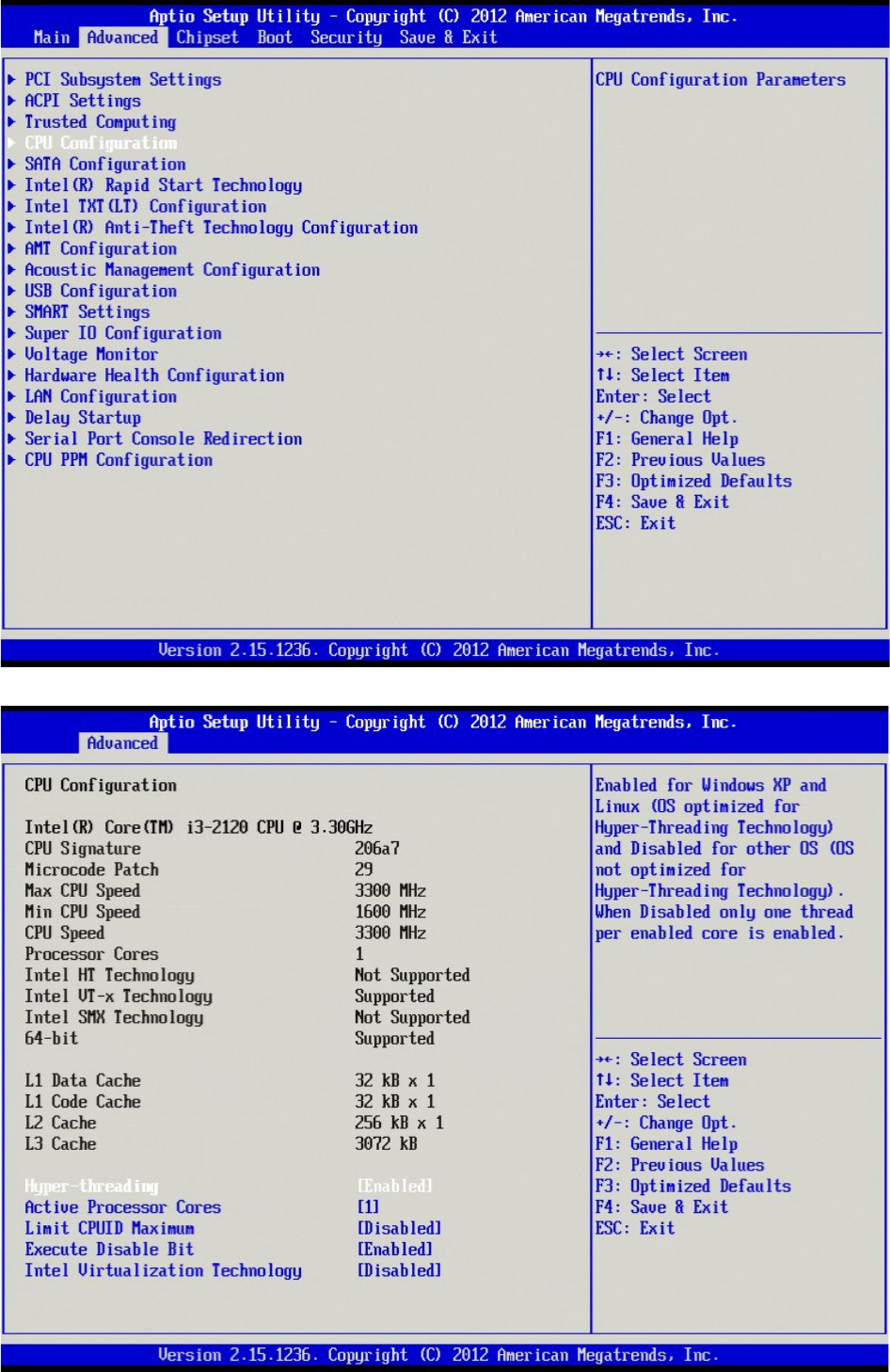
→ Select the option “CPU Configuration” using the cursor up/down key and hit the ENTER key.