00196284_Install_WinXP_unattended_DVD.pdf - 第22页
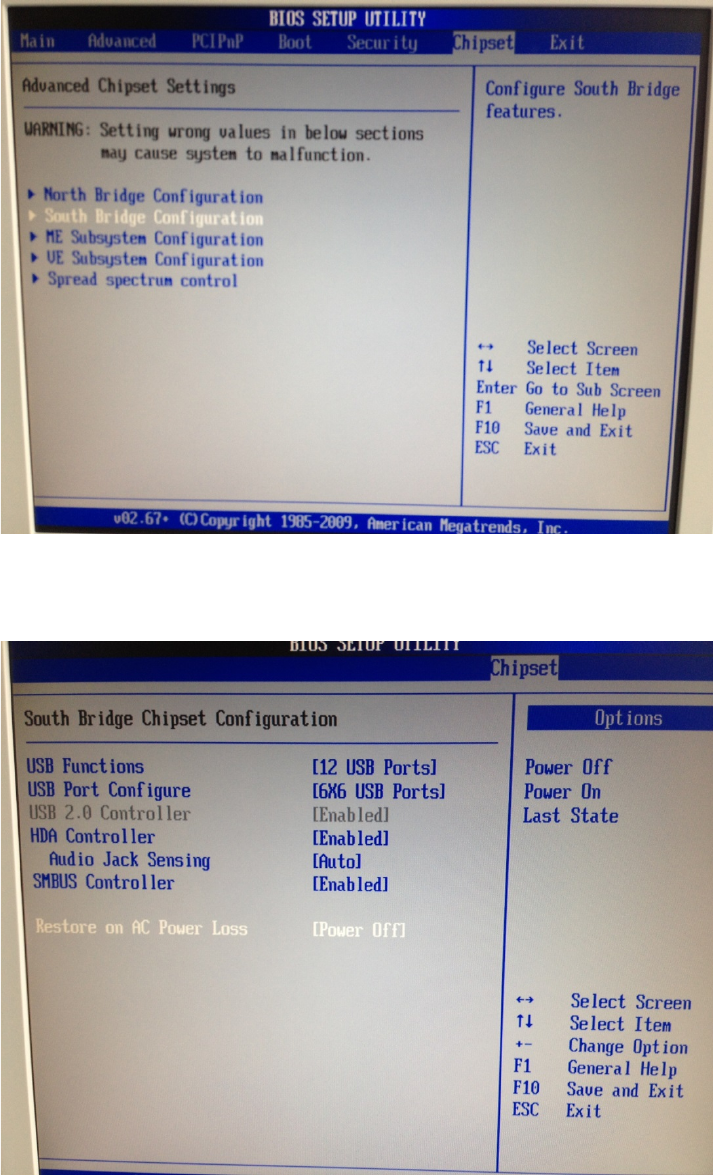
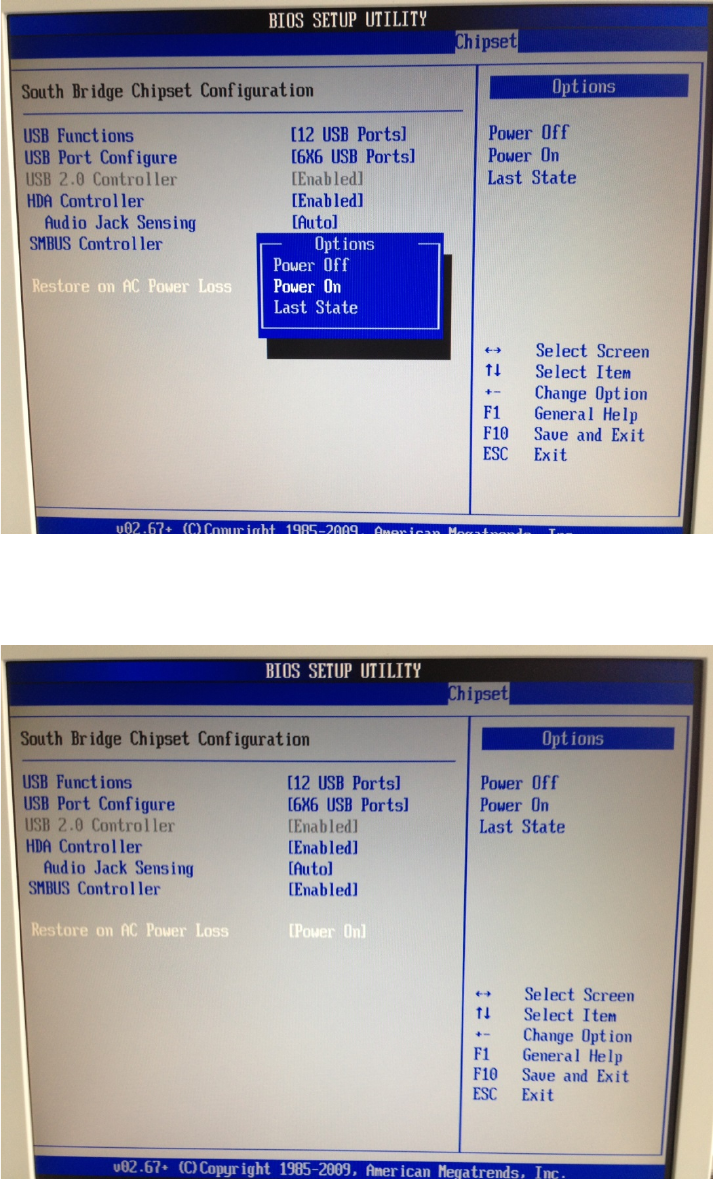
Windows XP Unattended Setup DVD V4 .2 11/2015 Edition 22 → Select th e option “P ower O n” and hit ENT ER. After that, the windo w should look lik e this. → After c hanging the setting, hit t he ESC k ey to ste p back to…
Windows XP Unattended Setup DVD V4.2 11/2015 Edition
21
→ Hit the cursor down key until “South Bridge Configuration” is highlighted.
→ Hit the ENTER key.
→ Hit the cursor down key until “Restore on AC Power Loss” is highlighted.
→ Hit the ENTER key to change the setting.
Windows XP Unattended Setup DVD V4.2 11/2015 Edition
22
→ Select the option “Power On” and hit ENTER.
After that, the window should look like this.
→ After changing the setting, hit the ESC key to step back to the previous screen.
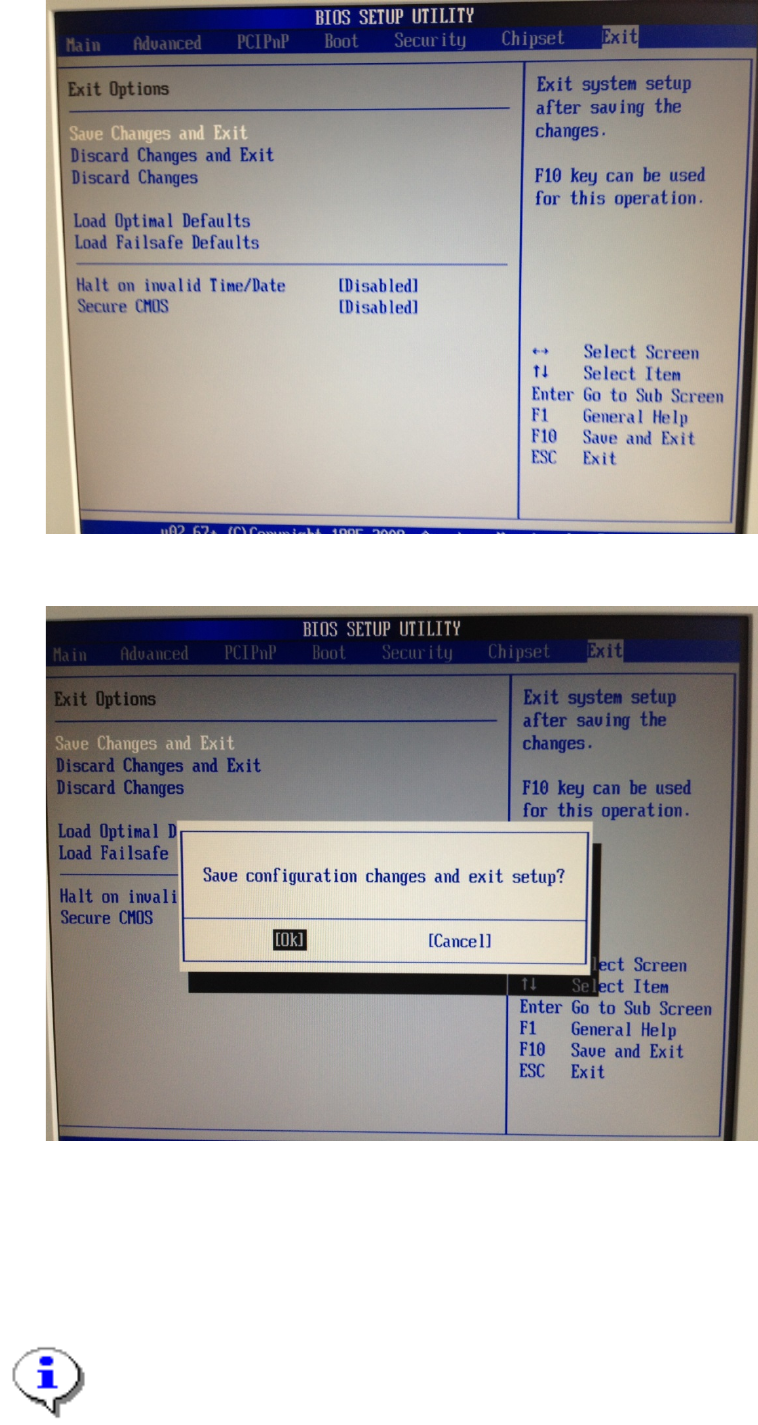
→ Use the cursor left and right keys to select the option “Exit” as shown in the following picture.
Windows XP Unattended Setup DVD V4.2 11/2015 Edition
23
→ Ensure the option “Save Changes and Exit” is highlighted.
→ Hit the ENTER key.
→ Ensure the option “Ok” is highlighted.
→ Hit the ENTER key to exit BIOS.
4.1.5 Kontron KISS KTQ67
The following picture shows the ports of the Kontron KISS KTQ67 computer
Note: Compact Series (SIPLACE CS / CF)
please find your own way to fix the computer on the backside of the machine.