00196284_Install_WinXP_unattended_DVD.pdf - 第35页
Windows XP Unattended Setup DVD V4 .2 11/2015 Edition 35 → Hit the cur sor down k ey on ce until “ Enable Hiber nation” is highlighte d. → Hit the ENTER k ey to change t he sett ing.
Windows XP Unattended Setup DVD V4.2 11/2015 Edition
34
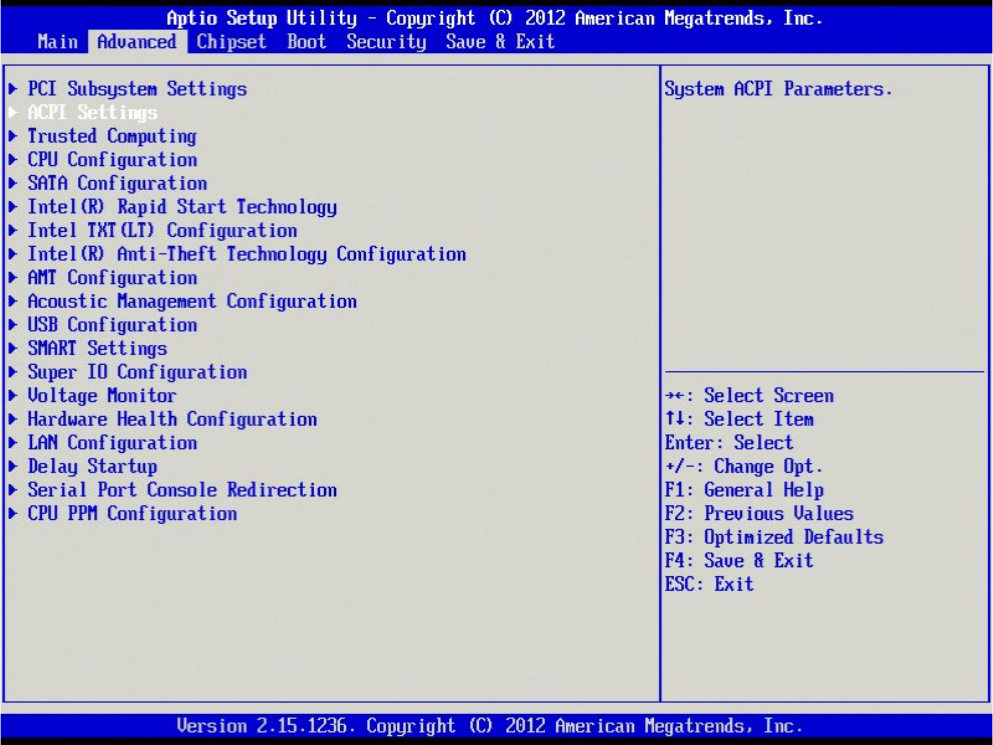
→ Select the option “ACPI Settings” using the cursor up/down key and hit the ENTER key.
Windows XP Unattended Setup DVD V4.2 11/2015 Edition
35
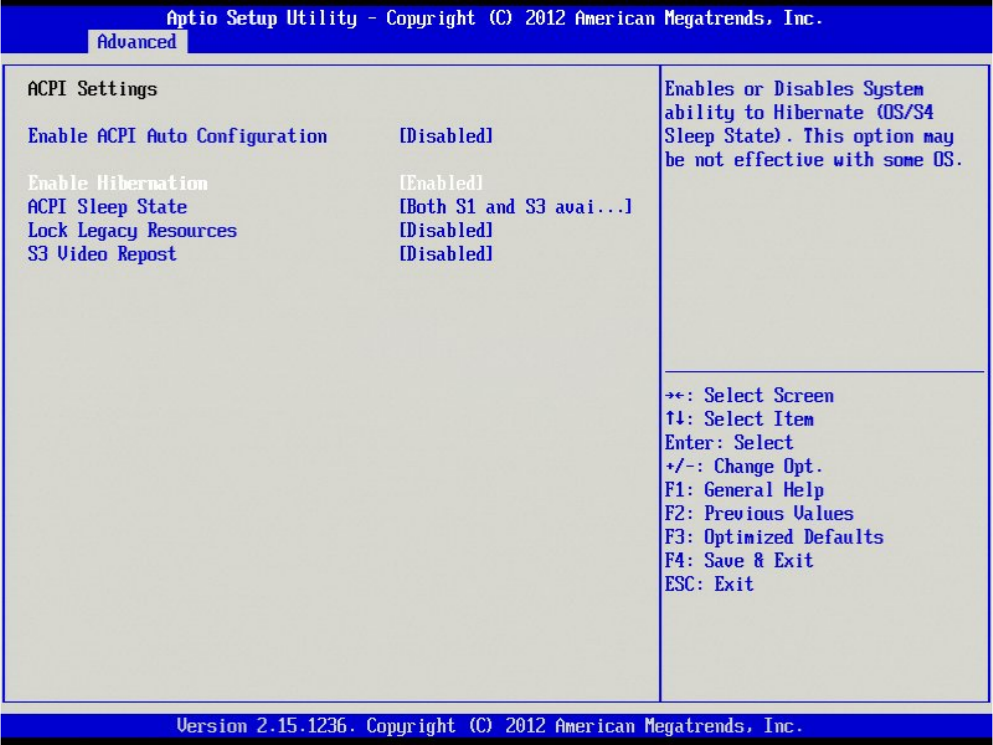
→ Hit the cursor down key once until “Enable Hibernation” is highlighted.
→ Hit the ENTER key to change the setting.
Windows XP Unattended Setup DVD V4.2 11/2015 Edition
36
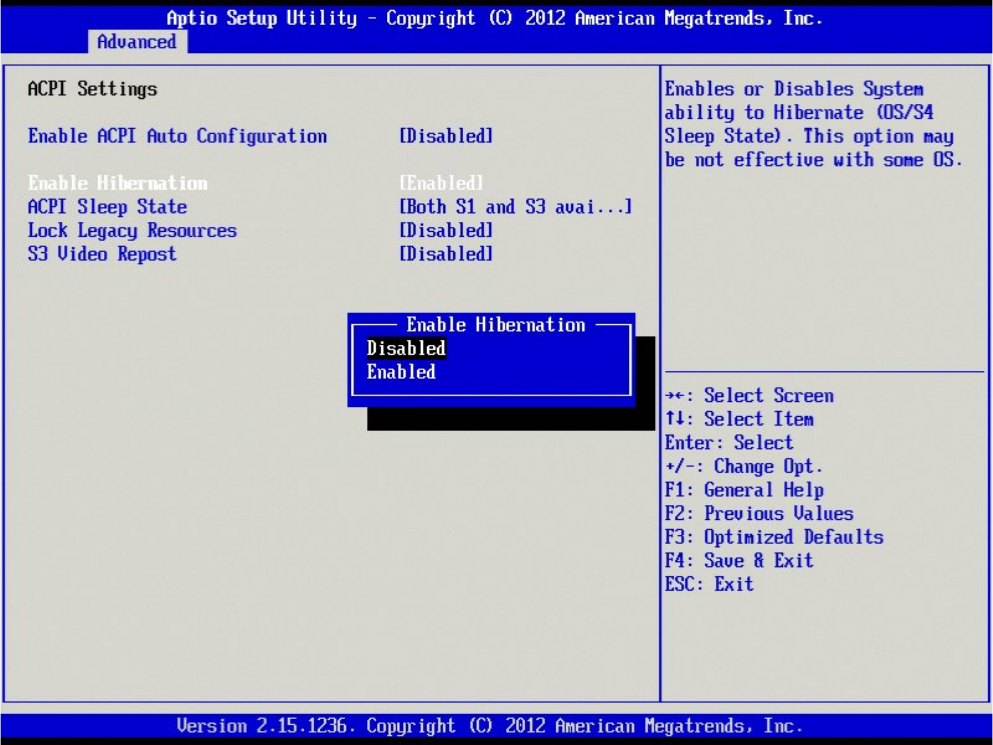
→ Select the option “Disabled” and hit ENTER.