00196284_Install_WinXP_unattended_DVD.pdf - 第14页
Windows XP Unattended Setup DVD V4 .2 11/2015 Edition 14 → Press ES C to switc h back to the previous screen. → Select th e option “S ATA Co nfiguration” a nd hit ENT ER.
Windows XP Unattended Setup DVD V4.2 11/2015 Edition
13
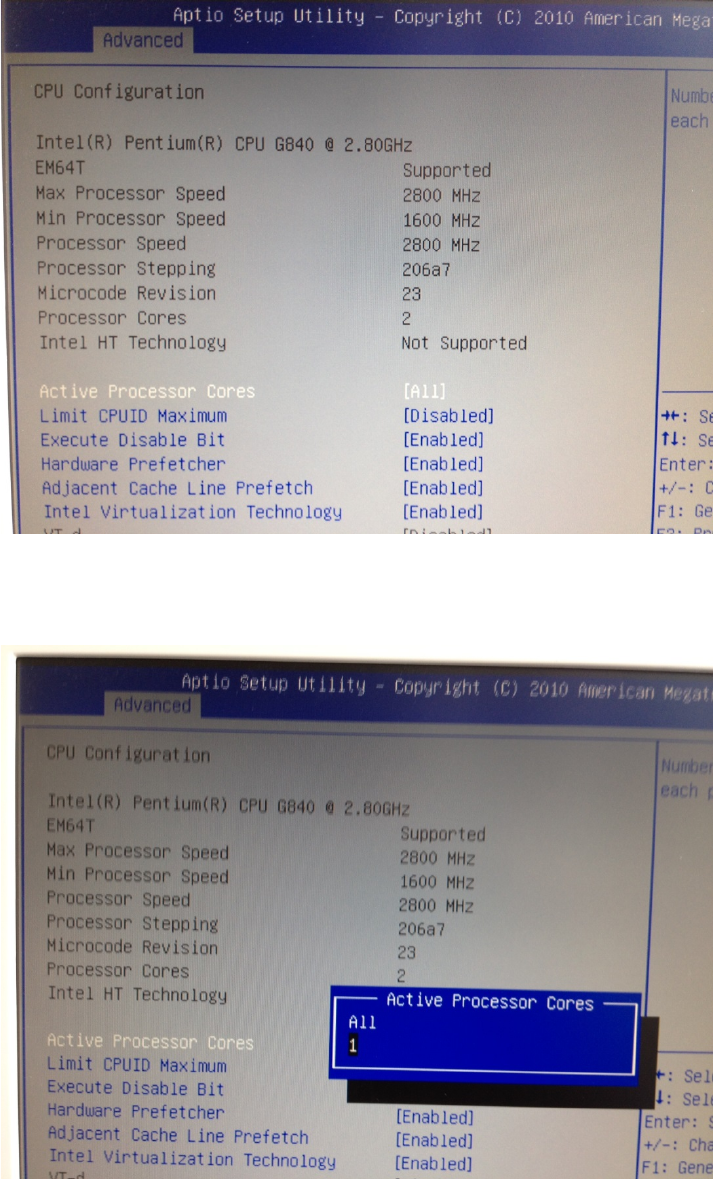
→ Ensure “Active Processor Cores” is selected and hit the ENTER key to change the setting.
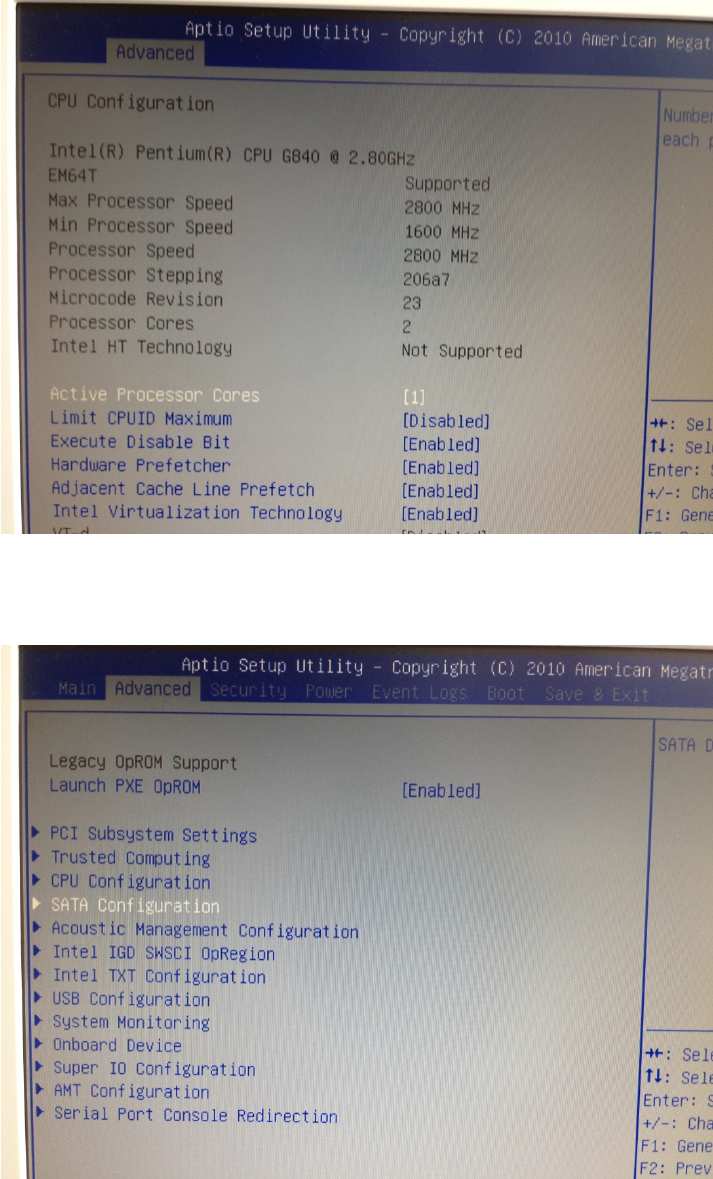
→ Select the option “1” and hit ENTER.
After that, the window should look like this.
Windows XP Unattended Setup DVD V4.2 11/2015 Edition
14
→ Press ESC to switch back to the previous screen.
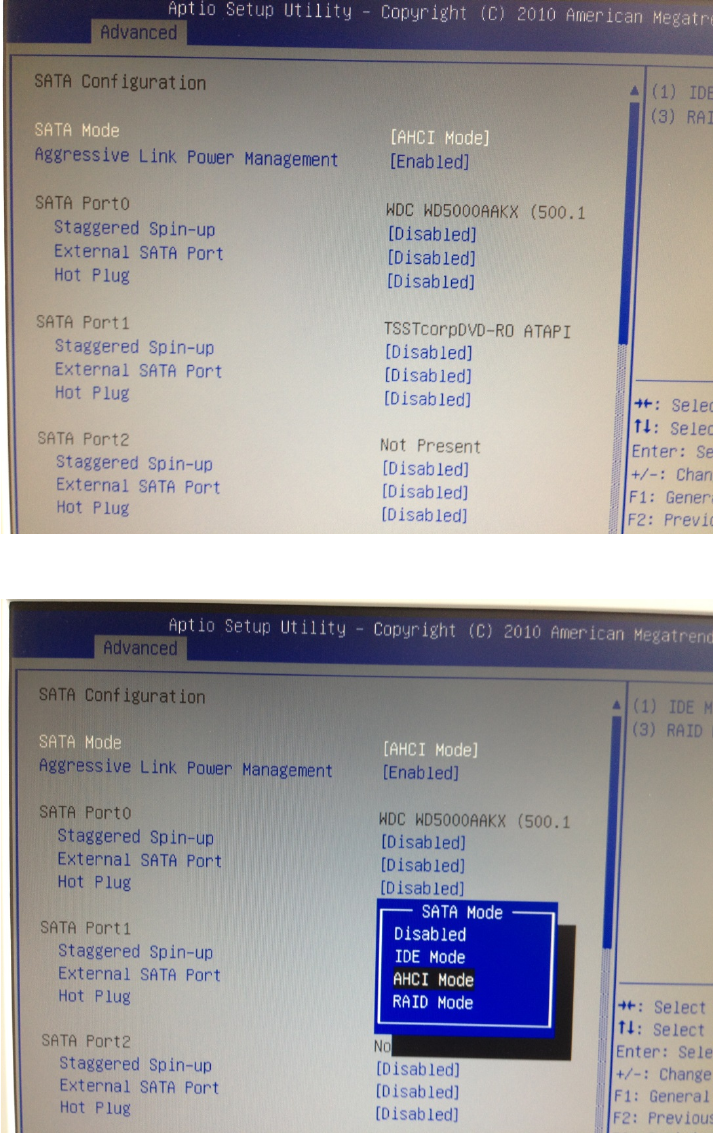
→ Select the option “SATA Configuration” and hit ENTER.
Windows XP Unattended Setup DVD V4.2 11/2015 Edition
15
→ Ensure the SATA Mode is set to “AHCI Mode”. If not, you have to change it by hitting ENTER, selecting the
entry using the Arrow- keys and hitting ENTER again to accept the change.
→ After changing the SATA Mode, hit ESC to step back to the previous screen.
→ Hit the cursor right key, until the “Save & Exit” window appears, as shown in the following picture.