00196284_Install_WinXP_unattended_DVD.pdf - 第39页
Windows XP Unattended Setup DVD V4 .2 11/2015 Edition 39 → Hit the cur sor right k ey unti l “PCH Aza lia Conf iguration” is highlighted . → Select th is option us ing the cursor up/do wn ke y and hit the ENT ER ke y .
Windows XP Unattended Setup DVD V4.2 11/2015 Edition
38
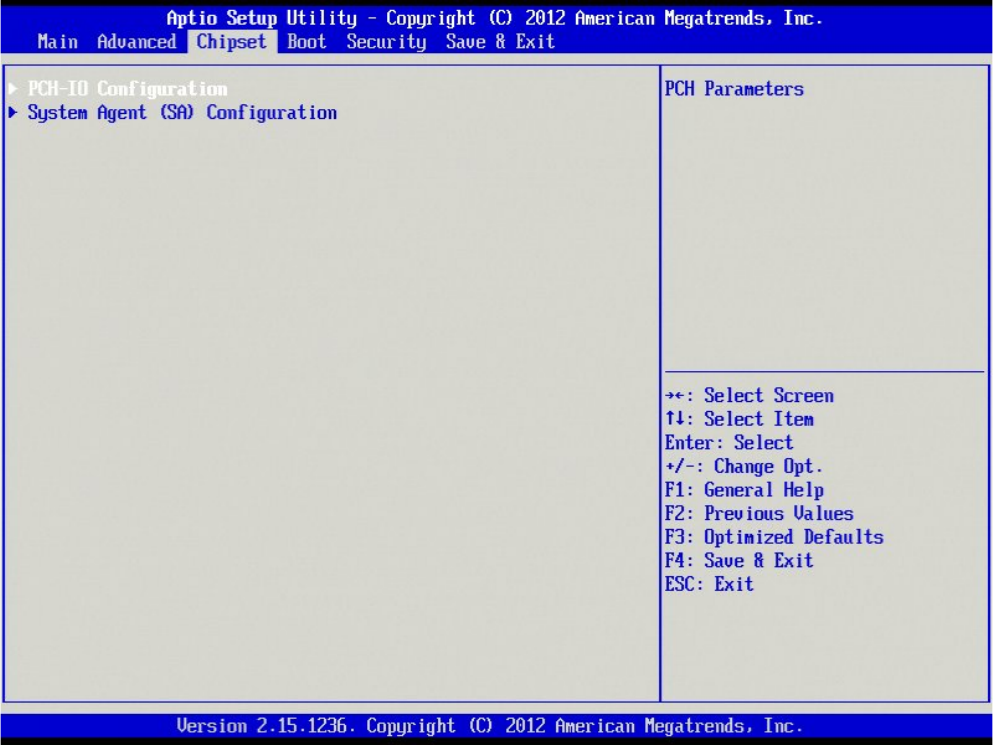
→ Hit the cursor right key until “Chipset” is highlighted.
→ Select the option “PCH-IO Configuration” using the cursor up/down key and hit the ENTER key.
Windows XP Unattended Setup DVD V4.2 11/2015 Edition
39
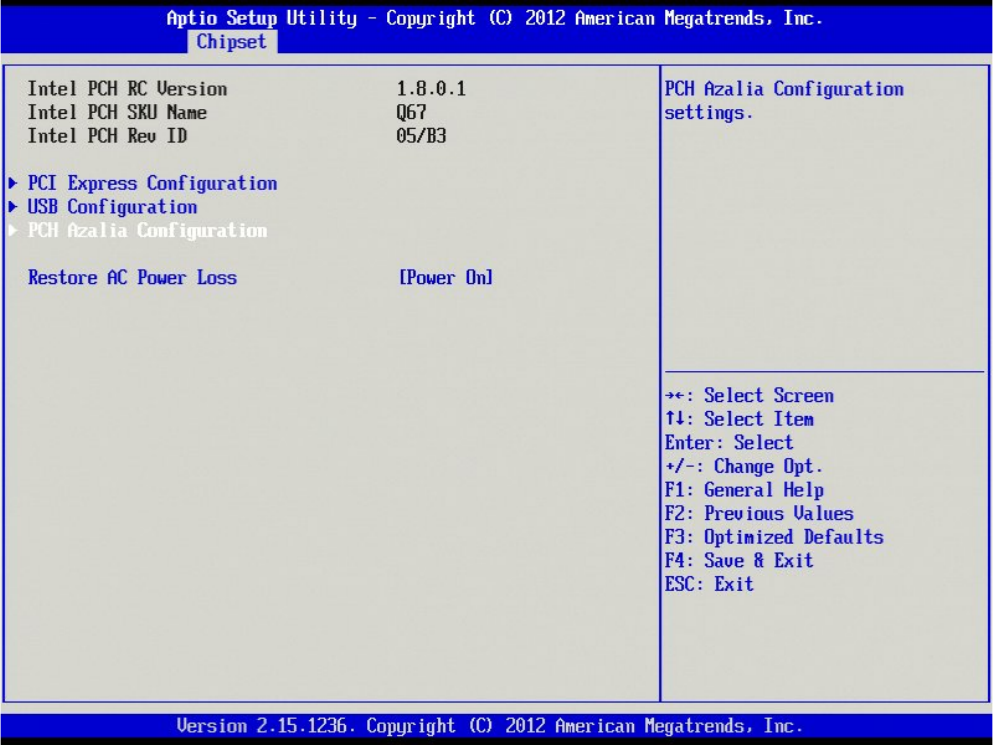
→ Hit the cursor right key until “PCH Azalia Configuration” is highlighted.
→ Select this option using the cursor up/down key and hit the ENTER key.
Windows XP Unattended Setup DVD V4.2 11/2015 Edition
40
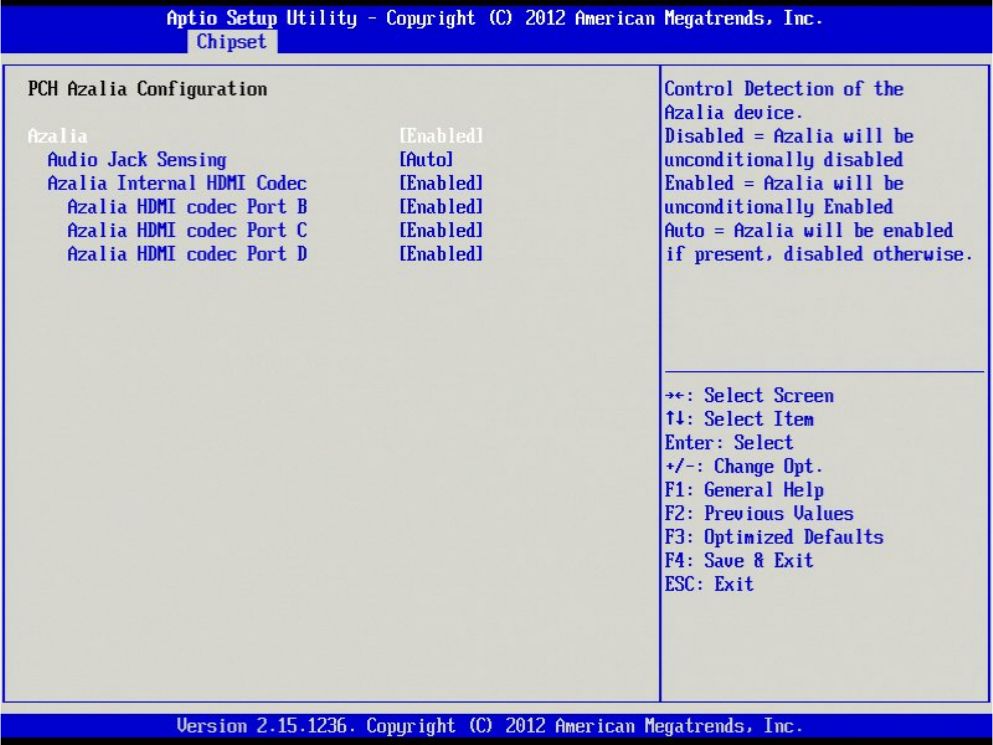
→ Hit the cursor down key until “Azalia” is highlighted.
→ Hit the ENTER key to change the setting.