00196284_Install_WinXP_unattended_DVD.pdf - 第23页
Windows XP Unattended Setup DVD V4 .2 11/2015 Edition 23 → Ensure the option “ Save Chang es and Ex it” is hig hlighted. → Hit the ENTER k ey . → Ensure the option “O k ” is hi ghlighted. → Hit the ENTER k ey to exit BIO…
Windows XP Unattended Setup DVD V4.2 11/2015 Edition
22
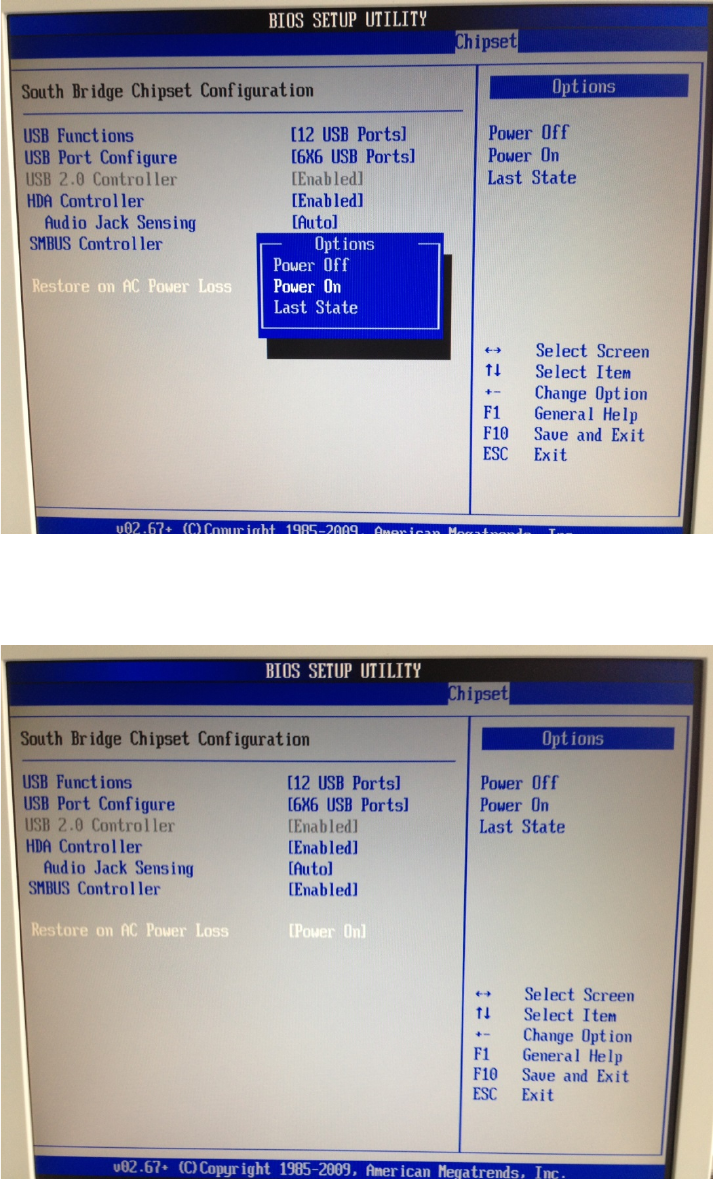
→ Select the option “Power On” and hit ENTER.
After that, the window should look like this.
→ After changing the setting, hit the ESC key to step back to the previous screen.
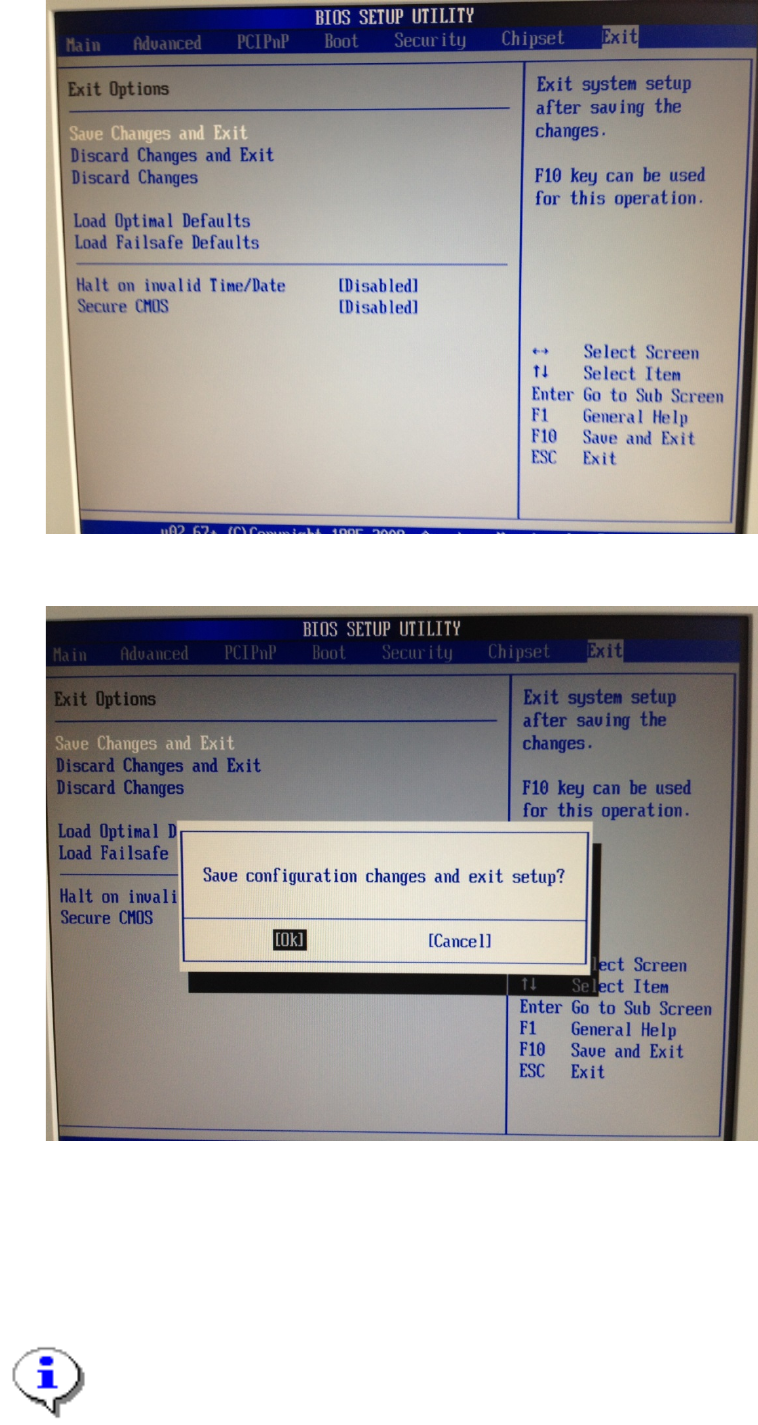
→ Use the cursor left and right keys to select the option “Exit” as shown in the following picture.
Windows XP Unattended Setup DVD V4.2 11/2015 Edition
23
→ Ensure the option “Save Changes and Exit” is highlighted.
→ Hit the ENTER key.
→ Ensure the option “Ok” is highlighted.
→ Hit the ENTER key to exit BIOS.
4.1.5 Kontron KISS KTQ67
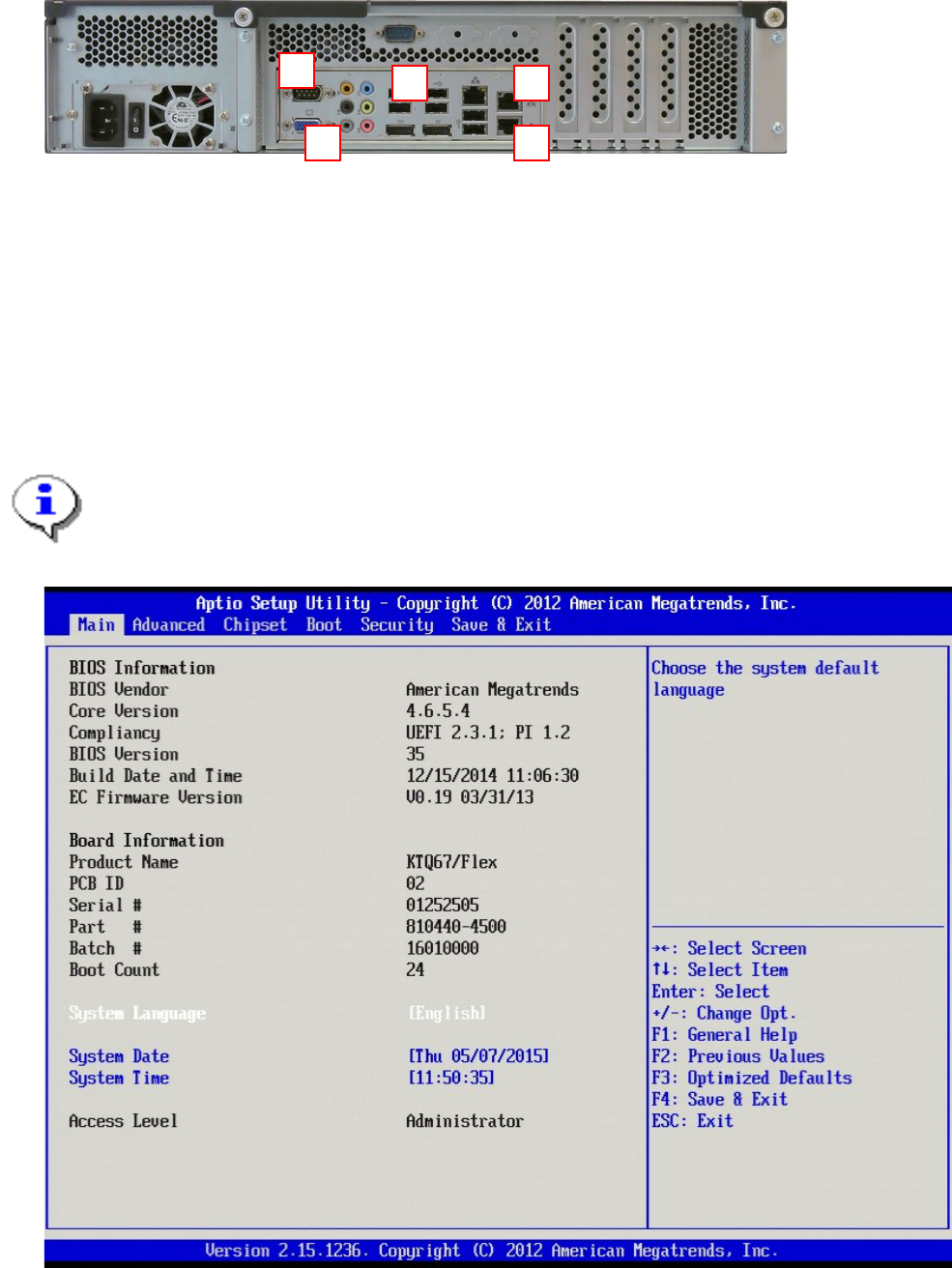
The following picture shows the ports of the Kontron KISS KTQ67 computer
Note: Compact Series (SIPLACE CS / CF)
please find your own way to fix the computer on the backside of the machine.
Windows XP Unattended Setup DVD V4.2 11/2015 Edition
24
Legend:
1: USB 2.0 ports
2: Onboard LAN for SIPLACE LAN
3: Additional Onboard LAN (e.g. for connection to GEM)
4: Display connector (VGA).
5: Onboard serial (COM) port.
Before beginning with installation, you have to set/verify the BIOS settings of the computer.
→ Power on the computer and hit DEL during the boot process.
Note:
This computer boots very fast. The best way to enter BIOS is to hit DEL multiple times after
powering on ensuring you don’t miss the right moment.
→ Hit the cursor right key until “Advanced” is highlighted.
1
2
3
4
5