00196284_Install_WinXP_unattended_DVD.pdf - 第45页
Windows XP Unattended Setup DVD V4 .2 11/2015 Edition 45 → Ensure the option “ Save Chang es and Ex it” is hig hlighted. → Hit the ENTER k ey .
Windows XP Unattended Setup DVD V4.2 11/2015 Edition
44
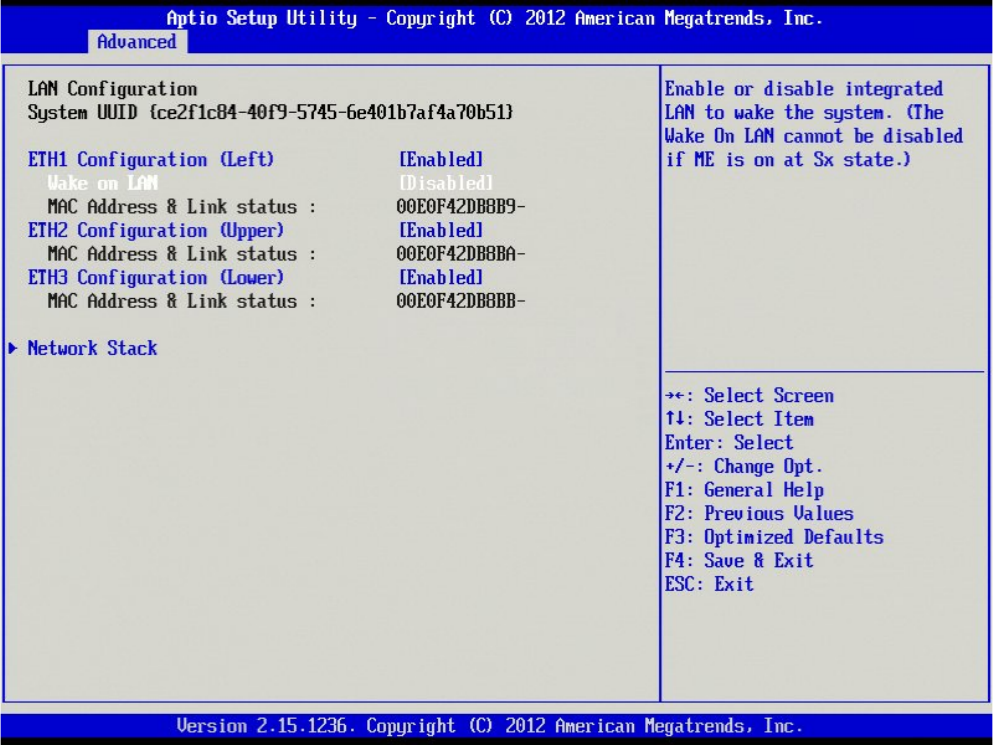
Your screen should look like this.
→ Hit the ESC key to step back to the previous screen.
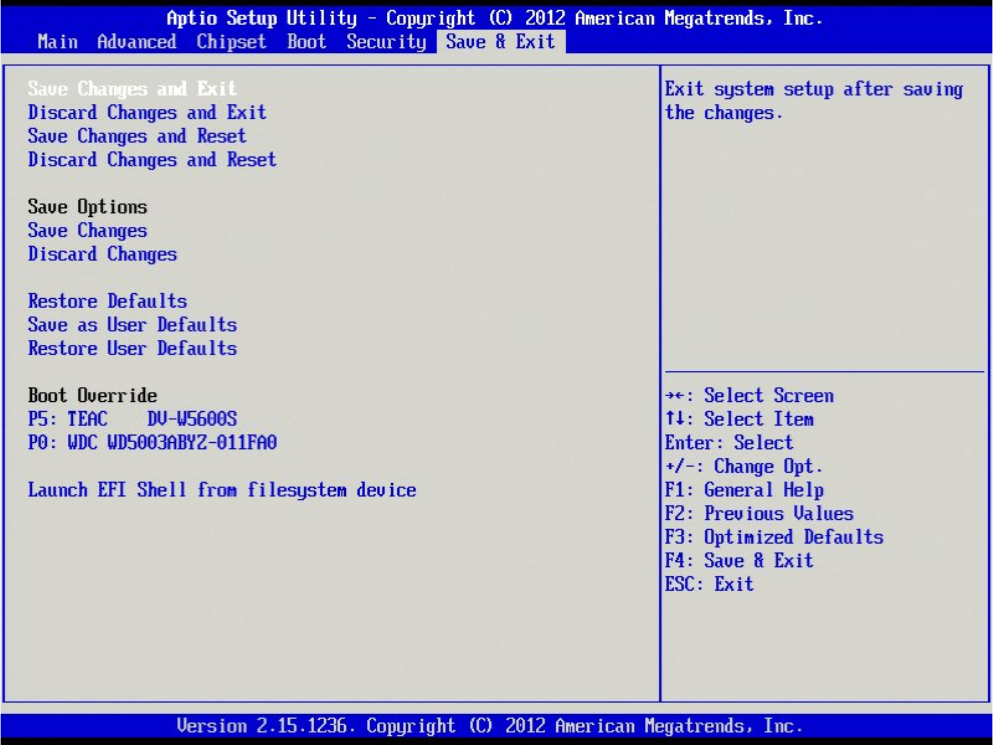
→ Use the cursor left and right keys to select the option “Save & Exit” as shown in the following picture.
Windows XP Unattended Setup DVD V4.2 11/2015 Edition
45
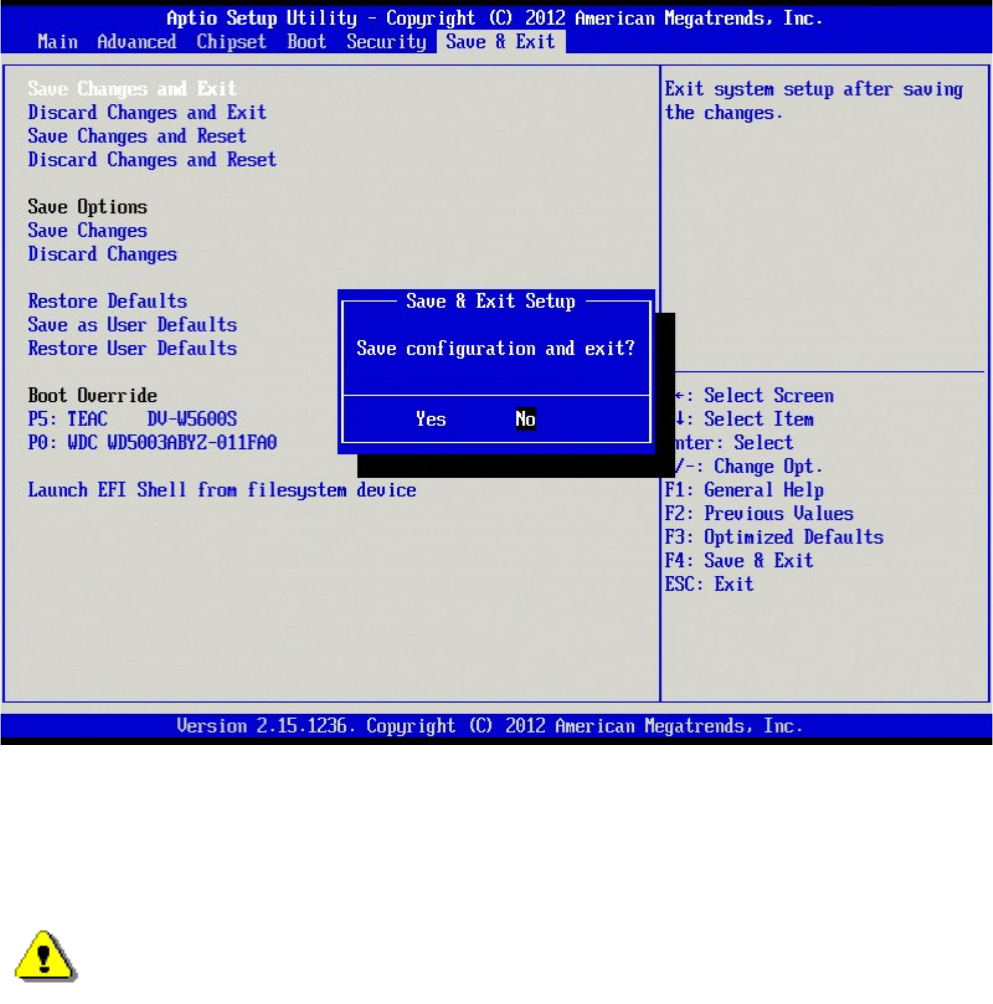
→ Ensure the option “Save Changes and Exit” is highlighted.
→ Hit the ENTER key.
Windows XP Unattended Setup DVD V4.2 11/2015 Edition
46
→ Ensure the option “Yes” is highlighted.
→ Hit the ENTER key to exit BIOS.
4.2 Installation procedure
Note:
All data on the first hard disk is overwritten during the unattended setup. Therefore, save
the n
ecessary data before starting the setup.
→ Insert the “BOOT DVD-ROM for Windows XP Unattended Setup” into the drive to start the unattended
setup.
→ Remove all external drives (e.g. USB sticks or USB hard disks).
→ Reboot the computer.
→ If the system does not accept the DVD ROM as the boot medium, change the boot devices in your BIOS.
→ Follow the instruction of the message “Press any key to boot from CD or DVD”, if displayed
→ Wait until the boot process has finished
4.2.1 Keyboard Layout Selection
The following dialog is displayed: