00196284_Install_WinXP_unattended_DVD.pdf - 第56页
Windows XP Unattended Setup DVD V4 .2 11/2015 Edition 56 4.2.12 End User Licen se A greement (EULA ) The f ollowing dialo g is disp layed: Fig. 15 EUL A → Read the license a greement c arefull y. → Select th e Accept r a…
Windows XP Unattended Setup DVD V4.2 11/2015 Edition
55
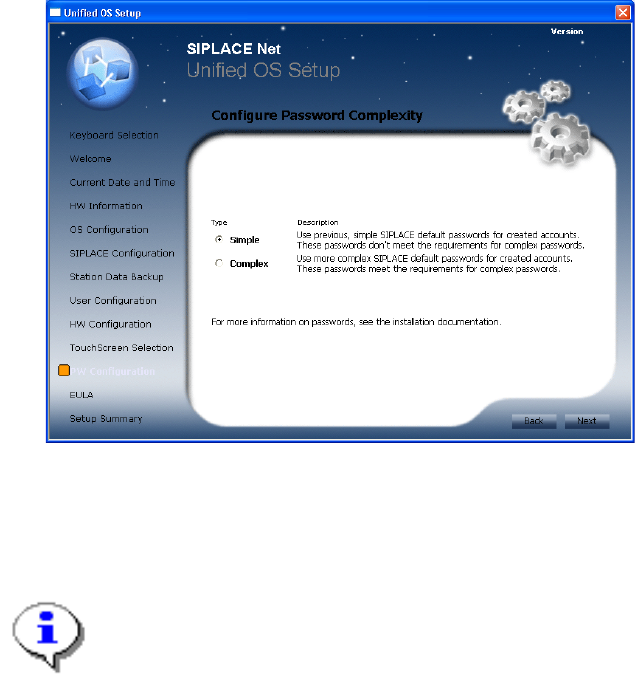
4.2.11 Password Configuration
Fig. 14 Password Configuration
This screen appears only if you selected a Line Computer usage (see chapter 4.2.6 SIPLACE
Configuration).
→ Choose the password complexity to be used for created accounts.
Note:
Please choose an uniform setting on all involved computers to avoid problems!
→ Click the Next button to continue.
Windows XP Unattended Setup DVD V4.2 11/2015 Edition
56
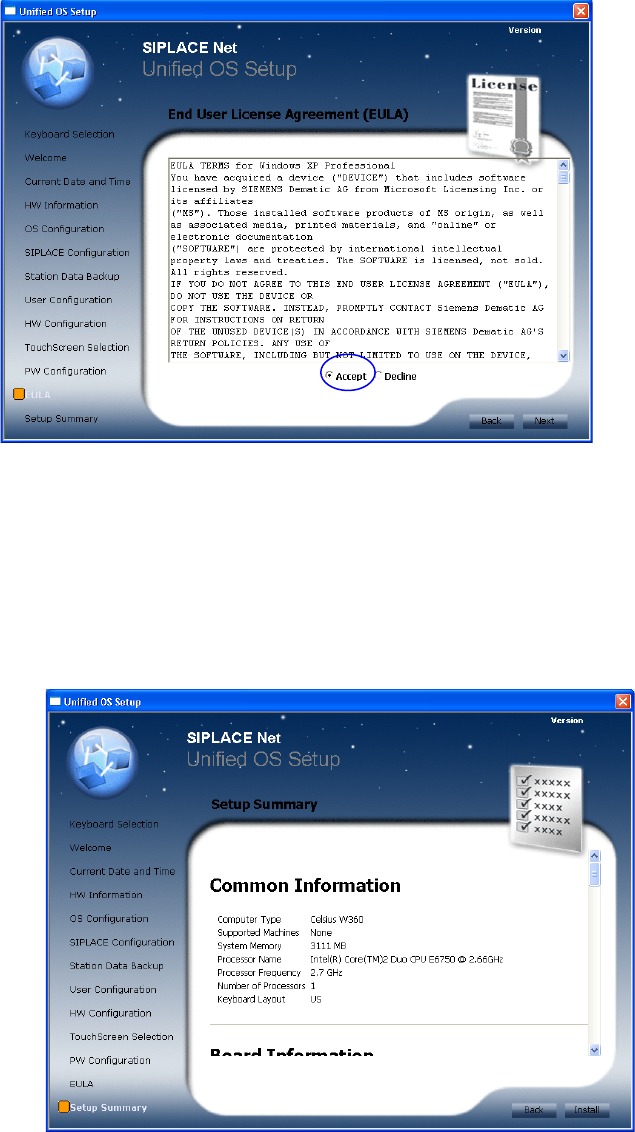
4.2.12 End User License Agreement (EULA)
The following dialog is displayed:
Fig. 15 EULA
→ Read the license agreement carefully.
→ Select the Accept radio button to accept the EULA.
→ Click the Next button to continue.
4.2.13 Summary and Installation
The following dialog is displayed:
Fig. 16 Summary and Installation
→ Verify the summarized information about the ongoing installation procedure carefully.
→ To agree with the selected configuration and start the installation, click the Install button.
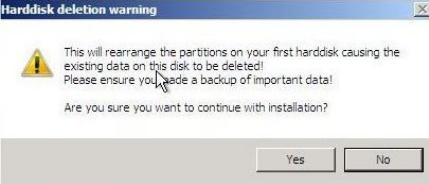
The following warning message is displayed:
Windows XP Unattended Setup DVD V4.2 11/2015 Edition
57
Fig. 17 Warning message
→ To continue erasing the first harddisk and starting the installation, click the Yes button.
→ To abort the procedure, click the No button.