00196284_Install_WinXP_unattended_DVD.pdf - 第49页
Windows XP Unattended Setup DVD V4 .2 11/2015 Edition 49 Fig. 5 O perating S ystem Configurat ion → Select th e operat ing syste m (W indows XP Prof essional SP 2 or SP 3 – depen ding on the r equirem ents of your Soft w…
Windows XP Unattended Setup DVD V4.2 11/2015 Edition
48
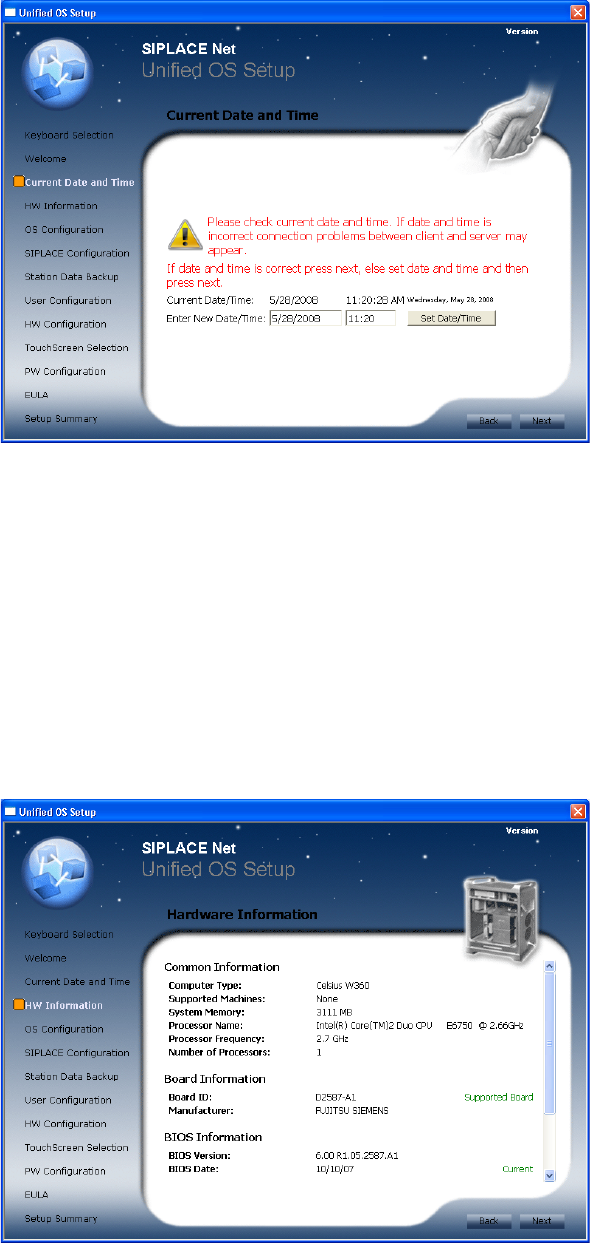
Fig. 3 Date and Time Information
→ Check correct date and time of the system
→ Set date and time if necessary
→ Re-check date and time
→ Click the Next button to continue.
4.2.4 Hardware Information
The hardware configuration is determined. It is also checked for possible configuration problems. This may
take a while.
The following dialog is displayed:
Fig. 4 Hardware Information
→ Click the Next button to continue.
4.2.5 Operating System Configuration
The following dialog is displayed:
Windows XP Unattended Setup DVD V4.2 11/2015 Edition
49
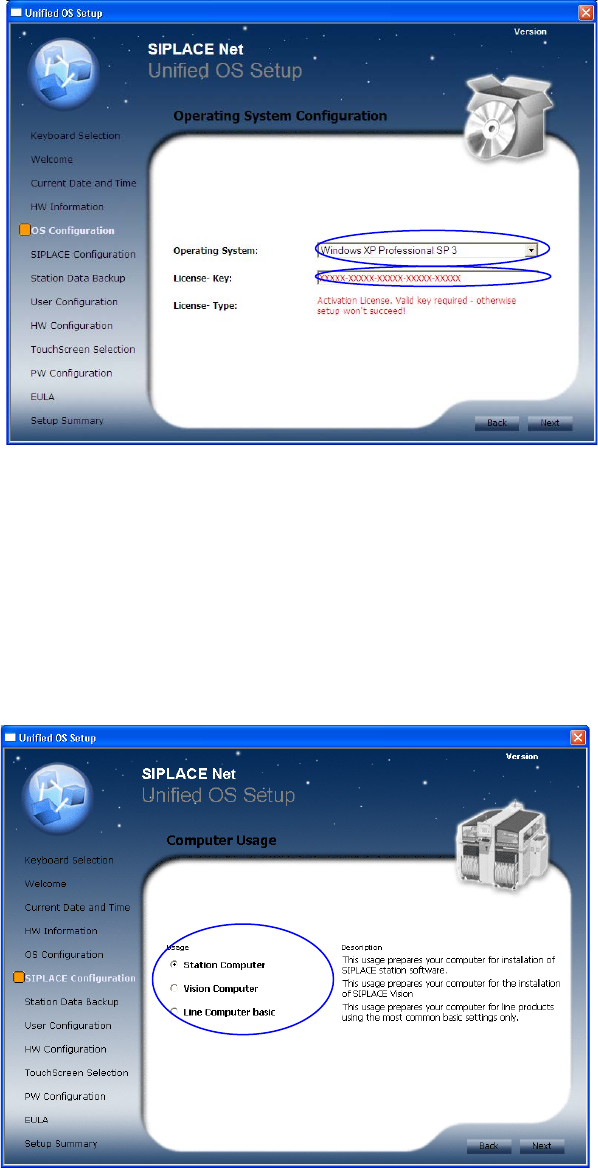
Fig. 5 Operating System Configuration
→ Select the operating system (Windows XP Professional SP 2 or SP 3 – depending on the requirements of
your Software) to be installed from list.
→ Enter the license key for the operating system.
→ Click the Next button to continue.
4.2.6 SIPLACE Configuration
The following dialog is displayed:
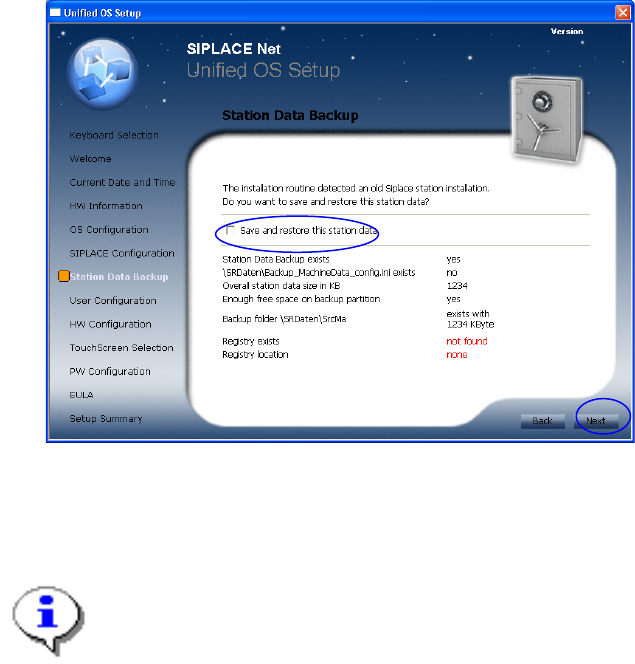
Fig. 6 SIPLACE Configuration
→ Select the appropriate usage.
→ Info: Full selection is shown only with unknown type of hardware.
→ Click the Next button to continue.
4.2.7 Backup and Restore for existing station configuration data
The station data backup screen is only available if you selected the usage “Station Computer” and an
existing installation was found.
Windows XP Unattended Setup DVD V4.2 11/2015 Edition
50
Prerequisites:
- previous installation exists
- extended partition exists
- enough free disk space is available on extended partition
The prerequisites will be analyzed and problems will be marked in red.
Fig. 7 Station Data Backup screen
→ Click the checkbox besides “Save and restore the station data” if you want to maintain your station data for
the new installation.
→ Click the Next button to continue.
Note:
If you selected to backup your machine data, the harddisk will not be repartitioned and only your
first partition will be formatted.
4.2.8 User Configuration
The following dialog is displayed: