Horizon UserManualV6.pdf - 第243页
FEATURE LICENSING Introduction This standalone program accessed from the taskbar, enables a user to request and install a licence to run a new feature on the machine. The opening window lists all the licences available o…
7.14 User Manual Software Version 6
HOUSE KEEPING
RECOVERY PROCEDURE
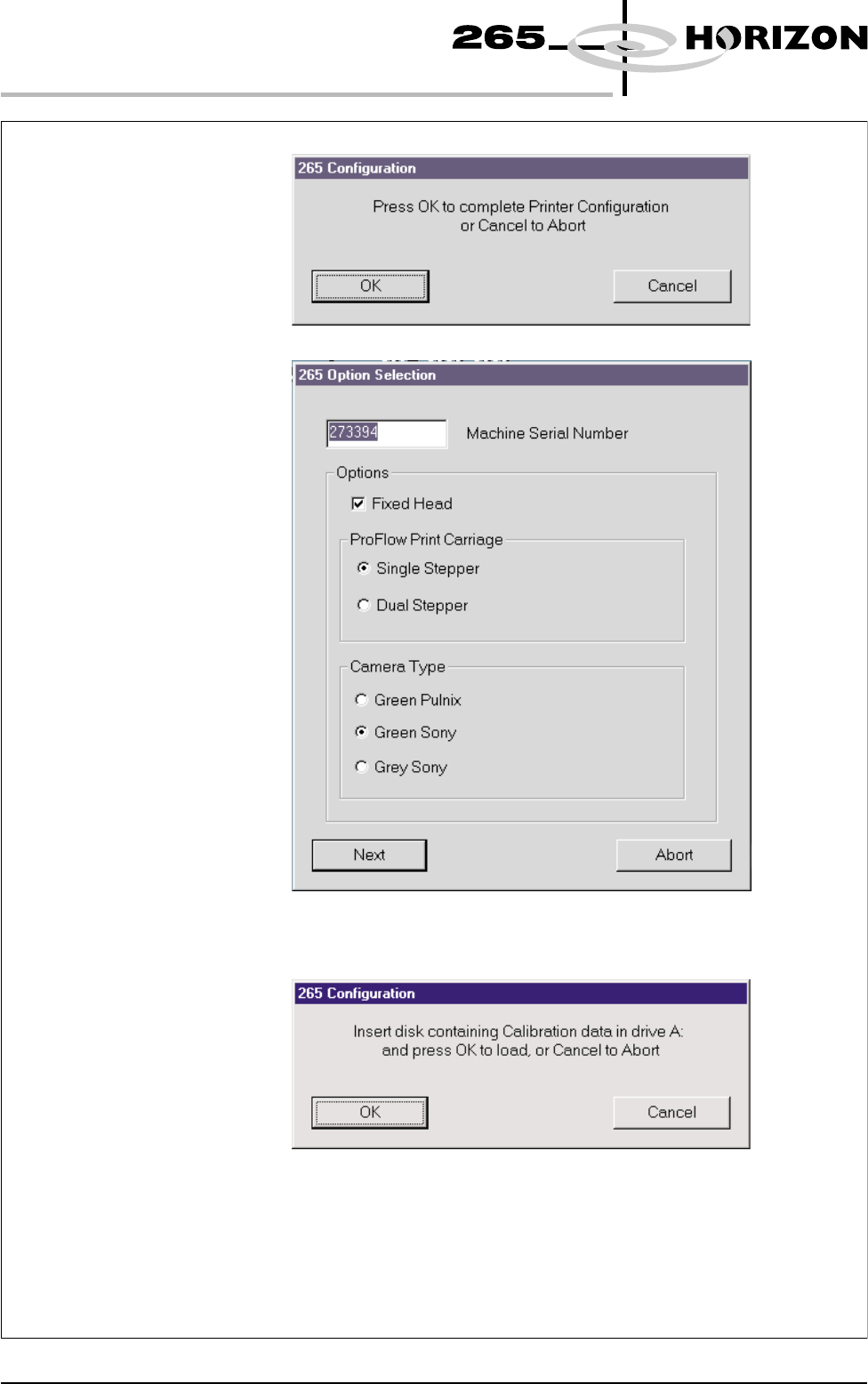
14. On completion the system restarts, the following window is displayed:
15. Enter the machine serial number. In the Options box, select ,
and the correct camera for the type fitted to the machine.
16. Select , the following window is displayed:
Fixed Head
Single Stepper
Next
17. Insert the diskette containing the Product and calibration data into
A: drive and press . The calibration data is now copied onto the
machine hard disk.
18. The machine now initializes.
19. The product files can now be copied onto the machine using Copy Data
function in Housekeeping (see Copy Data in Housekeeping Chapter).
OK
13. Select , the following window is displayed:OK
FEATURE LICENSING
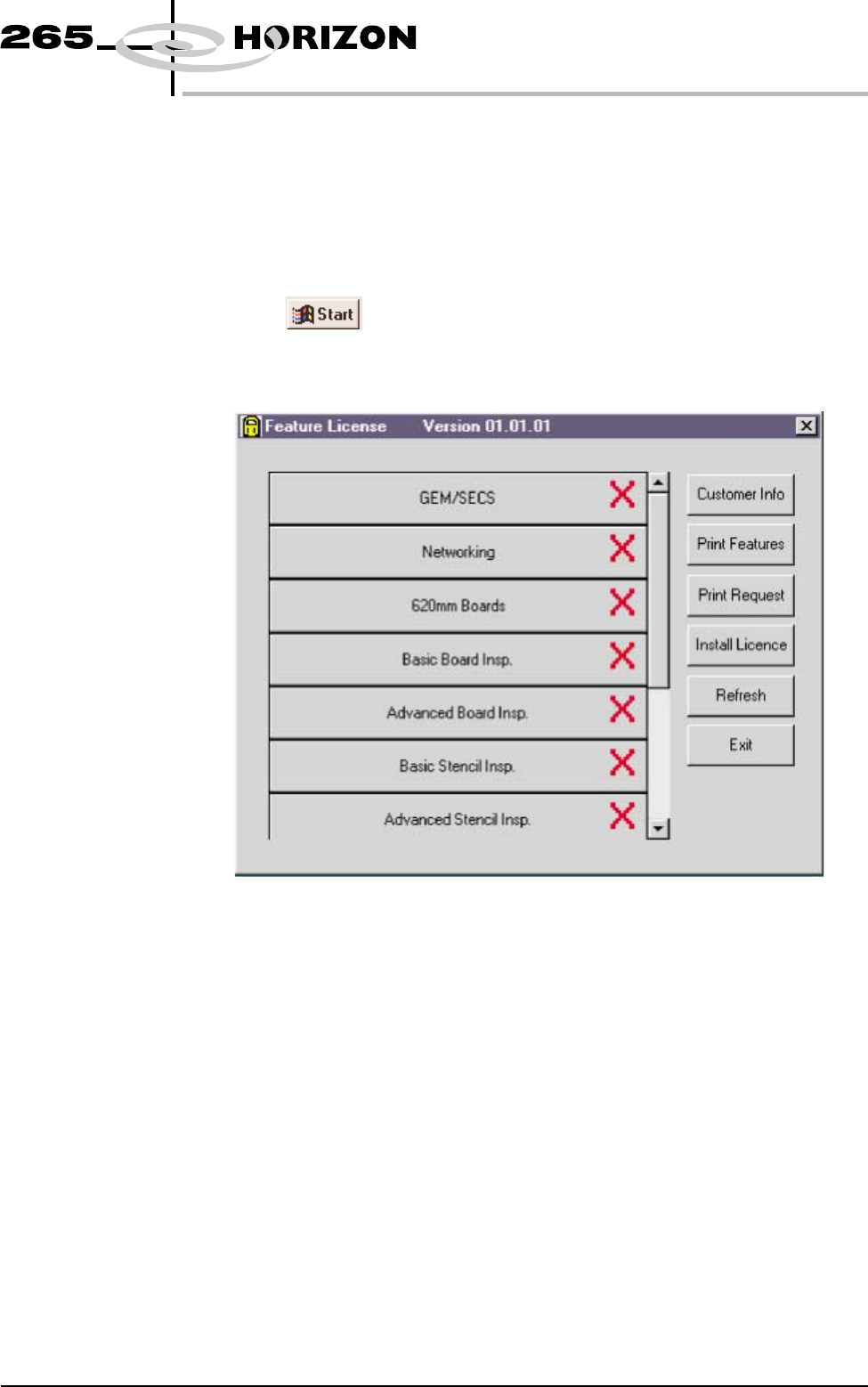
Introduction This standalone program accessed from the taskbar, enables a user to request and
install a licence to run a new feature on the machine. The opening window lists
all the licences available on the dongle and applicable to the machine. Each
licence enabled or requested is signified by a tick beside the feature listed. The
features available on the dongle are updated at software upgrades.
Licence Request 1.
Select on the taskbar, Programs and Feature License. The
following window is displayed:
Software Version 6 User Manual 7.15
HOUSE KEEPING
FEATURE LICENSING
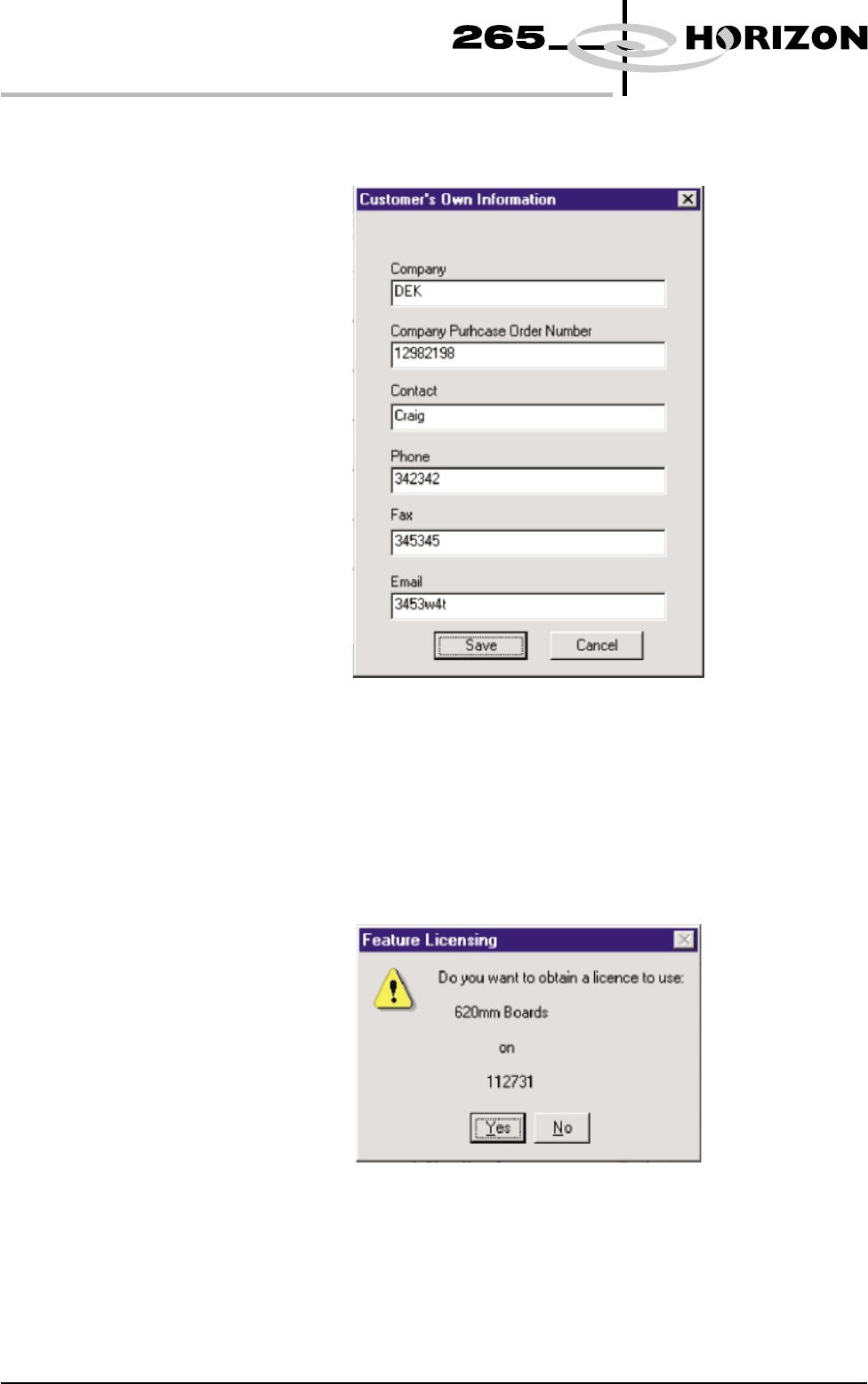
2. Select Customer Info. The following window is displayed:
3. Enter the information required and select Save. The information is written
to a ‘customer.txt’ file and attached to all licence request files, the window is
closed.
4. Scroll down the menu for the feature required. Select the feature, the
following window is displayed:
7.16 User Manual Software Version 6
HOUSE KEEPING
FEATURE LICENSING