Horizon UserManualV6.pdf - 第244页
2. Select Customer Info . The following window is displayed: 3. Enter the information required and select Save. The information is written to a ‘customer.txt’ file and attached to all licence request files, the window is…
FEATURE LICENSING
Introduction This standalone program accessed from the taskbar, enables a user to request and
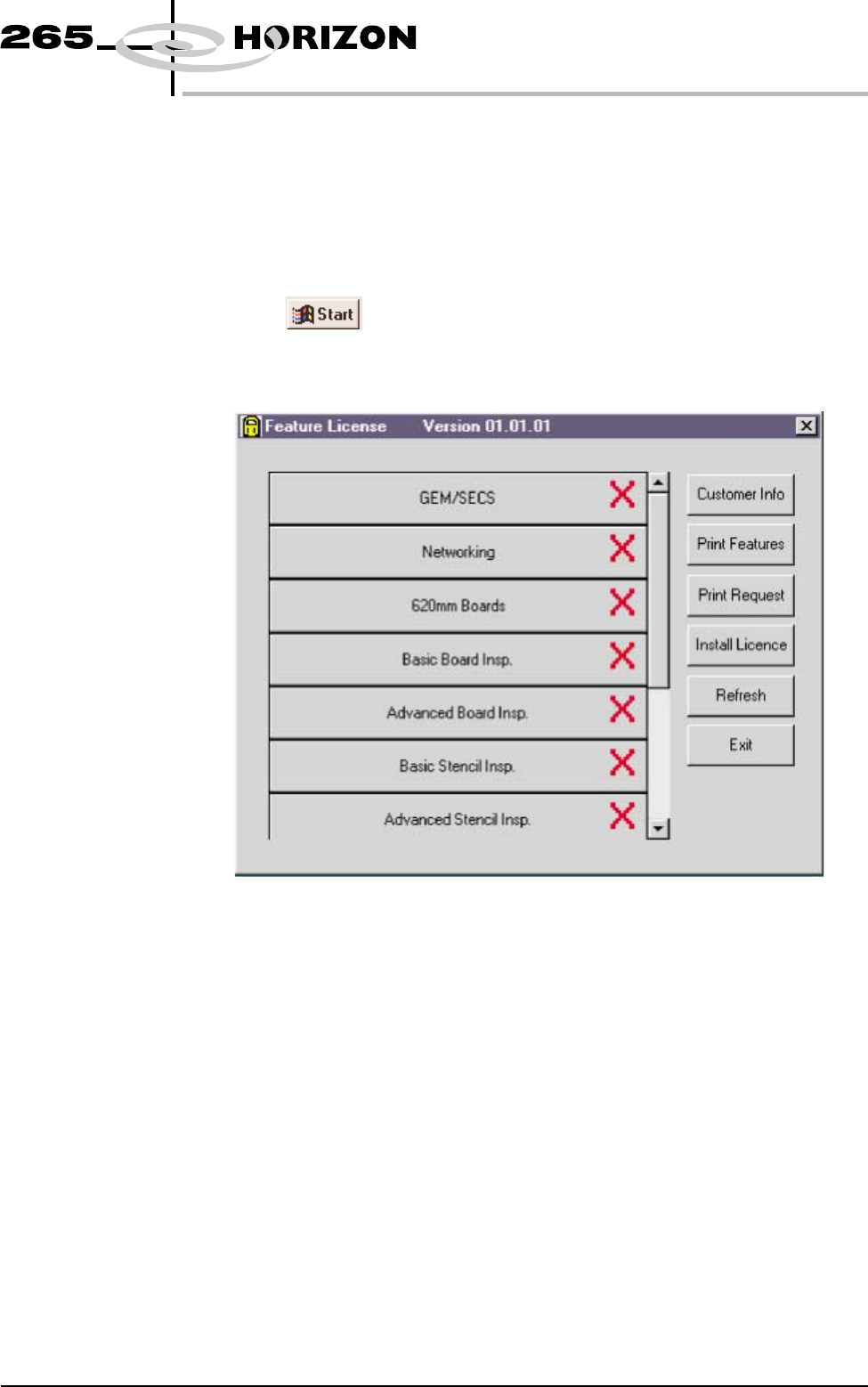
install a licence to run a new feature on the machine. The opening window lists
all the licences available on the dongle and applicable to the machine. Each
licence enabled or requested is signified by a tick beside the feature listed. The
features available on the dongle are updated at software upgrades.
Licence Request 1.
Select on the taskbar, Programs and Feature License. The
following window is displayed:
Software Version 6 User Manual 7.15
HOUSE KEEPING
FEATURE LICENSING
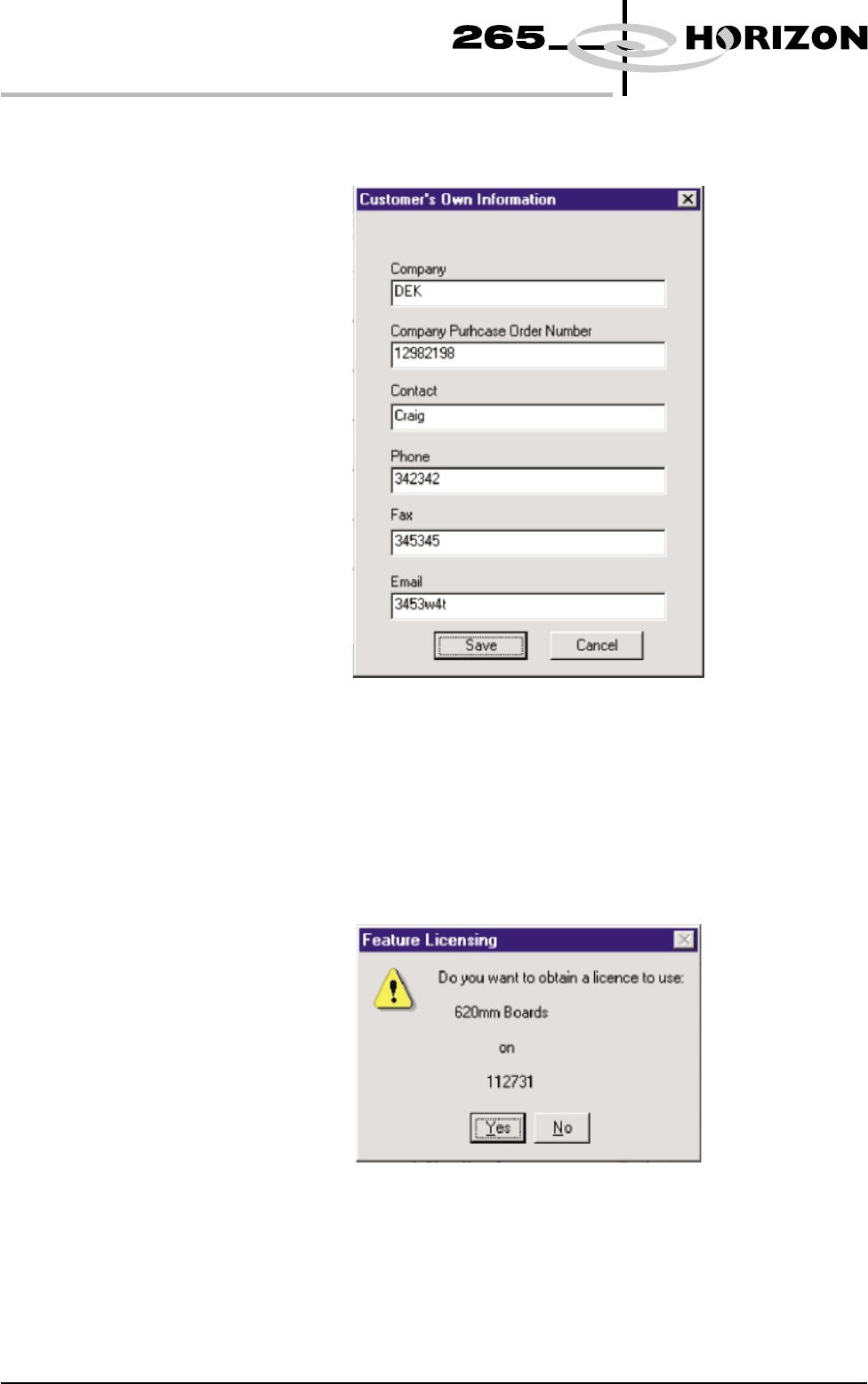
2. Select Customer Info. The following window is displayed:
3. Enter the information required and select Save. The information is written
to a ‘customer.txt’ file and attached to all licence request files, the window is
closed.
4. Scroll down the menu for the feature required. Select the feature, the
following window is displayed:
7.16 User Manual Software Version 6
HOUSE KEEPING
FEATURE LICENSING
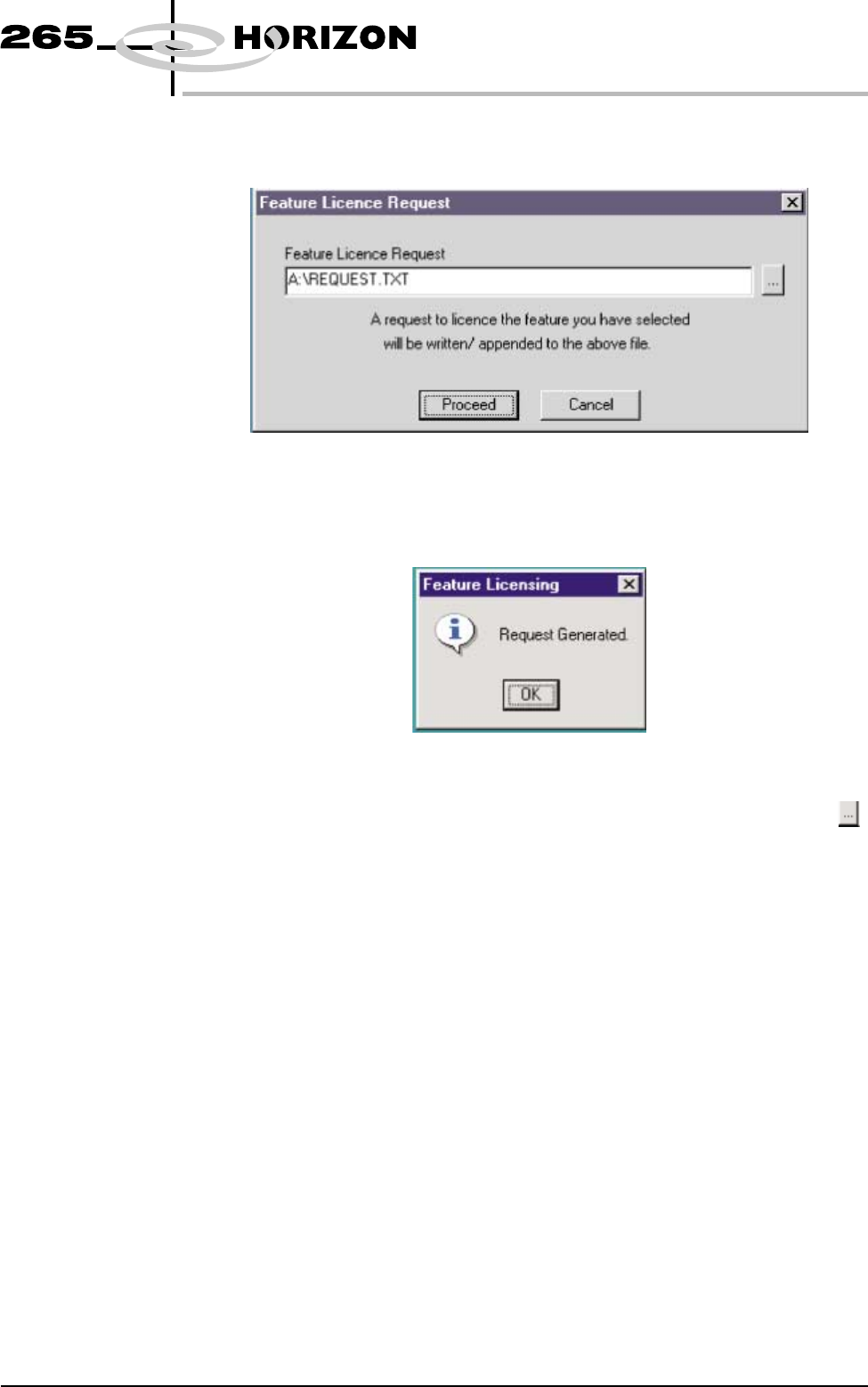
5. Select Yes, the following window is displayed:
6. Select Proceed, a request is written to the file indicated in the window. If
successful, the following window is displayed:
NOTE
If a different destination file is required for the licence request, press ,
highlight the required file, select Open and Proceed.
7. The licence request.txt file can now be forwarded to your local DEK agent
for processing.
Software Version 6 User Manual 7.17
HOUSE KEEPING
FEATURE LICENSING