Horizon UserManualV6.pdf - 第344页
6. Prime the solvent using the two button control. 7. Press Exit (F8) . Change Screen Board Clamps Prime Solvent Exit Cleaning Cassette Replenishment NOTE The cleaning cassettes come in different sizes, ensure the correc…
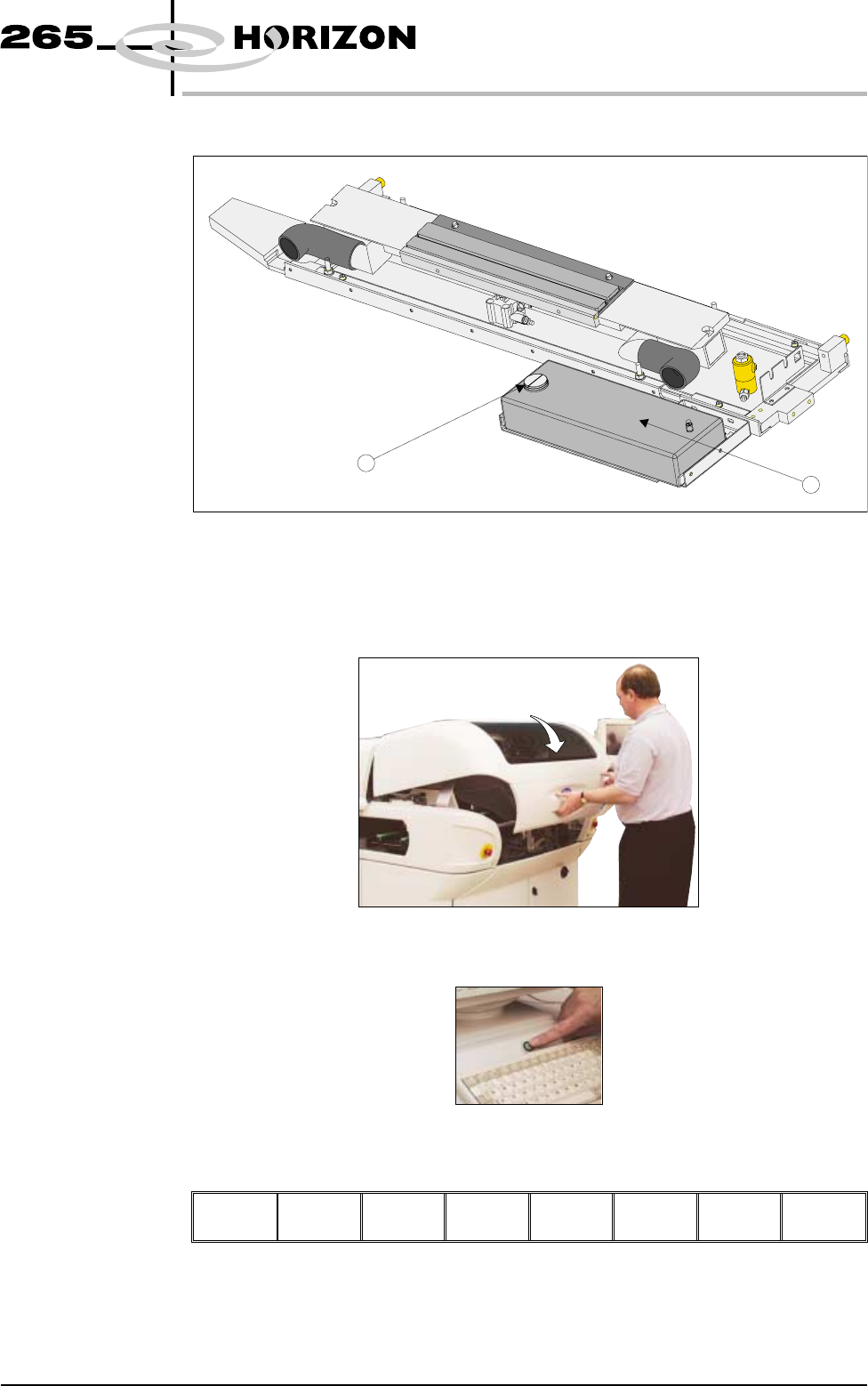
1. Remove the solvent tank cap (1) from the solvent tank (2)..
2. Using a suitable container refill the tank and replace the cap.
3. Close the front printhead cover.
4. Press the System button.
5. Press Prime Solvent (F6) key.
Change
Screen
Board
Clamps
Prime
Solvent
Exit
The message ‘Press the two button control buttons to prime solvent.’ is
displayed.
Software Version 6 User Manual 9.43
CONSUMABLE REPLENISHMENTS
VORTEX UNDERSCREEN CLEANER
1
2
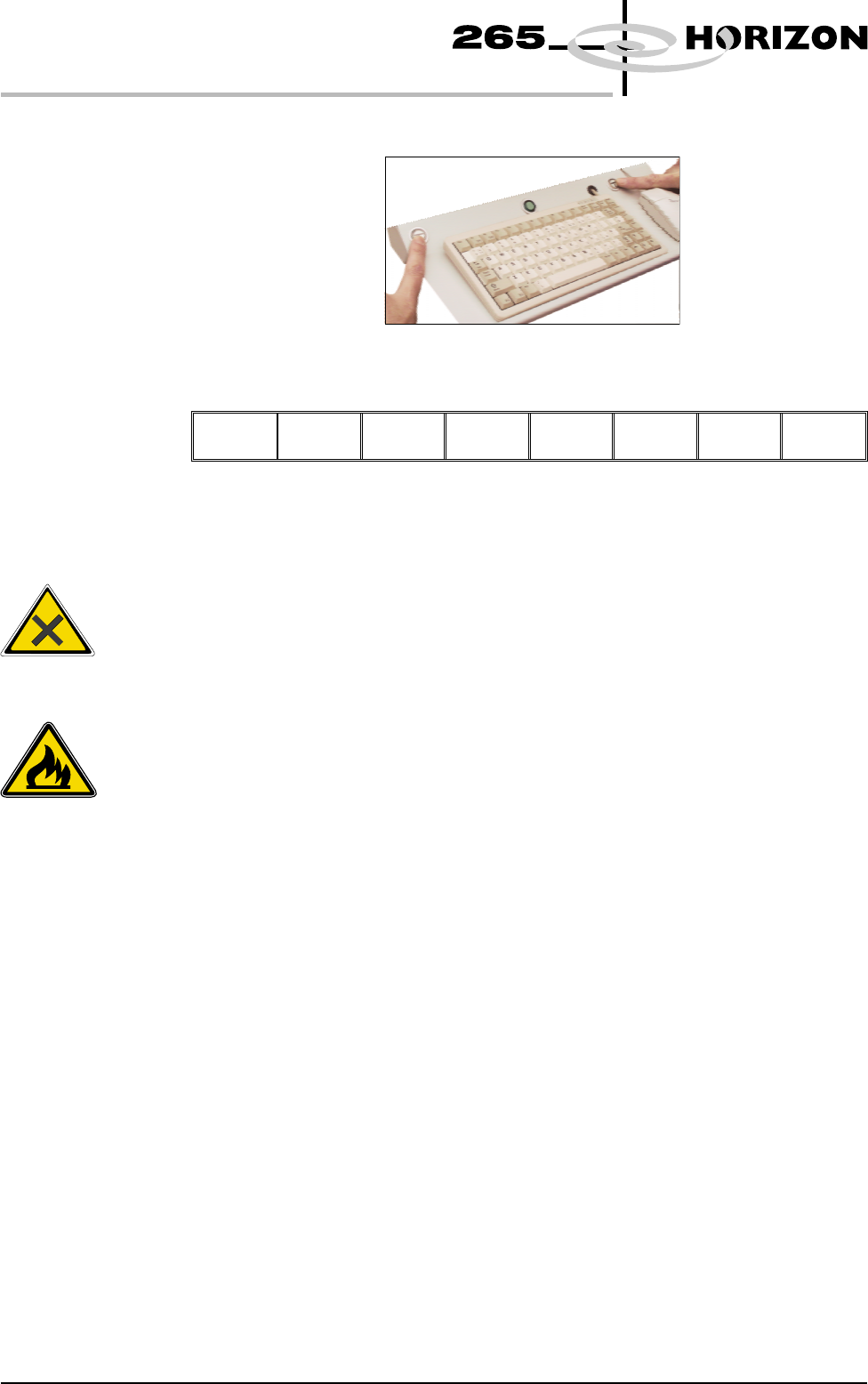
6. Prime the solvent using the two button control.
7. Press Exit (F8).
Change
Screen
Board
Clamps
Prime
Solvent
Exit
Cleaning Cassette
Replenishment
NOTE
The cleaning cassettes come in different sizes, ensure the correct size is
replaced.
9.44 User Manual Software Version 6
CONSUMABLE REPLENISHMENTS
VORTEX UNDERSCREEN CLEANER
WARNING
PROTECTIVE CLOTHING. APPROVED PROTECTIVE CLOTHIN
G
SHOULD BE WORN BY SOLDER PASTE AND SOLVENT HANDLERS
AT ALL TIMES TO ELIMINATE FUME INHALATION, EYE
CONTACT, SKIN CONTACTAND INGESTION.
WARNING
FLAMMABLE. THE USED VORTEX CLEANING CASSETTE AND
VORTEX FILTER CASSETTE CONTAIN RESIDUES O
F
UNDERSCREEN CLEANER FLUID AND SOLDER PASTE. OBSERVE
MANUFACTURERS' RECOMMENDED DISPOSALINSTRUCTIONS.
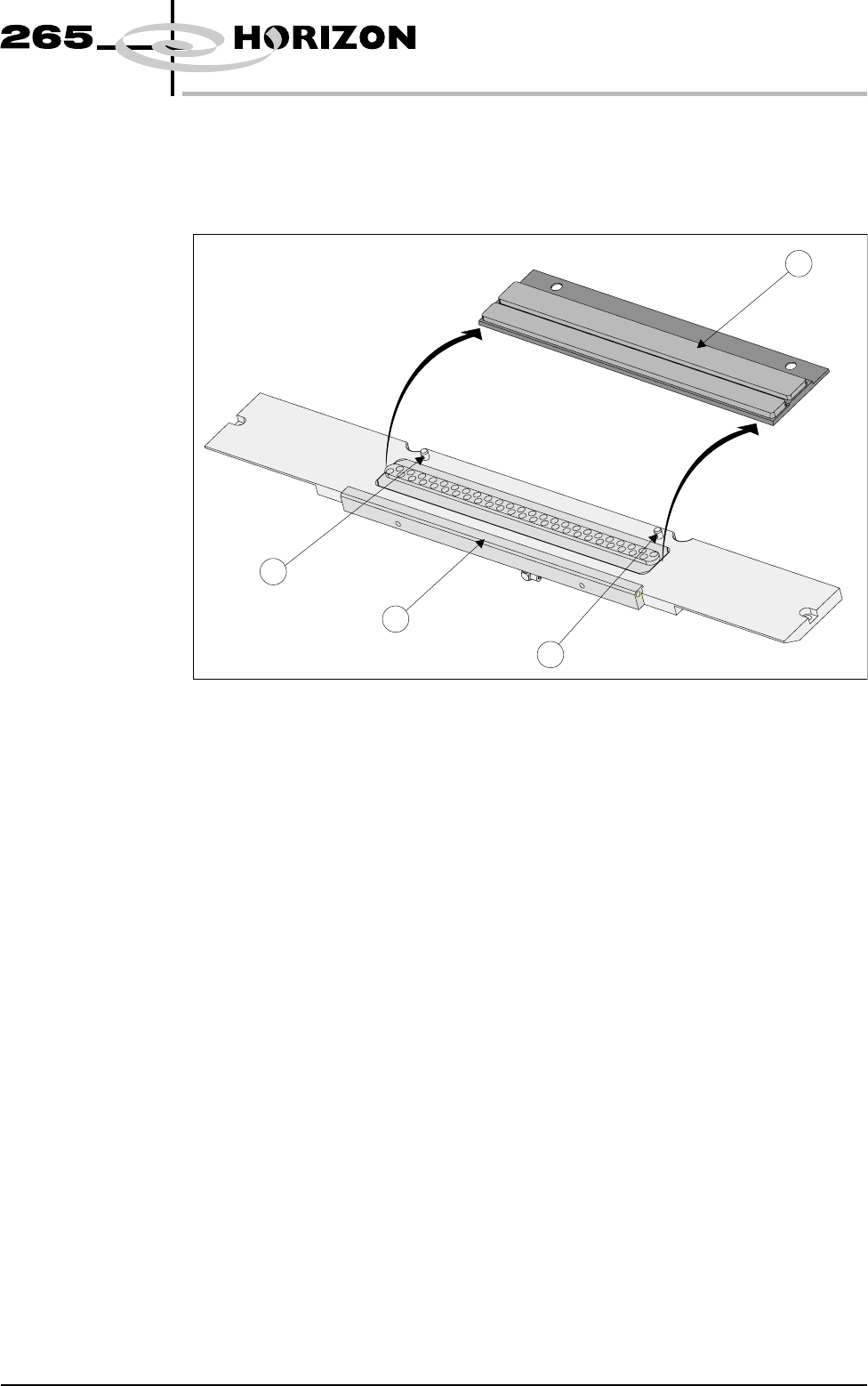
1. Carefully lift the cleaning cassette (1) clear of the two pip pins (2) and slide
out from beneath the solvent bar (3).
NOTE
Numbers in brackets refer to figure below.
2. Dispose of the used cleaning cassette in accordance with local authority
guidelines.
3. If the filter cassette is to be replaced continue with Step 4. If the filter
cassette is not being replaced go to Step 7.
NOTE
The filter cassettes are available in varying sizes, ensure the correct size is
replaced.
Software Version 6 User Manual 9.45
CONSUMABLE REPLENISHMENTS
VORTEX UNDERSCREEN CLEANER
1
2
2
3