Horizon UserManualV6.pdf - 第256页
Shape Recognition To recognize shapes other than rectangles the inspection system counts the pixels within the box graphic. By identifying which pixels have similar grey scale levels, the system can distinguish between b…
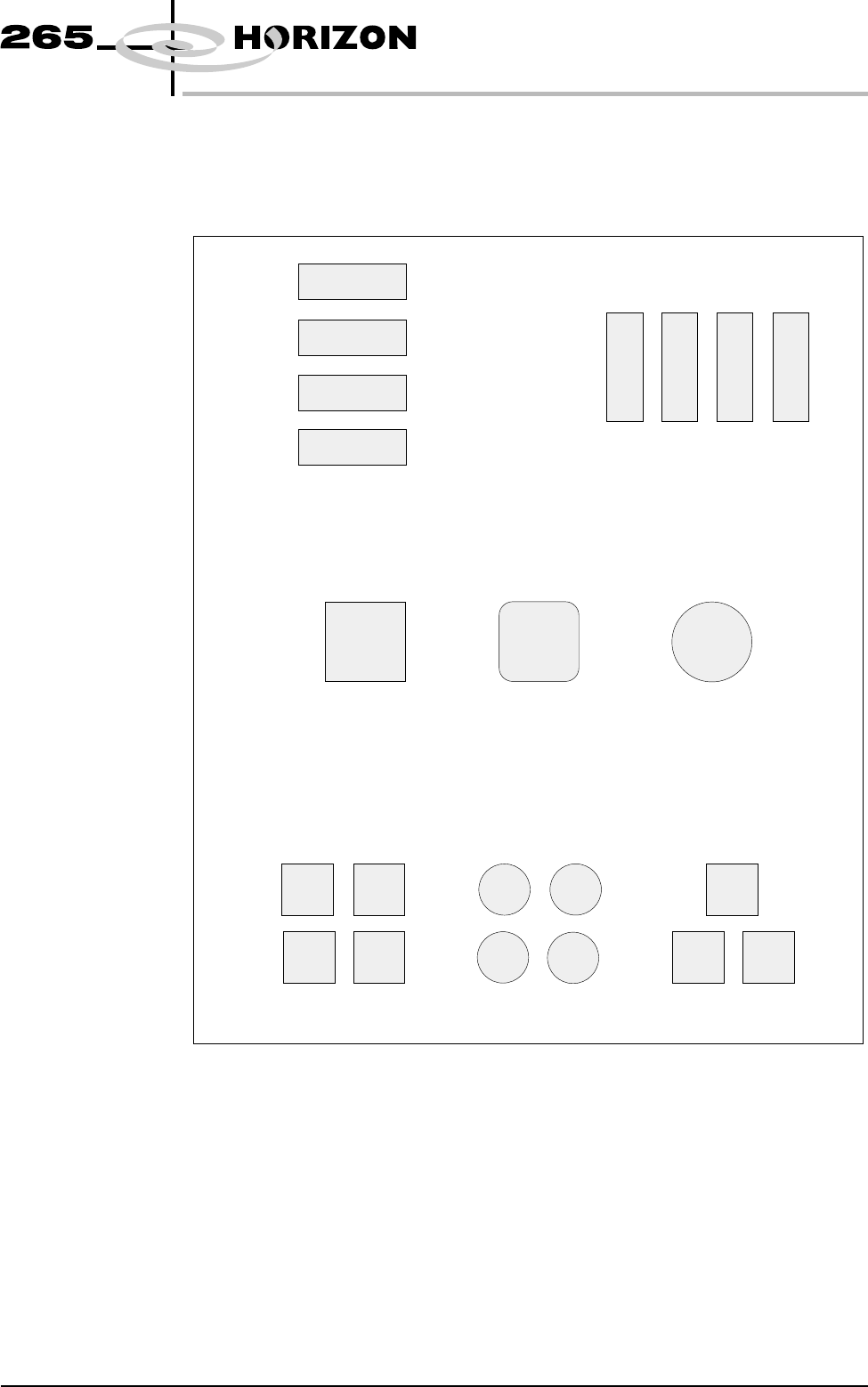
Shapes The inspection system uses shape recognition to inspect shapes other than
rectangles. A number of features can be inspected in one inspection, ie a row or
column of pads/apertures or a combination of features.
Software Version 6 User Manual 8.5
2Di INSPECTION
MODULE OVERVIEW
Column of Pads or Apertures
Shape Recognition
Combination of Features
Row of Pads or Apertures
Figure 8-4 Shape Types
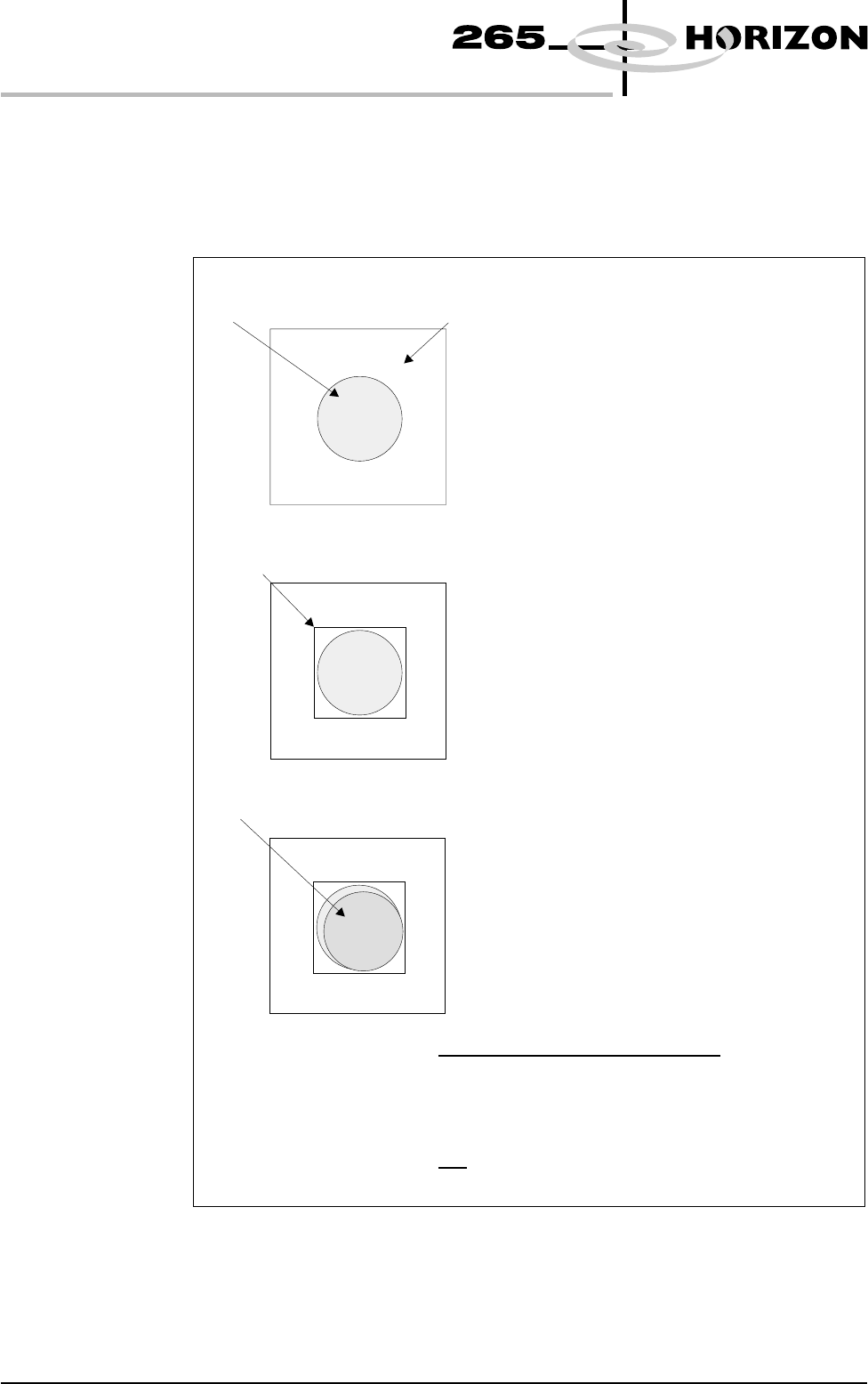
Shape Recognition To recognize shapes other than rectangles the inspection system counts the
pixels within the box graphic. By identifying which pixels have similar grey
scale levels, the system can distinguish between board and pad. An example of
how this is achieved is given below.
8.6 User Manual Software Version 6
2Di INSPECTION
MODULE OVERVIEW
In the example shown the selected board site
contains a circular pad. This could be any
shape.
The board is learnt.
A graphic box is drawn around the pad.
The percentage of the graphics box the pad
covers is the proportion of pad pixels against
the total graphic box pixels.
In this example the pad area = 78%
The board is printed
In the example shown the area of paste within
the graphics box = 72%.
Pa s t e o n Pa d = %
Area of Pad
In the example shown:
Paste on Pad = = 92%
78%
Area of Paste Within the Graphics Box
72%
Site Area
Pa d
Graphic Box
Pa s t e
Figure 8-5 Shape Recognition
Paste Volume
Prediction
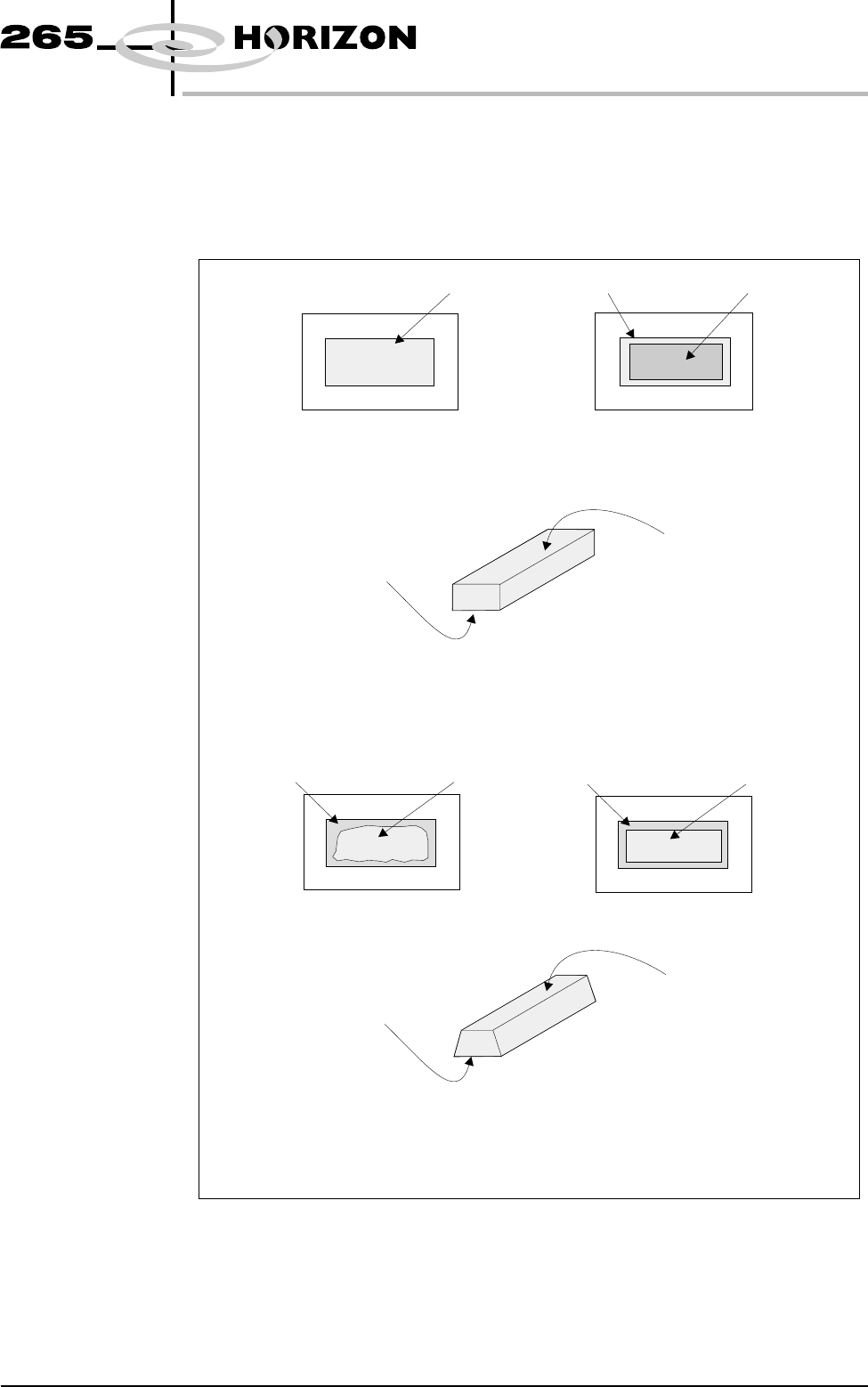
2Di uses blockage and paste on pad inspection results for a site to predict the
volume of paste on a pad, this is only available while the level of inspection is set
to advanced for both the board and screen. An example of how this is achieved is
given below.
Software Version 6 User Manual 8.7
2Di INSPECTION
MODULE OVERVIEW
In the example shown the aperture is 100% clear. The paste on pad value was 100%.
This can be represented by the following model of the printed paste :
This is represented by the following model of the printed paste :
Top face equals area of
aperture not blocked by
paste, ie 100%.
Top face equals area of
aperture not blocked by
paste, ie 60%.
Bottom face equals area of
paste on pad, ie 100%.
Bottom face equals area of
paste on pad, ie 90%.
Using a complex formula 2Di predicts the volume of paste, in this case 74.48%.
Aperture
From this information the system predicts the volume of paste, in this case 100%.
In the following example the aperture has a blockage of 40%. Therefore the aperture is 60%
clear. The 60% is equal to a rectangle of the same size as shown below. The paste on pad
inspection result is 90%.
Screen
Pa d
Pa s t e o n Pa d
Board
Aperture
Paste (Blockage) 40%
Screen
Aperture
Paste (Blockage) 40%
Screen
=
Figure 8-6 Paste Volume Prediction