00198243-01_AI_BulkFeederX_XS-SX_DE+EN.pdf - 第122页
4 Retrofit kit for X-Series S 4.4 Inserting the cable into the machine 122 Assembly Instructions / Montageanleitung SIPLACE BulkFeeder X Retrofit Kit for SX Series and X Series S 07/2017 ► Use the opening in the bottom o…
4 Retrofit kit for X-Series S
4.4 Inserting the cable into the machine
Assembly Instructions / Montageanleitung SIPLACE BulkFeeder X Retrofit Kit for SX Series and X Series S 07/2017 121
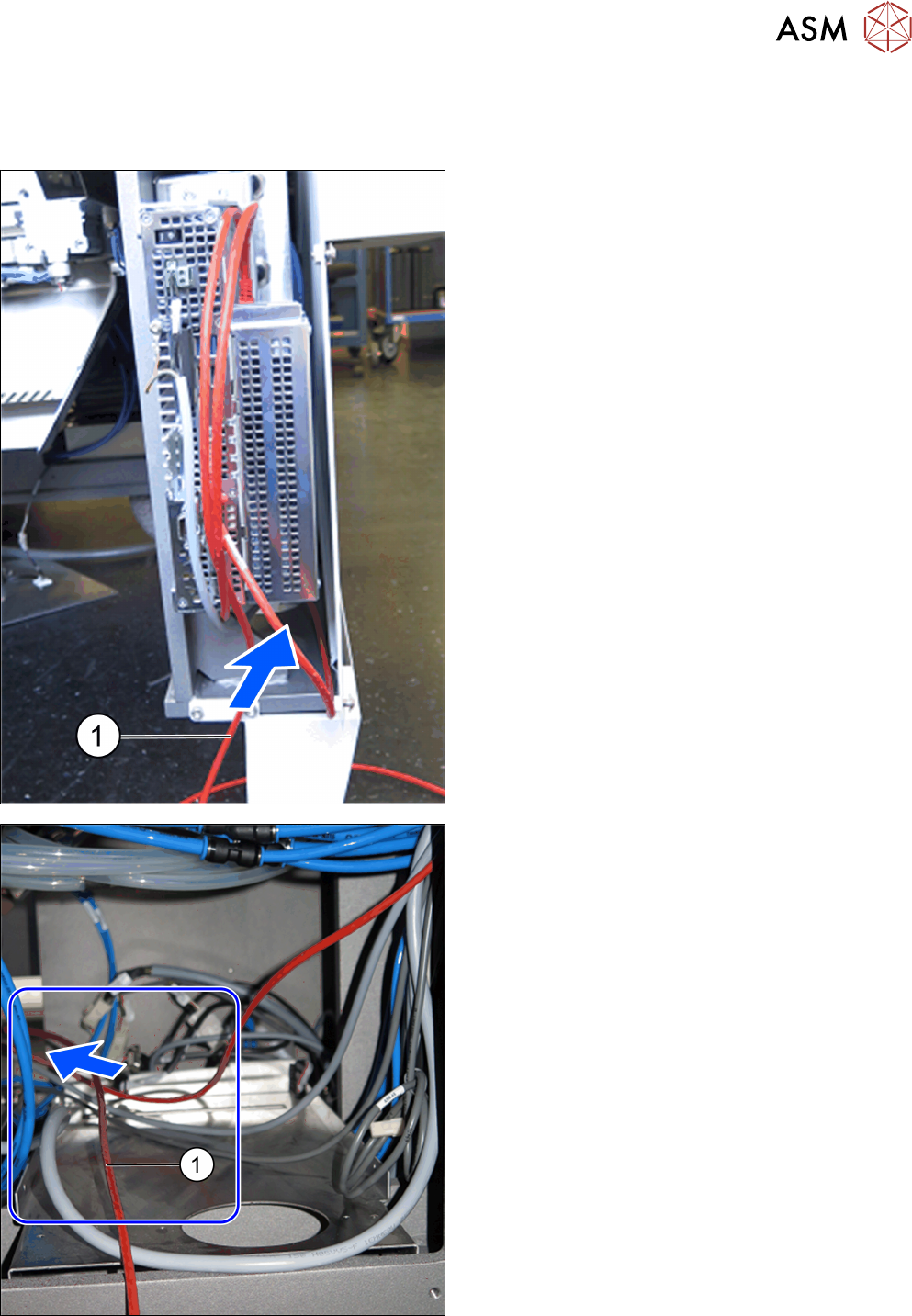
4.4.2 Location 2 and 3
Insert the cable [03159498-xx] (length 7.5 m) for connecting the BulkFeeder X at location 2 or 3 as
follows:
► Pull the cable (1) at location 4 under the fitted
Bulkfeeder X computer through the conveyor side
and towards the back.
► Run the cable to the left under the machine base,
through the bottom of the machine and to loca-
tion 1.
4 Retrofit kit for X-Series S
4.4 Inserting the cable into the machine
122 Assembly Instructions / Montageanleitung SIPLACE BulkFeeder X Retrofit Kit for SX Series and X Series S 07/2017
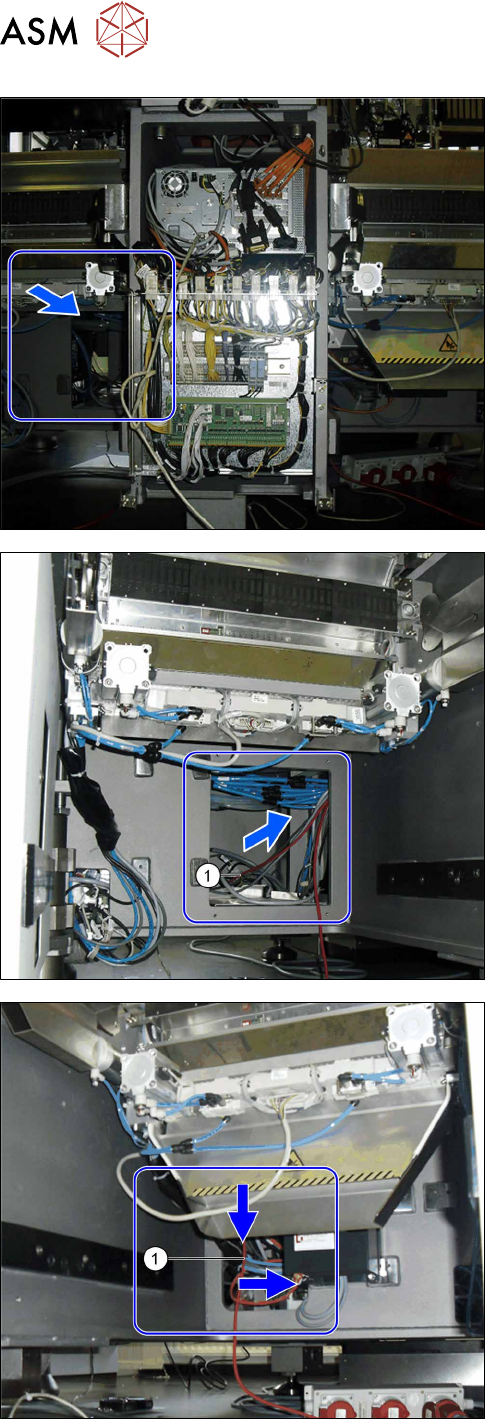
► Use the opening in the bottom of the machine to
pull the cable.
► Run the cable (1) from location 1 via the machine
base to placement area 2.
► Run the cable (1) at location 2 or 3 through the
opening in the machine base to the conveyor
side.
4 Retrofit kit for X-Series S
4.4 Inserting the cable into the machine
Assembly Instructions / Montageanleitung SIPLACE BulkFeeder X Retrofit Kit for SX Series and X Series S 07/2017 123
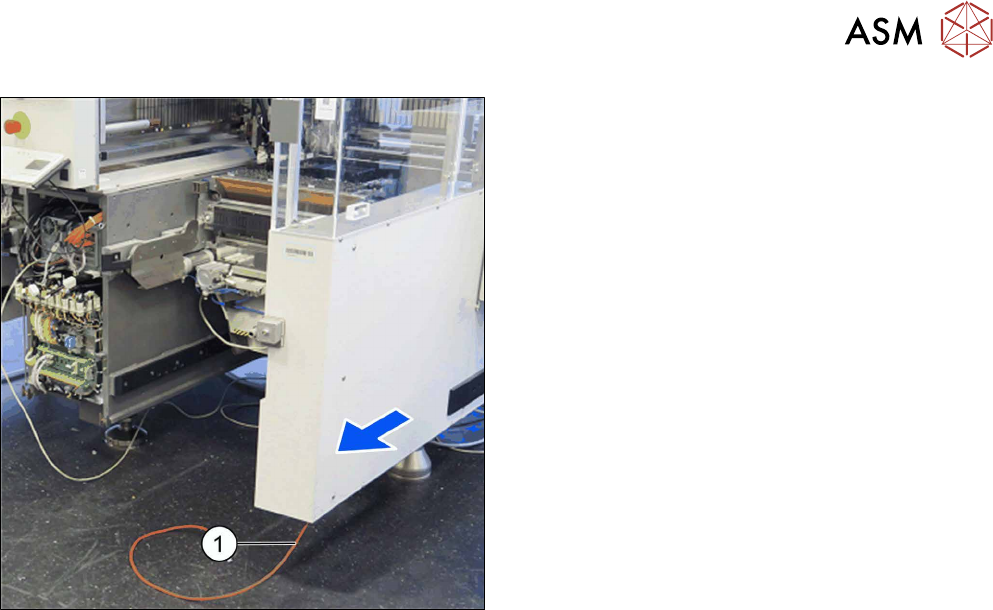
► Run the cable (1) at the conveyor side, from loca-
tion 2 or 3 through to the opening.