00198243-01_AI_BulkFeederX_XS-SX_DE+EN.pdf - 第136页
5 Final work 5.3 Installing the station software 136 Assembly Instructions / Montageanleitung SIPLACE BulkFeeder X Retrofit Kit for SX Series and X Series S 07/2017 ► Click on OK to save the changes made. 5.3 Installing …
5 Final work
5.2 Configuring the BulkFeeder computer
Assembly Instructions / Montageanleitung SIPLACE BulkFeeder X Retrofit Kit for SX Series and X Series S 07/2017 135
► Now install the station software, see 5.3 "Installing the station software" [}136].
5.2.3 Configuring the additional LAN card
To configure the additional LAN card which was fitted in the station computer, for the SX-Series or
X-Series S, from serial number H001, proceed as follows:
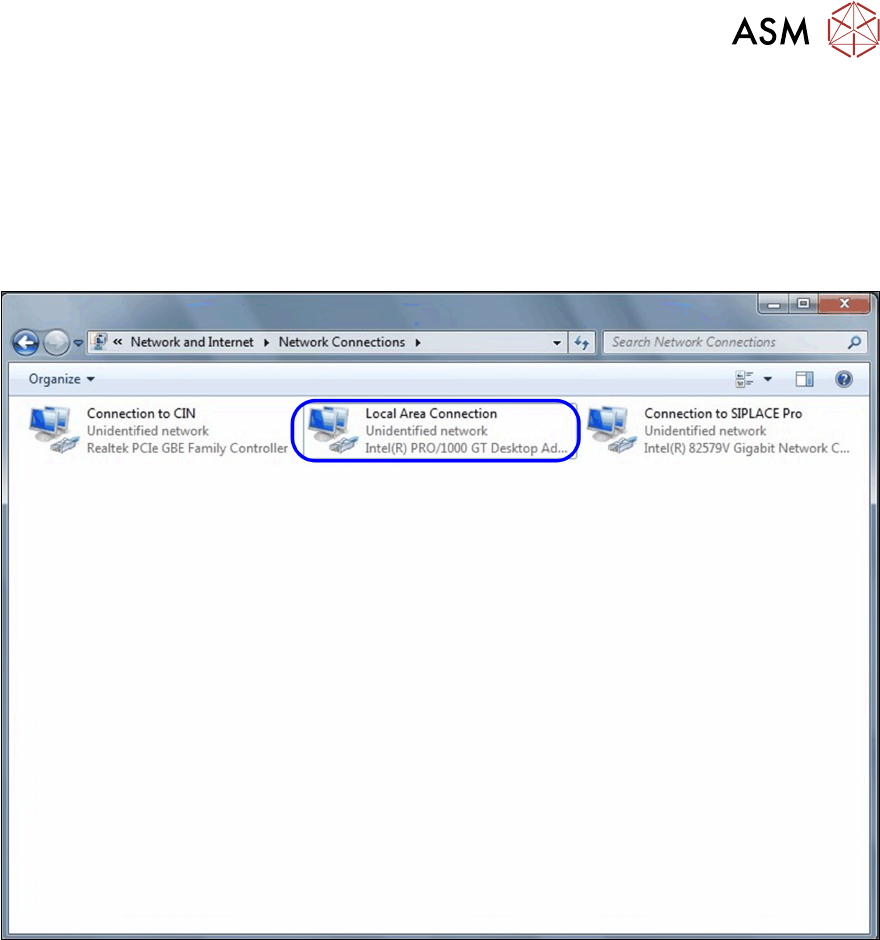
► Select Start – Control Panel – Network and Internet.
► Select Network Connections.
► Right-click on Local Area Connection.
► Select Rename and change the name to Connection to machine LAN.
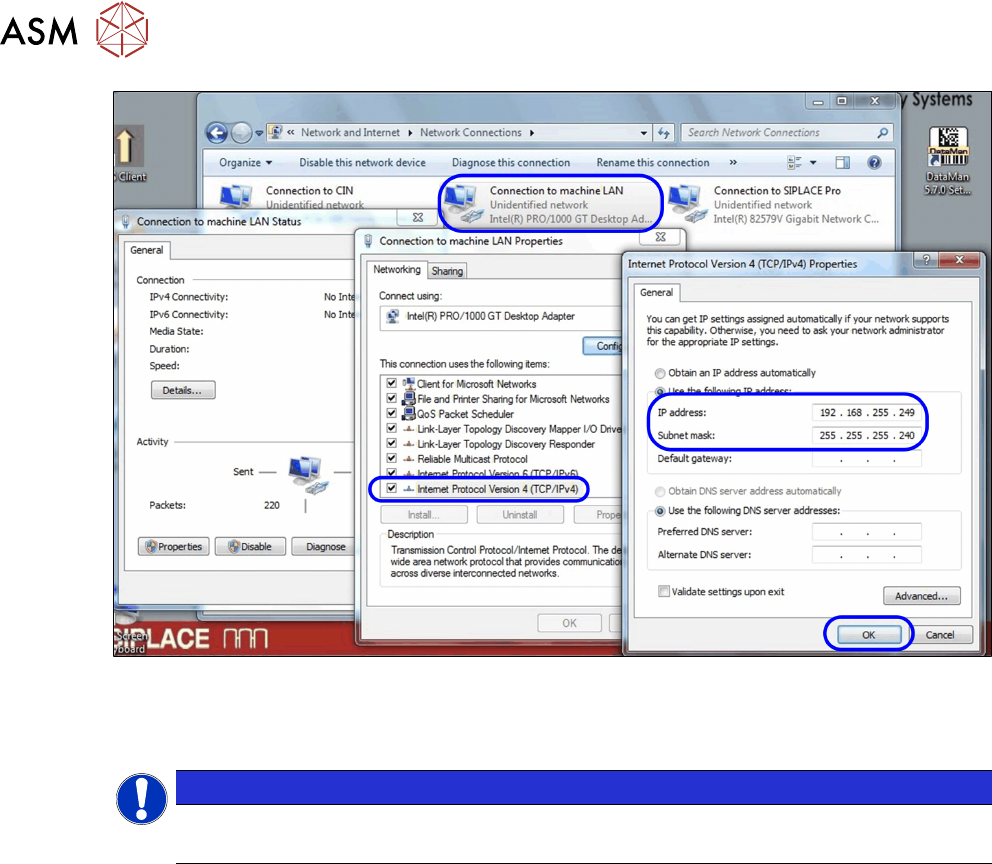
► Right-click on the renamed connection and select Properties.
► Mark the entry Internet Protocol Version 4 (TCP/IPv4) and then click on Properties.
► Go to IP address and enter the IP address (192.168.255.244) and then go to Subnet mask
and enter the subnet mask (255.255.255.240), as shown in the diagram.
5 Final work
5.3 Installing the station software
136 Assembly Instructions / Montageanleitung SIPLACE BulkFeeder X Retrofit Kit for SX Series and X Series S 07/2017
► Click on OK to save the changes made.
5.3 Installing the station software
NOTICE
Station software version
The station software from version 710.0 can be installed.
The standard package [00140070-xx] Software SIPLACE Station 710.0 Basic contains the software
installation instructions for the version 710.0.
The station software is available on a USB stick. To install the station software, proceed as follows:
► Insert the USB stick into the connection provided.
► Start the BulkFeeder X computer and log in as the administrator.
5 Final work
5.3 Installing the station software
Assembly Instructions / Montageanleitung SIPLACE BulkFeeder X Retrofit Kit for SX Series and X Series S 07/2017 137
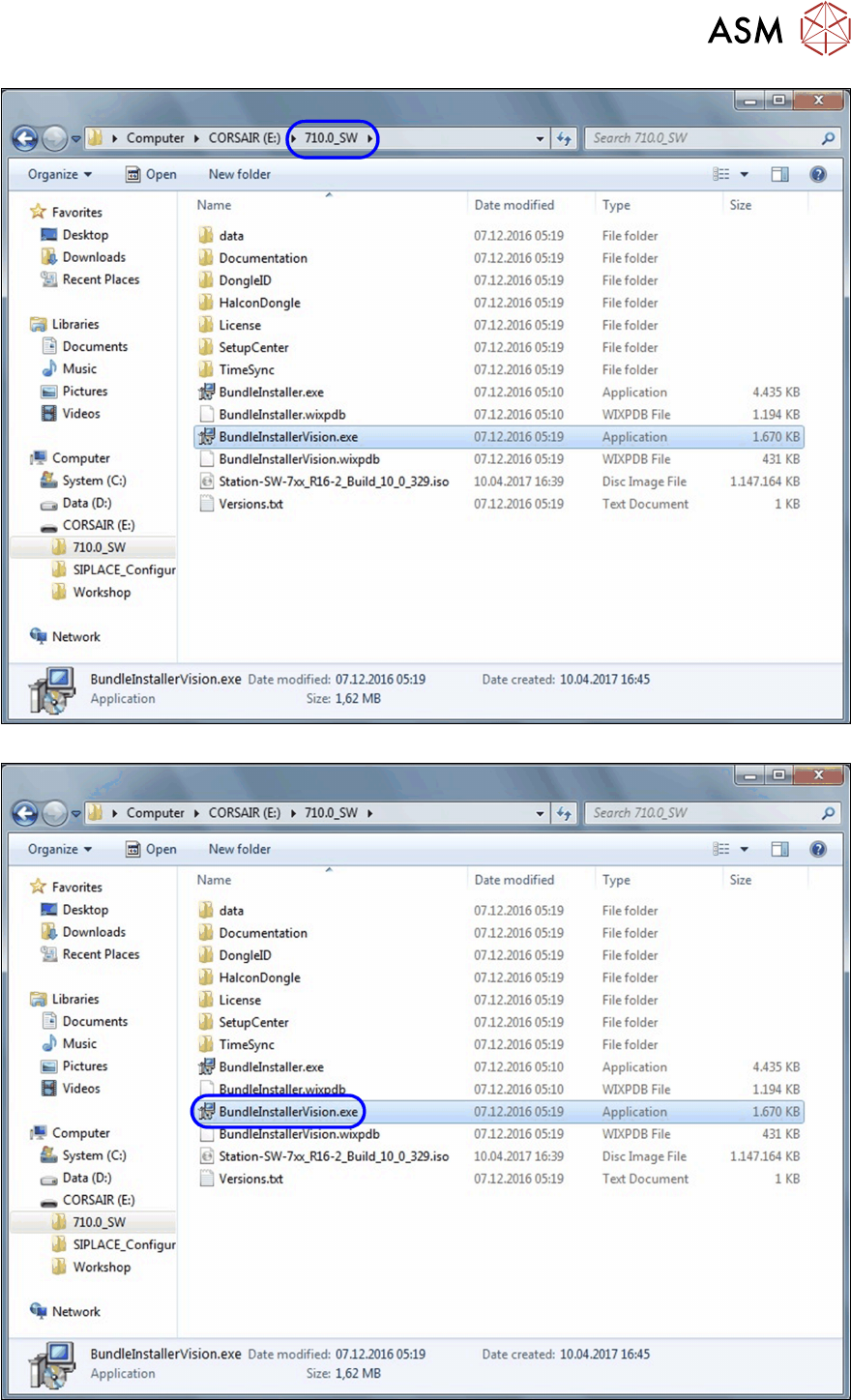
► Open an Explorer window and switch over to the folder 710.0_SW.
► Doubleclick on the file BundleInstallerVision.exe.to start the installation.