00198243-01_AI_BulkFeederX_XS-SX_DE+EN.pdf - 第138页
5 Final work 5.3 Installing the station software 138 Assembly Instructions / Montageanleitung SIPLACE BulkFeeder X Retrofit Kit for SX Series and X Series S 07/2017 ► Select the computer BulkFeeder and click on Next. ► C…
5 Final work
5.3 Installing the station software
Assembly Instructions / Montageanleitung SIPLACE BulkFeeder X Retrofit Kit for SX Series and X Series S 07/2017 137
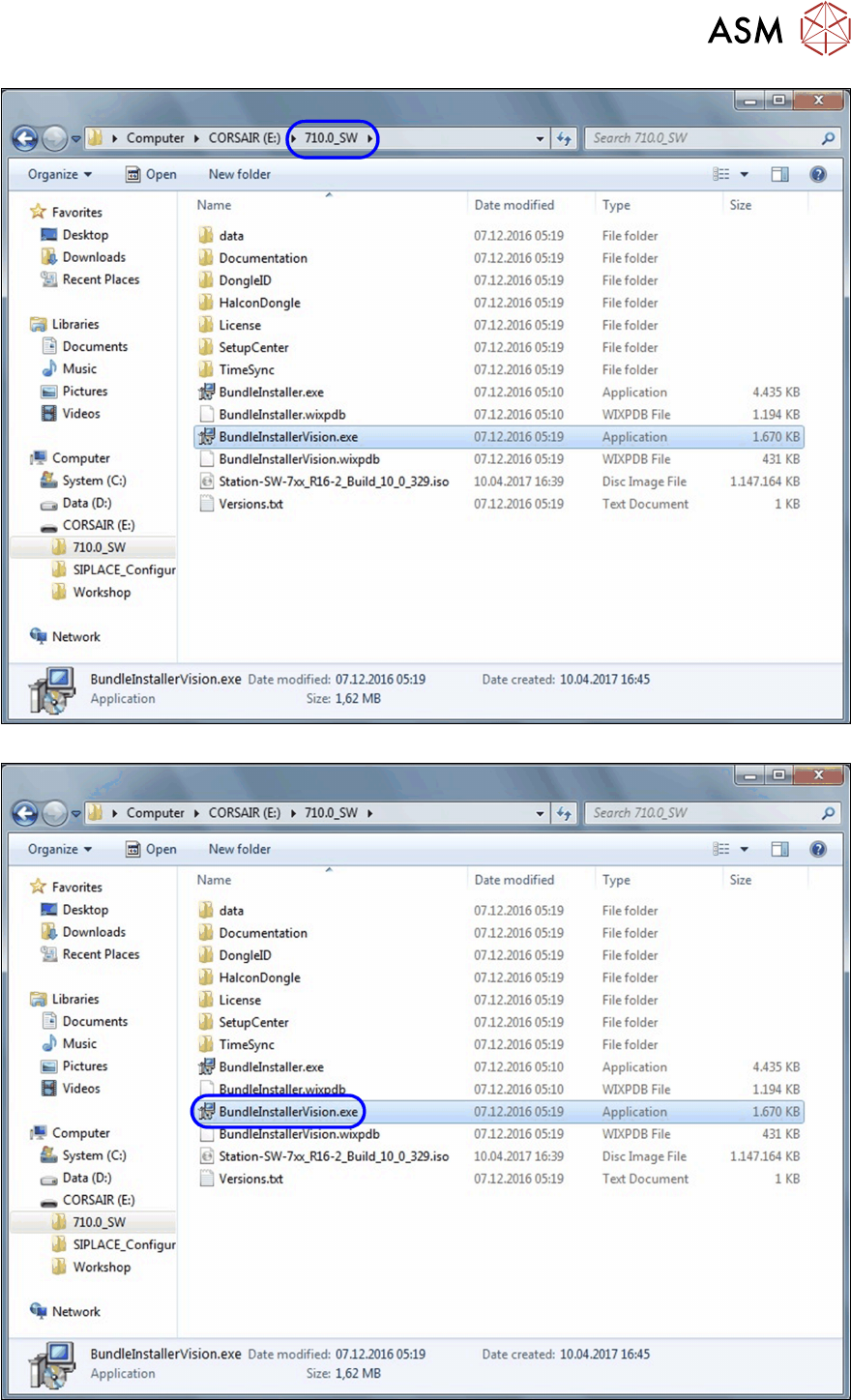
► Open an Explorer window and switch over to the folder 710.0_SW.
► Doubleclick on the file BundleInstallerVision.exe.to start the installation.
5 Final work
5.3 Installing the station software
138 Assembly Instructions / Montageanleitung SIPLACE BulkFeeder X Retrofit Kit for SX Series and X Series S 07/2017
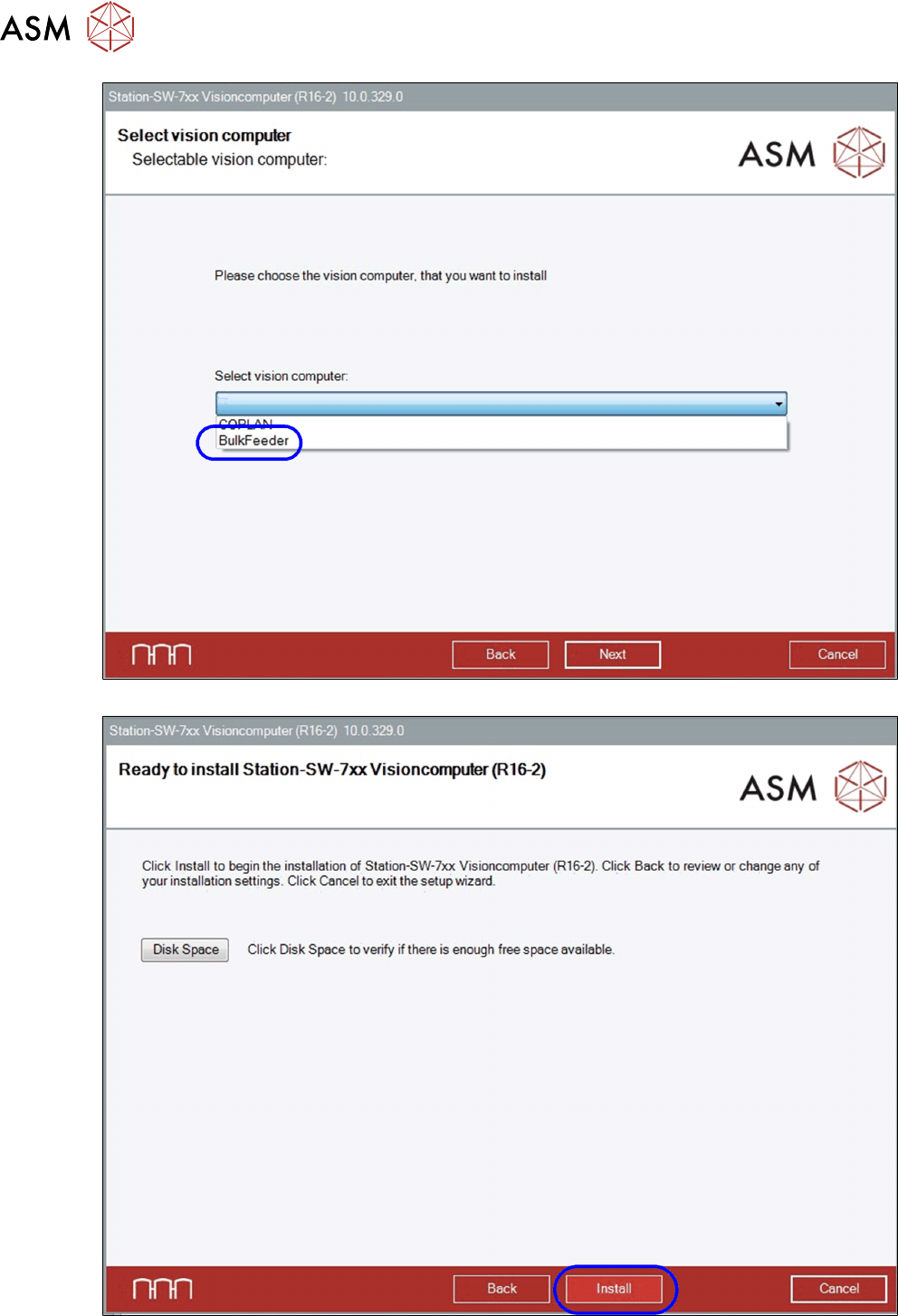
► Select the computer BulkFeeder and click on Next.
► Click on Install to start the installation.
5 Final work
5.3 Installing the station software
Assembly Instructions / Montageanleitung SIPLACE BulkFeeder X Retrofit Kit for SX Series and X Series S 07/2017 139
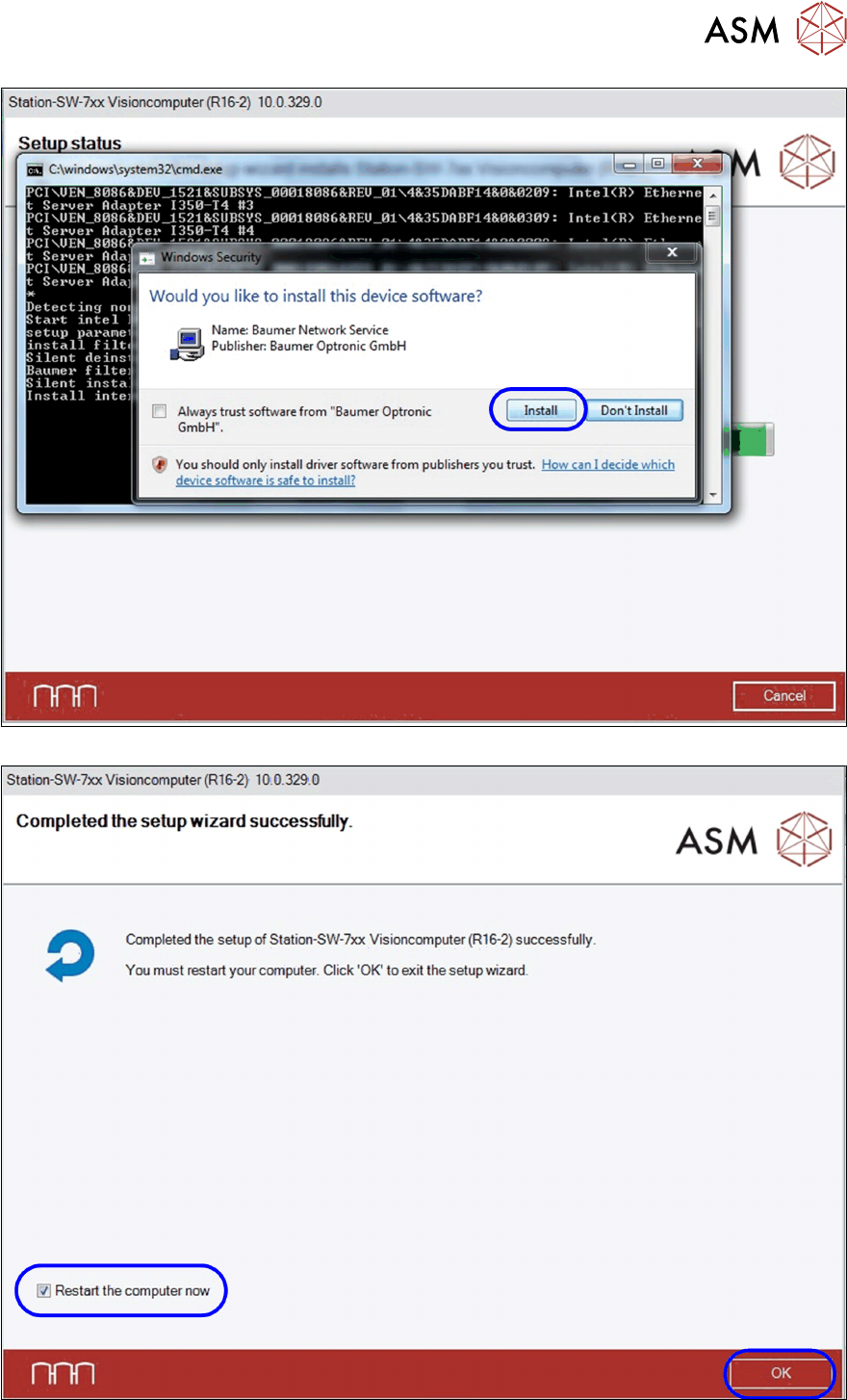
► Click on Install to install the relevant packages.
► After successful installation, you will see a message. Enable the option Restart the computer
now.