00198243-01_AI_BulkFeederX_XS-SX_DE+EN.pdf - 第94页
3 Retrofit kit for SX-Series 3.2 Preparatory steps 94 Assembly Instructions / Montageanleitung SIPLACE BulkFeeder X Retrofit Kit for SX Series and X Series S 07/2017 ► Remove the screws (1) on the housing cover. ► Swing …
3 Retrofit kit for SX-Series
3.1 Preparatory steps on the SX-Series
Assembly Instructions / Montageanleitung SIPLACE BulkFeeder X Retrofit Kit for SX Series and X Series S 07/2017 93
3 Retrofit kit for SX-Series
3.1 Preparatory steps on the SX-Series
► Move all component trolleys out of the machine.
► Switch off the machine, disconnect it from the
power supply and secure it to prevent
unauthorized reactivation. Observe the instruc-
tions in section 1.2 "Preparatory Work..." [}84].
► Remove all waste tape chutes and the covers on
the infrastructure box in sector 4 plus the cover
on the pneumatic unit in sector 1.
3.2 Preparatory steps
To operate the machine with a BulkFeeder X, you must retrofit both the Box PC supplied with it,
which is used as the BulkFeeder X computer, and the existing station computer.
●
Installation of a GigE card in the BulkFeeder X computer, to connect the BulkFeeder X.
●
Installation of a LAN card in the station computer of the machine, to connect the station com-
puter to the BulkFeeder X computer.
3.2.1 Installation of a GigE card in the BulkFeeder X computer
To fit the GigE card [03135985-xx] in the BulkFeeder X computer, proceed as follows:
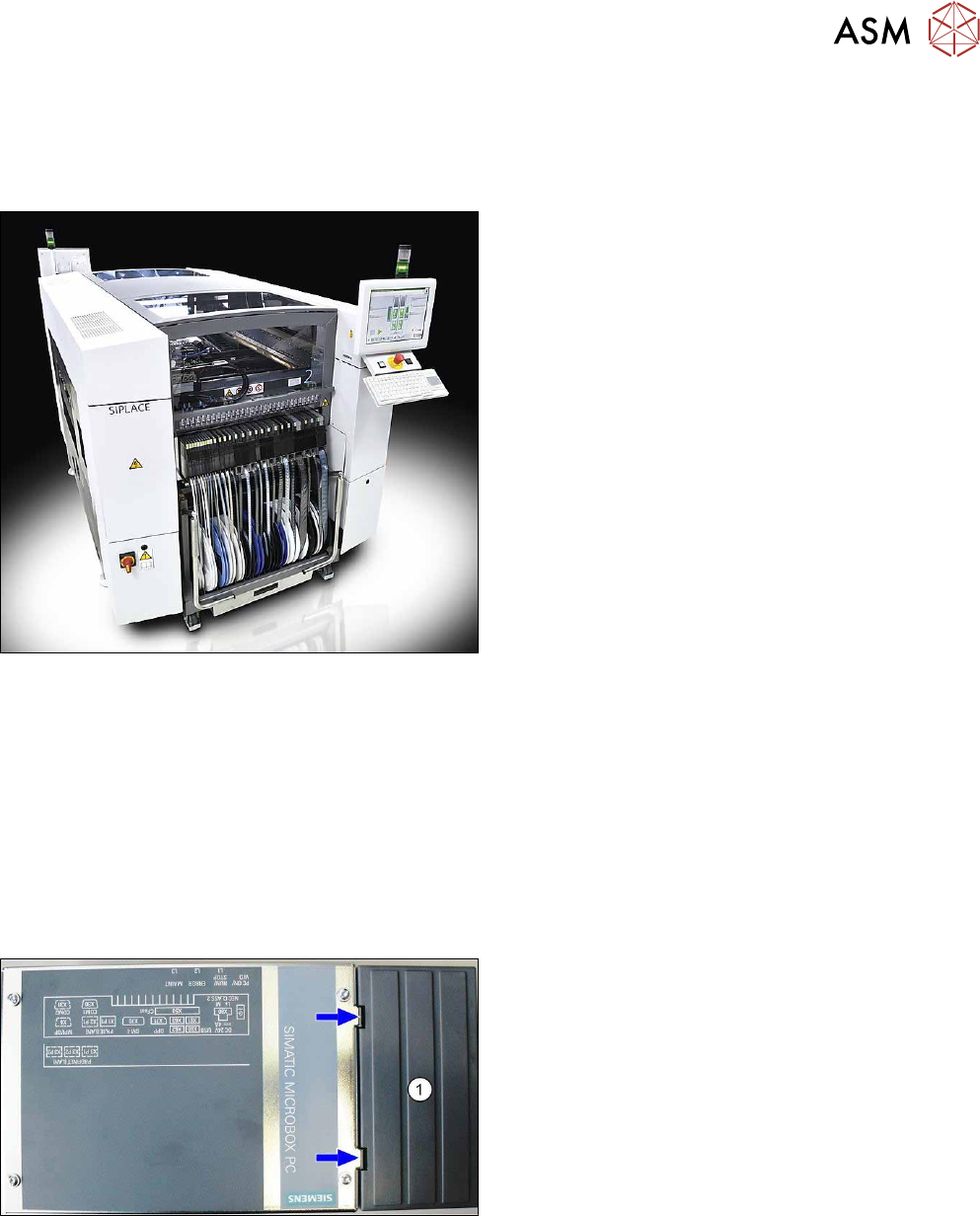
► Release the two locks on the plastic cover (1)
and remove these.
3 Retrofit kit for SX-Series
3.2 Preparatory steps
94 Assembly Instructions / Montageanleitung SIPLACE BulkFeeder X Retrofit Kit for SX Series and X Series S 07/2017
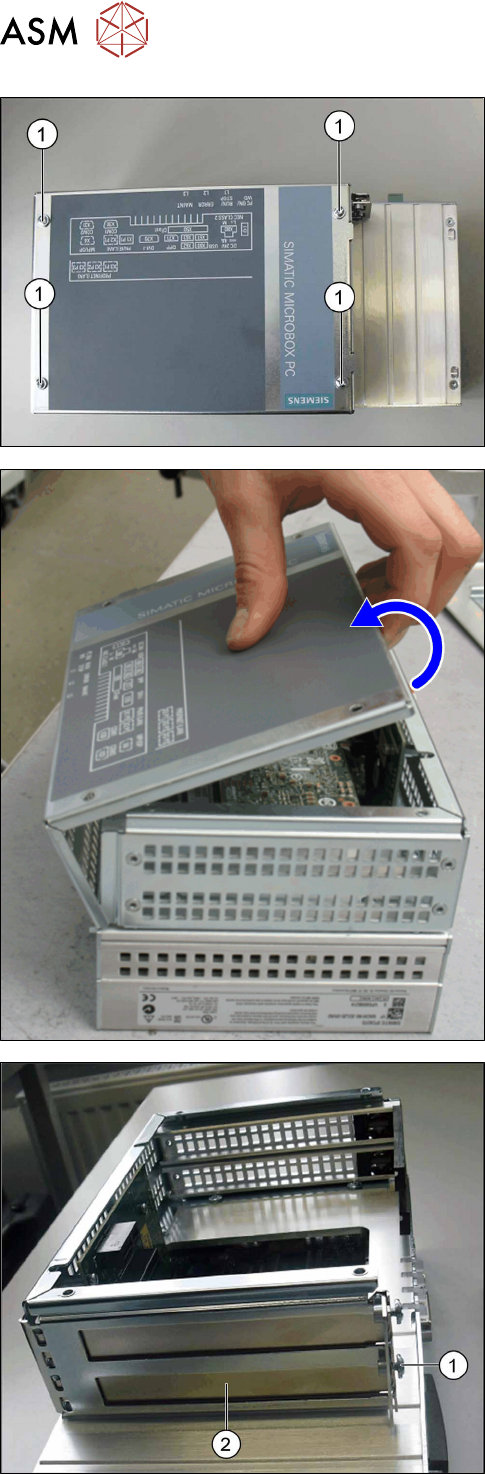
► Remove the screws (1) on the housing cover.
► Swing open the housing cover; it is held on the
folding edge by two hinges.
► Open the cover and lift it off the hinges.
► Place the cover to one side.
► Remove the screw (1) fastening the lower pro-
tective cover (2).
► Pull the protective cover off its fixtures.
► Keep the fastening screw (1). The protective
cover (2) is no longer needed.
3 Retrofit kit for SX-Series
3.2 Preparatory steps
Assembly Instructions / Montageanleitung SIPLACE BulkFeeder X Retrofit Kit for SX Series and X Series S 07/2017 95
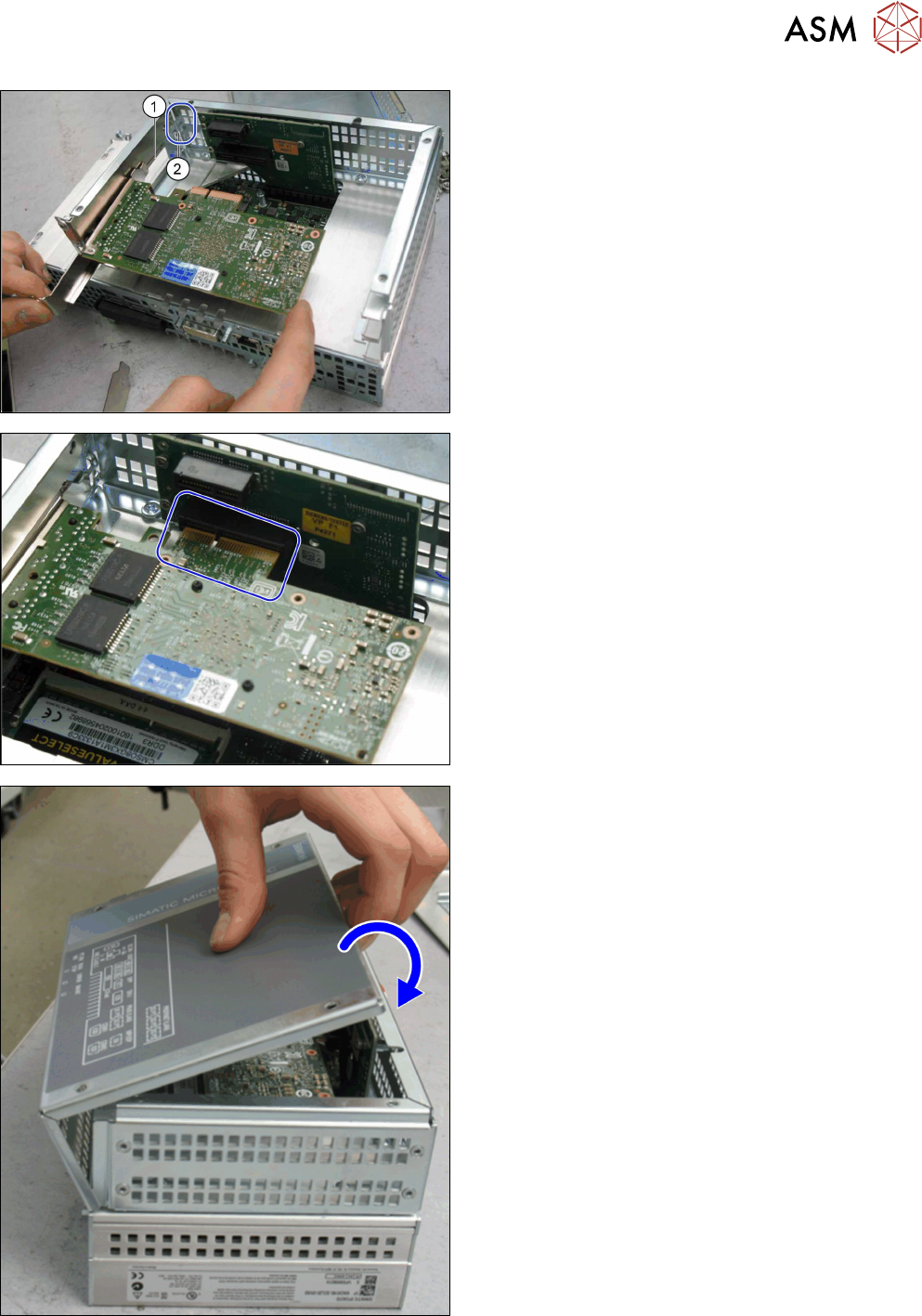
► Insert the GigE card in place of the protective
cover. Make sure that the "nib" on the guide rail
(1) correctly engages at the point where it is in-
serted (2).
► The card has a press-fit connection at the head
end. When inserting the GigE card, make sure
that this press-fit connection engages correctly
with the point opposite into which it is inserted.
► Use the fastening screw previously removed to
screw the GigE card tight.
► Close the computer: place the housing cover
back onto the hinges at the side.
► Swing the cover closed, until it engages in the
computer frame.
► Use the screws to fasten the cover.