N7201A616E00_0317.pdf - 第101页
NPM-W 2 EJM7DE-MB-02O-0 0 2-2-1 -10 Preparatio n
NPM-W2 EJM7DE-MB-02O-00
2-2-1-9
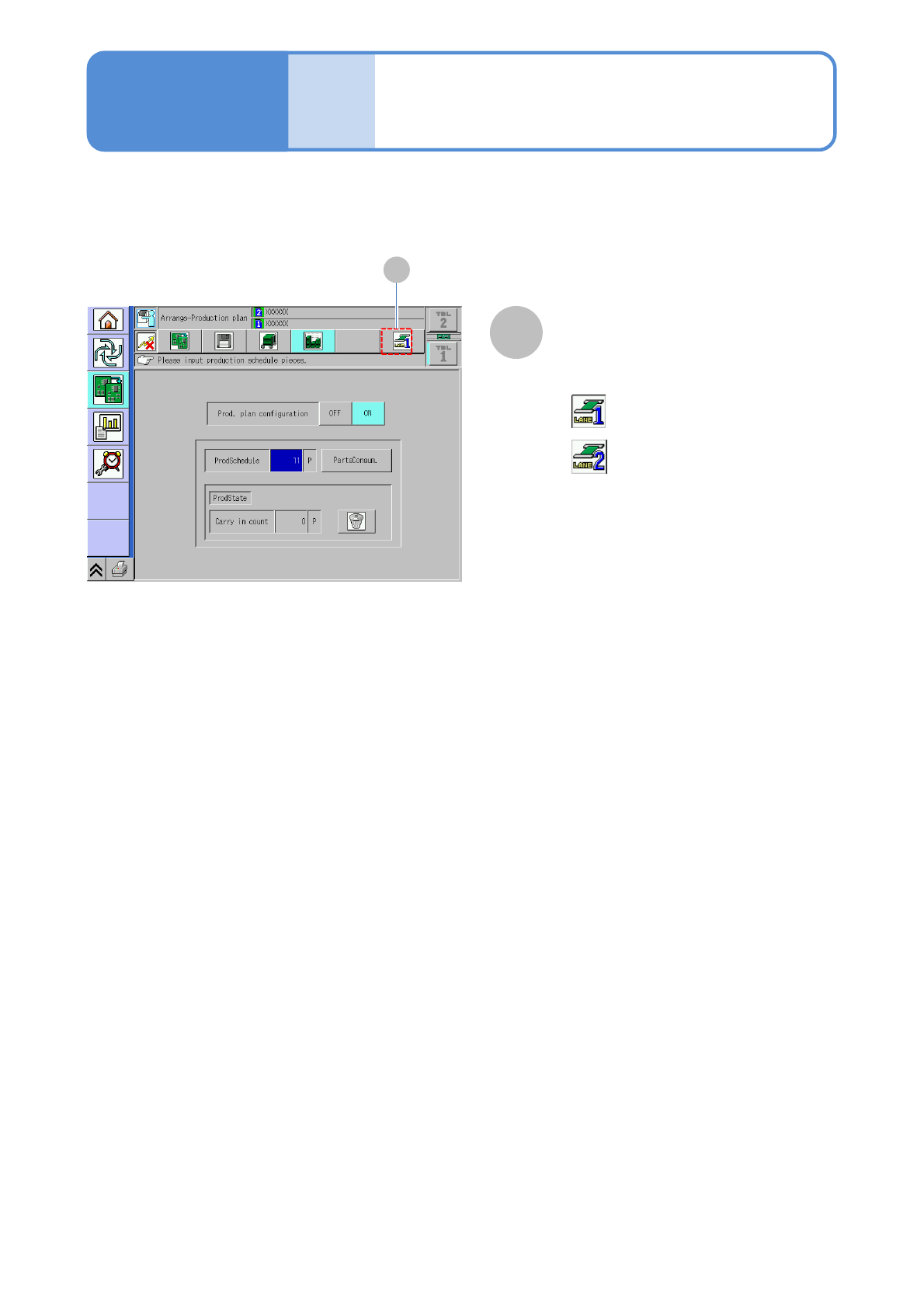
Choosing the dual conveyor enables you to switch the lane between 1 and 2.
Lane switch button
A
A
●Every time you pressed, the mode
switches.
:Lane 1
:Lane 2
●If the button is not activated or the
production data is installed only for one
lane, it does not switch.
Compo-
nent
names
Touchscreen 5
Operating procedure
2-2-1

NPM-W2 EJM7DE-MB-02O-00
2-2-1-10
Preparation
NPM-W2 EJM7DE-MB-02O-00
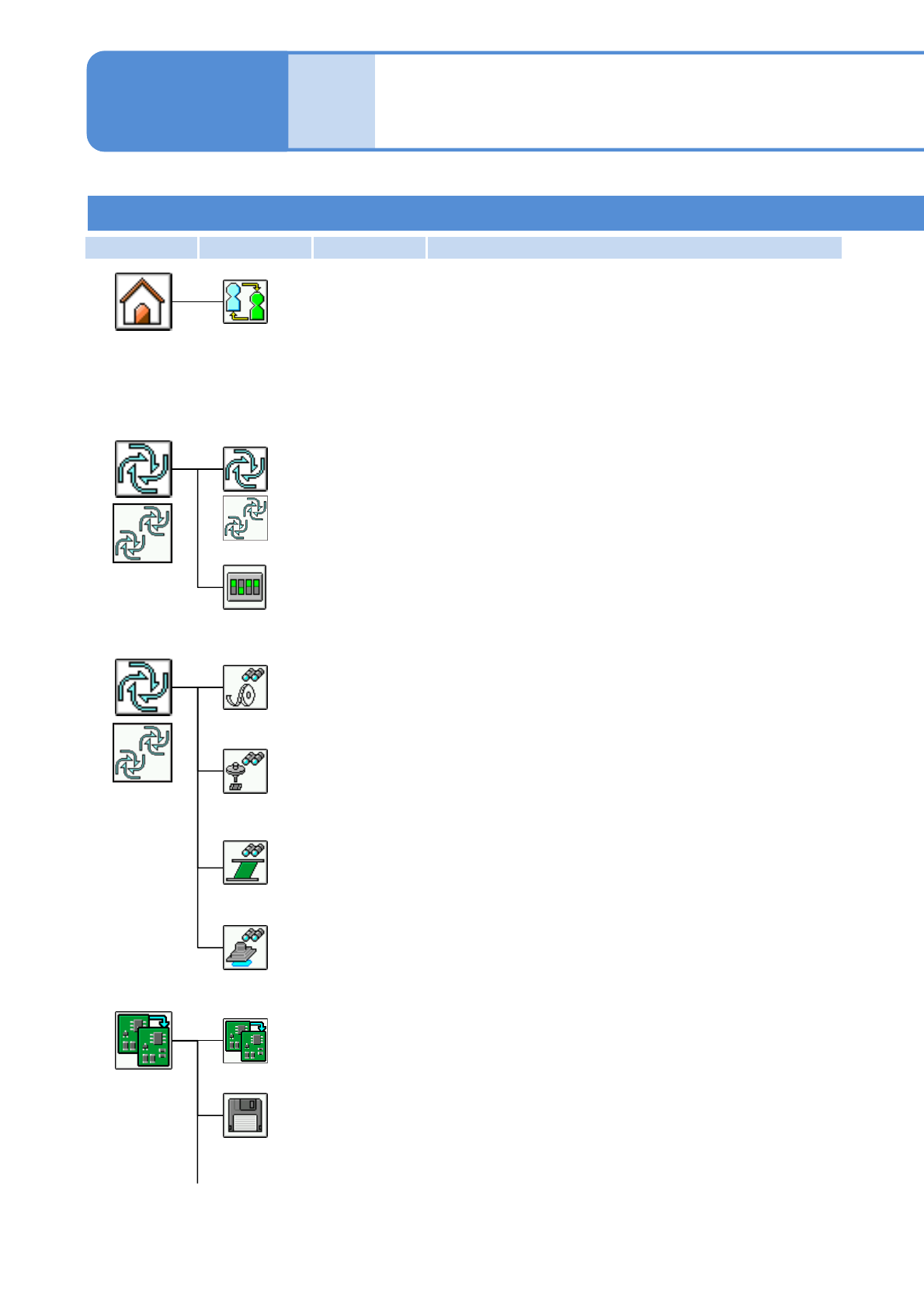
First layer Second layer Third layer Fourth layer
2-2-2-1
Operator mode 1
Compo-
nent
names
Menu configuration 1
Operating procedure
2-2-2
Production start
Starts automatic production.
Adjustment soft switch
Temporarily changes the operating environment to debug the machine.
Production
menu
(before
production)
Remaining monitor
Checks information on the component shortage of each table in line.
Checks pickup status.
Pickup monitor
Status monitor
Displays production information during operations, parts shortages and
other status.
Production
menu
(during
production)
Inspection monitor
Displays inspection status during operation.
Continuous preparation
Controls individual preparation before production, per process.
Handles files; for example, loading machine data and saving machine
parameters.
File operation
Preparation
menu
Changes the operation mode.
Operation mode change
Home menu
*1)
*2)
*1)
*2)
*1)・For single lane mode
・For alternate mode on the dual lane mode
*2)・For independent mode on the dual lane mode
*1)
*2)