N7201A616E00_0317.pdf - 第524页
NPM-W 2 EJM7DE-MB-06O-0 0 6-2-14 -3 Dummy dispensing teac h 2 (dispensing head) Produc- tion data teaching Operating procedure 6-2-14 1 Set a PCB on the PCB entrance 2 + (The PCB is loaded and the head camera moves to th…
NPM-W2 EJM7DE-MB-06O-00
6-2-14-2
Setting
change
Adhesive dummy dispensing is checked for each head. When there are problems, you can change the set
values and recheck the operation.
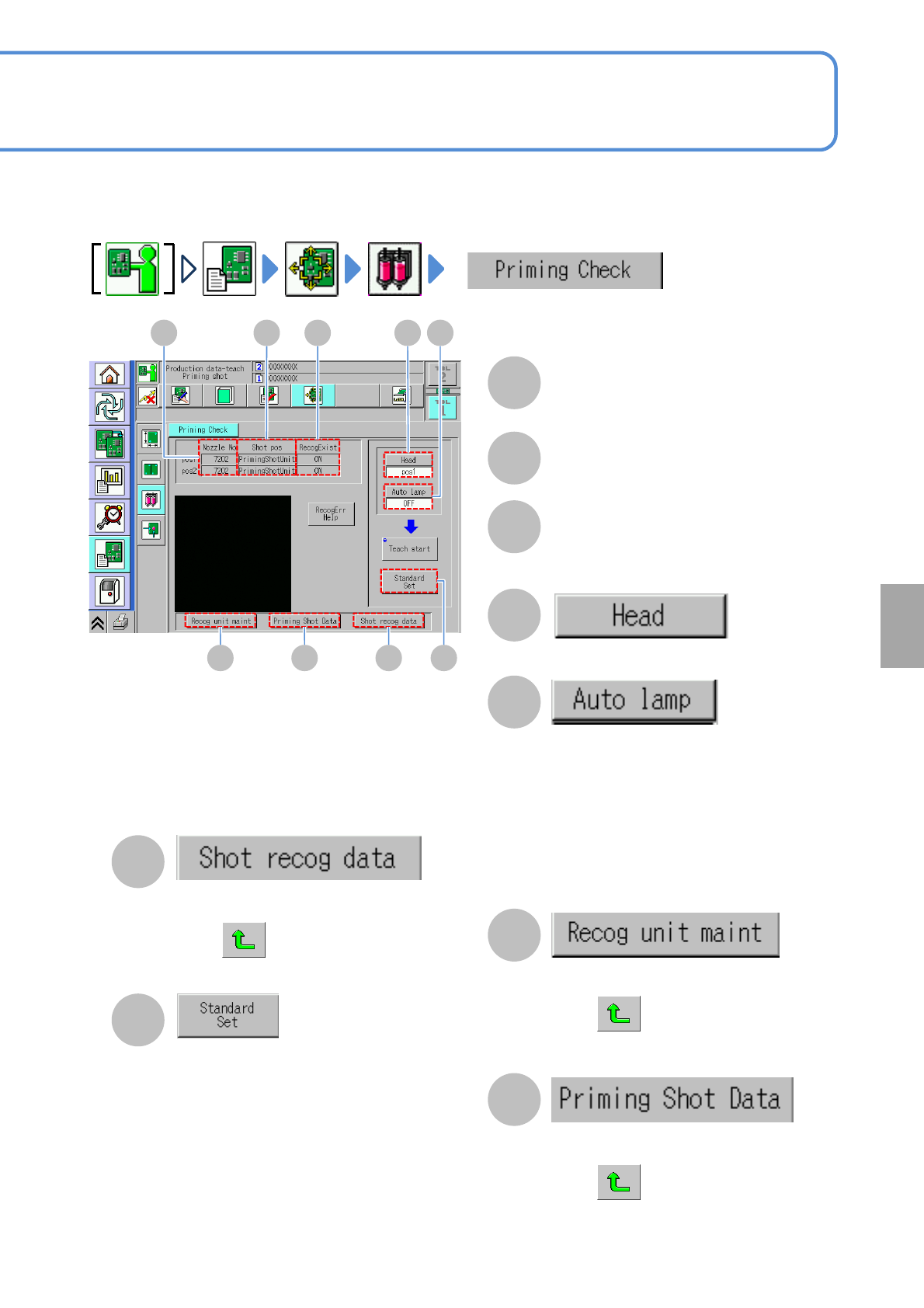
A B C D E
F G H I
A
Nozzle No
B
Shot pos
The dummy dispensing position (PCB,
dummy dispensing unit).
C
RecogExist
Whether to perform recognition or not
during dummy dispensing.
D
Choose the head to check dummy
dispensing.
E
Choose whether or not to automatically
adjust the lamp value before dummy
dispensing recognition.
Yes:
Recognition is
carried out with the optimal lamp value
adjusted automatically.
No:
Recognition is carried out with the set lamp
value.
F
The recognition device maintenance
screen is displayed.
Press after displayed.
The screen cannot enter into other
screens.
G
The dummy dispensing data screen of
the target data (to modify) is displayed.
Press after displayed.
The screen cannot enter into other
screens.
H
The recognition unit maintenance screen is
displayed. When the screen is displayed,
press . The screen cannot enter into
other screens.
I
The reference area check screen is
displayed.
The total area value to be the reference
is displayed as a result of adhesive
recognition.
This can be reflected on the production
data in comparison to the set data.
NPM-W2 EJM7DE-MB-06O-00
6-2-14-3
Dummy dispensing
teach 2 (dispensing head)
Produc-
tion data
teaching
Operating procedure
6-2-14
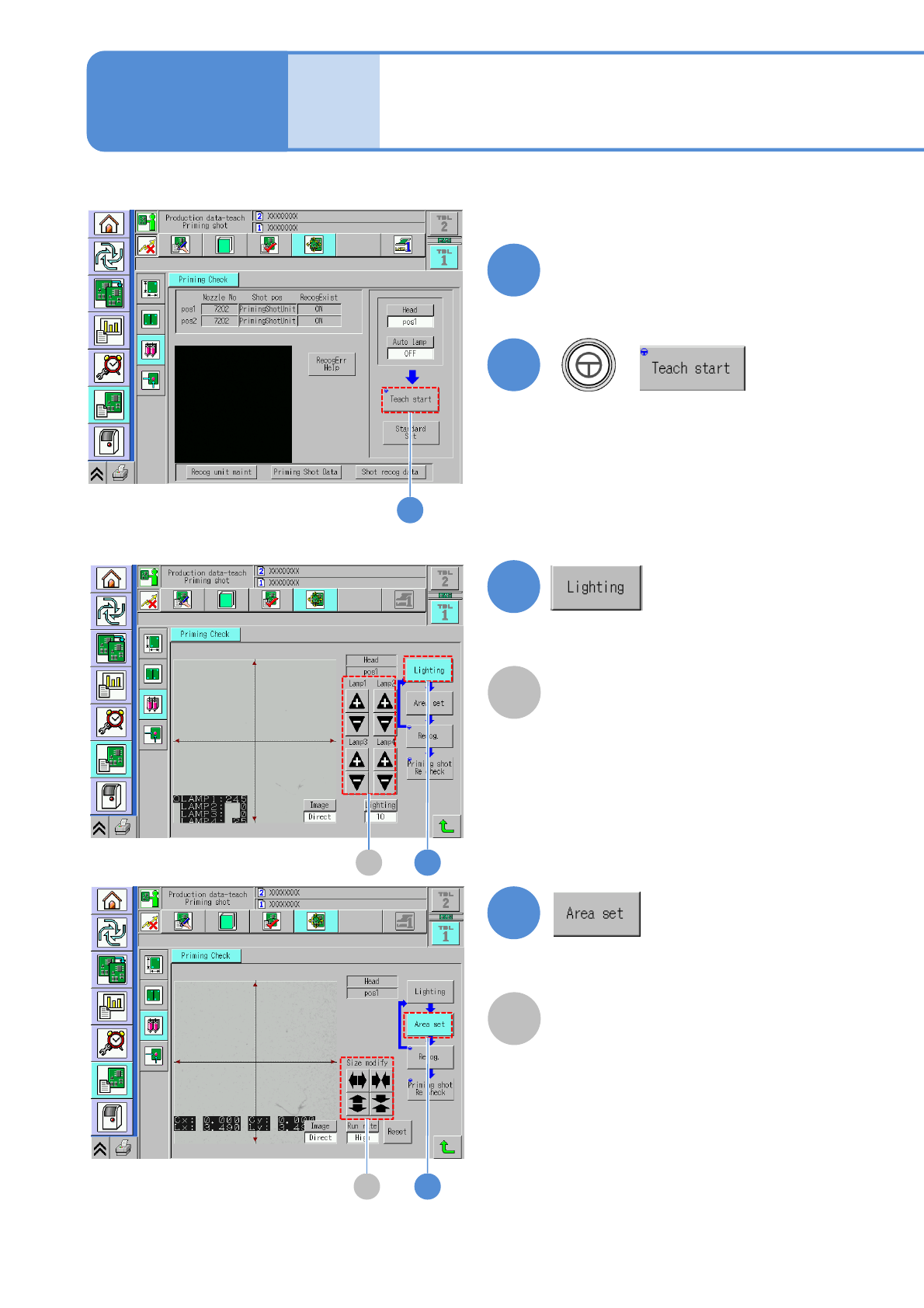
1
Set a PCB on the PCB entrance
2
+
(The PCB is loaded and the head
camera moves to the dummy
dispensing position.)
2
●Only when dummy dispensing is
carried out on a PCB.
3A
3
A
Lamp value adjustment button
●When the lamp value is set to be
adjusted automatically, this step is not
necessary.
4B
4
B
Area size change button
Manually set the recognition search area.
NPM-W2 EJM7DE-MB-06O-00
6-2-14-4
Setting
change
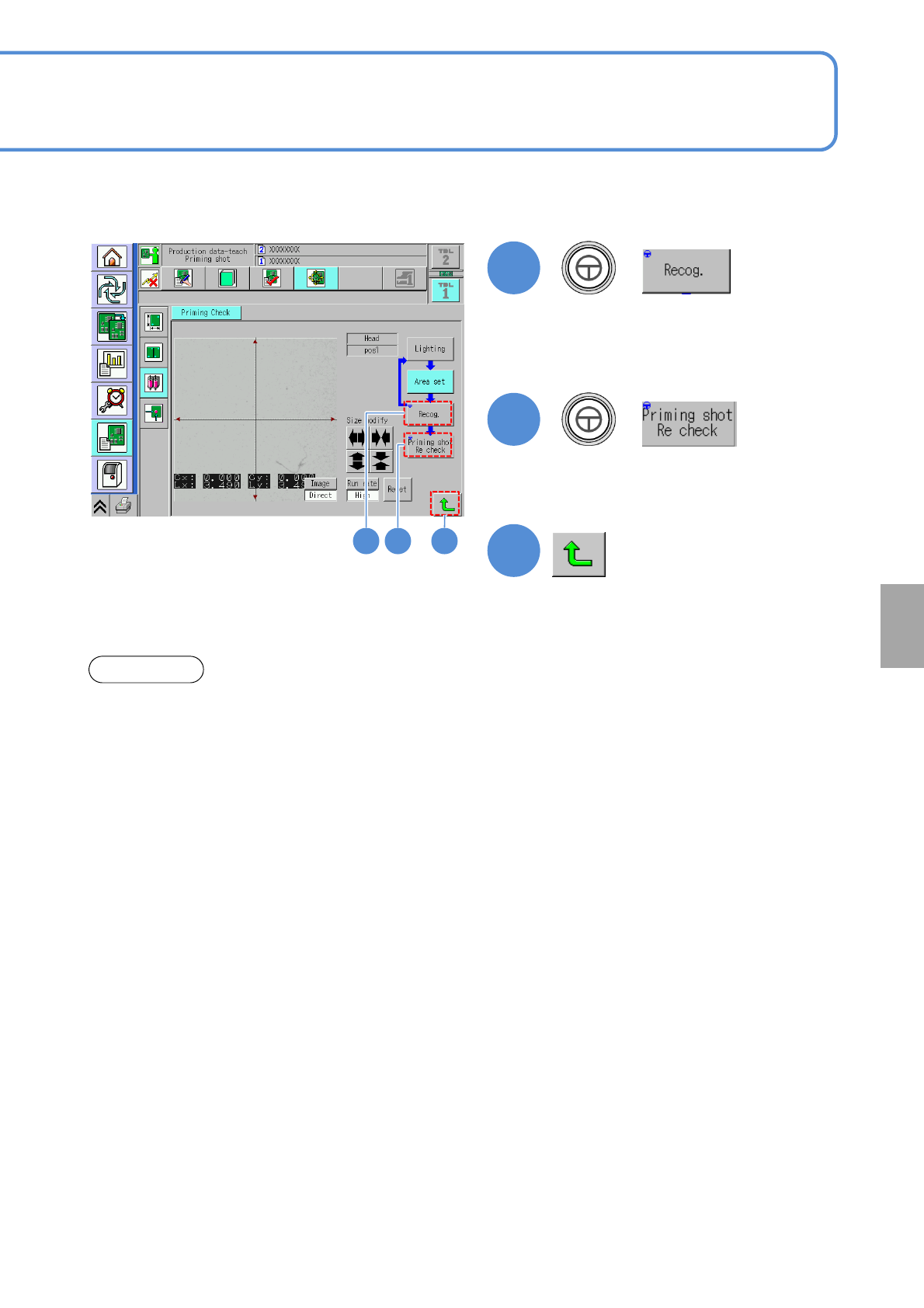
5
+
●The recognition is carried out against
the current coordinate position.
When recognition is judged OK, the
data is saved.
6
+
●Over 20 minutes elapsed after the current temperature reaches the preset temperature of the heater,
dummy dispensing teach should be performed.
●Confirm ejection before dummy dispensing teaching (more than 10 seconds).
●As for the reconfirmation of dummy dispensing, be sure to confirm more than 10 points.
NOTICE
7
(Returns to the dummy dispensing teach
screen)
65 7
●Make sure that a recognition is
normally activated.