N7201A616E00_0317.pdf - 第525页
NPM-W 2 EJM7DE-MB-06O-0 0 6-2-14 -4 Setting change 5 + ● The recognition is carried out against the cur rent coor dinate position. When rec ognition is judged O K, the data is saved. 6 + ● Over 20 minutes elapsed after t…
NPM-W2 EJM7DE-MB-06O-00
6-2-14-3
Dummy dispensing
teach 2 (dispensing head)
Produc-
tion data
teaching
Operating procedure
6-2-14
1
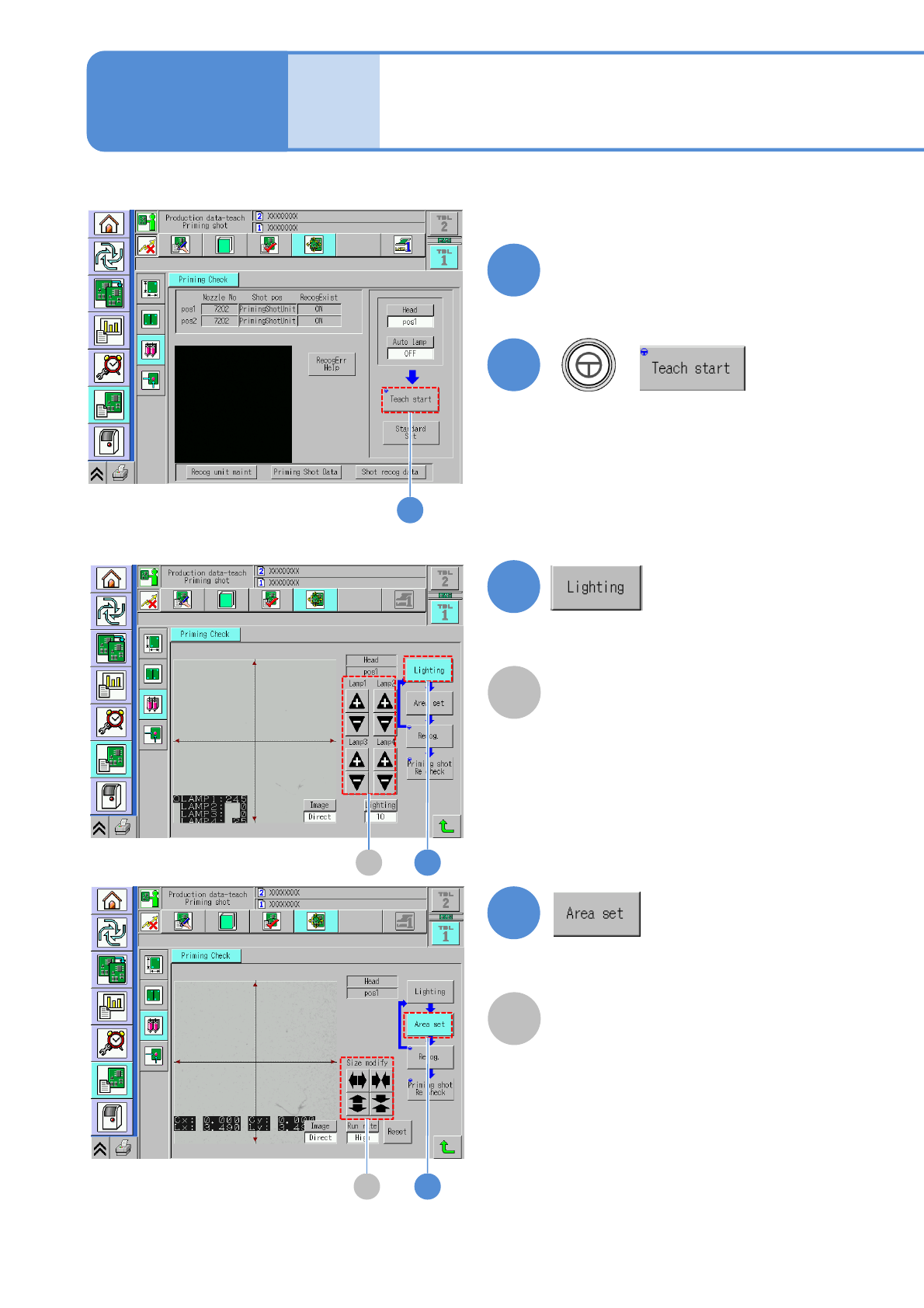
Set a PCB on the PCB entrance
2
+
(The PCB is loaded and the head
camera moves to the dummy
dispensing position.)
2
●Only when dummy dispensing is
carried out on a PCB.
3A
3
A
Lamp value adjustment button
●When the lamp value is set to be
adjusted automatically, this step is not
necessary.
4B
4
B
Area size change button
Manually set the recognition search area.
NPM-W2 EJM7DE-MB-06O-00
6-2-14-4
Setting
change
5
+
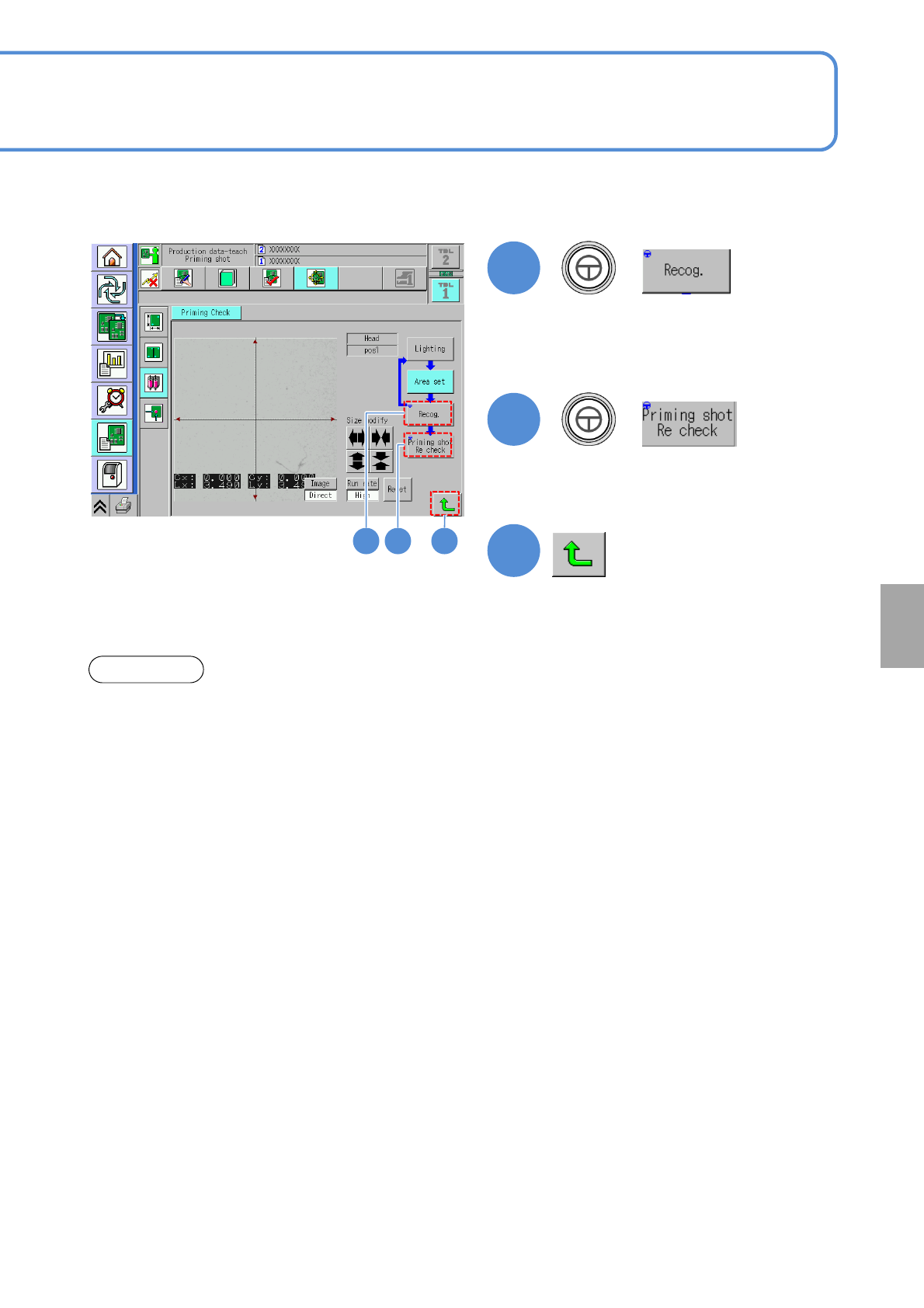
●The recognition is carried out against
the current coordinate position.
When recognition is judged OK, the
data is saved.
6
+
●Over 20 minutes elapsed after the current temperature reaches the preset temperature of the heater,
dummy dispensing teach should be performed.
●Confirm ejection before dummy dispensing teaching (more than 10 seconds).
●As for the reconfirmation of dummy dispensing, be sure to confirm more than 10 points.
NOTICE
7
(Returns to the dummy dispensing teach
screen)
65 7
●Make sure that a recognition is
normally activated.
NPM-W2 EJM7DE-MB-06O-00
6-2-14-5
Dummy dispensing
teach 3 (dispensing head)
Produc-
tion data
teaching
Operating procedure
6-2-14
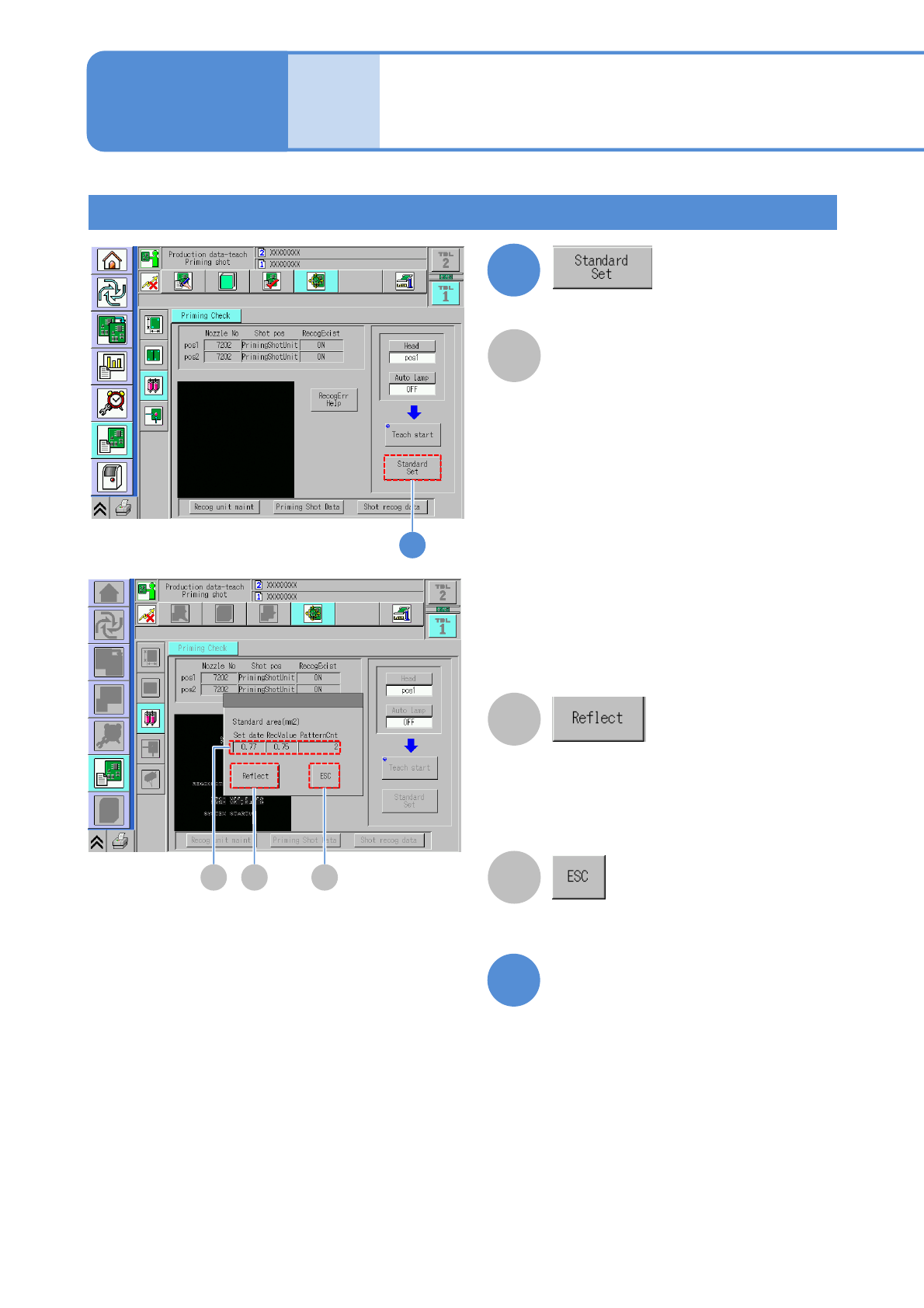
Standard area (mm
2
)
The value of [Ref. area value] of the
dummy dispensing recognition data is
displayed. (Unit: mm
2
)
RecValue:
The value of [Total area value]
obtained by dummy dispensing
recognition is displayed.
(When the result of recognition is not
normal, [---] appears.)
PatternCnt:
The number of detected adhesive
patterns is displayed.
(When the result of recognition is not
normal, [---] appears.)
On the occurrence of a dummy
dispensing recognition error, it is
displayed in yellow.
Confirming the reference area value
A
8
8
9
The values of [Reference area value] in
the Shot recog data is update to [Total
area value]. If an error occurs in dummy
dispensing recognition, the data cannot e
reflected.
The reference value setting screen is
ended.
Exit the dummy dispensing
teaching screen by entering
into other screen
B CA
B
C