N7201A616E00_0317.pdf - 第194页
NPM-W 2 EJM7DE-MB-02O-0 0 How to view screen 2-6 -1 F H l A E B C D Task name Descriptions Reference page File op. Loads or saves p roduction data dur ing production changeover. P.2-3-2 to 2-3-6 Change nzl Exchanges or c…
NPM-W2 EJM7DE-MB-02O-00
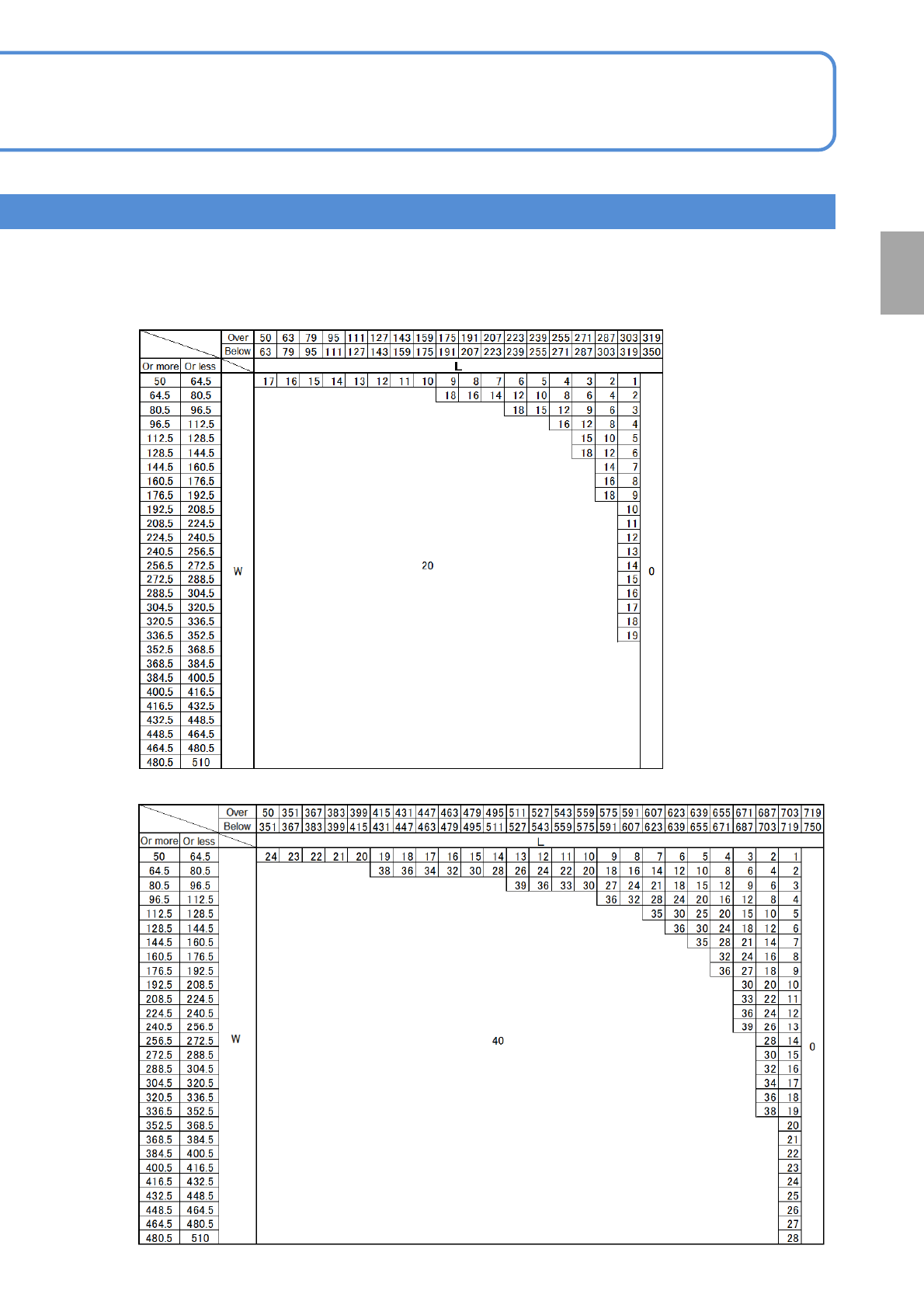
2-5-8-12
Preparation
■Dual conveyor
●S size PCB 2
nd
position Placement: when turned to ON
●S size PCB 2
nd
position Placement : when turned to OFF
NPM-W2 EJM7DE-MB-02O-00
How to view screen
2-6-1
F
H
l
A
E
B
C
D
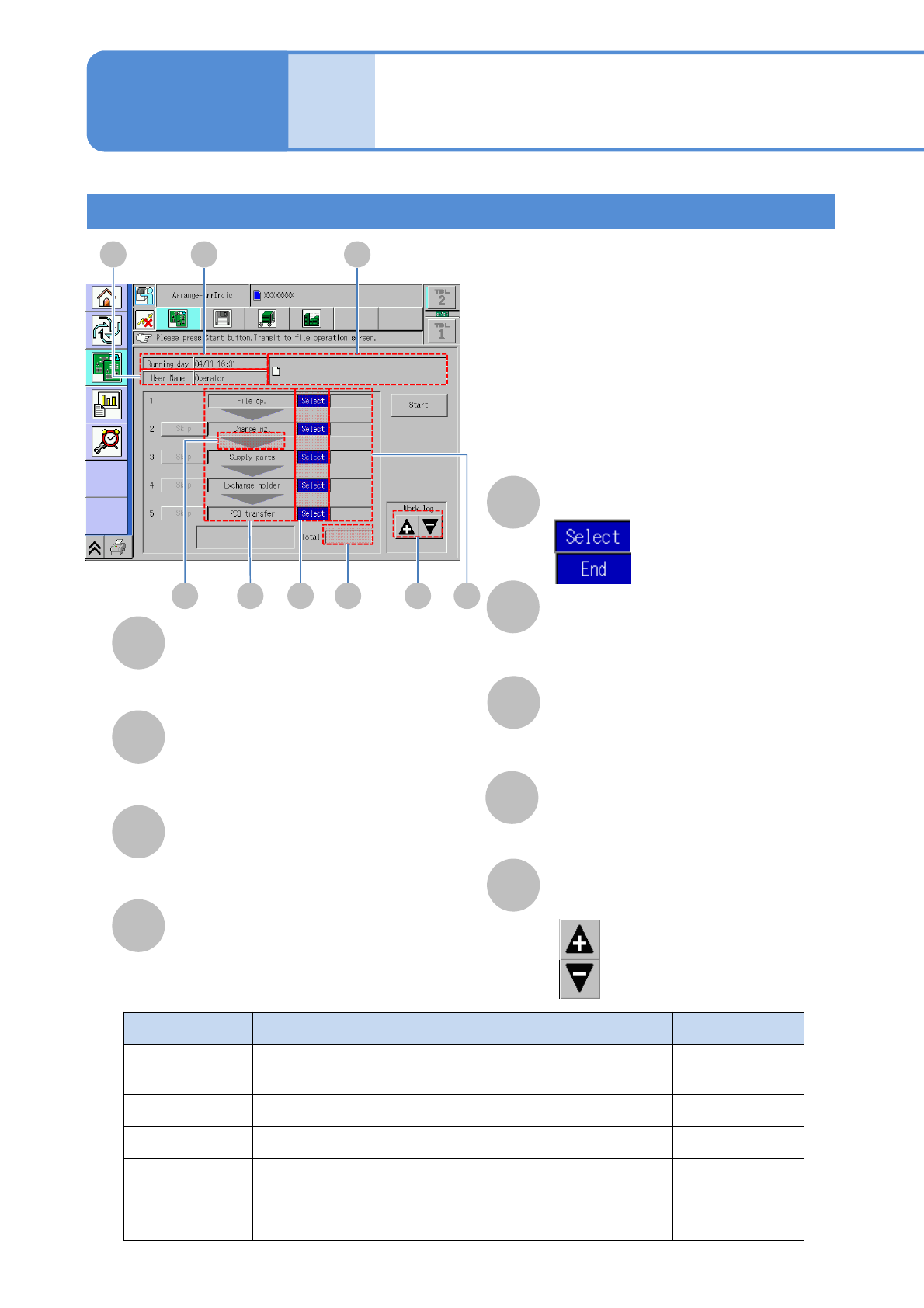
Task name Descriptions Reference page
File op.
Loads or saves production data during production
changeover.
P.2-3-2 to 2-3-6
Change nzl Exchanges or cleans nozzles. P.2-5-2
Supply parts Attach feeders. P.2-4-1 to 2-4-5
Exchange
holder
Replace the holder. P.2-5-3
PCB transfer Tests the transfer of PCBs. P.2-5-5
■Descriptions of each task
Continuous
preparations
Operating procedure
2-6
Running day
Work start date.
User Name
Operator’s name.
Lot name
The name of the lot of loading production
data or history data.
Work descriptions
Descriptions of the work to be executed.
Work condition
: planned
: done
Operating time
Time required for each preparation.
G
Total
Total time required for preparation.
Next work arrow
Descriptions of an upcoming work.
Work log: History of continuous
preparations
: the most recent history
: the past history
AB C
D GE I FH
NPM-W2 EJM7DE-MB-02O-00
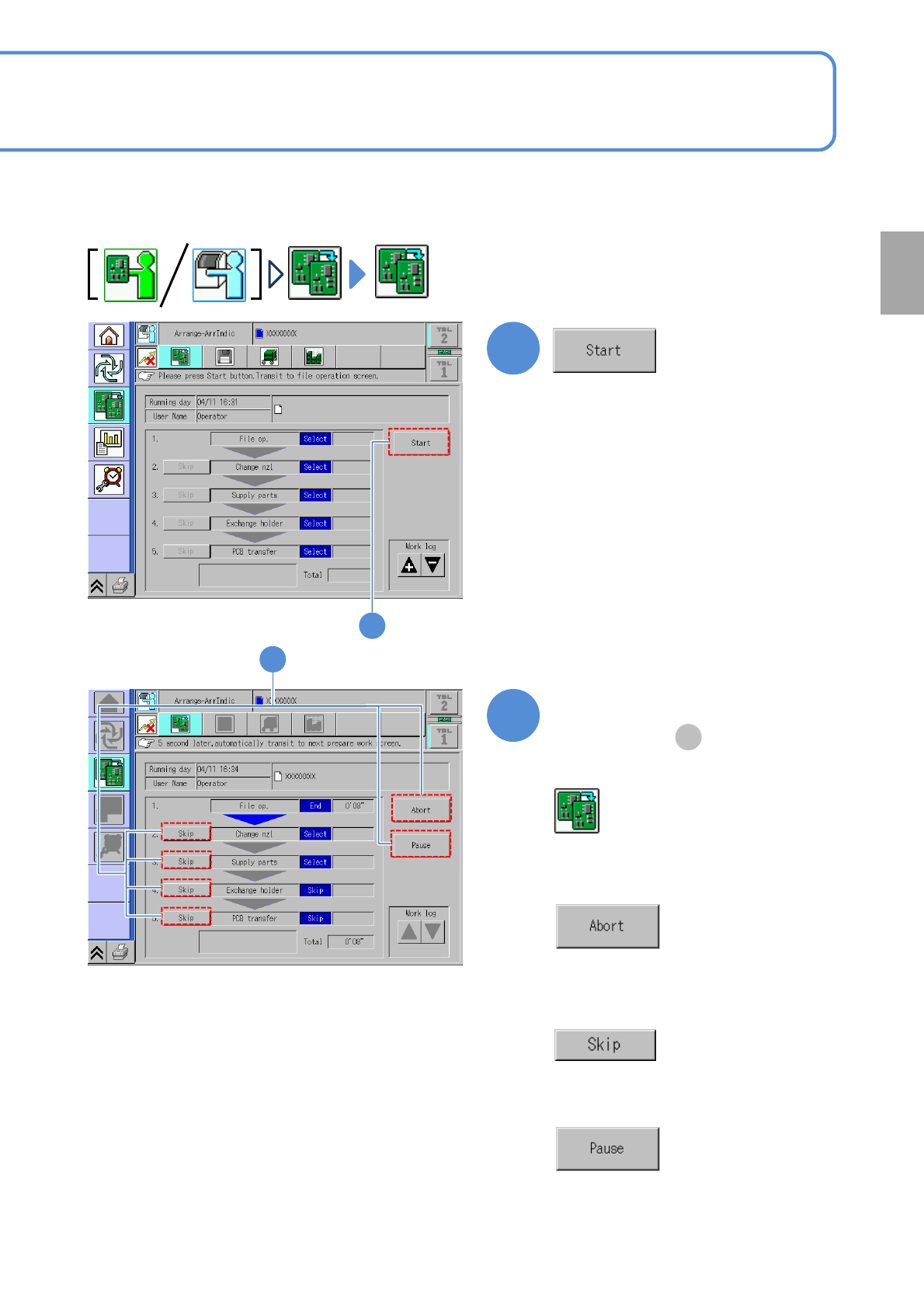
When using proven production history data, a series of preparation works can be performed successively.
●For individual preparation (→P.2-3-2 to P.2-5-5)
1
Perform each task in sequence
1
■To discontinue preparation
■To proceed to the next task
(Press [Yes] to return to the
Continuous preparation screen)
(The next preparation screen is displayed
in five seconds)
■To skip a task
●Press it again to cancel.
■To suspend preparation
●Press [Restart] to cancel.
●Skip settings is alterable even under
suspension.
2-6-2
2
2
(For details, see )
D
●Transitions to the changeover screen.
Preparation