N7201A616E00_0317.pdf - 第373页
NPM-W 2 EJM7DE-MB-06O-0 0 6-1-7 -2 Setting change
NPM-W2 EJM7DE-MB-06O-00
Data
editing
6-1-7-1
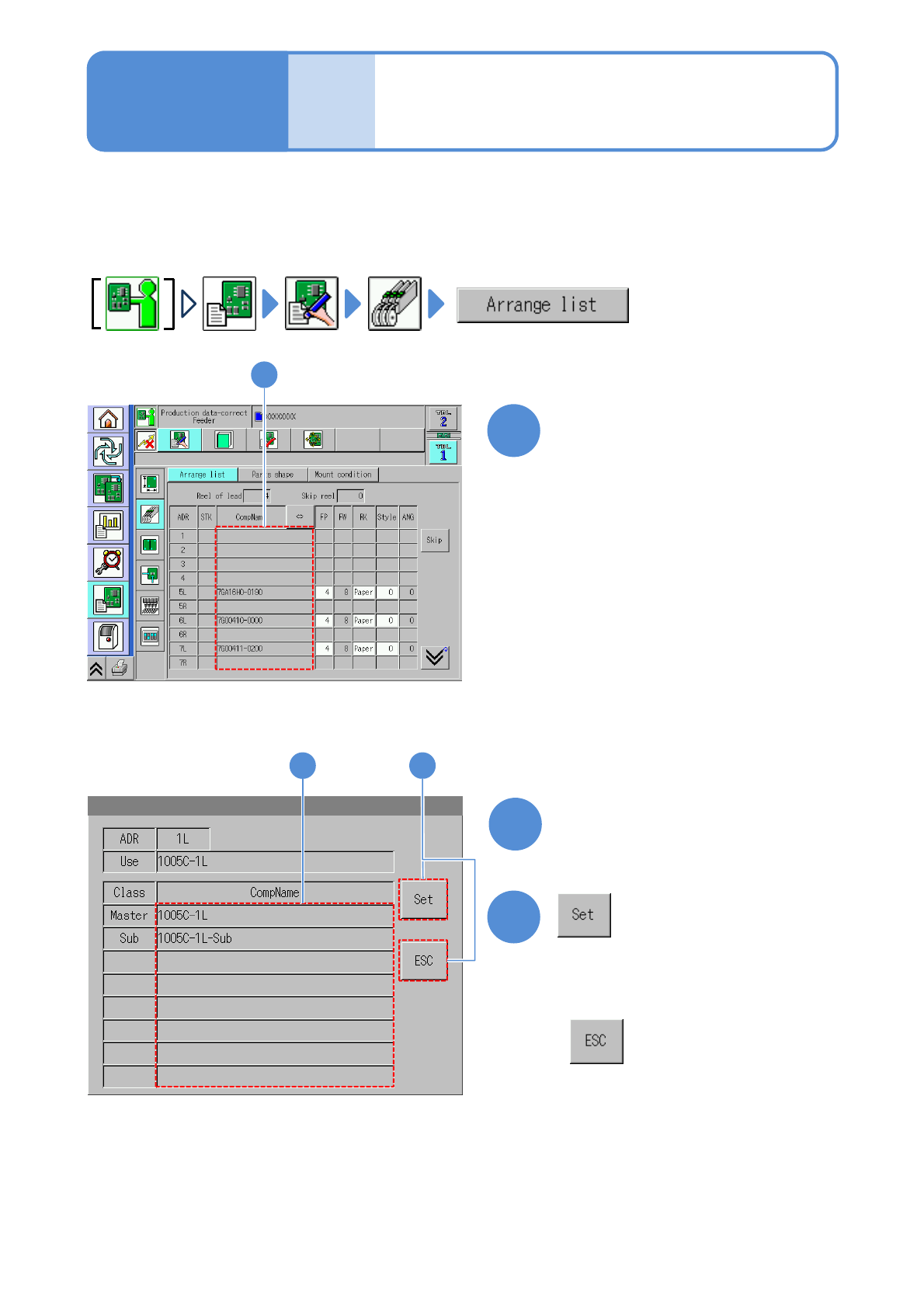
You can check and edit the substitute components data which is substituted with originally used master
components registered by DGS in advance.
1
1
Choose a component name
2
3
3
2
(The substitute component is registered)
Choose a substitute component
●Substitution component refill (→P.3-3-1)
Substitute components
registration
(intelligent feeder)
●Displayed components are the master
components.
■When you do not set
Operating procedure
6-1-7

NPM-W2 EJM7DE-MB-06O-00
6-1-7-2
Setting
change
NPM-W2 EJM7DE-MB-06O-00
6-1-8-1
Data
editing
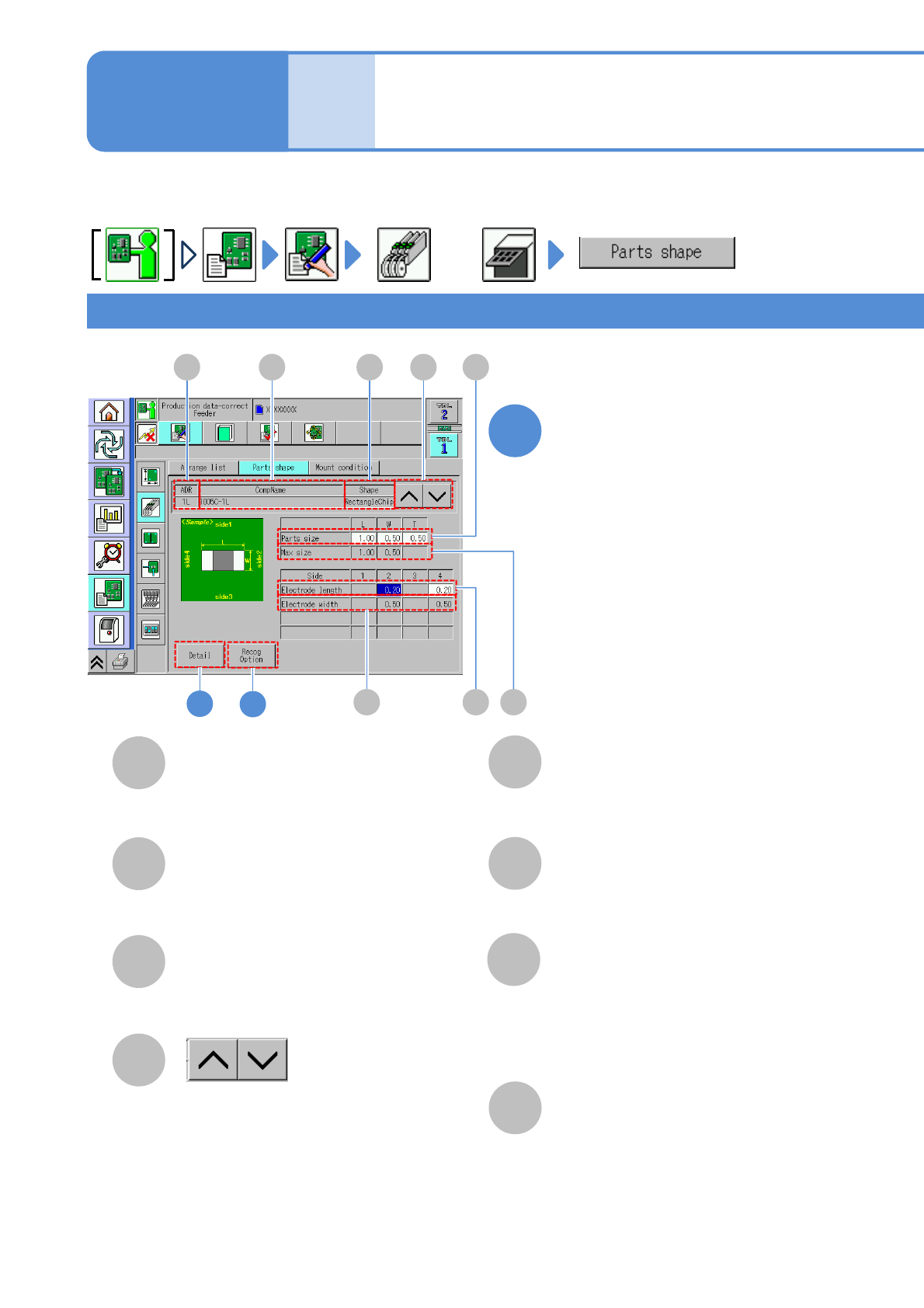
Describes how to check and edit the component data in the feeder or tray.
You can browse and change a part of data in the machine. Detailed data edit is performed on DGS.
E
G
F
H
B
C
D
A B C
H F
E
2
G
D
CompName
Shape
Shows the previous or next
component information.
2: Right electrode width.
4: Left electrode width.
1: Upper electrode length.
2: Right electrode length.
3: Lower electrode length.
4: Left electrode length.
Max. size
Parts size
Square chip component 1
Component shape data
edit 1
A
ADR (Address)
●Displays when it is set.
Electrode length
Electrode width
Edit the data of the desired
field on the screen
●Touching the screen opens the input
window.
1
or
Operating procedure
6-1-8
Address of a feeder.
(→P.3-2-3
-1)
3