N7201A616E00_0317.pdf - 第295页
NPM-W 2 EJM7DE-MB-04 O-00 4-4-3 -4 I J K G H Selects the NG location of the first component. Switches between lanes. After a PCB is unloaded; ● If the inspection result of a selected lane is OK and if the inspection resu…
NPM-W2 EJM7DE-MB-04O-00
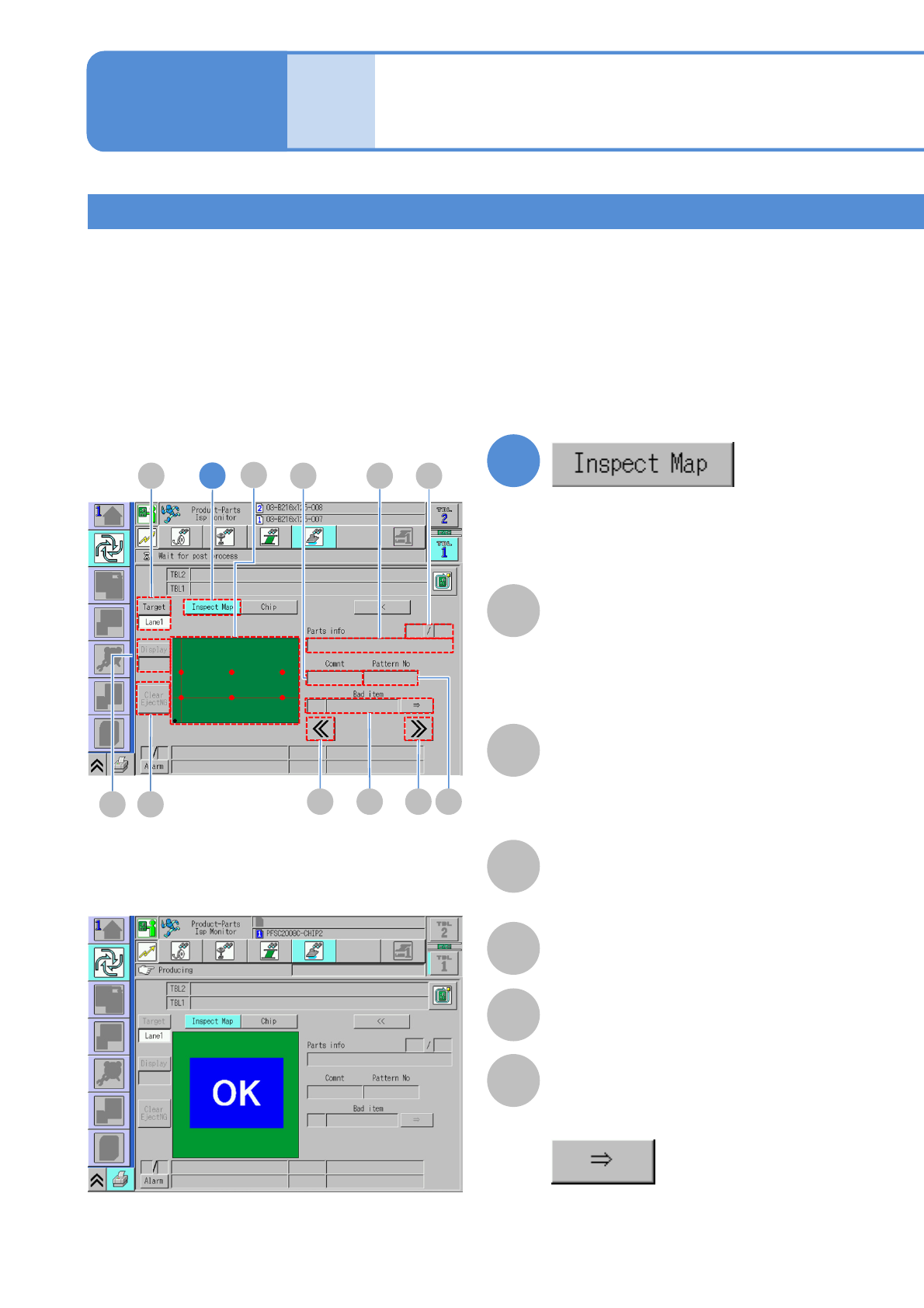
Inspection map
Denominator/Numerator
Denominator: The order of the displayed
inspection NGs.
Numerator: The total number of
inspection NGs.
Comment
Pattern No
Bad item
Displays the number and names of bad
items.
Helps you switch from one item name to
another.
Comp info
The name of the placement component .
Inspection monitor 2
Operating procedure
4-4-3
Produc-
tion
4-4-3-3
1
1
F E
A
BCD
G H
I
KJ
A
B
D
E
F
C
Displays the NG location on a PCB on
the map.
●Touching the screen enlarges a
selected defect, with a focus on the
defect.
Check the NG location of the last NG PCB unloaded on the map.
The details of the NG location can be checked by displaying the nature or cause of the defect or enlarging the
display of the NG location map.
●Do not press the foot switch of the conveyor before completing the inspection of the NG location or rework.
If the next PCB happened to be unloaded, the map would be updated reflecting the information on the next
PCB.
●When an inspection results in NG, a PCB, after being ejected, comes to rest on the ejection conveyor. Also,
the signal tower blinks and a buzzer sounds.
■Where inspection results in NG
■Where inspection results in OK
■Where defect is yet to be inspected
Explanation of the screen
NPM-W2 EJM7DE-MB-04O-00
4-4-3-4
I
J
K
G
H
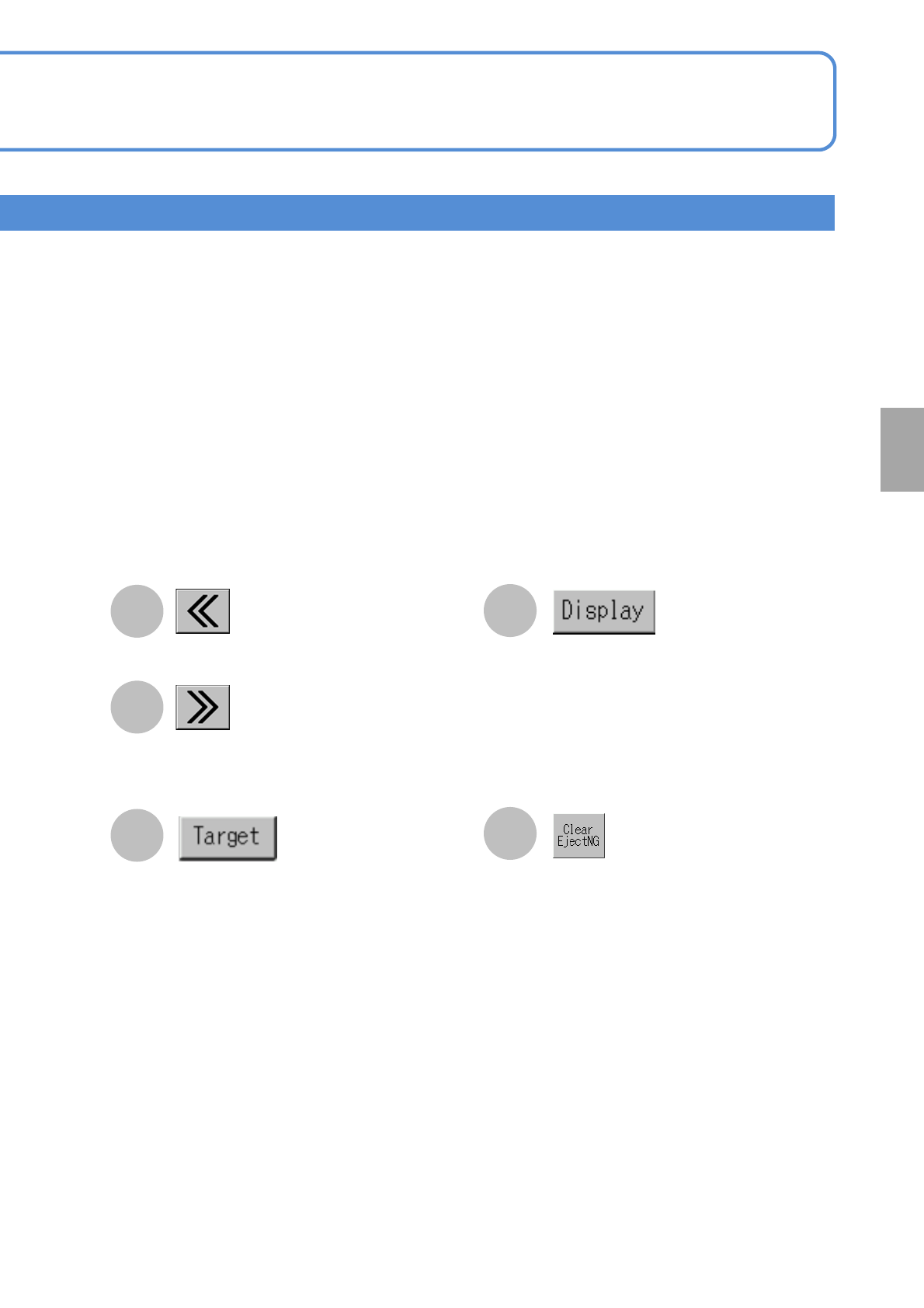
Selects the NG location of the first
component.
Switches between lanes. After a PCB is
unloaded;
●If the inspection result of a selected
lane is OK and if the inspection result
of the opposed lane is NG, it switches
to the opposed lane because higher
priority is given to NG information.
●When the inspection results of both
lanes are either OK or NG, it is not
switched over to the other lane.
Switches between component and solder
inspection maps, and displays the
current inspection map.
●When the map can be switched
between component and solder
inspection maps, the component
inspection map is displayed in
preference to solder inspection map.
(Returns to production condition)
●The signal tower turns green.
●The buzzer stops sounding.
Displays information on solder defect
judgment on the next component.
Component
inspection
NPM-W2 EJM7DE-MB-04O-00
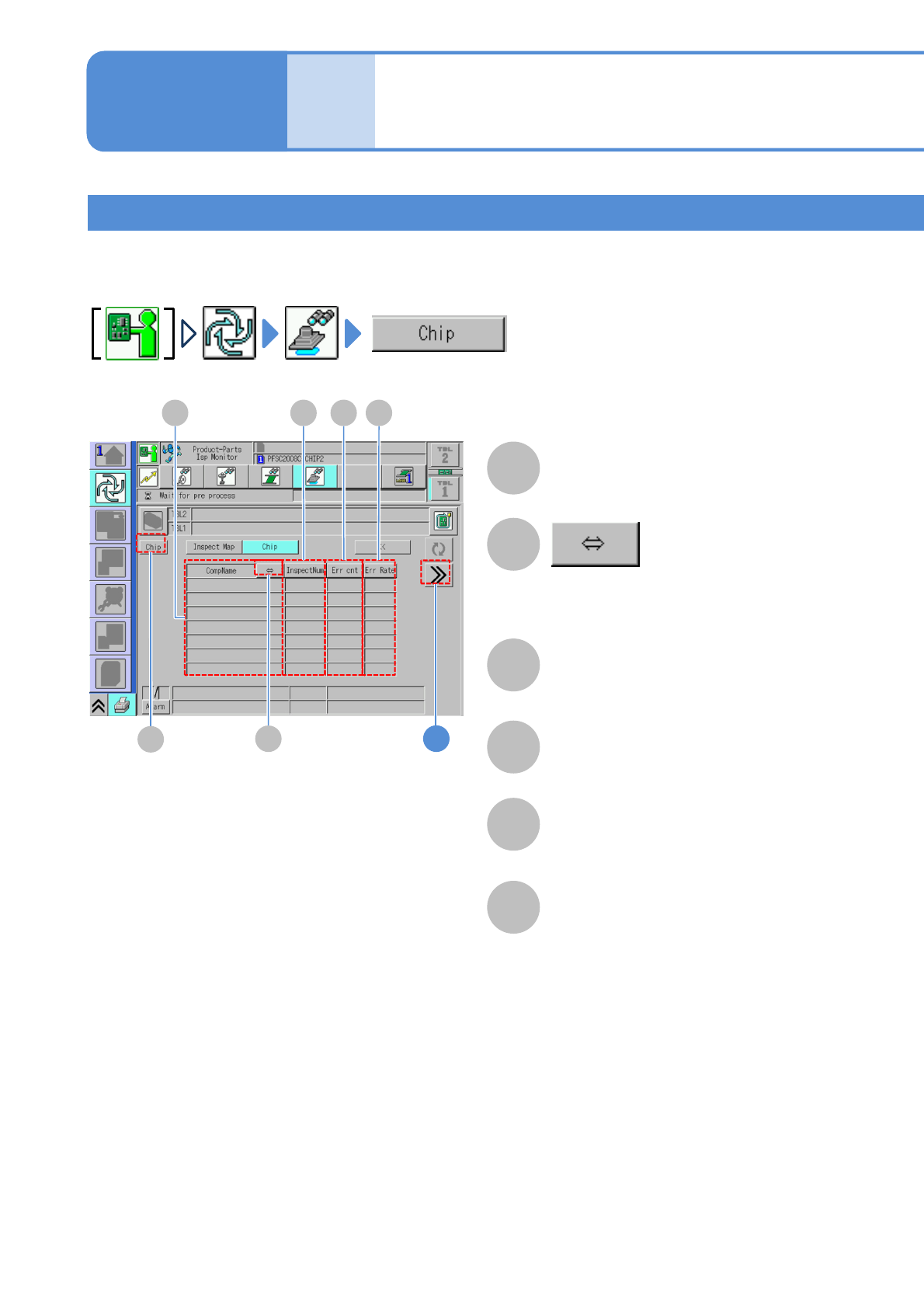
Error Cnt
Err Rate
InspectNum
CompName
The number of components judged as
defective in inspection.
(The number of errors/ the number of
inspection ) x 100(%)
4-4-3-5
Inspection monitor 3
Operating procedure
4-4-3
Produc-
tion
Component
A
B
C D E
1
F
A
B
D
E
C
F
Chip
In the cases such as these, where certain components produce a high concentration of defects, the
components judged as defective are checked on a per-component basis so that they are utilized to identify
and take measures against the causes of defects.
Scrolls to display a long component name.
Switches between component inspection
and solder inspection.