N7201A616E00_0317.pdf - 第574页
NPM-W 2 EJM7DE-MB-07 O-00 Unit setting Monitor setting 7-1-5 -1 Monitor setting You can configure the setting s related to the monitor. A B C 2 2 1 screen saver Enter the time (sec onds) to sh ut off the backlight. It do…
NPM-W2 EJM7DE-MB-07O-00
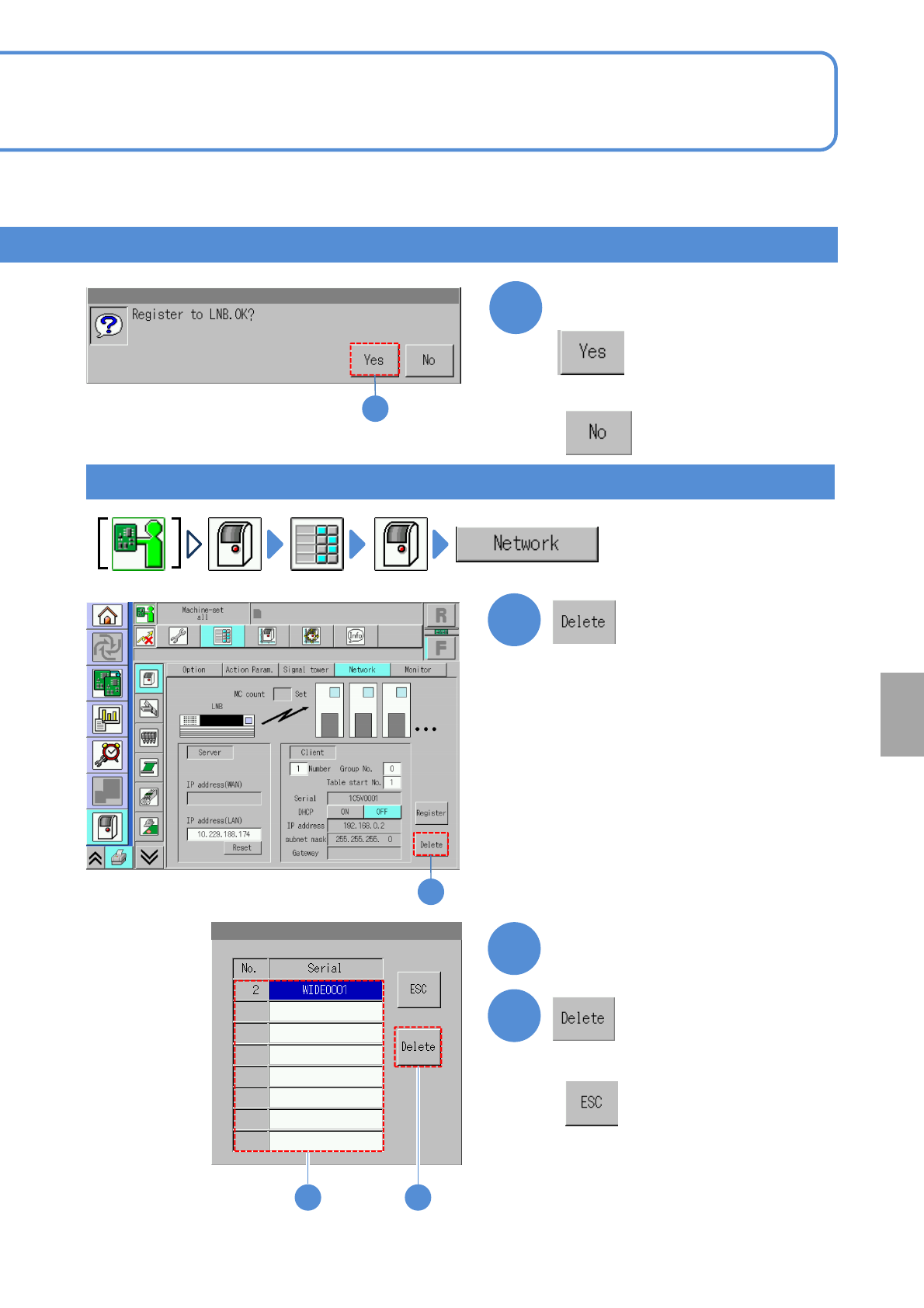
7-1-4-2
3
Confirm the message
(The machine serial list of LNB is
displayed)
Choose the machine number
Deleting the setup
3
1
1
2
3
2
3
■When you do not register
■When you do not delete
System
administration
NPM-W2 EJM7DE-MB-07O-00
Unit
setting
Monitor setting
7-1-5-1
Monitor setting
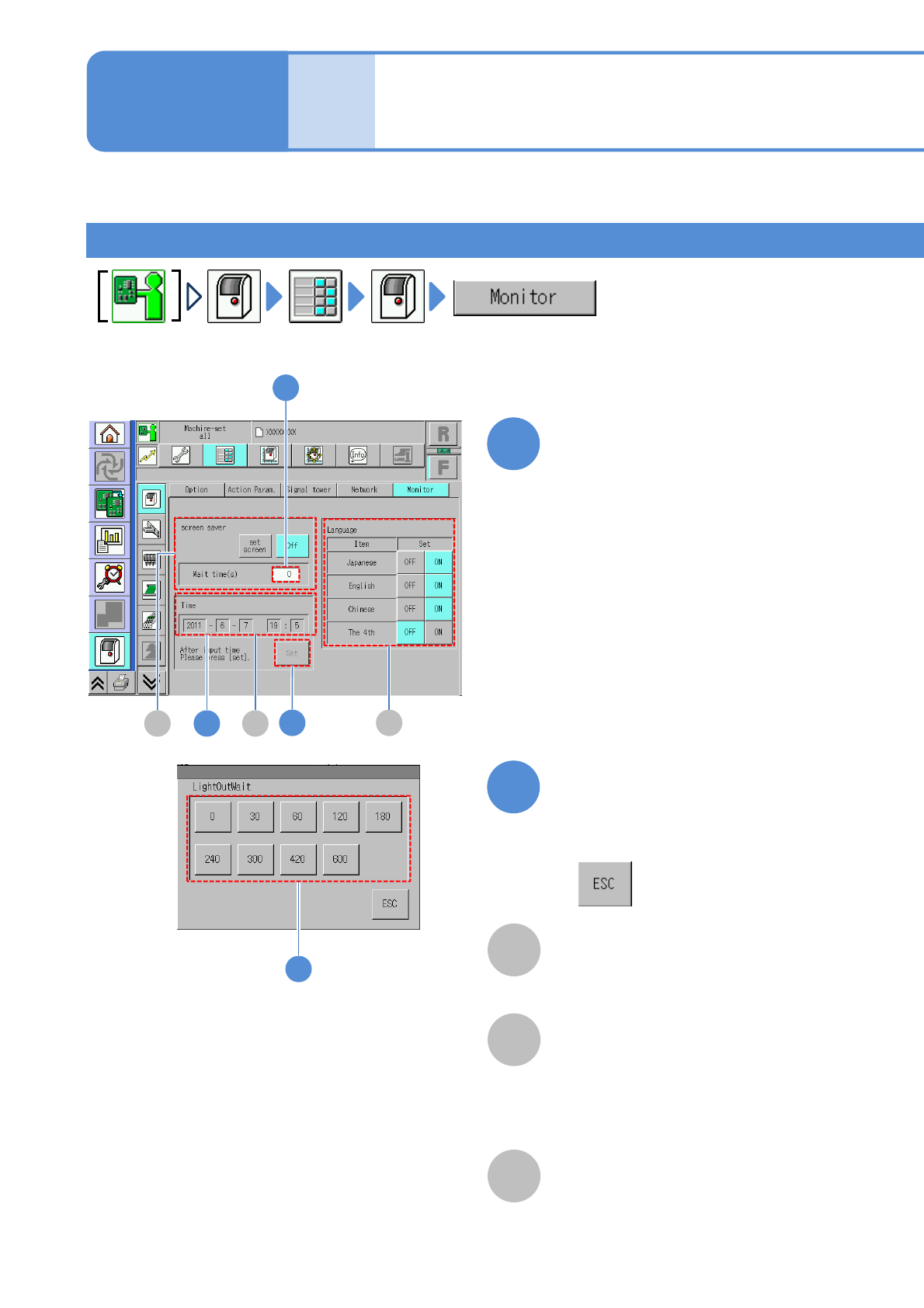
You can configure the settings related to the monitor.
A
B
C
2
2
1
screen saver
Enter the time (seconds) to shut off the
backlight.
It does not light off when ‘0’ is set.
Time
Enter the current time.
Language
Choose the display language from
among Japanese, English and Chinese.
Fourth language is optional.
Choose the waiting time to shut off
(The time is registered)
■When you do not choose the time
Change the numerical number
on the screen
●Touching the screen displays the
input window.
●If the machine is connected to LNB,
the time is adjusted to LNB side,
therefore, you cannot set the time on
the screen.
Operating procedure
7-1-5
■When changing the waiting time to
shut off the screen saver
A B
C5
1
3
NPM-W2 EJM7DE-MB-07O-00
7-1-5-2
6
3
4
5
4
4
3
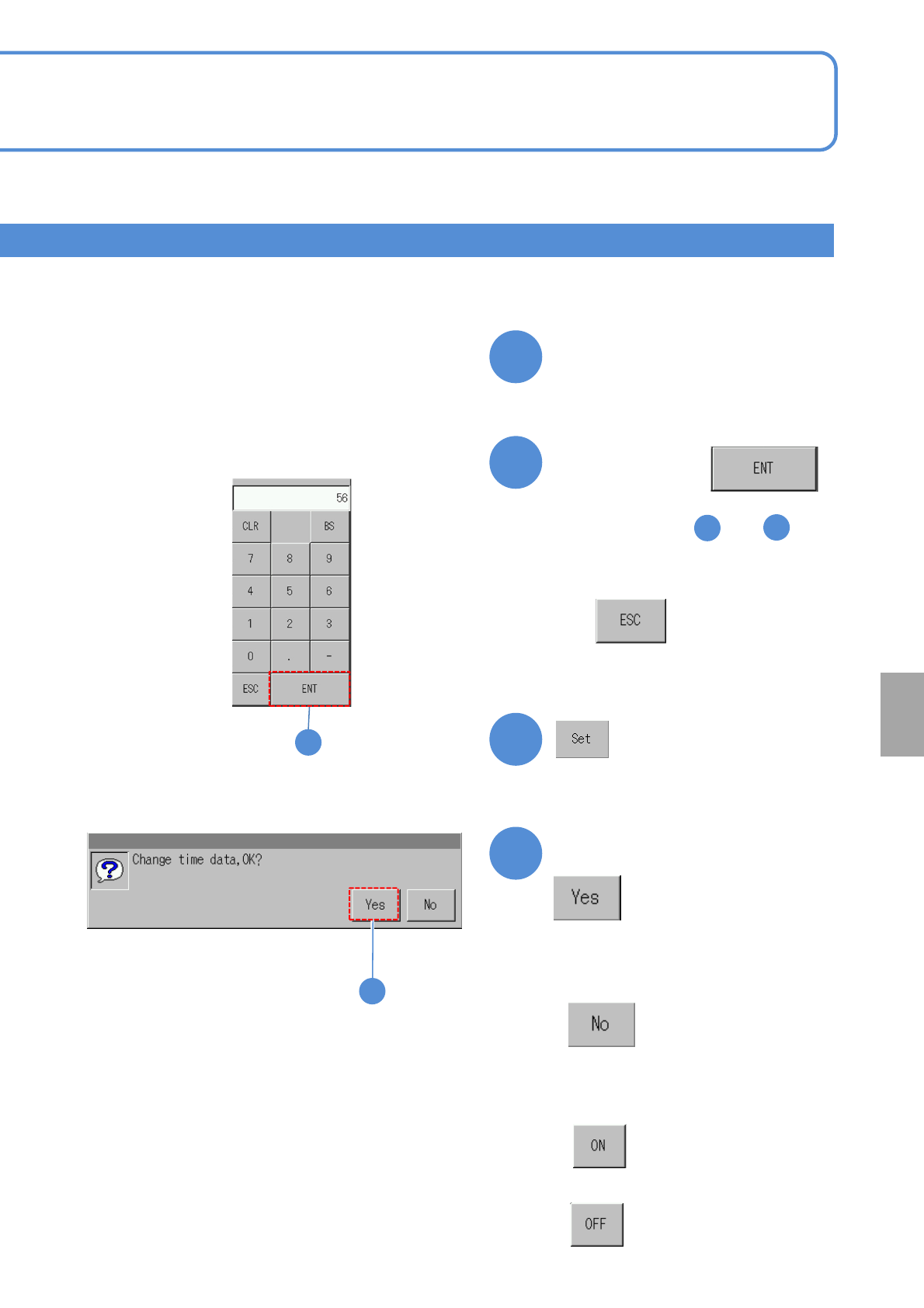
Confirm the message
(Ti
me starts)
Enter the
numerical value,
●Repeat the steps and
and enter year/month/date/time.
Change the numerical number
on the screen
●Touching the screen displays the
input window.
6
■When you do not enter
■To change the language
■To enable
■When you do not set time
■To disable
System
administration