N7201A616E00_0317.pdf - 第573页
NPM-W 2 EJM7DE-MB-07 O-00 7-1-4 -2 3 Confirm the message (The machine serial list of LNB is displayed) Choose the machine number Deleting the setup 3 1 1 2 3 2 3 ■ When you do not register ■ When you do not delete System…
NPM-W2 EJM7DE-MB-07O-00
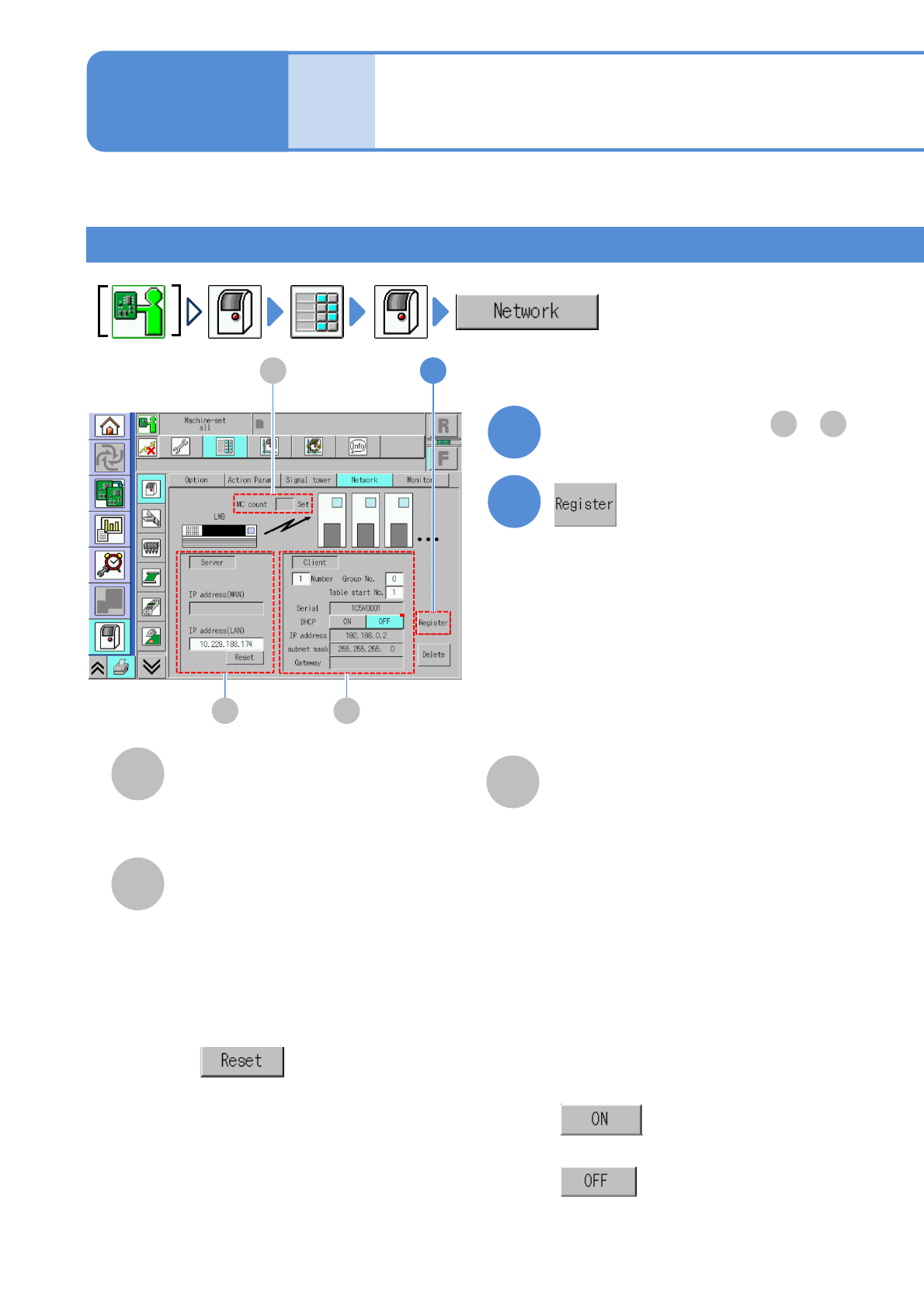
●DHCP
■To enter automatically
■To enter manually
Enter [IP address], [Sub-net mask] and
[Gateway].
Unit
setting
Network setting
7-1-4-1
A
B
2
A
B
You can configure communication between the machine and LNB.
C
C
Operating procedure
7-1-4
MC count
The number of machines coupled
together in line.
●For a stand-alone unit, MC count is not
displayed.
Server
LNB settings.
Client
Machine settings.
●IP address (WAN)
LAN network address on the WAN
side (for DGS).
●
Initializes IP address of LNB of the
partner that this machine is
communicating to.
●IP address (LAN)
IP address of LNB of the partner that
this machine is communicating to.
●Machine number
Enter the number of machines after
first in line (which number).
●Machine serial
Serial number.
1
Set required items from to
A C
2
Setup
●Group number
Enter the number of number of the
group to which this machine belongs
●Table start number
Display and configure the table start
number for the line of this machine
NPM-W2 EJM7DE-MB-07O-00
7-1-4-2
3
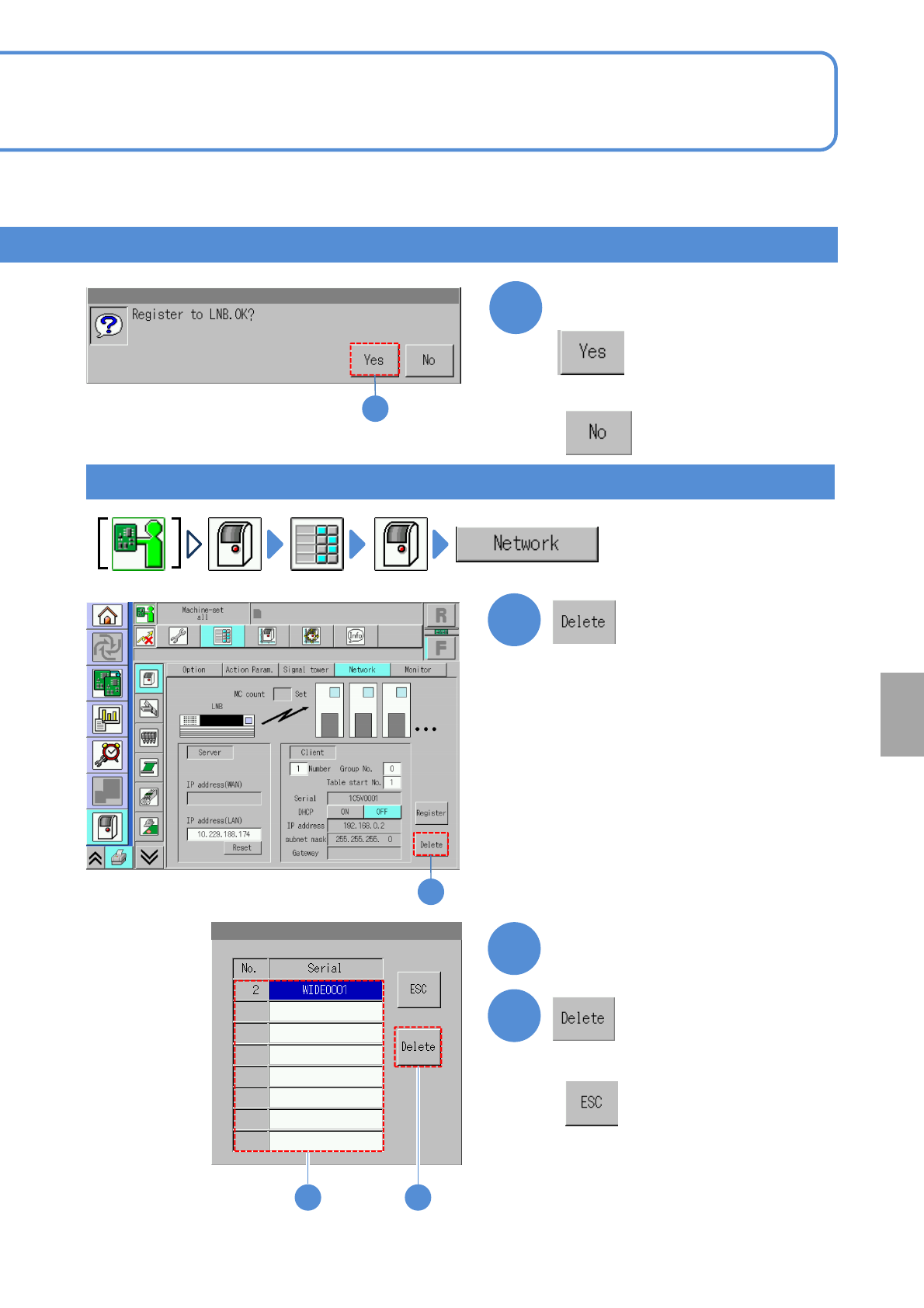
Confirm the message
(The machine serial list of LNB is
displayed)
Choose the machine number
Deleting the setup
3
1
1
2
3
2
3
■When you do not register
■When you do not delete
System
administration
NPM-W2 EJM7DE-MB-07O-00
Unit
setting
Monitor setting
7-1-5-1
Monitor setting
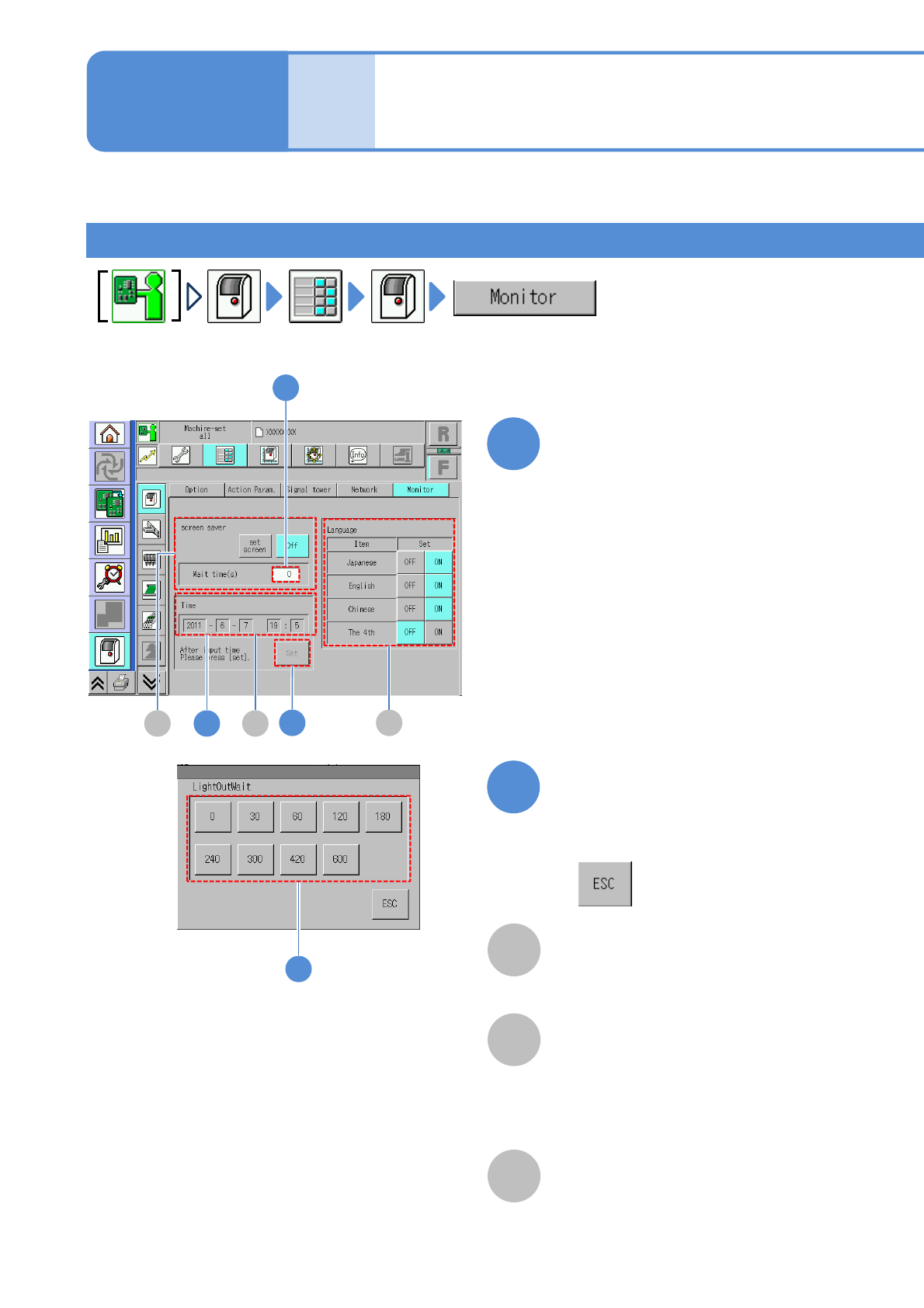
You can configure the settings related to the monitor.
A
B
C
2
2
1
screen saver
Enter the time (seconds) to shut off the
backlight.
It does not light off when ‘0’ is set.
Time
Enter the current time.
Language
Choose the display language from
among Japanese, English and Chinese.
Fourth language is optional.
Choose the waiting time to shut off
(The time is registered)
■When you do not choose the time
Change the numerical number
on the screen
●Touching the screen displays the
input window.
●If the machine is connected to LNB,
the time is adjusted to LNB side,
therefore, you cannot set the time on
the screen.
Operating procedure
7-1-5
■When changing the waiting time to
shut off the screen saver
A B
C5
1
3