N7201A616E00_0317.pdf - 第371页
NPM-W 2 EJM7DE-MB-06 O-00 6-1-6 -2 Setting change I Style J ANG (angle) K The data on the cursor lines are skipped. (Become disable d and no placeme nt is carried out) T ray feeder Choose a c omponent supply angle. Compo…
NPM-W2 EJM7DE-MB-06O-00
Data
editing
Checking and editing
the arrangement list
6-1-6-1
Explains how to check and edit the arrangement of the feeders on the feeder table or pallets,
on the tray, or stock condition.
Operating procedure
6-1-6
Intelligent feeder
C
D E
A
H
F
G
B I
J
K
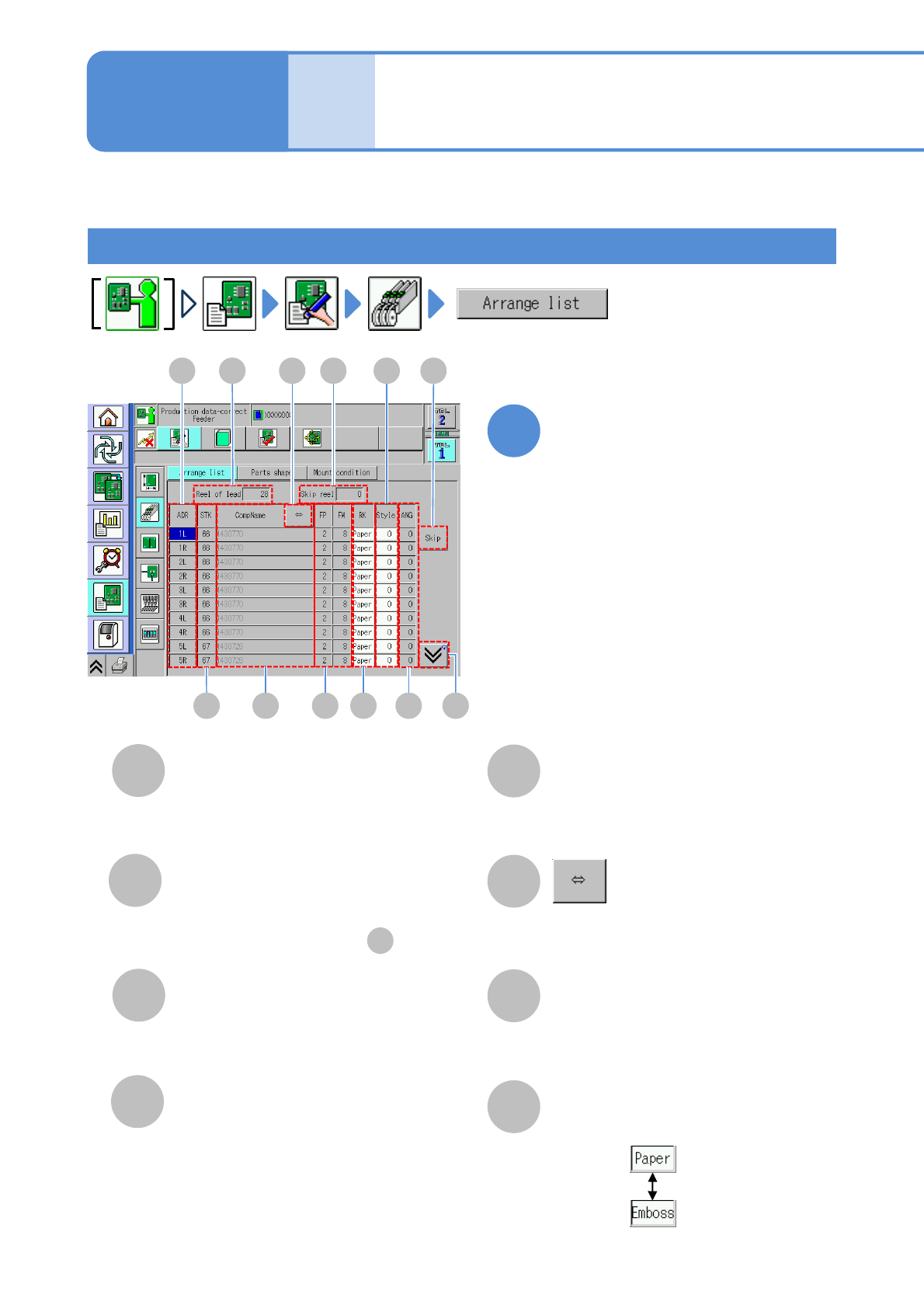
Edit the data of the desired
field on the screen
●Touching the screen opens the input
window.
1
A
Reel of lead/Pallets
The total number of reels or pallets
registered in the selected table.
B
Skip reel
The total number of reels or pallets
specified to be skipped in .
C
ADR (address)
D
STK (stock)
ID number of stock component.
(Only when there is stock)
K
E
CompName
Shows the rest of the component name
by scrolling.
F
FP/FW
G
H
Choose a tape type.
RK
L
●FP: Tape feed pitch.
●FW: Tape feed width.
Address of a feeder.
(→P.3-2-3
-1)
NPM-W2 EJM7DE-MB-06O-00
6-1-6-2
Setting
change
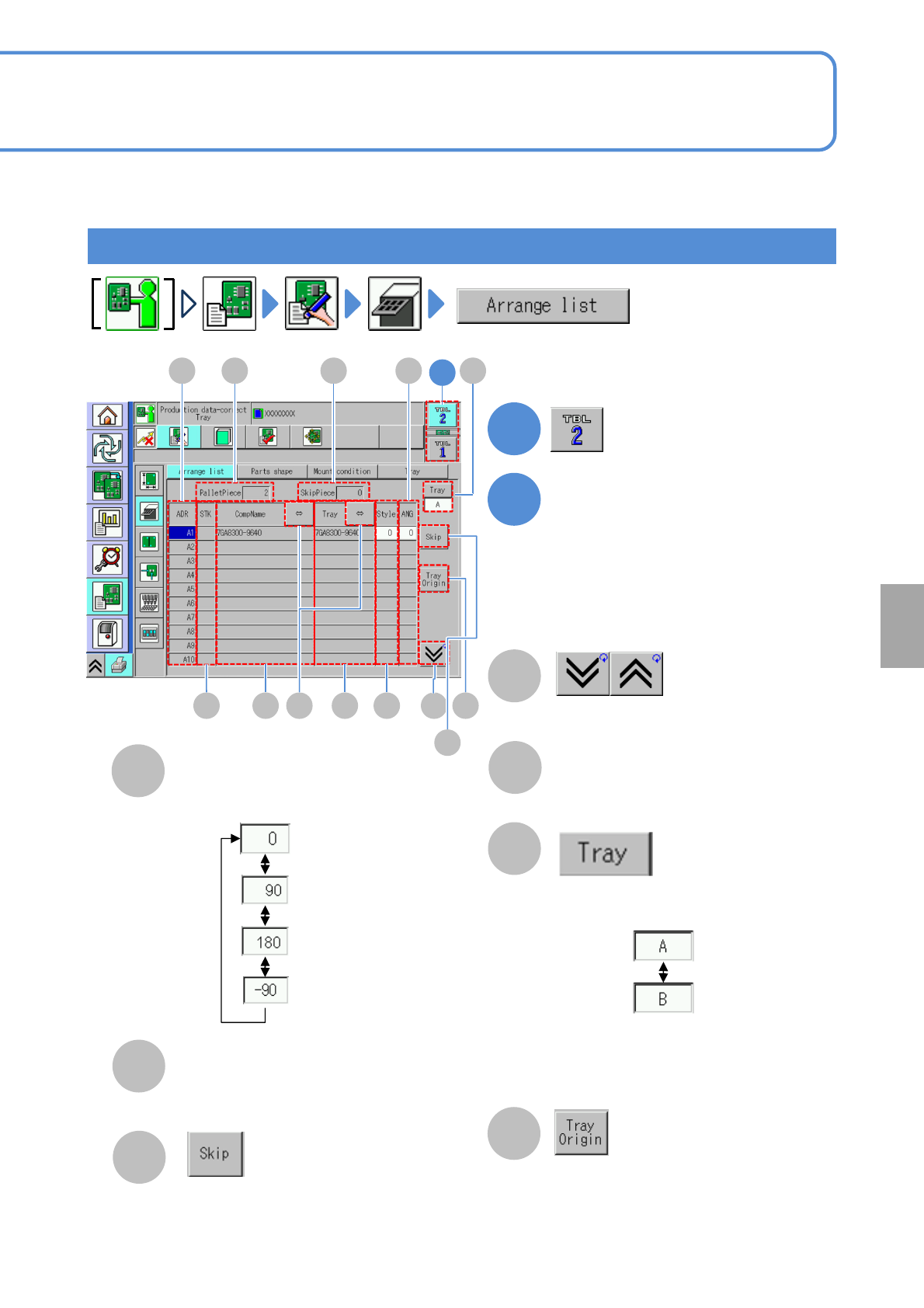
I
Style
J
ANG (angle)
K
The data on the cursor lines are skipped.
(Become disabled and no placement is
carried out)
Tray feeder
Choose a component supply angle.
Component pickup angle.
L
Shows the previous or next table.
Tray name
M
N
■For a twin tray feeder
Choose a tray.
■For a single tray feeder
An item field is not displayed and is not
selectable.
1
2
Edit the data of the desired
field on the screen
●Touching the screen opens the input
window.
C
D E
A
F M
B
I
J N
L O
1
K
O
The tray origin window is displayed.
(When several trays are placed on a
pallet, the tray origin window is
displayed)
NPM-W2 EJM7DE-MB-06O-00
Data
editing
6-1-7-1
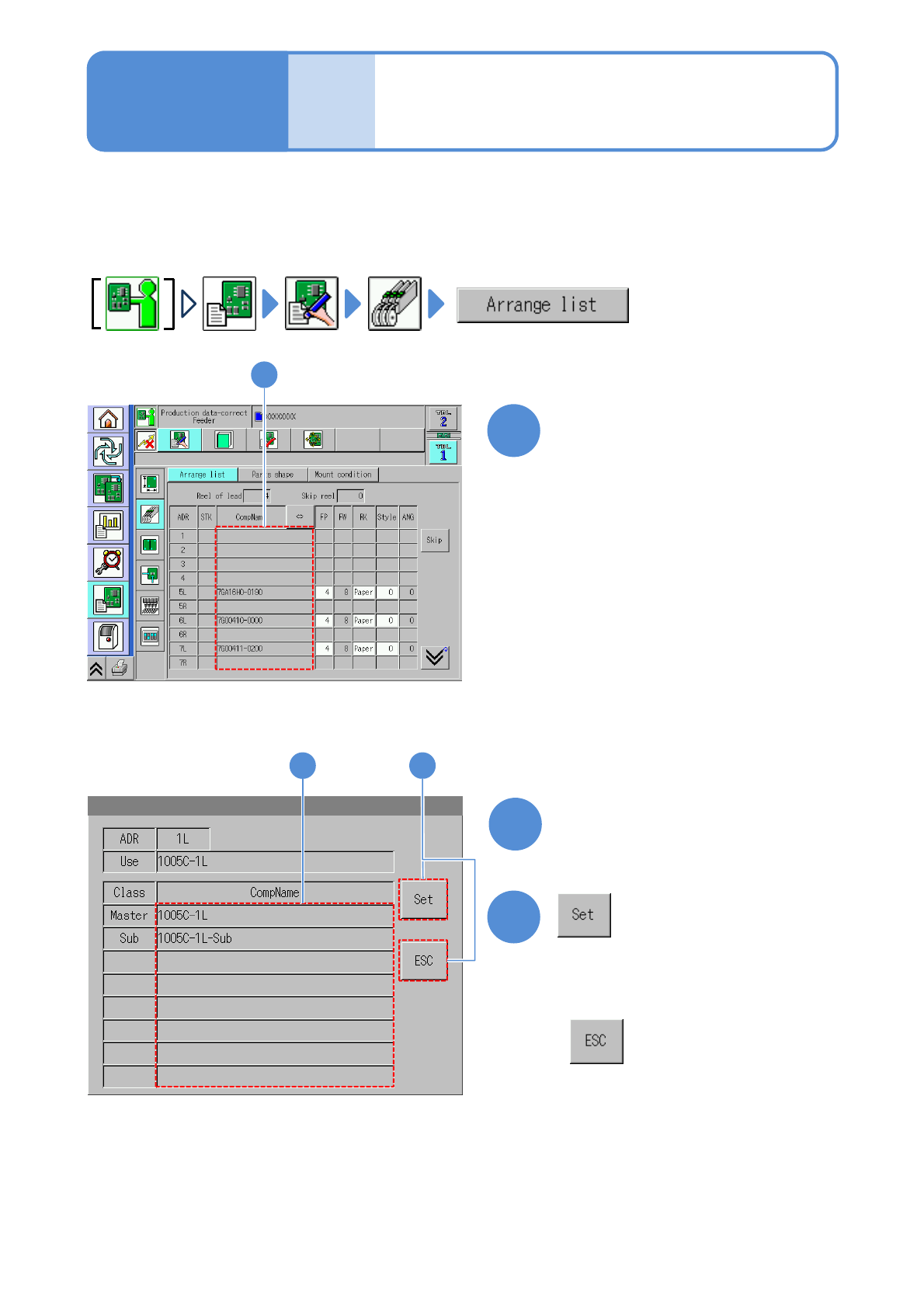
You can check and edit the substitute components data which is substituted with originally used master
components registered by DGS in advance.
1
1
Choose a component name
2
3
3
2
(The substitute component is registered)
Choose a substitute component
●Substitution component refill (→P.3-3-1)
Substitute components
registration
(intelligent feeder)
●Displayed components are the master
components.
■When you do not set
Operating procedure
6-1-7